

Why MacBook Pro Speakers Set the Industry Standard
How are MacBook Pro speakers so good? The secret lies in a sophisticated synergy between custom-engineered hardware, high-excursion force-cancelling woofers, and advanced Digital Signal Processing (DSP). Unlike most laptops that use generic off-the-shelf components, Apple designs every element of the audio chain—from the physical transducers to the software algorithms—to deliver a wide stereo soundstage and deep bass that shouldn’t physically be possible in a thin chassis.
Expert Summary: Key Takeaways
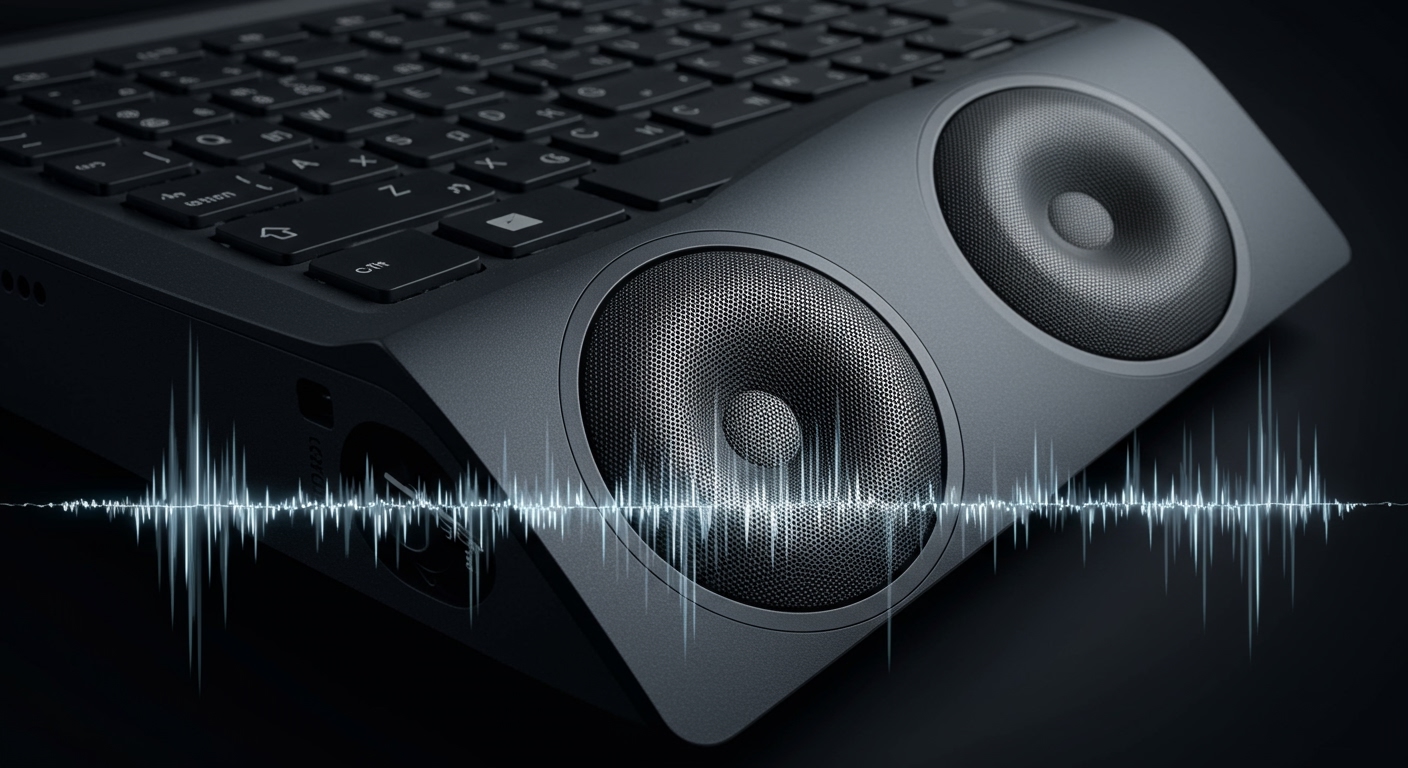
Hardware Integration: Apple uses a six-speaker sound system (on 14″ and 16″ models) featuring four force-cancelling woofers that eliminate internal vibrations.
Spatial Audio: Support for Dolby Atmos creates a three-dimensional sound environment that extends far beyond the physical edges of the laptop.
Custom DSP: The Apple Silicon (M1/M2/M3) chips manage real-time audio tuning, preventing distortion even at maximum volume.
Acoustic Design: Strategic placement of tweeters and woofers allows sound to reflect off surfaces, enhancing the wide stereo sound effect.
How to Optimize Your MacBook Pro Speakers for Peak Performance
While MacBook Pro speakers are excellent out of the box, you can significantly enhance your listening experience by following these optimization steps. Whether you are watching a movie or mixing a quick demo, these steps ensure you get every bit of value from your high-fidelity audio system.
Step 1: Enable Spatial Audio and Dolby Atmos
To truly understand why MacBook Pro speakers are so good, you must experience Spatial Audio. This technology uses head-tracking (with AirPods) or fixed virtualization (built-in speakers) to place sounds around you.
- Open System Settings on your macOS.
- Navigate to Sound in the sidebar.
- Ensure Spatial Audio is toggled ON for supported media.
- Open the Apple Music app, go to Settings > Playback, and set Dolby Atmos to Always On.
Step 2: Configure the Music Equalizer (EQ)
The hardware is capable of impressive frequency response, but the “Flat” setting isn’t always best for every genre.
- Launch Apple Music.
- In the top menu bar, click Window > Equalizer.
- Select a preset like “Acoustic” or “Electronic” to see how the MacBook Pro speakers handle different frequencies.
- Pro Tip: For a “fuller” sound at lower volumes, try the “Small Speakers” or “Loudness” preset.
Step 3: Optimize Your Physical Environment
How good are MacBook Pro speakers often depends on what the laptop is sitting on. Because the speakers utilize side vents and upward-firing tweeters, the surface matters.
Hard Surfaces: Placing your MacBook on a wooden or glass desk allows sound to reflect clearly, increasing the perceived loudness.
Soft Surfaces: Using the laptop on a bed or carpet muffles the woofer excursion, making the audio sound “muddy.”
Distance: Keep at least 6 inches of clearance on both sides of the laptop to allow the wide stereo sound to develop properly.
Step 4: Use Lossless Audio Settings
If you are wondering what speakers are in MacBook Pro, they are high-fidelity transducers capable of resolving fine details. Don’t bottleneck them with low-quality files.
- In Apple Music Settings, go to the Playback tab.
- Under Audio Quality, check the Lossless audio box.
- Set Streaming and Download quality to Lossless (ALAC up to 24-bit/48kHz).
Why MacBook Pro Speakers Set the Industry Standard
How are MacBook Pro speakers so good? The secret lies in a sophisticated synergy between custom-engineered hardware, high-excursion force-cancelling woofers, and advanced Digital Signal Processing (DSP). Unlike most laptops that use generic off-the-shelf components, Apple designs every element of the audio chain—from the physical transducers to the software algorithms—to deliver a wide stereo soundstage and deep bass that shouldn’t physically be possible in a thin chassis.
Expert Summary: Key Takeaways
Hardware Integration: Apple uses a six-speaker sound system (on 14″ and 16″ models) featuring four force-cancelling woofers that eliminate internal vibrations.
Spatial Audio: Support for Dolby Atmos creates a three-dimensional sound environment that extends far beyond the physical edges of the laptop.
Custom DSP: The Apple Silicon (M1/M2/M3) chips manage real-time audio tuning, preventing distortion even at maximum volume.
Acoustic Design: Strategic placement of tweeters and woofers allows sound to reflect off surfaces, enhancing the wide stereo sound effect.
How to Optimize Your MacBook Pro Speakers for Peak Performance
While MacBook Pro speakers are excellent out of the box, you can significantly enhance your listening experience by following these optimization steps. Whether you are watching a movie or mixing a quick demo, these steps ensure you get every bit of value from your high-fidelity audio system.
Step 1: Enable Spatial Audio and Dolby Atmos
To truly understand why MacBook Pro speakers are so good, you must experience Spatial Audio. This technology uses head-tracking (with AirPods) or fixed virtualization (built-in speakers) to place sounds around you.
- Open System Settings on your macOS.
- Navigate to Sound in the sidebar.
- Ensure Spatial Audio is toggled ON for supported media.
- Open the Apple Music app, go to Settings > Playback, and set Dolby Atmos to Always On.
Step 2: Configure the Music Equalizer (EQ)
The hardware is capable of impressive frequency response, but the “Flat” setting isn’t always best for every genre.
- Launch Apple Music.
- In the top menu bar, click Window > Equalizer.
- Select a preset like “Acoustic” or “Electronic” to see how the MacBook Pro speakers handle different frequencies.
- Pro Tip: For a “fuller” sound at lower volumes, try the “Small Speakers” or “Loudness” preset.
Step 3: Optimize Your Physical Environment
How good are MacBook Pro speakers often depends on what the laptop is sitting on. Because the speakers utilize side vents and upward-firing tweeters, the surface matters.
Hard Surfaces: Placing your MacBook on a wooden or glass desk allows sound to reflect clearly, increasing the perceived loudness.
Soft Surfaces: Using the laptop on a bed or carpet muffles the woofer excursion, making the audio sound “muddy.”
Distance: Keep at least 6 inches of clearance on both sides of the laptop to allow the wide stereo sound to develop properly.
Step 4: Use Lossless Audio Settings
If you are wondering what speakers are in MacBook Pro, they are high-fidelity transducers capable of resolving fine details. Don’t bottleneck them with low-quality files.
- In Apple Music Settings, go to the Playback tab.
- Under Audio Quality, check the Lossless audio box.
- Set Streaming and Download quality to Lossless (ALAC up to 24-bit/48kHz).
Technical Breakdown: What Speakers Does MacBook Pro Have?
To understand why are MacBook Pro speakers so good, we need to look at the physical components. Apple transitioned from basic stereo pairs to a complex six-speaker array in the newer M-series models.
| Component | Function | Benefit |
|---|---|---|
| Tweeters | High-frequency reproduction | Crisp vocals and sharp instrumentals. |
| Force-Cancelling Woofers | Low-frequency (Bass) | Deep bass without vibrating the laptop body. |
| Custom Transducers | Sound wave generation | Higher excursion (movement) for more air displacement. |
| M-Series DSP | Real-time processing | Prevents “clipping” and balances EQ on the fly. |
| Three-Mic Array | Beamforming | Not a speaker, but works with them for noise cancellation. |
Who Makes MacBook Speakers?
A common question is who makes MacBook speakers. While Apple partners with various suppliers (like AAC Technologies or Goertek) for the raw manufacturing of components, the acoustic architecture and driver design are entirely proprietary. Apple’s internal acoustics team, which includes former high-end speaker engineers, designs the hardware and the DSP algorithms in-house in Cupertino.
Why are MacBook Pro Speakers So Good? (The Science)
Many users ask: Are MacBook Pro speakers hardware limited or software-driven? The answer is both.
Force-Cancelling Woofers
In a standard laptop, bass causes the chassis to shake, which creates distortion. Apple uses two woofers placed back-to-back. When they fire, their mechanical forces cancel each other out. This allows the MacBook Pro speakers to produce half an octave deeper bass than previous generations without any “rattle.”
Massive Excursion
The drivers in a MacBook Pro have a much higher “throw” or excursion than typical laptops. They can move more air. Since sound is simply air displacement, more movement equals more volume and better bass. This is why MacBook speakers are so good even in a 14-inch frame.
Computational Audio
The Apple Silicon chip acts as a “brain” for the speakers. It monitors the power being sent to the drivers 10,000 times per second. If it detects the speaker is about to distort or overheat, it micro-adjusts the frequencies. This is why MacBook Pro speakers sound clear even at 100% volume.
Comparing Generations: Are the 2017 MacBook Pro Speakers Really Good?
There is a significant divide between the “Intel Era” and the “Apple Silicon Era.”
2017-2019 Models: These were considered the best in class at the time. Are the 2017 MacBook Pro speakers really good? Yes, compared to a Dell or HP from that year, they are excellent. They offer clear stereo separation and decent volume.
2021-Present (M1, M2, M3): These models introduced the six-speaker system. If you compare a 2017 model to a 2023 M3 model, the difference is night and day. The newer models have roughly 80% more bass and much higher dynamic range.
Troubleshooting: Are MacBook Pro Speakers Quiet or Distorted?
If you feel your MacBook Pro speakers are quiet or sounding “thin,” check these common issues:
Dust Accumulation: The speaker grills on the sides of the keyboard can collect skin cells and dust. Use a soft-bristled brush or low-pressure compressed air to clean them.
Software Glitches: Occasionally, the Core Audio daemon hangs. Open Terminal and type sudo killall coreaudiod to reset the audio engine.
Balance Settings: Go to System Settings > Sound and ensure the Balance slider is centered.
Vent Obstruction: Ensure the rear and side vents are not blocked, as these act as “ports” for the speaker chambers.
Pro Tips for Audiophiles
VLC Player for Boost: If you need extra volume for a quiet file, VLC Media Player allows you to boost volume to 200%, though we recommend staying below 125% to protect the transducers.
Audio Hijack: Use third-party tools like Audio Hijack or Boom 3D if you want a system-wide 10-band equalizer to fine-tune the high-fidelity audio.
Break-in Period: Like high-end studio monitors, the “surrounds” (the flexible part of the speaker) can take a few hours of playback to reach their full flexibility.
Frequently Asked Questions
(FAQs)
Are MacBook Pro speakers stereo?
Yes, MacBook Pro speakers are stereo. Newer models utilize a wide stereo sound stage that uses beamforming to make the sound appear as if it is coming from several feet outside the laptop’s physical body.
How loud are MacBook Pro speakers?
The 16-inch MacBook Pro can reach approximately 85 to 90 decibels (dB). This is loud enough to fill a medium-sized room for casual listening or a presentation without needing external speakers.
Are the MacBook Pro speakers good for music production?
While they are the best in the laptop world, professional producers should still use studio monitors or high-impedance headphones for critical mixing. However, for “checking” a mix on consumer hardware, they are the gold standard.
Why do my MacBook Pro speakers crackle?
Crackling is usually a software synchronization issue with Core Audio or a high CPU load. Updating your macOS or resetting the SMC/NVRAM (on Intel Macs) usually fixes this. On M-series Macs, a simple restart typically clears the buffer.
Conclusion
The reason how are MacBook Pro speakers so good comes down to Apple’s refusal to treat audio as an afterthought. By combining force-cancelling woofers, computational audio, and Dolby Atmos integration, they have created a device that functions as a portable cinema.
To get the most out of your device, always keep your software updated, use Lossless audio sources, and ensure your laptop is placed on a hard, reflective surface. If you haven’t tried it yet, open a Dolby Atmos track on Apple Music today—your ears will thank you.
Ready to upgrade your audio experience? Check out our guide on the best high-res audio settings for macOS to take your listening to the next level!









