

Why Your Echo Dot Needs Better Sound
The Amazon Echo Dot is a marvel of convenience, but let’s be honest: its internal speaker won’t win any awards for bass or clarity. Many users wonder, can echo dot be connected to external speakers to improve the audio experience? The answer is a resounding yes. Whether you want to breathe life into an old vintage Hi-Fi system, create a home theater vibe, or simply enjoy Spotify in high fidelity, connecting your Dot to a more powerful output is the ultimate upgrade.
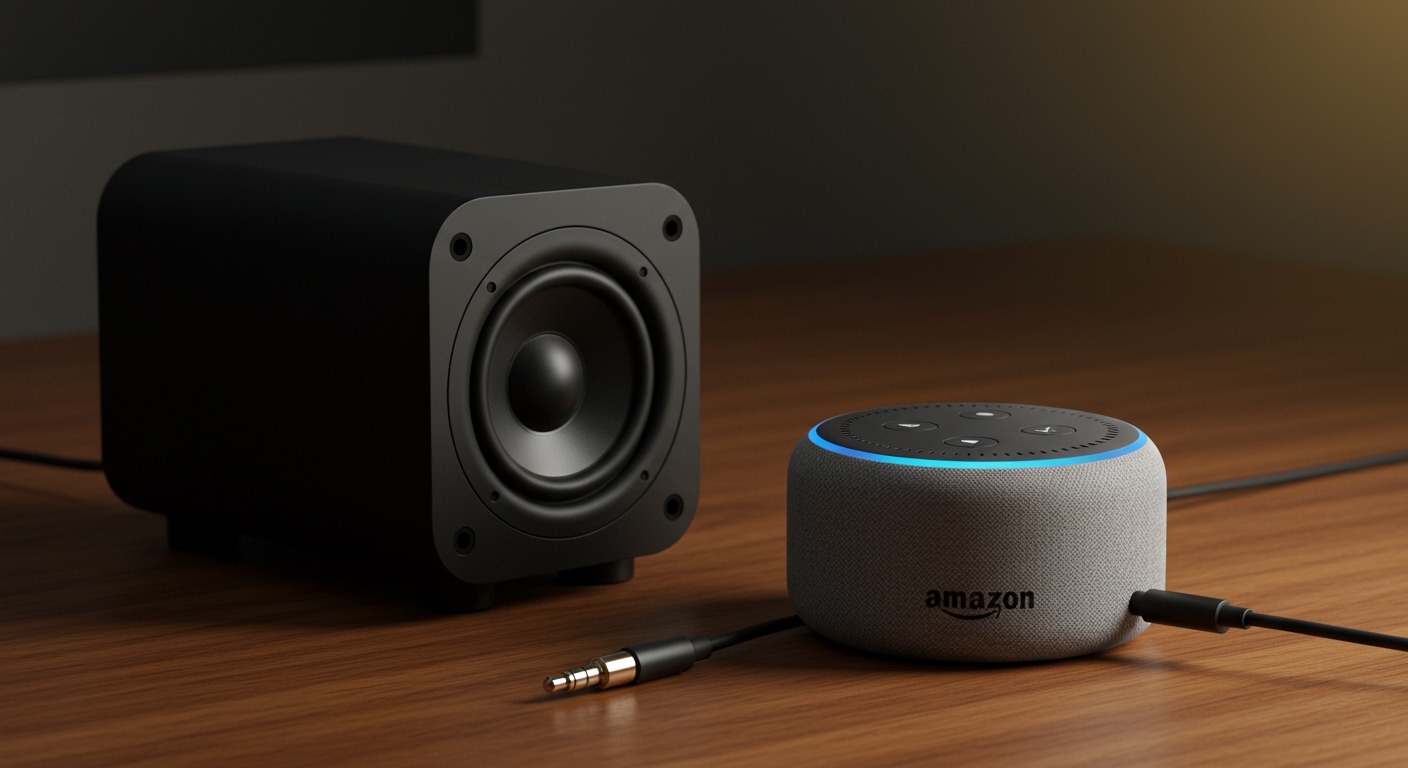
By the end of this guide, you will know exactly how to connect echo dot to external speakers using wireless, wired, and even legacy analog methods. We have tested these setups across multiple generations, from the Echo Dot 2nd generation to the latest models, ensuring you get crisp, room-filling sound.
Expert Summary: Key Takeaways
Wired Connection: Use a 3.5mm auxiliary cable for the lowest latency and best audio quality (available on Echo Dot 2nd, 3rd, and 4th Gen).
Wireless Connection: Use Bluetooth via the Alexa App to pair with modern soundbars, portable speakers, or headphones.
Smart Systems: You can i connect echo dot speakers with sonos system or Bose Home Speakers using the “Everywhere” group or specific manufacturer skills.
Pro Tip: The Echo Dot 5th Generation removed the 3.5mm jack, so Bluetooth or Wi-Fi are your only options for that specific model.
Required Tools & Materials
Before you begin, identify which connection method your hardware supports. Use the table below to gather your gear.
| Connection Type | Required Hardware | Best For |
|---|---|---|
| Wired (Aux) | 3.5mm Male-to-Male Cable / RCA Adapter | Old speakers, PC monitors, Hi-Fi Amps |
| Wireless (Bluetooth) | Bluetooth-enabled Speaker/Soundbar | Portable speakers, modern soundbars |
| Smart (Wi-Fi) | Sonos/Bose App + Alexa Skill | Whole-home audio, high-end systems |
| TV Setup | HDMI ARC / Optical (via TV) | Improving TV audio with Alexa |
Method 1: How to Connect Echo Dot to Wired Speakers
If you own an Echo Dot 2nd generation, 3rd, or 4th Gen, you have a physical 3.5mm line-out jack. This is the gold standard for audio quality because it avoids the compression often found in Bluetooth.
Step 1: Check your hardware compatibility
Ensure your external speaker has an “Aux In” or “Line In” port. If you are trying to connect echo dot to old speakers, you might need a 3.5mm to RCA adapter (the red and white plugs).
Step 2: Plug in the cable
Insert one end of the 3.5mm audio cable into the back of your Echo Dot. Plug the other end into the input port of your speaker system.
Step 3: Power on and test
Turn on your external speakers and set the volume to a moderate level. Ask, “Alexa, play some jazz,” to confirm the sound is routing through the external hardware.
Step 4: Adjust the Equalizer
Open the Alexa App, go to Devices > Echo & Alexa > [Your Device Name] > Audio Settings. Here, you can boost the bass or treble to match your external speaker’s profile.
Method 2: Connecting via Bluetooth (Wireless)
For those using the Echo Dot 5th Gen or simply wanting a wire-free setup, Bluetooth is the most flexible option. Many users ask, can echo dot connect to other speakers wirelessly? Yes, and it takes less than two minutes.
Step 1: Put your speaker in Pairing Mode
Follow your manufacturer’s instructions to make your Bluetooth speaker discoverable. Usually, this involves holding down a Bluetooth button until a light flashes.
Step 2: Open the Alexa App
Navigate to the Devices tab and select your Echo Dot.
Step 3: Pair the device
Tap on Bluetooth Connections and select Connect a Device. Alexa will search for nearby signals. When your speaker appears in the list, tap it to pair.
Step 4: Set as Default (Optional)
Once paired, Alexa will remember the device. You can say, “Alexa, connect to my speaker,” anytime you want to switch from the internal Dot speaker to the external one.
Why Your Echo Dot Needs Better Sound
The Amazon Echo Dot is a marvel of convenience, but let’s be honest: its internal speaker won’t win any awards for bass or clarity. Many users wonder, can echo dot be connected to external speakers to improve the audio experience? The answer is a resounding yes. Whether you want to breathe life into an old vintage Hi-Fi system, create a home theater vibe, or simply enjoy Spotify in high fidelity, connecting your Dot to a more powerful output is the ultimate upgrade.
By the end of this guide, you will know exactly how to connect echo dot to external speakers using wireless, wired, and even legacy analog methods. We have tested these setups across multiple generations, from the Echo Dot 2nd generation to the latest models, ensuring you get crisp, room-filling sound.
Expert Summary: Key Takeaways
Wired Connection: Use a 3.5mm auxiliary cable for the lowest latency and best audio quality (available on Echo Dot 2nd, 3rd, and 4th Gen).
Wireless Connection: Use Bluetooth via the Alexa App to pair with modern soundbars, portable speakers, or headphones.
Smart Systems: You can i connect echo dot speakers with sonos system or Bose Home Speakers using the “Everywhere” group or specific manufacturer skills.
Pro Tip: The Echo Dot 5th Generation removed the 3.5mm jack, so Bluetooth or Wi-Fi are your only options for that specific model.
Required Tools & Materials
Before you begin, identify which connection method your hardware supports. Use the table below to gather your gear.
| Connection Type | Required Hardware | Best For |
|---|---|---|
| Wired (Aux) | 3.5mm Male-to-Male Cable / RCA Adapter | Old speakers, PC monitors, Hi-Fi Amps |
| Wireless (Bluetooth) | Bluetooth-enabled Speaker/Soundbar | Portable speakers, modern soundbars |
| Smart (Wi-Fi) | Sonos/Bose App + Alexa Skill | Whole-home audio, high-end systems |
| TV Setup | HDMI ARC / Optical (via TV) | Improving TV audio with Alexa |
Method 1: How to Connect Echo Dot to Wired Speakers
If you own an Echo Dot 2nd generation, 3rd, or 4th Gen, you have a physical 3.5mm line-out jack. This is the gold standard for audio quality because it avoids the compression often found in Bluetooth.
Step 1: Check your hardware compatibility
Ensure your external speaker has an “Aux In” or “Line In” port. If you are trying to connect echo dot to old speakers, you might need a 3.5mm to RCA adapter (the red and white plugs).
Step 2: Plug in the cable
Insert one end of the 3.5mm audio cable into the back of your Echo Dot. Plug the other end into the input port of your speaker system.
Step 3: Power on and test
Turn on your external speakers and set the volume to a moderate level. Ask, “Alexa, play some jazz,” to confirm the sound is routing through the external hardware.
Step 4: Adjust the Equalizer
Open the Alexa App, go to Devices > Echo & Alexa > [Your Device Name] > Audio Settings. Here, you can boost the bass or treble to match your external speaker’s profile.
Method 2: Connecting via Bluetooth (Wireless)
For those using the Echo Dot 5th Gen or simply wanting a wire-free setup, Bluetooth is the most flexible option. Many users ask, can echo dot connect to other speakers wirelessly? Yes, and it takes less than two minutes.
Step 1: Put your speaker in Pairing Mode
Follow your manufacturer’s instructions to make your Bluetooth speaker discoverable. Usually, this involves holding down a Bluetooth button until a light flashes.
Step 2: Open the Alexa App
Navigate to the Devices tab and select your Echo Dot.
Step 3: Pair the device
Tap on Bluetooth Connections and select Connect a Device. Alexa will search for nearby signals. When your speaker appears in the list, tap it to pair.
Step 4: Set as Default (Optional)
Once paired, Alexa will remember the device. You can say, “Alexa, connect to my speaker,” anytime you want to switch from the internal Dot speaker to the external one.
Method 3: How to Connect Echo Dot to TV Speakers
You how to connect echo dot to tv speakers depends on whether your TV has Bluetooth or if you are using a Fire TV Stick.
- Via Fire TV: In the Alexa App, go to More > Settings > TV & Video > Fire TV. Select Link Your Alexa Device and follow the prompts to create a “Home Theater” group.
- Via Bluetooth: If your TV supports Bluetooth audio out, go to the TV’s audio settings and “Search for speakers.” Tell Alexa, “Alexa, pair,” to put the Dot in discovery mode.
- Via Aux: If your TV has a “Line In,” you can use the wired method mentioned above to use the Echo Dot as wired speakers for your television.
Method 4: Integrating with Sonos and Bose Systems
High-end audio fans often ask: can i connect echo dot speakers with sonos system? While they use different ecosystems, they can work together beautifully.
For Sonos Users:
Enable the Skill: Open the Alexa App, search for the Sonos Skill, and enable it.
Discover Devices: Ask Alexa to “Discover my devices.”
Set Default Output: You can set your Sonos One or Sonos Five as the “Preferred Speaker” for your Echo Dot within a specific Room Group.
For Bose Users:
Can echo dot pair with bose home speakers? Yes. Use the Bose Music App to link your Amazon account. This allows you to use the Dot to trigger music that plays directly out of your Bose Soundbar or Home Speaker 500.
Advanced Scenarios: Old Speakers and Computer Setups
Can Echo Dot be hooked up to old speakers?
Absolutely. Most vintage receivers use RCA inputs. You simply need a 3.5mm to RCA Y-cable. Plug the 3.5mm end into the Dot and the red/white ends into the “CD” or “Tape” input on your receiver. Can you connect analog speakers to the echo dot? Yes, as long as the speakers are powered (active) or connected to an amplifier.
Can I play my echo dot through computer speakers?
Yes. If your computer speakers have a secondary “Aux In,” plug the Dot directly into them. If they only have one plug (connected to your PC), you may need a 3.5mm splitter or a small audio mixer to hear both your PC and Alexa at the same time.
Troubleshooting Common Connection Issues
Audio Lag: Bluetooth can sometimes have a slight delay. If you are watching video, a wired 3.5mm connection is better to keep audio in sync.
Disconnecting: If your wireless speakers keep disconnecting, ensure they aren’t trying to pair with your phone at the same time. Turn off your phone’s Bluetooth during the initial setup.
Low Volume: Ensure the volume on both the Echo Dot and the external speaker is turned up. Sometimes the Dot defaults to volume level 3 after a new connection.
Echo Dot 5th Gen Issues: Remember, can echo dot connect to speakers via wire? Not on the 5th Gen. If you have this model, you must use Bluetooth or a Wi-Fi-based multi-room setup.
Expert Advice: Getting the Best Sound
- Placement Matters: Don’t hide your Echo Dot behind the external speaker. The microphones need a clear “line of sight” to your voice to hear the wake word.
- Stereo Pairing: You can i pair 2 speakers to my echo dot? Not exactly. You can pair two Echo speakers together as a stereo pair, but you cannot output a stereo Bluetooth signal to two different brands of speakers simultaneously from one Dot.
- Disable Internal Speaker: When a 3.5mm cable is plugged in, the Dot’s internal speaker is physically bypassed. This is ideal for a clean audio experience.
- Use High-Quality Cables: If you are using the wired method, avoid the $1 cables. A shielded gold-plated 3.5mm cable reduces the “hum” or “hiss” often heard in cheap analog setups.
Frequently Asked Questions
(FAQs)
Can echo dot connect to wifi speakers?
Yes, but typically through the Alexa App rather than a direct Wi-Fi signal. You can add Wi-Fi speakers (like Sonos or Linkplay-enabled devices) to an Alexa Multi-Room Music group so they play in sync with your Echo Dot.
Can an echo dot be used as wired speakers?
Yes, the Echo Dot can act as a wired speaker for other devices if the model supports “Line In” (mostly the larger Echo models), but for the Echo Dot, the 3.5mm jack is primarily a Line Out. This means it sends sound to other speakers rather than receiving it.
Can you connect amazon echo dot to speakers that don’t have Bluetooth?
Yes, by using a 3.5mm auxiliary cable. If your speakers are very old, use a 3.5mm to RCA adapter. This allows the Echo Dot to be connected to external speakers even if they were made 40 years ago.
Can I connect my Echo Dot to a soundbar?
Yes, the easiest way is via Bluetooth. However, for the best quality, use an Optical to 3.5mm converter or a direct Aux cable if your soundbar supports it. This is the best way to connect echo dot to tv speakers for a better cinematic experience.
Can echo dot play music on wireless speakers and its own speaker at the same time?
Generally, no. When connected to a Bluetooth speaker, the Echo Dot mutes its internal speaker. However, if you use Multi-Room Music with other Echo devices, they can all play simultaneously.
Conclusion
Upgrading your audio setup proves that you can echo dot be connected to external speakers with minimal effort. Whether you choose the high-fidelity route of a wired 3.5mm connection or the convenience of Bluetooth, the difference in sound quality is night and day.
Don’t let your smart assistant be muffled by a tiny driver. Grab an aux cable or open your Alexa App today to transform your Echo Dot into a high-end audio hub. If you found this guide helpful, check out our other tutorials on smart home optimization and multi-room audio setups.









