

Do iPod Classics Have Speakers? The Definitive Answer
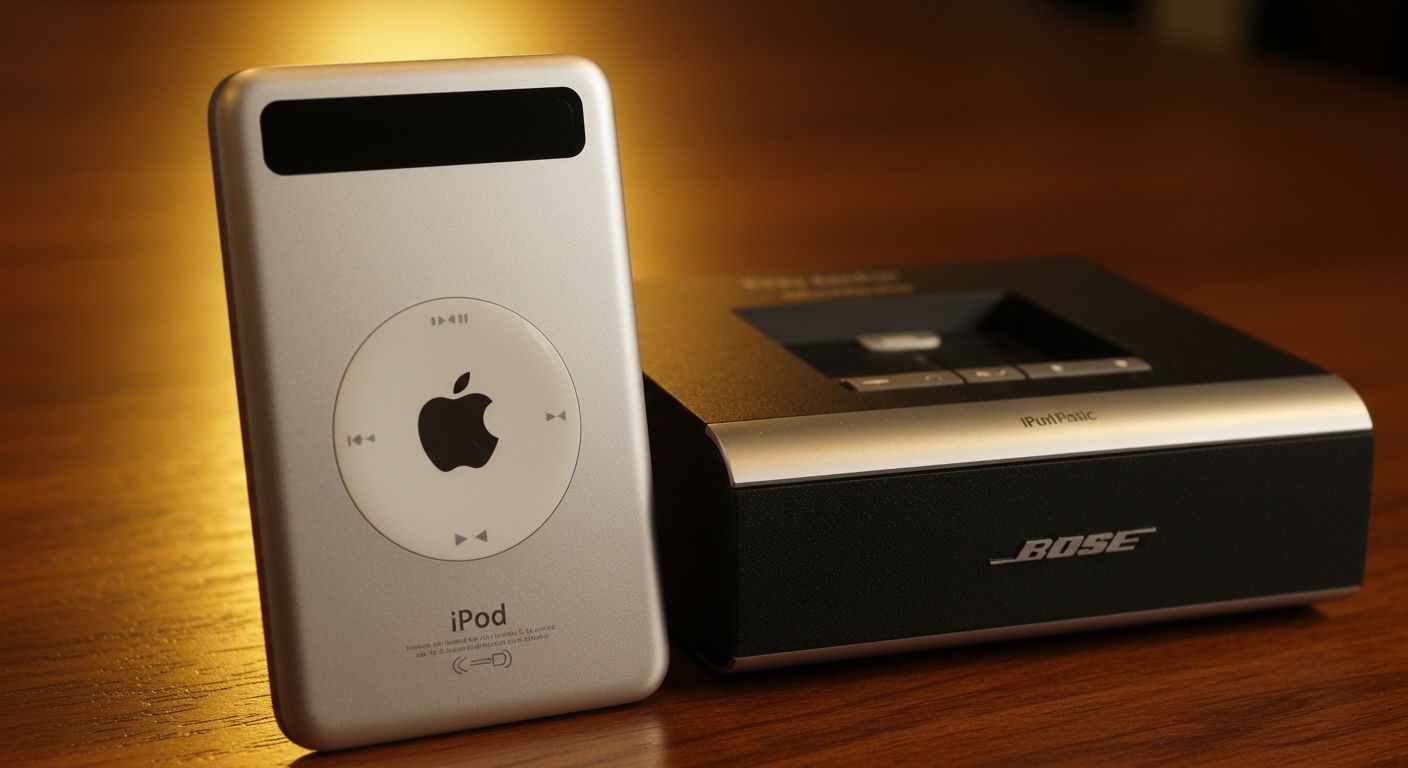
The short answer is no, iPod Classics do not have built-in speakers for playing music. While they contain a tiny internal “piezo” speaker designed solely to produce the signature “click” sound when scrolling the click wheel, you cannot use it to listen to your songs. To hear your music, you must use headphones or connect to external iPod speakers.
🚀 Key Takeaways: Expert Summary
Music Playback: Only the iPod Touch (all generations) and iPod Nano (5th Gen) feature true built-in speakers for music.
The “Click” Mystery: If you hear a noise from your iPod Classic, it is a system alert speaker, not a media speaker.
Best Solutions: For iPod Classics, the best audio experience comes from 30-pin docking stations or 3.5mm auxiliary cables.
Modern Workaround: You can add Bluetooth functionality to an old iPod using a specialized 30-pin transmitter.
Which iPods Have Built-in Speakers? A Model Comparison
Before you spend hours digging through settings, it is vital to know which iPod has speakers and which models are silent. Over the decades, Apple prioritized thin designs and battery life over internal audio drivers.
| iPod Model | Built-in Music Speaker? | Connection Type |
|---|---|---|
| iPod Classic (All) | No (System clicks only) | 30-pin Dock |
| iPod Touch (1st-7th Gen) | Yes | Lightning or 30-pin |
| iPod Nano (1st-4th Gen) | No | 30-pin Dock |
| iPod Nano (5th Gen) | Yes | 30-pin Dock |
| iPod Nano (6th-7th Gen) | No | Lightning or 30-pin |
| iPod Shuffle (All) | No | 3.5mm Jack only |
As shown above, the question of does iPod Nano have speakers depends entirely on the generation. The 5th generation Nano was a unique outlier that included a speaker and a video camera. Conversely, if you are asking does iPod Shuffle have speakers, the answer is a firm no due to its ultra-compact size.
How to Connect Your iPod Classic to External Speakers
Since we have established that iPod Classics do not have speakers for music, you need a strategy to get that high-quality audio out of the device. Follow these steps to set up your external audio system.
Step 1: Identify Your Output Port
Most iPod Classics (from the 1st gen to the 7th gen “Thin” 160GB) utilize two main output methods. The 3.5mm headphone jack is on the top, while the 30-pin dock connector is on the bottom.
Expert Tip: Always prefer the 30-pin connector for home audio. It provides a “Line Out” signal that bypasses the iPod’s internal volume amp, resulting in cleaner, more professional sound quality.
Step 2: Select Your Audio Hardware
You have three primary options for external sound:
- Analog Aux: Use a 3.5mm to 3.5mm cable to connect to any portable speaker.
- Legacy Docks: Use a dedicated Bose SoundDock or Logitech station specifically made for iPods.
- Digital Converters: Use a 30-pin to Bluetooth adapter to stream to modern Sonos or JBL speakers.
Step 3: Configure the Connection
For Aux Cables: Plug one end into the iPod and the other into the “Aux In” port of your speaker. Turn the iPod volume to about 80% to avoid distortion.
For Docking Stations: Ensure the iPod is seated firmly on the 30-pin male connector. The iPod should show a charging icon immediately.
Step 4: Manage Audio Settings
Navigate to Settings > EQ on your iPod. If you are using high-quality external iPod speakers, set the EQ to “Flat” or “Off”. This allows your external speaker’s superior hardware to handle the sound processing without “double-processing” the audio.
Do iPod Classics Have Speakers? The Definitive Answer
The short answer is no, iPod Classics do not have built-in speakers for playing music. While they contain a tiny internal “piezo” speaker designed solely to produce the signature “click” sound when scrolling the click wheel, you cannot use it to listen to your songs. To hear your music, you must use headphones or connect to external iPod speakers.
🚀 Key Takeaways: Expert Summary
Music Playback: Only the iPod Touch (all generations) and iPod Nano (5th Gen) feature true built-in speakers for music.
The “Click” Mystery: If you hear a noise from your iPod Classic, it is a system alert speaker, not a media speaker.
Best Solutions: For iPod Classics, the best audio experience comes from 30-pin docking stations or 3.5mm auxiliary cables.
Modern Workaround: You can add Bluetooth functionality to an old iPod using a specialized 30-pin transmitter.
Which iPods Have Built-in Speakers? A Model Comparison
Before you spend hours digging through settings, it is vital to know which iPod has speakers and which models are silent. Over the decades, Apple prioritized thin designs and battery life over internal audio drivers.
| iPod Model | Built-in Music Speaker? | Connection Type |
|---|---|---|
| iPod Classic (All) | No (System clicks only) | 30-pin Dock |
| iPod Touch (1st-7th Gen) | Yes | Lightning or 30-pin |
| iPod Nano (1st-4th Gen) | No | 30-pin Dock |
| iPod Nano (5th Gen) | Yes | 30-pin Dock |
| iPod Nano (6th-7th Gen) | No | Lightning or 30-pin |
| iPod Shuffle (All) | No | 3.5mm Jack only |
As shown above, the question of does iPod Nano have speakers depends entirely on the generation. The 5th generation Nano was a unique outlier that included a speaker and a video camera. Conversely, if you are asking does iPod Shuffle have speakers, the answer is a firm no due to its ultra-compact size.
How to Connect Your iPod Classic to External Speakers
Since we have established that iPod Classics do not have speakers for music, you need a strategy to get that high-quality audio out of the device. Follow these steps to set up your external audio system.
Step 1: Identify Your Output Port
Most iPod Classics (from the 1st gen to the 7th gen “Thin” 160GB) utilize two main output methods. The 3.5mm headphone jack is on the top, while the 30-pin dock connector is on the bottom.
Expert Tip: Always prefer the 30-pin connector for home audio. It provides a “Line Out” signal that bypasses the iPod’s internal volume amp, resulting in cleaner, more professional sound quality.
Step 2: Select Your Audio Hardware
You have three primary options for external sound:
- Analog Aux: Use a 3.5mm to 3.5mm cable to connect to any portable speaker.
- Legacy Docks: Use a dedicated Bose SoundDock or Logitech station specifically made for iPods.
- Digital Converters: Use a 30-pin to Bluetooth adapter to stream to modern Sonos or JBL speakers.
Step 3: Configure the Connection
For Aux Cables: Plug one end into the iPod and the other into the “Aux In” port of your speaker. Turn the iPod volume to about 80% to avoid distortion.
For Docking Stations: Ensure the iPod is seated firmly on the 30-pin male connector. The iPod should show a charging icon immediately.
Step 4: Manage Audio Settings
Navigate to Settings > EQ on your iPod. If you are using high-quality external iPod speakers, set the EQ to “Flat” or “Off”. This allows your external speaker’s superior hardware to handle the sound processing without “double-processing” the audio.
Tools and Materials Needed for iPod Audio
| Tool/Material | Purpose | Compatibility |
|---|---|---|
| 3.5mm Male-to-Male Cable | Basic connection to any speaker | All iPod models |
| 30-pin Bluetooth Transmitter | Wireless streaming to modern speakers | iPod Classic, Nano, Video |
| 30-pin to Lightning Adapter | Connecting old iPods to newer docks | iPod Classic/Nano |
| Dedicated iPod Dock | Charging and high-fidelity playback | Models with 30-pin ports |
Why Do iPod Classics Have Speakers That Only Click?
It is a common point of frustration: you hear a “tick” when you spin the wheel, so you know a speaker exists. Why does iPod Classic have speakers that won’t play your favorite Taylor Swift album?
The internal component is a Piezoelectric Transducer. Unlike a traditional cone speaker that moves air to create complex frequencies (music), a piezo element vibrates at a fixed frequency to create a sharp “click.”
Apple included this for tactile feedback. Because the Click Wheel was solid-state in later versions, the sound helped users feel like they were physically interacting with the device. It lacks the housing and power draw required to produce bass or mid-range tones.
Expert Pro-Tips for iPod Audio Enthusiasts
Having refurbished hundreds of iPod Classics, I’ve learned that the audio path is sensitive. Here is how to get the most out of your device:
Clean the Dock Connector: If your iPod speakers are crackling or only playing out of one side, use a wooden toothpick and 99% Isopropyl alcohol to clean the 30-pin port. Lint buildup is the #1 cause of “dead” speakers.
Avoid the Headphone Jack for Home Audio: The headphone jack is prone to wear and tear. If you use it constantly for home speakers, the internal solder joints may crack. Use a 30-pin Line Out dock instead.
Bluetooth Limitations: If you use a Bluetooth adapter on an iPod Classic, remember that it will drain the battery significantly faster. The iPod has to power the Bluetooth chip through its dock connector.
- The 5.5 Generation “Wolfson” DAC: If you own the iPod Video (5.5 Gen), it is widely considered the best-sounding iPod ever made. Pair this specifically with high-end external speakers for an audiophile experience.
Common Mistakes to Avoid
- Forcing a Lightning Cable: Never try to force a modern iPhone charger into an iPod Classic. You will bend the pins and permanently destroy the logic board.
- Maxing Out iPod Volume: When using the headphone jack to connect to a car or home stereo, maxing the volume often causes “clipping.” Keep the iPod at 80% and use the speaker’s volume knob for the rest.
- Using Cheap 30-pin Adapters: Many $2 adapters from discount sites lack the internal “handshake” chip. This results in the “This accessory is not supported” error. Stick to brands like Apple, 30-pin to Bluetooth (Kokkia), or Bose.
FAQs: Everything You Need to Know About iPod Speakers
Does the iPod Classic 160GB have a built-in speaker?
No. The 160GB (7th Generation) iPod Classic does not have a built-in speaker for music. It only features the internal clicker for UI feedback.
Why does my iPod Nano not have sound without headphones?
Unless you have the 5th Generation Nano (the one with the camera), your Nano does not have built-in speakers. You must use headphones or an external speaker via the 3.5mm jack or dock connector.
How can I make my iPod Classic play through my Bluetooth speaker?
You need to purchase a 30-pin Bluetooth Transmitter. Plug this into the bottom of your iPod Classic, put your speaker in pairing mode, and they will sync. Note that the iPod’s volume wheel may not control the speaker’s volume in this setup.
Which iPods have built-in speakers for watching movies?
The iPod Touch (all generations) is the best choice for this. While the iPod Nano 5th Gen has a speaker, it is very quiet and not ideal for long-form video content.
Can I fix a “no sound” issue on an iPod docking station?
First, check if the iPod is in “Disk Mode.” If not, ensure the 30-pin port is clean. Often, a simple hard reset (holding Menu and Center button for 10 seconds) will fix software glitches preventing audio output to speakers.
Conclusion: Getting the Best Sound from Your iPod
While the answer to do ipod classics have speakers is a disappointing “no” for those hoping for a standalone boombox, the reality is that these devices were designed for high-fidelity external output. By using the 30-pin connector and a quality set of external iPod speakers, you can enjoy a superior listening experience that modern smartphones often struggle to match.
Whether you are reviving an old iPod Nano or maintaining a 160GB iPod Classic, the right cables and adapters make all the difference. Grab a 30-pin Bluetooth adapter or a vintage Bose SoundDock today to give your legendary music library the volume it deserves!









