

Can iPhone Speakers Be Fixed? The Ultimate Repair Guide
Yes, iPhone speakers can be fixed in almost every scenario, whether they are muffled by dust, silenced by a software glitch, or distorted by water damage. While some fixes involve simple cleaning, others may require a professional iPhone speaker replacement to restore high-quality audio.
💡 Expert Summary: Key Takeaways
Most issues are external: Over 70% of muffled sound issues are caused by lint or debris in the speaker grills, not hardware failure.
Water damage is fixable: If your phone was submerged, specialized “water eject” sounds or silica gel can often save the hardware.
Professional options exist: Apple Support and third-party shops can replace iPhone speakers if the internal diaphragm is torn or blown.
Cost varies: Repairs range from $0 (DIY cleaning) to $70-$150 for out-of-warranty hardware replacements.
Quick Diagnosis: Software vs. Hardware
Before unscrewing your device, you must determine if the problem is digital or physical. Many users ask, “can you fix iphone speakers” only to realize their phone was simply stuck in “Headphone Mode.”
- Check the Silent Switch: Ensure the physical toggle on the left side isn’t showing orange.
- Disable Do Not Disturb: Swipe to Control Center and ensure the “Moon” icon is off.
- Test the Earpiece vs. Bottom Speaker: Play a ringtone. If sound comes from the bottom but not the top during calls, you have a specific earpiece issue.
- Reset All Settings: This clears potential software conflicts without deleting your data.
Step 1: Clean the Speaker Grills (The Most Common Fix)
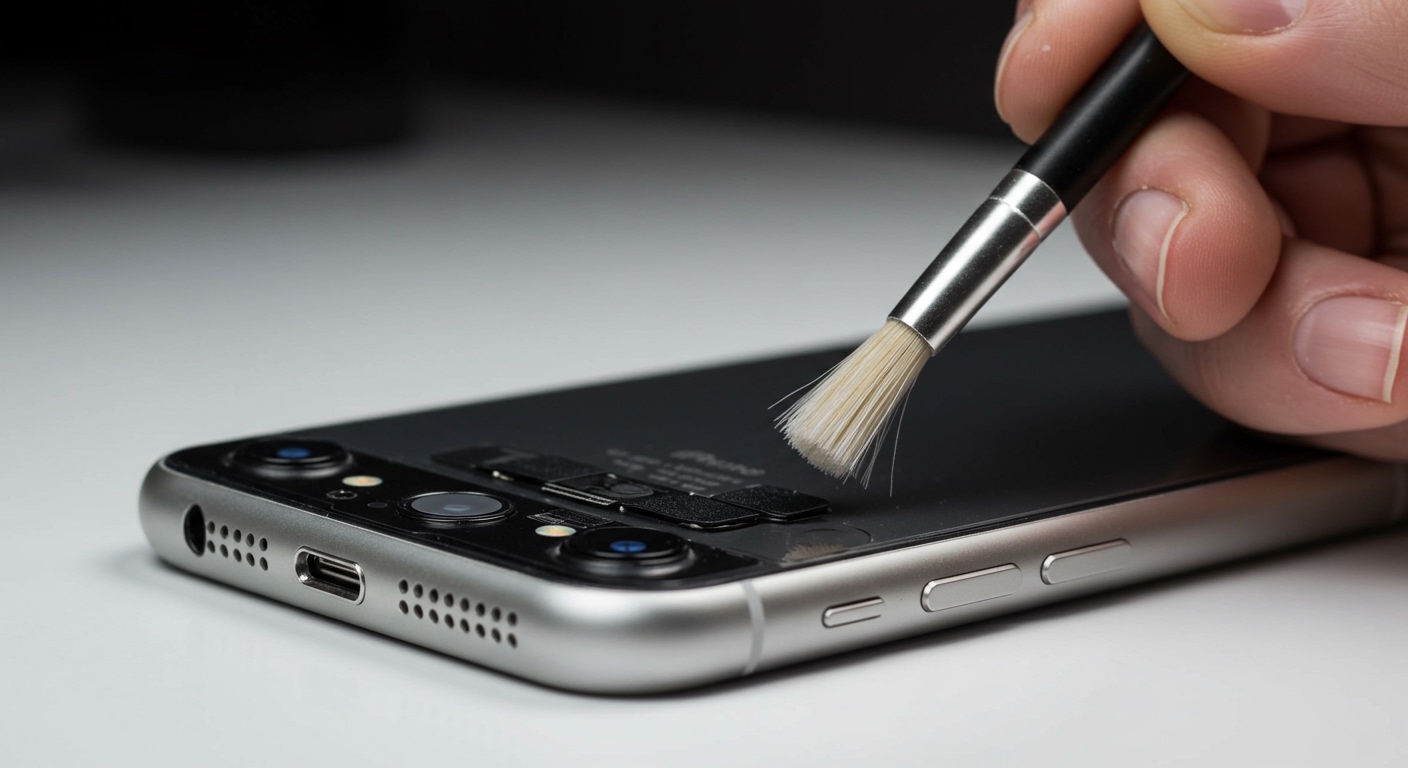
If you are wondering “can my iphone speakers be fixed” without spending money, cleaning is your first step. Pocket lint and skin oils frequently clog the microscopic mesh.
Tools Needed for Cleaning
| Tool | Purpose | Expert Tip |
|---|---|---|
| Soft-bristle Toothbrush | Scrubbing debris | Use a brand-new, dry brush only. |
| Blue-Tack / Cleaning Putty | Lifting deep dirt | Press gently; do not shove it into the mesh. |
| 70% Isopropyl Alcohol | Dissolving oils | Dampen the brush slightly; never drip liquid into the phone. |
| Compressed Air | Blowing out dust | Use short bursts from a distance to avoid damaging the diaphragm. |
How to Clean Your Speakers
- Scrub gently with the toothbrush at a 45-degree angle to loosen the “crust” of dirt.
- Apply the putty by pressing it against the grill and pulling it away quickly. You will likely see dark spots of lint removed.
- Wipe the mesh with a slightly damp microfiber cloth to remove any remaining oily residue.
Step 2: Fixing Water-Damaged iPhone Speakers
A frequent question we receive is, “can water damaged iphone speakers be fixed?” The answer is yes, provided you act quickly. Water creates a film over the speaker mesh, causing a “crackling” or “underwater” sound.
The Water Ejection Method
- Download a Tone Generator app or use the “Water Eject” Siri Shortcut.
- Play a low-frequency sound (around 165Hz). This creates vibrations that physically push water droplets out of the speaker cavity.
- Dry the exterior with a lint-free cloth.
What to Avoid
Do NOT use rice: Rice particles can get stuck in the charging port and it is inefficient at pulling moisture from inside the speaker.
Avoid hair dryers: Excessive heat can melt the adhesive that keeps your iPhone water-resistant.
Don’t charge the phone: Wait at least 5 hours until the device is completely dry to prevent a short circuit.
Step 3: Professional iPhone Speaker Replacement
When cleaning fails, the internal hardware may be “blown.” This happens when the thin membrane inside the speaker tears. Many users ask, “can you replace speakers on iphone” at home? While possible, it is a high-difficulty repair.
Does Apple Fix iPhone Speakers?
Yes, Apple can fix iPhone speakers at any Genius Bar.
Under Warranty/AppleCare+: The repair is often free or costs a small $29 deductible.
Out of Warranty: Apple usually treats a speaker failure as a “modular repair.” Depending on your model, this can cost between $79 and $149.
DIY Replacement (For Advanced Users)
If you are tech-savvy, you can replace iphone speakers using kits from sites like iFixit.
- Power down the device and remove the pentalobe screws at the bottom.
- Apply heat to the edges to soften the waterproof adhesive.
- Open the screen carefully (like a book) to avoid tearing the ribbon cables.
- Unscrew the speaker module (usually located at the bottom right) and swap it with a new OEM part.
Can iPhone Speakers Be Fixed? The Ultimate Repair Guide
Yes, iPhone speakers can be fixed in almost every scenario, whether they are muffled by dust, silenced by a software glitch, or distorted by water damage. While some fixes involve simple cleaning, others may require a professional iPhone speaker replacement to restore high-quality audio.
💡 Expert Summary: Key Takeaways
Most issues are external: Over 70% of muffled sound issues are caused by lint or debris in the speaker grills, not hardware failure.
Water damage is fixable: If your phone was submerged, specialized “water eject” sounds or silica gel can often save the hardware.
Professional options exist: Apple Support and third-party shops can replace iPhone speakers if the internal diaphragm is torn or blown.
Cost varies: Repairs range from $0 (DIY cleaning) to $70-$150 for out-of-warranty hardware replacements.
Quick Diagnosis: Software vs. Hardware
Before unscrewing your device, you must determine if the problem is digital or physical. Many users ask, “can you fix iphone speakers” only to realize their phone was simply stuck in “Headphone Mode.”
- Check the Silent Switch: Ensure the physical toggle on the left side isn’t showing orange.
- Disable Do Not Disturb: Swipe to Control Center and ensure the “Moon” icon is off.
- Test the Earpiece vs. Bottom Speaker: Play a ringtone. If sound comes from the bottom but not the top during calls, you have a specific earpiece issue.
- Reset All Settings: This clears potential software conflicts without deleting your data.
Step 1: Clean the Speaker Grills (The Most Common Fix)
If you are wondering “can my iphone speakers be fixed” without spending money, cleaning is your first step. Pocket lint and skin oils frequently clog the microscopic mesh.
Tools Needed for Cleaning
| Tool | Purpose | Expert Tip |
|---|---|---|
| Soft-bristle Toothbrush | Scrubbing debris | Use a brand-new, dry brush only. |
| Blue-Tack / Cleaning Putty | Lifting deep dirt | Press gently; do not shove it into the mesh. |
| 70% Isopropyl Alcohol | Dissolving oils | Dampen the brush slightly; never drip liquid into the phone. |
| Compressed Air | Blowing out dust | Use short bursts from a distance to avoid damaging the diaphragm. |
How to Clean Your Speakers
- Scrub gently with the toothbrush at a 45-degree angle to loosen the “crust” of dirt.
- Apply the putty by pressing it against the grill and pulling it away quickly. You will likely see dark spots of lint removed.
- Wipe the mesh with a slightly damp microfiber cloth to remove any remaining oily residue.
Step 2: Fixing Water-Damaged iPhone Speakers
A frequent question we receive is, “can water damaged iphone speakers be fixed?” The answer is yes, provided you act quickly. Water creates a film over the speaker mesh, causing a “crackling” or “underwater” sound.
The Water Ejection Method
- Download a Tone Generator app or use the “Water Eject” Siri Shortcut.
- Play a low-frequency sound (around 165Hz). This creates vibrations that physically push water droplets out of the speaker cavity.
- Dry the exterior with a lint-free cloth.
What to Avoid
Do NOT use rice: Rice particles can get stuck in the charging port and it is inefficient at pulling moisture from inside the speaker.
Avoid hair dryers: Excessive heat can melt the adhesive that keeps your iPhone water-resistant.
Don’t charge the phone: Wait at least 5 hours until the device is completely dry to prevent a short circuit.
Step 3: Professional iPhone Speaker Replacement
When cleaning fails, the internal hardware may be “blown.” This happens when the thin membrane inside the speaker tears. Many users ask, “can you replace speakers on iphone” at home? While possible, it is a high-difficulty repair.
Does Apple Fix iPhone Speakers?
Yes, Apple can fix iPhone speakers at any Genius Bar.
Under Warranty/AppleCare+: The repair is often free or costs a small $29 deductible.
Out of Warranty: Apple usually treats a speaker failure as a “modular repair.” Depending on your model, this can cost between $79 and $149.
DIY Replacement (For Advanced Users)
If you are tech-savvy, you can replace iphone speakers using kits from sites like iFixit.
- Power down the device and remove the pentalobe screws at the bottom.
- Apply heat to the edges to soften the waterproof adhesive.
- Open the screen carefully (like a book) to avoid tearing the ribbon cables.
- Unscrew the speaker module (usually located at the bottom right) and swap it with a new OEM part.
Can You Fix Speakers on Older iPhone Models?
Older hardware has specific quirks. We often get asked about legacy devices like the iPhone 7 or iPhone 4s.
Can Apple Fix iPhone 7 Speakers?
The iPhone 7 and iPhone 7 Plus are notorious for a “Loop Disease” issue. This isn’t actually a speaker failure, but a chip on the logic board (the Audio IC) that comes loose.
Symptoms: Grayed-out voice memo icon, no sound on calls, and long boot times.
The Fix: This requires micro-soldering, which Apple typically does not do. You may need a specialized third-party repair shop for this specific model.
Can You Fix Speakers on iPhone 6, 8, and 4s?
iPhone 4s: These speakers are modular and very easy to replace compared to modern iPhones.
iPhone 6/6s: These models lack water resistance, so can you fix speakers on iphone 6 after a spill? Usually, yes, but corrosion happens faster, so internal cleaning with alcohol is mandatory.
iPhone 8: Similar to the iPhone 7, but without the Audio IC flaw. Standard cleaning usually solves 90% of issues here.
Expert Tips to Prevent Speaker Failure
Use a Case with Dust Filters: Some rugged cases include mesh covers that prevent lint from reaching the speaker.
Monthly Cleaning: Use a dry brush once a month to prevent “caking,” where dirt becomes hard and impossible to remove without opening the phone.
- Avoid Max Volume: Consistently playing audio at 100% volume can eventually fatigue the speaker diaphragm, leading to permanent distortion.
Cost Analysis: Repair vs. Replacement
| Service Type | Estimated Cost | Pros | Cons |
|---|---|---|---|
| DIY Cleaning | $0 | Instant, safe, easy. | Doesn’t fix hardware tears. |
| Third-Party Shop | $50 – $90 | Fast (usually 1 hour). | May void Apple warranty. |
| Apple Store | $79 – $149 | Genuine parts, guaranteed. | More expensive, requires appointment. |
| AppleCare+ | $29 | Cheapest professional fix. | Requires monthly subscription. |
FAQs: Your iPhone Speaker Questions Answered
Can iphone speakers be fixed after water damage?
Yes. If the sound is muffled after getting wet, use a water eject shortcut or a frequency generator app to vibrate the water out. If the speaker remains silent after 24 hours of drying, the hardware likely shorted and will need a professional iPhone speaker replacement.
Can you get speakers fixed on an iphone if it’s an old model?
Absolutely. Parts for the iPhone 6, 7, and 8 are widely available and relatively inexpensive. Many independent shops specialize in these older models, often charging less than $60 for a full replacement.
Can u fix iphone speakers that are crackling?
Crackling is usually caused by a torn speaker diaphragm or a loose screw vibrating against the housing. While cleaning might help if the crackling is caused by debris, hardware distortion usually requires a physical part replacement.
Does Apple fix iphone speakers for free?
Apple will fix your speakers for free only if the device is under its one-year limited warranty and the failure is due to a manufacturing defect. If the damage is caused by liquid or a drop, you will have to pay the out-of-warranty fee or the AppleCare+ deductible.
Can the speakers on an iphone be fixed if they are completely silent?
If there is no sound at all, first check if the phone is stuck in “Headphone Mode” (check the volume bar). If it’s not a software issue, the flex cable connecting the speaker to the logic board may have come loose or failed, which requires opening the device to reconnect or replace it.
Conclusion
The bottom line is that iPhone speakers can be fixed, and you rarely need to buy a new phone just because your audio is acting up. Start with a deep clean using a toothbrush and putty—this solves the vast majority of “broken” speaker complaints.
If cleaning doesn’t work and you’ve ruled out software bugs, your next best step is to visit a professional. Whether you choose Apple Support for a guaranteed fix or a local shop for a budget-friendly iphone speaker replacement, you’ll be back to clear calls and loud music in no time.
Need a professional opinion? Book a diagnostic at your local Apple-authorized service provider to see if your repair is covered under current quality programs!









