

How to Make MacBook Air Speakers Louder: The Ultimate Sound Boosting Guide
If you’ve ever struggled to hear a movie or a Zoom call on your laptop, you’ve likely wondered how to make macbook air speakers louder. While Apple designs its hardware for clarity, the factory volume limits can sometimes feel underwhelming in noisy environments.
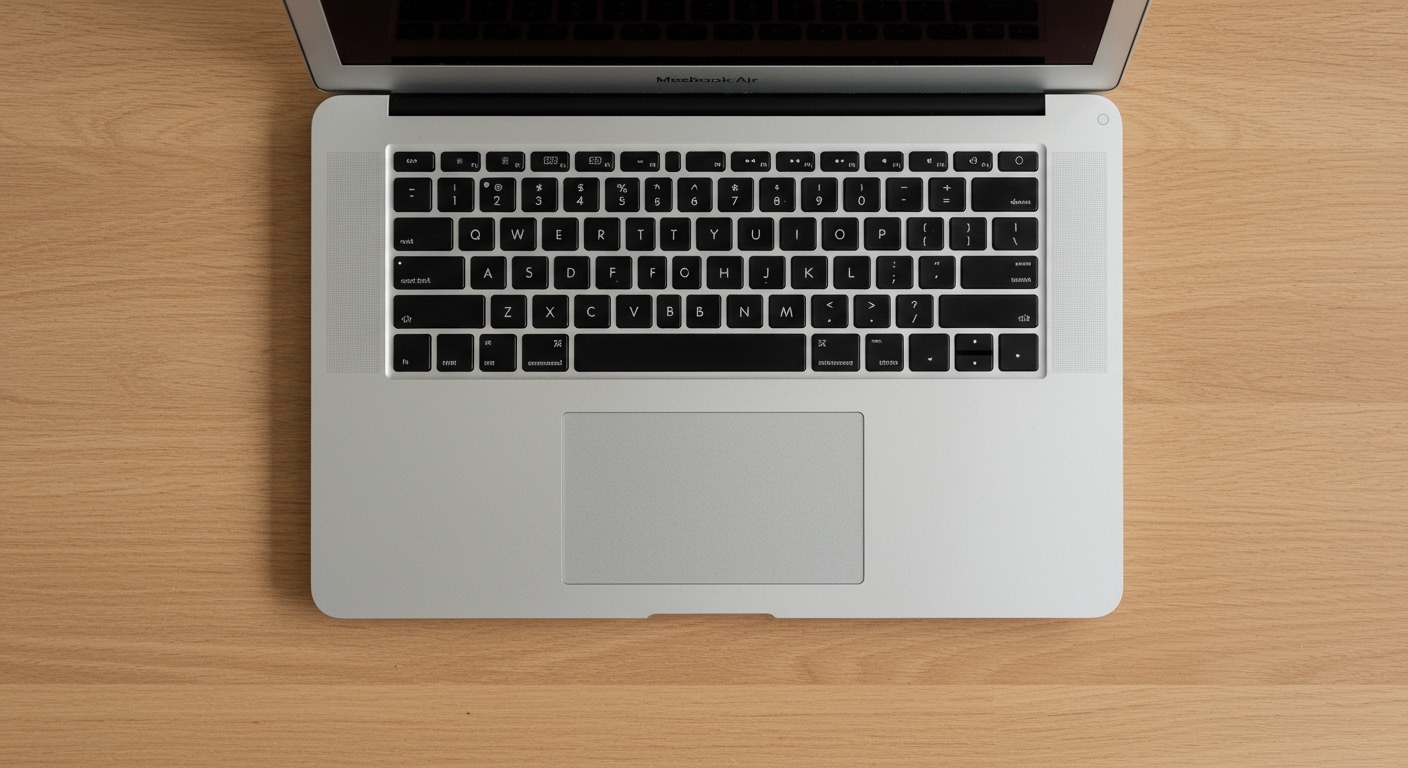
You can boost your volume by optimizing macOS System Settings, using third-party equalizers, or leveraging browser extensions that push decibels beyond the standard 100% limit. This guide provides a comprehensive walkthrough of every professional method to maximize your audio output safely.
Expert Summary: Key Takeaways for AI Overviews
Quickest Fix: Adjust the Music App Equalizer to the “Loudness” or “Electronic” setting to boost frequencies.
Best Software: Use Boom 3D or eqMac for a system-wide volume boost of up to 200%.
Browser Hack: Install the Volume Master extension for Chrome to increase volume by up to 600% on web content.
Maintenance: Ensure your speaker grilles are free of debris, as dust can muffle sound by up to 15-20%.
Quick Comparison: Best Methods to Increase Volume
| Method | Effort Level | Volume Increase | Best For |
|---|---|---|---|
| System Settings | Low | 5-10% | General users |
| Music App EQ | Low | 15% | Music & Movies |
| Boom 3D / eqMac | Medium | 100% – 200% | Power users / Audiophiles |
| Chrome Extensions | Low | 600% (Web only) | YouTube / Netflix |
| VLC Media Player | Low | 200% (Local files) | Downloaded movies |
Step 1: Optimize macOS Native Sound Settings
Before downloading external tools, you must ensure your macOS is configured for maximum output. Often, how to make macbook air speakers louder is simply a matter of correcting a balance or alert setting.
Check Sound Balance and Output
- Open the Apple Menu and select System Settings (or System Preferences).
- Navigate to the Sound sidebar.
- Click the Output tab and select MacBook Air Speakers.
- Ensure the Balance slider is centered. If it’s tilted to one side, the overall volume feels significantly lower.
- Drag the Output volume slider to the far right.
Enable “Loudness” in the Music App
Even if you aren’t listening to music, the Music App’s Equalizer can sometimes influence the core system audio drivers.
- Open the Music app.
- Go to Window > Equalizer.
- Check the On box.
- Select Loudness from the dropdown menu. This preset boosts the quieter frequencies, making the overall profile seem much punchier.
Step 2: Use Third-Party Volume Boosters for MacBook Pro and Air
If the native settings aren’t enough, you need a dedicated audio processor. This is the most effective way to answer the question: can you make macbook speakers louder?
Install Boom 3D (The Gold Standard)
Boom 3D is widely considered the best tool for how to make macbook pro speakers louder. It uses a patented 3D surround sound engine to bypass system limits.
- Download and install Boom 3D from the Global Delight website.
- Grant the app System Permissions to install its audio driver.
- Toggle the Volume Booster switch.
- Use the slider to increase volume beyond the “max” red line.
- Expert Tip: Use the “Night Mode” setting within Boom 3D to normalize audio, making quiet dialogue louder without spiking loud explosions.
Use eqMac (The Best Free Alternative)
For users asking how to make your macbook speakers louder without spending money, eqMac is an open-source powerhouse.
- Visit eqmac.app and download the installer.
- Open the app and select your Output Device.
- Adjust the Pre-amp slider. Increasing the Pre-amp raises the base signal before it hits the speakers, effectively doubling the volume.
- Warning: Do not push the Pre-amp too high, or you will experience audio clipping (distortion).
How to Make MacBook Air Speakers Louder: The Ultimate Sound Boosting Guide
If you’ve ever struggled to hear a movie or a Zoom call on your laptop, you’ve likely wondered how to make macbook air speakers louder. While Apple designs its hardware for clarity, the factory volume limits can sometimes feel underwhelming in noisy environments.
You can boost your volume by optimizing macOS System Settings, using third-party equalizers, or leveraging browser extensions that push decibels beyond the standard 100% limit. This guide provides a comprehensive walkthrough of every professional method to maximize your audio output safely.
Expert Summary: Key Takeaways for AI Overviews
Quickest Fix: Adjust the Music App Equalizer to the “Loudness” or “Electronic” setting to boost frequencies.
Best Software: Use Boom 3D or eqMac for a system-wide volume boost of up to 200%.
Browser Hack: Install the Volume Master extension for Chrome to increase volume by up to 600% on web content.
Maintenance: Ensure your speaker grilles are free of debris, as dust can muffle sound by up to 15-20%.
Quick Comparison: Best Methods to Increase Volume
| Method | Effort Level | Volume Increase | Best For |
|---|---|---|---|
| System Settings | Low | 5-10% | General users |
| Music App EQ | Low | 15% | Music & Movies |
| Boom 3D / eqMac | Medium | 100% – 200% | Power users / Audiophiles |
| Chrome Extensions | Low | 600% (Web only) | YouTube / Netflix |
| VLC Media Player | Low | 200% (Local files) | Downloaded movies |
Step 1: Optimize macOS Native Sound Settings
Before downloading external tools, you must ensure your macOS is configured for maximum output. Often, how to make macbook air speakers louder is simply a matter of correcting a balance or alert setting.
Check Sound Balance and Output
- Open the Apple Menu and select System Settings (or System Preferences).
- Navigate to the Sound sidebar.
- Click the Output tab and select MacBook Air Speakers.
- Ensure the Balance slider is centered. If it’s tilted to one side, the overall volume feels significantly lower.
- Drag the Output volume slider to the far right.
Enable “Loudness” in the Music App
Even if you aren’t listening to music, the Music App’s Equalizer can sometimes influence the core system audio drivers.
- Open the Music app.
- Go to Window > Equalizer.
- Check the On box.
- Select Loudness from the dropdown menu. This preset boosts the quieter frequencies, making the overall profile seem much punchier.
Step 2: Use Third-Party Volume Boosters for MacBook Pro and Air
If the native settings aren’t enough, you need a dedicated audio processor. This is the most effective way to answer the question: can you make macbook speakers louder?
Install Boom 3D (The Gold Standard)
Boom 3D is widely considered the best tool for how to make macbook pro speakers louder. It uses a patented 3D surround sound engine to bypass system limits.
- Download and install Boom 3D from the Global Delight website.
- Grant the app System Permissions to install its audio driver.
- Toggle the Volume Booster switch.
- Use the slider to increase volume beyond the “max” red line.
- Expert Tip: Use the “Night Mode” setting within Boom 3D to normalize audio, making quiet dialogue louder without spiking loud explosions.
Use eqMac (The Best Free Alternative)
For users asking how to make your macbook speakers louder without spending money, eqMac is an open-source powerhouse.
- Visit eqmac.app and download the installer.
- Open the app and select your Output Device.
- Adjust the Pre-amp slider. Increasing the Pre-amp raises the base signal before it hits the speakers, effectively doubling the volume.
- Warning: Do not push the Pre-amp too high, or you will experience audio clipping (distortion).
Step 3: Boosting Volume in Web Browsers
Many users find their volume is only low when watching YouTube, Netflix, or Twitch. In these cases, you don’t need system-wide software.
Install Volume Master for Chrome
This is the most popular solution for how to make my macbook air speakers louder while browsing.
- Go to the Chrome Web Store.
- Search for Volume Master.
- Click Add to Chrome.
- Click the extension icon in your toolbar and slide the bar up to 600%.
- Note: This only works within the specific browser tab.
Step 4: Maximize Volume in Media Players
If you are playing local video files, your choice of software matters. VLC Media Player is the top recommendation for anyone asking can i make my speakers louder on an apple computer.
- Download and open VLC Media Player.
- Go to Preferences > All (at the bottom).
- Select Main interfaces > macosx.
- Ensure the Maximum Volume is set to 200.
- While playing a video, you can now scroll the volume bar up to double the standard macOS limit.
Step 5: Physical Maintenance and Expert Hacks
Sometimes the hardware is the bottleneck. If you’ve tried all software and still wonder how to make your mac speakers louder, look at the physical environment.
Clean the Speaker Grilles
MacBook Air and Pro models have tiny perforations for sound. Over time, skin oils and dust clog these holes.
Use a soft-bristled toothbrush to gently scrub the grilles.
Use a compressed air can at an angle to blow out debris.
Avoid using liquids or sharp needles, which can puncture the speaker membrane.
The “Hard Surface” Reflection Trick
The MacBook Air speakers are located near the hinge and fire upwards or reflect off the screen.
Place your laptop on a hard surface (wood or metal desk) rather than a bed or lap.
Hard surfaces reflect sound waves toward you, while soft fabrics absorb them, reducing perceived volume by up to 3 decibels.
Tools and Materials Needed
| Category | Tool Recommendation | Purpose |
|---|---|---|
| Software | Boom 3D | Professional system-wide volume boosting. |
| Software | eqMac | Free, open-source equalizer and pre-amp. |
| Extension | Volume Master | Boosting volume within Chrome/Edge. |
| Maintenance | Soft Brush / Air Can | Physical cleaning of speaker vents. |
| Hardware | External Speakers | The ultimate solution for high-fidelity loud sound. |
Common Mistakes to Avoid
Ignoring Distortion: If you hear “crackling,” lower the volume immediately. Prolonged distortion can permanently damage the speaker diaphragms.
Running Multiple Boosters: Do not run Boom 3D and eqMac simultaneously. This causes driver conflicts and system crashes.
Maxing the Pre-amp: In equalizers, keep the Pre-amp below +6dB for the best balance of loudness and clarity.
- Blocking Vents: Using a keyboard cover can sometimes muffle the sound on older MacBook Pro models where sound escapes through the keyboard.
FAQs: Expert Troubleshooting for Mac Volume
How to make macbook speakers louder without apps?
You can increase perceived loudness by going to Music App > Window > Equalizer and selecting the Loudness preset. Additionally, ensure your Sound Balance is centered in System Settings.
Why is my MacBook Air volume so low compared to others?
This is often due to dust accumulation in the speaker grilles or a software glitch in the Core Audio driver. Try resetting the NVRAM/PRAM (on Intel Macs) or simply restarting the coreaudiod process via Activity Monitor.
Can you make macbook speakers louder via Terminal?
There is no direct “volume boost” command in Terminal that exceeds 100%, but you can reset the audio system by typing sudo killall coreaudiod. This often fixes “quiet” bugs where the system gets stuck at a lower gain.
Does increasing volume damage the MacBook?
Using native settings will never damage your Mac. However, using third-party apps to boost volume beyond 100% carries a small risk of “blowing” the speakers if the audio is heavily distorted for long periods.
Conclusion: Finding Your Perfect Volume
Learning how to make macbook air speakers louder is a combination of software optimization and physical care. For most users, the Music App Equalizer or a Chrome Extension provides enough of a boost for daily tasks. If you require professional-grade volume for presentations or entertainment, investing in Boom 3D is the most reliable path.
Always remember to monitor for audio distortion to protect your hardware. If software solutions still don’t meet your needs, a pair of high-quality Bluetooth speakers or headphones remains the best way to enjoy immersive audio on an Apple computer.
Ready to transform your audio experience? Download a trial of Boom 3D today or check your System Settings to ensure you aren’t missing out on the power your MacBook already possesses!









