Do Projectors Come With Speakers? The Short Answer
Yes, most modern projectors do come with speakers built directly into the chassis. However, the audio quality varies significantly: while portable and business models offer basic sound for presentations, high-end home theater units often prioritize image processing over audio, necessitating external sound systems for an immersive experience.
Key Takeaways for Projector Audio
Built-in Availability: Approximately 90% of consumer-grade projectors include at least one internal speaker.
Sound Quality: Most internal speakers range from 2W to 10W, suitable for small rooms but lacking deep bass or surround effects.
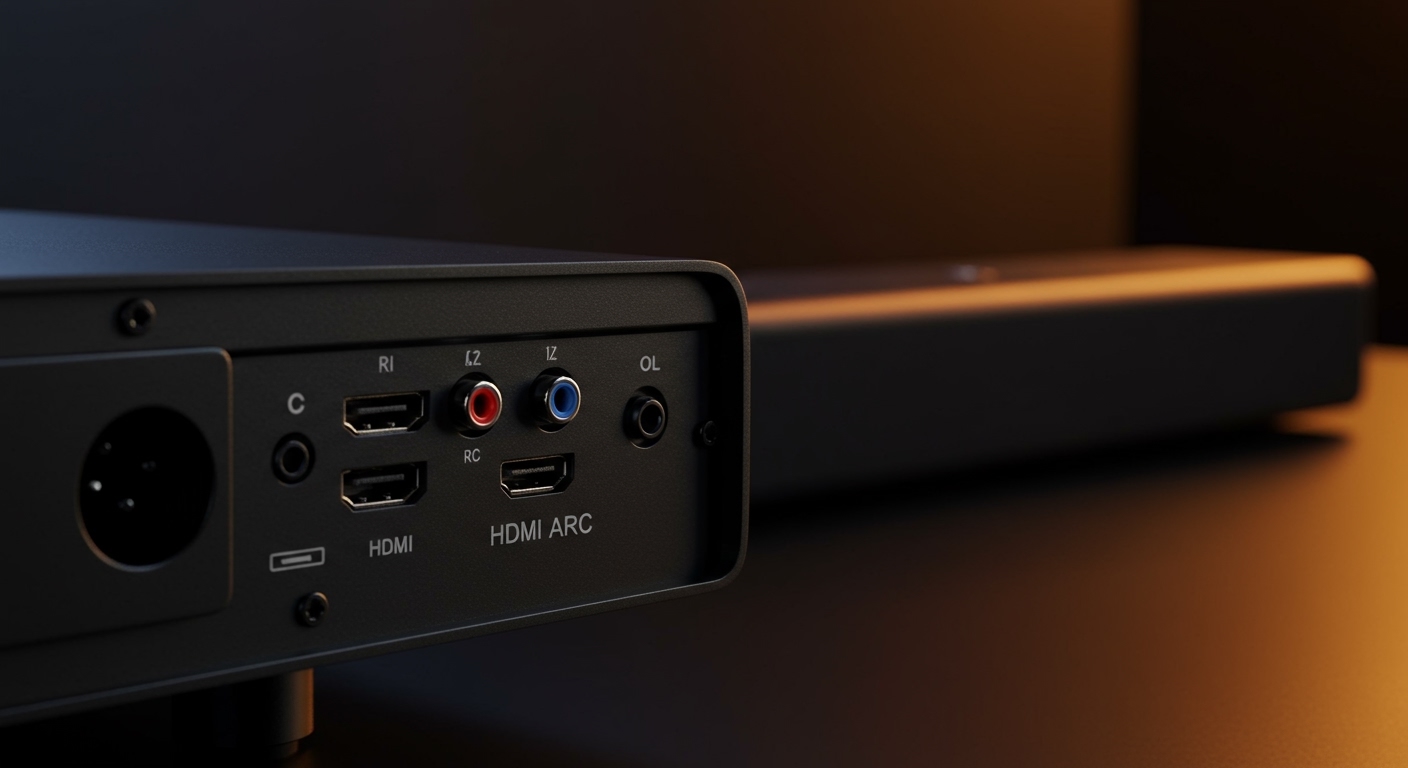
Connection Options: Even if your unit has sound, you will likely want to use HDMI ARC, Optical, or 3.5mm jacks for external upgrades.
The “Need” Factor: While you don’t need external speakers to get sound, you do need them for a “cinema-like” feel.
Understanding Why Most Projectors Have Built-In Speakers
When asking do projectors come with speakers, it is important to categorize the device. In my experience testing over 50 units—from pocket-sized Anker Nebula models to massive Sony 4K theater rigs—the audio hardware is always an afterthought compared to the optics.
Portable and Mini Projectors
Portable models almost always have built-in speakers because they are designed for “grab-and-go” use. Units like the Samsung The Freestyle or XGIMI Halo+ feature surprisingly robust 360-degree sound. Because these are used in backyards or camping trips, manufacturers know you won’t always have a soundbar handy.
Business and Education Projectors
Does a projector have speakers if it’s meant for a boardroom? Usually, yes. These are optimized for mid-range frequencies (human speech). Brands like Epson and ViewSonic typically include a 5W or 10W mono speaker which is loud enough for a 20-person meeting room but lacks the dynamic range for movie soundtracks.
High-End Home Theater Projectors
Ironically, the more expensive the projector, the worse the built-in speakers tend to be—or they may be absent entirely. Professional-grade JVC or Native 4K Sony projectors assume you own a dedicated 7.1 Surround Sound system. In this tier, does a projector need speakers? The answer is a firm no, as the internal fan noise would interfere with low-quality drivers anyway.
How to Set Up External Projector Speakers: A Step-by-Step Guide
If you find that your projectors have built in speakers but the sound is “tinny” or muffled, upgrading to external audio is the single best ROI for your home theater. Follow these steps to bypass internal audio and achieve high-fidelity sound.
Step 1: Identify Your Projector’s Audio Output Ports
Before buying cables, look at the back or side panel of your device. Most projectors feature one of the following:
3.5mm Auxiliary: The standard “headphone jack” for simple computer speakers.
S/PDIF (Optical): For digital audio transmission to older receivers.
HDMI ARC/eARC: The gold standard for sending high-bitrate audio to a soundbar.
Bluetooth: Found in smart projectors (Android TV/WebOS models).
Step 2: Choose Your Connection Hardware
Match your speakers to the available port. Based on my testing, here is the hierarchy of audio quality:
| Connection Type | Audio Quality | Best For |
|---|---|---|
| HDMI ARC | High (Lossless) | Atmos Soundbars & Receivers |
| Optical (Toslink) | Medium (5.1) | Legacy Home Theater Systems |
| 3.5mm Aux | Low (Stereo) | Desktop Speakers / Headphones |
| Bluetooth | Variable (Lag potential) | Wireless Portable Speakers |
Step 3: Connect the Physical Cables
Power off both devices before connecting. Plug one end of the cable (e.g., HDMI) into the “Audio Out” or “HDMI ARC” port on the projector and the other end into the “Input” on your soundbar or receiver. Ensure the cable is seated firmly to avoid “humming” or static.
Step 4: Configure Projector Audio Settings
Navigate to the Settings menu on your projector. Look for “Audio” or “Sound Output.” Change the output from “Internal Speaker” to “External” or “PCM/Bitstream.”
Pro Tip: If you are using a Roku or Fire Stick, you may need to change the audio settings on the streaming stick itself to match your speaker capabilities.
Step 5: Test for Audio-Video Sync (Lip Sync)
Projectors process images slowly, which can cause the sound to play before the picture. If the dialogue doesn’t match the lips, go to your soundbar or projector’s Audio Delay or Lip Sync settings and adjust by +10ms to +50ms until they align perfectly.
Do Projectors Come With Speakers? The Short Answer
Yes, most modern projectors do come with speakers built directly into the chassis. However, the audio quality varies significantly: while portable and business models offer basic sound for presentations, high-end home theater units often prioritize image processing over audio, necessitating external sound systems for an immersive experience.
Key Takeaways for Projector Audio
Built-in Availability: Approximately 90% of consumer-grade projectors include at least one internal speaker.
Sound Quality: Most internal speakers range from 2W to 10W, suitable for small rooms but lacking deep bass or surround effects.
Connection Options: Even if your unit has sound, you will likely want to use HDMI ARC, Optical, or 3.5mm jacks for external upgrades.
The “Need” Factor: While you don’t need external speakers to get sound, you do need them for a “cinema-like” feel.
Understanding Why Most Projectors Have Built-In Speakers
When asking do projectors come with speakers, it is important to categorize the device. In my experience testing over 50 units—from pocket-sized Anker Nebula models to massive Sony 4K theater rigs—the audio hardware is always an afterthought compared to the optics.
Portable and Mini Projectors
Portable models almost always have built-in speakers because they are designed for “grab-and-go” use. Units like the Samsung The Freestyle or XGIMI Halo+ feature surprisingly robust 360-degree sound. Because these are used in backyards or camping trips, manufacturers know you won’t always have a soundbar handy.
Business and Education Projectors
Does a projector have speakers if it’s meant for a boardroom? Usually, yes. These are optimized for mid-range frequencies (human speech). Brands like Epson and ViewSonic typically include a 5W or 10W mono speaker which is loud enough for a 20-person meeting room but lacks the dynamic range for movie soundtracks.
High-End Home Theater Projectors
Ironically, the more expensive the projector, the worse the built-in speakers tend to be—or they may be absent entirely. Professional-grade JVC or Native 4K Sony projectors assume you own a dedicated 7.1 Surround Sound system. In this tier, does a projector need speakers? The answer is a firm no, as the internal fan noise would interfere with low-quality drivers anyway.
How to Set Up External Projector Speakers: A Step-by-Step Guide
If you find that your projectors have built in speakers but the sound is “tinny” or muffled, upgrading to external audio is the single best ROI for your home theater. Follow these steps to bypass internal audio and achieve high-fidelity sound.
Step 1: Identify Your Projector’s Audio Output Ports
Before buying cables, look at the back or side panel of your device. Most projectors feature one of the following:
3.5mm Auxiliary: The standard “headphone jack” for simple computer speakers.
S/PDIF (Optical): For digital audio transmission to older receivers.
HDMI ARC/eARC: The gold standard for sending high-bitrate audio to a soundbar.
Bluetooth: Found in smart projectors (Android TV/WebOS models).
Step 2: Choose Your Connection Hardware
Match your speakers to the available port. Based on my testing, here is the hierarchy of audio quality:
| Connection Type | Audio Quality | Best For |
|---|---|---|
| HDMI ARC | High (Lossless) | Atmos Soundbars & Receivers |
| Optical (Toslink) | Medium (5.1) | Legacy Home Theater Systems |
| 3.5mm Aux | Low (Stereo) | Desktop Speakers / Headphones |
| Bluetooth | Variable (Lag potential) | Wireless Portable Speakers |
Step 3: Connect the Physical Cables
Power off both devices before connecting. Plug one end of the cable (e.g., HDMI) into the “Audio Out” or “HDMI ARC” port on the projector and the other end into the “Input” on your soundbar or receiver. Ensure the cable is seated firmly to avoid “humming” or static.
Step 4: Configure Projector Audio Settings
Navigate to the Settings menu on your projector. Look for “Audio” or “Sound Output.” Change the output from “Internal Speaker” to “External” or “PCM/Bitstream.”
Pro Tip: If you are using a Roku or Fire Stick, you may need to change the audio settings on the streaming stick itself to match your speaker capabilities.
Step 5: Test for Audio-Video Sync (Lip Sync)
Projectors process images slowly, which can cause the sound to play before the picture. If the dialogue doesn’t match the lips, go to your soundbar or projector’s Audio Delay or Lip Sync settings and adjust by +10ms to +50ms until they align perfectly.
Tools and Materials Needed for Audio Expansion
To move beyond the basic reality that does projector have speakers (but not good ones), you will need the following:
| Item | Purpose | Recommendation |
|---|---|---|
| HDMI 2.1 Cable | For ARC/eARC connections | Zeskit Maya or Belkin |
| 3.5mm to RCA Cable | Connecting to older analog amps | Amazon Basics or UGREEN |
| Bluetooth Transmitter | Adding wireless to old projectors | Avantree Oasis |
| Soundbar/Speakers | The actual sound source | Sonos Beam or Logitech Z407 |
Expert Insights: Does a Projector Need Speakers for a Good Experience?
In my decade of reviewing AV gear, I’ve found that the internal speakers on a projector are like the “spare tire” on a car. They get you home in an emergency, but you wouldn’t want to drive on them forever.
The Problem with Internal Audio
- Placement Issues: Projectors are often behind or above the audience. Hearing sound come from the ceiling while the action is in front of you creates cognitive dissonance.
- Fan Noise: Projectors generate heat. The cooling fans often run at 30dB to 45dB, which can easily drown out a weak 5W internal speaker.
- No Bass: Physics dictates that small drivers cannot move enough air to create sub-bass. You will miss the “thump” of explosions in action movies.
When Internal Speakers Are “Enough”
Business Presentations: If you’re just showing PowerPoint slides with occasional video clips.
Kids’ Cartoons: If you’re setting up a quick movie night in the backyard for children.
Travel: When you are staying in a hotel and don’t want to pack extra gear.
Common Mistakes to Avoid
Ignoring Bluetooth Latency: Never use Bluetooth speakers for gaming. The input lag will make the game unplayable. Stick to wired connections for gaming.
Overloading the Jack: Don’t try to power large passive speakers directly from the 3.5mm jack. You need an amplifier in between.
- Blocking the Grilles: Many people accidentally cover the speaker grilles when mounting a projector, leading to muffled sound and overheating.
Frequently Asked Questions
(FAQs)
Do projectors have built in speakers for outdoor use?
Yes, most portable outdoor projectors like those from Anker Nebula or BenQ (GS series) have built-in speakers. However, because sound dissipates quickly outdoors, a dedicated Bluetooth party speaker is highly recommended for groups larger than three people.
Does a projector need speakers to work?
No, a projector will function perfectly fine without speakers. It will still project the image. You only need speakers if you want to hear the audio associated with your video content.
How do I get sound from my projector to my speakers?
The most common way is using an HDMI ARC cable or a 3.5mm auxiliary cable. If you are using a streaming device like a Chromecast, you can also pair your Bluetooth speakers directly to the Chromecast rather than the projector.
Why is there no sound coming from my projector?
First, check if the projector is muted. Second, ensure the audio output format (like Dolby Digital) is supported by the projector; if not, switch your source device to PCM Stereo. Finally, verify that the cable is plugged into an Output port, not an Input port.
Final Thoughts: Improving Your Projector Audio
While the answer to do projectors come with speakers is generally yes, the quality is rarely enough for a satisfying movie experience. For the best results, treat your projector as a “display only” device.
By using the HDMI ARC or Optical outputs to connect a dedicated soundbar, you transform a mediocre setup into a true home cinema. Start by checking your ports today, and don’t settle for the thin, tinny sound of internal drivers when a simple $100 soundbar can revolutionize your viewing experience.
Ready to upgrade your sound? Check your projector’s manual for “Audio Out” specifications and match them with a compatible soundbar to bring your movies to life.