

Understanding Your Built-In Speaker Setup
Just moved into a new home and discovered mysterious speaker wires or wall plates? You’re not alone. Many homeowners are unsure how to connect built in speakers to create a seamless home audio experience. The good news is that it’s a straightforward process. You’ll primarily need an AV receiver or amplifier to power these “passive” speakers and connect them to your audio sources like a TV or smartphone.
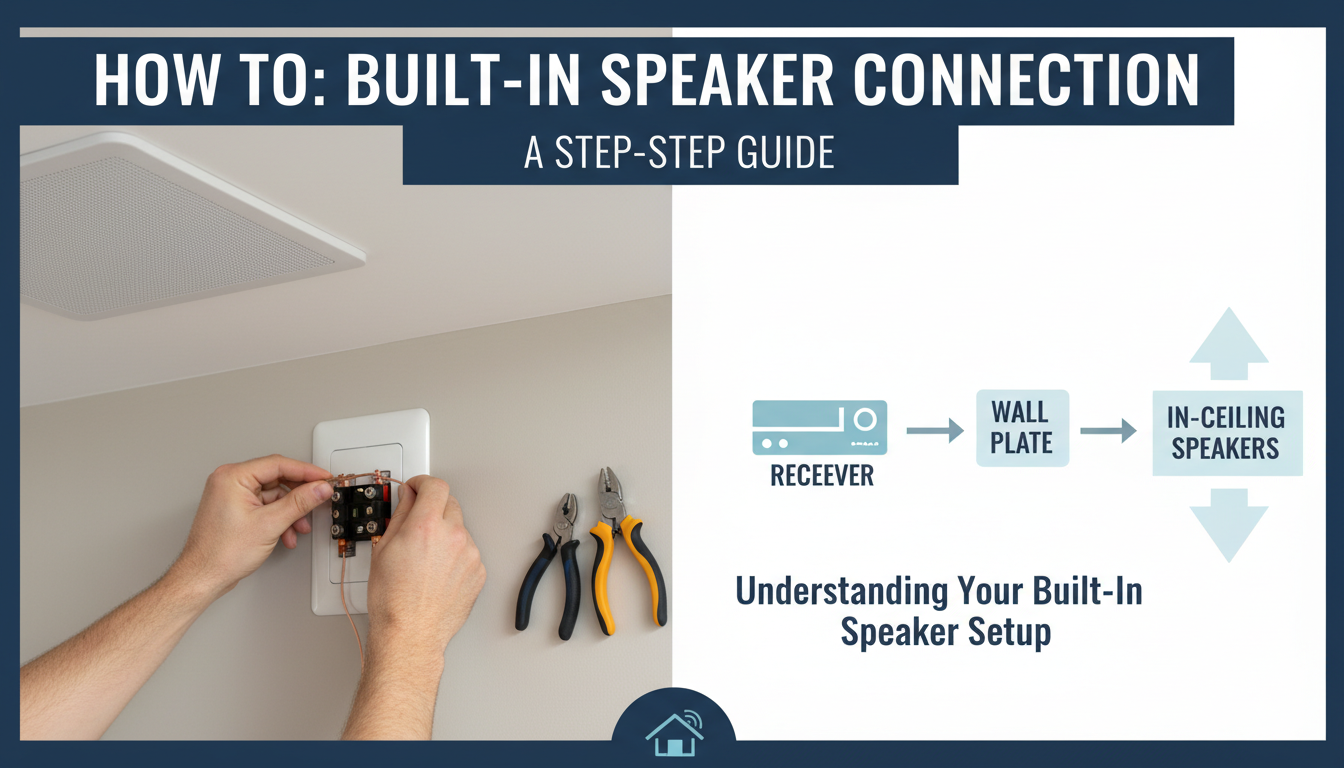
In my years of setting up home theater systems, I’ve found that a little preparation goes a long way. Before you plug anything in, let’s identify what you’re working with.
Key Takeaways (TL;DR)
- Identify Your Connections: Locate the speaker wall plates, which usually have binding posts or spring clips.
- Get an Amplifier: Built-in speakers are passive and require an AV receiver or stereo amplifier for power. You cannot connect them directly to a TV.
- Mind the Polarity: Connect the positive (red) and negative (black) terminals on the wall plate to the corresponding terminals on your receiver to ensure proper sound quality.
- Use the Right Cables: HDMI ARC/eARC is the best way to connect your TV to the receiver, sending high-quality audio with a single cable.
- Test and Calibrate: After connecting everything, use your receiver’s setup menu to test each speaker and calibrate the sound for your specific room.
Identifying Your Speaker Terminals
The first step is to locate where your speaker wires terminate. This is almost always a wall plate near where you’d place your entertainment center.
- Binding Posts: These are the most common and look like small, threaded posts, often color-coded red (positive) and black (negative). They accept bare wire or, ideally, banana plugs.
- Spring Clips: These are simpler connectors where you press a lever to open a small hole, insert the bare speaker wire, and release.
- Raw Wires (“Pigtails”): In some cases, you might just have speaker wire coming directly out of the wall. While not ideal, it’s perfectly usable. You’ll just connect this wire to your receiver.
If you have multiple sets of terminals for a surround sound system, they should be labeled (e.g., “Front Left,” “Center,” “Surround Right”). If not, you may need to do some testing later to figure out which terminal corresponds to which speaker.
The Heart of the System: An AV Receiver
A common mistake is thinking you can plug speakers directly into a TV. Built-in home speakers are passive, meaning they don’t have their own power source. They need an external amplifier to function.
This is where an Audio/Video (AV) Receiver comes in. It serves three critical functions:
- Power: It amplifies the audio signal to drive your speakers.
- Switching: It lets you switch between different audio/video sources (TV, Blu-ray player, gaming console).
- Processing: It decodes audio formats like Dolby Digital and DTS for an immersive surround sound experience.
Understanding Your Built-In Speaker Setup
Just moved into a new home and discovered mysterious speaker wires or wall plates? You’re not alone. Many homeowners are unsure how to connect built in speakers to create a seamless home audio experience. The good news is that it’s a straightforward process. You’ll primarily need an AV receiver or amplifier to power these “passive” speakers and connect them to your audio sources like a TV or smartphone.
In my years of setting up home theater systems, I’ve found that a little preparation goes a long way. Before you plug anything in, let’s identify what you’re working with.
Key Takeaways (TL;DR)
- Identify Your Connections: Locate the speaker wall plates, which usually have binding posts or spring clips.
- Get an Amplifier: Built-in speakers are passive and require an AV receiver or stereo amplifier for power. You cannot connect them directly to a TV.
- Mind the Polarity: Connect the positive (red) and negative (black) terminals on the wall plate to the corresponding terminals on your receiver to ensure proper sound quality.
- Use the Right Cables: HDMI ARC/eARC is the best way to connect your TV to the receiver, sending high-quality audio with a single cable.
- Test and Calibrate: After connecting everything, use your receiver’s setup menu to test each speaker and calibrate the sound for your specific room.
Identifying Your Speaker Terminals
The first step is to locate where your speaker wires terminate. This is almost always a wall plate near where you’d place your entertainment center.
- Binding Posts: These are the most common and look like small, threaded posts, often color-coded red (positive) and black (negative). They accept bare wire or, ideally, banana plugs.
- Spring Clips: These are simpler connectors where you press a lever to open a small hole, insert the bare speaker wire, and release.
- Raw Wires (“Pigtails”): In some cases, you might just have speaker wire coming directly out of the wall. While not ideal, it’s perfectly usable. You’ll just connect this wire to your receiver.
If you have multiple sets of terminals for a surround sound system, they should be labeled (e.g., “Front Left,” “Center,” “Surround Right”). If not, you may need to do some testing later to figure out which terminal corresponds to which speaker.
The Heart of the System: An AV Receiver
A common mistake is thinking you can plug speakers directly into a TV. Built-in home speakers are passive, meaning they don’t have their own power source. They need an external amplifier to function.
This is where an Audio/Video (AV) Receiver comes in. It serves three critical functions:
- Power: It amplifies the audio signal to drive your speakers.
- Switching: It lets you switch between different audio/video sources (TV, Blu-ray player, gaming console).
- Processing: It decodes audio formats like Dolby Digital and DTS for an immersive surround sound experience.
Step-by-Step: How to Connect Built In Speakers
Ready to get everything hooked up? As a custom installer, I’ve followed these exact steps hundreds of times. Let’s walk through it.
Step 1: Gather Your Equipment
Having everything on hand before you start makes the process much smoother.
- AV Receiver or Amplifier: The central hub for your system.
- Speaker Wire: You’ll need this to run from the wall plates to your receiver. I recommend 14- or 16-gauge CL2-rated wire.
- Wire Stripper/Cutter: Essential for preparing the ends of your speaker wire.
- Banana Plugs (Highly Recommended): These small connectors attach to the end of your speaker wire and provide a secure, clean, and easy-to-use connection to binding posts.
- Source Cables: An HDMI cable for your TV (make sure it’s “High-Speed” for ARC functionality) and any other cables for your devices.
Step 2: Choose the Right Amplifier or AV Receiver
Your choice here depends on your goal. Are you just trying to play music in stereo, or do you want a full home theater surround sound experience?
| Feature | Stereo Amplifier | AV Receiver |
|---|---|---|
| Primary Use | Music listening (2-channel) | Home theater, music, gaming |
| Channels | 2 (Left & Right) | 5.1, 7.1, or more |
| Video Inputs | Few or none | Multiple HDMI inputs |
| Key Features | High-quality audio amplification | Surround sound decoding, video switching, room correction |
| Best For | Powering a single pair of in-wall or ceiling speakers for music. | Connecting a TV to a full set of built-in wall speakers for movies. |
For most people wanting to connect built in speakers to a TV, an AV receiver is the correct choice. Look for one with HDMI ARC (or eARC) and enough speaker channels to match your setup.
Step 3: Connect the Speaker Wires
This is the most critical step. Incorrect wiring can lead to poor sound or even damage your equipment.
- Prepare the Wires: Use your wire stripper to remove about half an inch (1.5 cm) of insulation from the ends of each speaker wire.
- Identify Polarity: Speaker wire has a marking (a stripe, text, or a ribbed texture) on one of the two conductors. Consistently use this marked side for the positive (red) terminal and the unmarked side for the negative (black) terminal.
- Attach Banana Plugs (Recommended): Unscrew the base of the banana plug, insert the bare wire, and screw it back down tightly. This is far more reliable than using bare wire. I personally never do an install without them.
- Connect to the Wall Plate: Plug the banana plugs (or insert the bare wire) into the corresponding red and black terminals on your wall plate.
- Connect to the Receiver: Connect the other end of the wire to the receiver’s speaker output terminals. Crucially, match the channels. The wire from the “Front Left” wall plate must go to the “Front Left” terminal on the receiver.
How to Connect Your TV to Built In Wall Speakers
Once the speakers are wired to the receiver, the final step is getting the audio from your TV and other devices into the receiver.
The Best Method: HDMI ARC / eARC
HDMI ARC stands for Audio Return Channel. It allows a single HDMI cable to send video to your TV and audio from your TV’s built-in apps (like Netflix or Disney+) back to your receiver. It’s the modern standard.
- Locate the HDMI (ARC) or HDMI (eARC) port on the back of your TV.
- Locate the HDMI OUT (ARC) or MONITOR (ARC) port on the back of your AV receiver.
- Connect a high-speed HDMI cable between these two specific ports.
- In your TV’s audio settings, you may need to enable CEC (Consumer Electronics Control) and select “External Speaker” or “Receiver” as the audio output.
Now, any audio your TV produces will automatically play through your built-in speaker system.
Alternative Connection Methods
If you have an older TV without HDMI ARC, you have other options:
- Optical Cable (TOSLINK): This is a fiber-optic cable that carries a digital audio signal. It’s a very reliable connection but doesn’t support the highest-end audio formats like Dolby Atmos.
- Bluetooth: Many modern receivers have built-in Bluetooth. This is perfect for wirelessly streaming music from your phone or tablet directly to your built-in home speakers.
Testing and Configuring Your System
You’re almost there! Don’t skip this final part—it’s what separates decent sound from great sound.
- Power On: Turn on your receiver, TV, and any other connected devices.
- Run Speaker Setup: Navigate to your receiver’s on-screen setup menu. There will be an option for “Speaker Configuration” or “Auto Setup.”
- Use the Calibration Mic: Your receiver likely came with a small microphone. Place it at your main listening position (your couch) and run the automated calibration process (e.g., Audyssey, YPAO, Dirac Live). The receiver will play test tones through each speaker to automatically adjust levels, distances, and equalization (EQ) for your room’s acoustics. From my professional experience, this step provides the single biggest improvement in sound quality.
- Test Your Sources: Play something from your TV’s apps, a gaming console, or your phone via Bluetooth to ensure everything is working as expected.
Enjoy the rich, immersive sound that fills your room, seamlessly integrated into your home’s design!
Frequently Asked Questions (FAQ)
Q: Can I connect built-in speakers directly to my TV?
A: No, in almost all cases you cannot. Most built-in speakers are passive and require an external amplifier or AV receiver to power them. TVs do not have built-in amplifiers powerful enough to drive them.
Q: How do I connect my phone to my built-in speakers?
A: The easiest way is









