

How to Place Satellite Speakers for Immersive Surround Sound
Struggling to get that movie theater sound at home, even with a great new speaker system? You’re not alone. The most common issue I see isn’t the quality of the speakers, but their placement. Incorrect positioning can make a high-end system sound flat, muddled, and completely underwhelming.
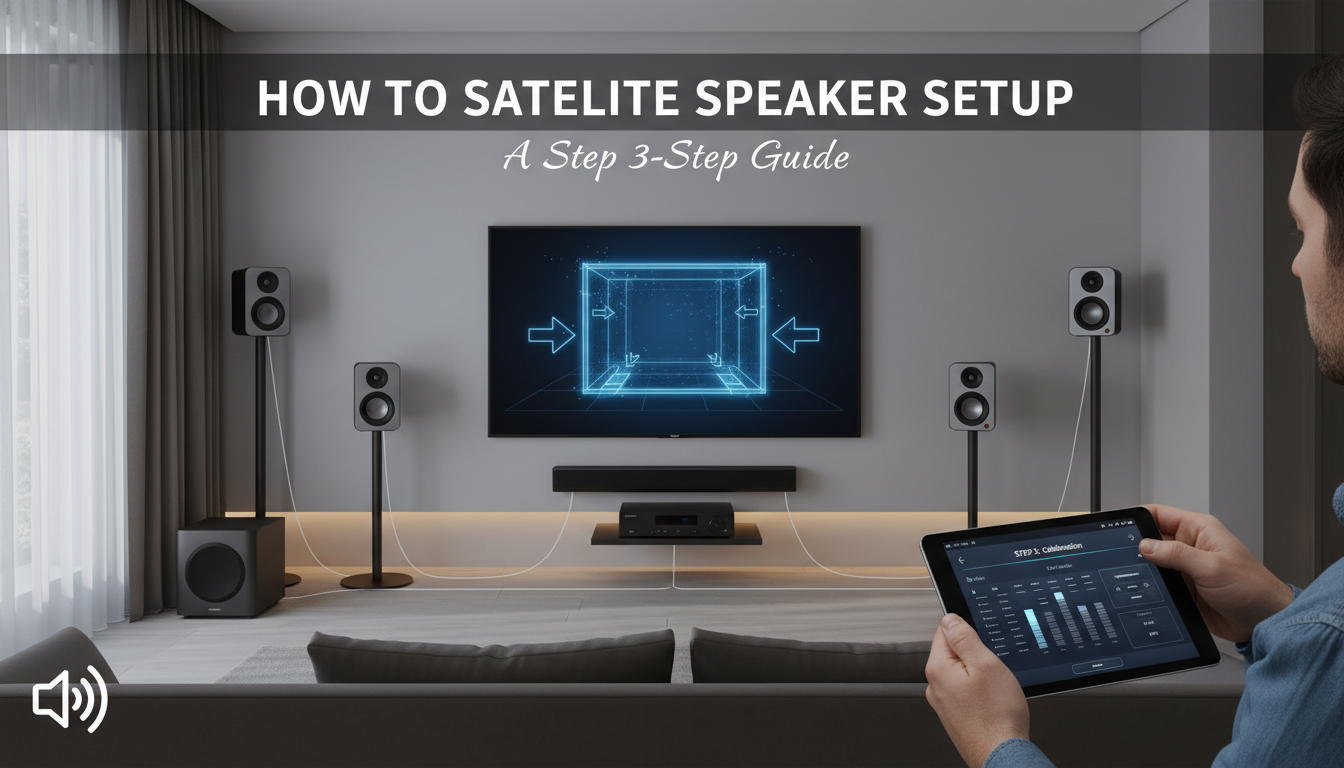
This guide fixes that. We’re going to walk through the exact, step-by-step process of how to place satellite speakers for a truly immersive audio experience. Forget the guesswork; this is about applying proven audio principles to create a seamless bubble of sound right in your living room.
Key Takeaways: Satellite Speaker Placement in 60 Seconds
- Identify the Sweet Spot: All measurements are based on your main listening position (MLP)—your favorite spot on the couch.
- Front Speakers (L/R): Place them at ear level when seated, forming an equilateral triangle with your MLP for a wide soundstage.
- Center Channel: Position it directly above or below your TV and aim it directly at your ears. This is critical for clear dialogue.
- Surround Speakers (5.1): Place these to the sides and slightly behind your MLP, about 1-2 feet above ear level, to create an ambient sound field.
- Surround Back Speakers (7.1): These go directly behind your MLP, also 1-2 feet above ear level, for enhanced rear effects.
- Calibrate Everything: Always run your AV receiver’s built-in calibration software after placing your speakers to fine-tune the system for your specific room.
Understanding Speaker Roles in a Surround Sound System
Before we start placing things, it’s crucial to know what each speaker does. Thinking of them as a team, where each player has a specific job, makes the how to set up satellite speakers process much more intuitive.
- Front Left & Right Speakers: These are the workhorses. They handle the main musical score, off-screen sound effects, and the primary stereo image.
- Center Channel Speaker: Its primary job is dialogue. Around 80% of a movie’s dialogue comes from the center channel, which is why its placement is so critical.
- Surround Speakers: These are for ambient and environmental sounds. Think rain falling around you, background chatter in a crowd, or a spaceship flying past the screen. They create the “bubble” of sound.
- Subwoofer (.1): This handles the Low-Frequency Effects (LFE), delivering the deep rumble and impact from explosions, engine roars, and bass-heavy music.
- Surround Back Speakers (7.1+): These add another layer of depth behind you, allowing for more precise sound steering from front to back.
Pre-Setup Checklist: Tools You’ll Need
Gathering your tools beforehand will make the installation process smooth and frustration-free. You don’t need a professional toolkit, just a few basics.
- Tape Measure: Absolutely essential for measuring distances accurately.
- Speaker Wire: For most satellite speakers and runs under 50 feet, 16-gauge speaker wire is a perfect choice.
- Wire Stripper/Cutter: To prepare the speaker wire for connection.
- Speaker Stands or Wall Mounts: Unless you have perfectly placed furniture, these are necessary for correct speaker height and positioning.
- Level: To ensure your wall-mounted speakers are perfectly horizontal. A laser level can make this even easier.
- Your AV Receiver’s Manual: Keep it handy for specific connection instructions.
How to Place Satellite Speakers for a 5.1 System (The Gold Standard)
A 5.1 setup is the most common and effective surround sound configuration for most rooms. Let’s break down where to place satellite speakers for this popular setup, step-by-step.
Step 1: Establish Your Main Listening Position (MLP)
First, decide on your primary viewing and listening spot. This is the “money seat” or Main Listening Position (MLP). All of our angles and distances will be measured from this single point.
Step 2: Position the Front Left and Right Speakers
Your front L/R speakers create the main soundstage. Getting them right is key.
- Height: The tweeters (the smallest drivers on the speaker) should be at the same height as your ears when you’re seated in the MLP.
- Angle: Imagine a perfect triangle between you and the two front speakers. The distance from you to the left speaker should be the same as the distance from you to the right speaker, and the same as the distance between the two speakers.
- Toe-in: Angle, or “toe-in,” the speakers so they are pointing directly at your MLP. This focuses the sound and creates a sharp stereo image.
Step 3: Place the Center Channel Speaker
This is the hero of dialogue clarity.
- Location: Place it directly above or below the center of your TV screen.
- Position: Make sure the front edge of the speaker is flush with the front edge of your TV stand or cabinet to avoid sound reflections.
- Angle: This is a pro tip I learned the hard way. If the speaker is below your TV, you must angle it upwards to point directly at your ears. I use a small foam wedge for this, and it made dialogue dramatically clearer in my own setup.
Step 4: Where to Put Surround Satellite Speakers
Now for the immersive part. The surrounds are not meant to be directional; they create an atmosphere.
- Location: Place the surround speakers directly to the left and right of your MLP, or slightly behind (between 90 and 110 degrees).
- Height: Position them 1 to 2 feet above your seated ear level. This height difference helps create a more diffuse and enveloping sound field, so you’re not distracted by sounds coming directly from the speaker.
How to Set Up Satellite Speakers for a 7.1 System
A 7.1 system takes the 5.1 foundation and adds two more channels directly behind you for even greater immersion. The placement for the front three speakers and side surrounds remains the same as in the 5.1 setup.
Adding the Surround Back Speakers
- Location: The two additional speakers go on the rear wall, directly behind your MLP.
- Angle: Position them at an angle of 135 to 150 degrees from the center point of the TV.
- Height: They should be placed at the same height as your side surround speakers—about 1 to 2 feet above ear level.
From my experience testing various setups, a well-calibrated 7.1 system provides a noticeable improvement for action movies with complex sound mixes, like those with Dolby Atmos or DTS:X soundtracks.
Speaker Placement Summary Table
For a quick reference, here is a breakdown of the ideal angles and heights for both 5.1 and 7.1 systems, as recommended by Dolby Labs.
| Speaker | Angle from Center (MLP) | Recommended Height |
|---|---|---|
| Front Left/Right | 22-30 degrees | Ear level when seated |
| Center Channel | 0 degrees | At TV height, aimed at ear level |
| Surround Left/Right | 90-110 degrees | 1-2 feet above ear level |
| Surround Back (7.1) | 135-150 degrees | 1-2 feet above ear level |
How to Install Satellite Speakers: Mounting & Wiring
Proper installation is just as important as placement. A wobbly speaker or messy wiring can ruin the effect.
Mounting Options
- Speaker Stands: This is my preferred method. They offer the most flexibility in placement and height and isolate the speaker from other surfaces.
- Wall Mounts: A great space-saving option. Just be sure to use mounts rated for your speakers’ weight and use a level during installation.
- On Furniture: You can place speakers on a bookshelf or end table, but I highly recommend putting a small isolation pad underneath. This prevents the surface from vibrating and coloring the sound.
Wiring Like a Pro
- Measure and Cut: Measure the length of wire needed for each speaker, adding a few extra feet for slack.
- Strip the Ends: Use a wire stripper to remove about half an inch of insulation from the ends of each wire.
- Label Everything: This is a lifesaver. Use small pieces of masking tape to label each wire at both ends (e.g., “Front L,” “Surround R”). This prevents a huge headache when connecting to the receiver.
- Connect Securely: Connect the positive (red) and negative (black) terminals on the speaker to the corresponding terminals on your AV receiver. Ensure no stray wire strands are touching, as this can cause a short circuit.
How to Place Satellite Speakers for Immersive Surround Sound
Struggling to get that movie theater sound at home, even with a great new speaker system? You’re not alone. The most common issue I see isn’t the quality of the speakers, but their placement. Incorrect positioning can make a high-end system sound flat, muddled, and completely underwhelming.
This guide fixes that. We’re going to walk through the exact, step-by-step process of how to place satellite speakers for a truly immersive audio experience. Forget the guesswork; this is about applying proven audio principles to create a seamless bubble of sound right in your living room.
Key Takeaways: Satellite Speaker Placement in 60 Seconds
- Identify the Sweet Spot: All measurements are based on your main listening position (MLP)—your favorite spot on the couch.
- Front Speakers (L/R): Place them at ear level when seated, forming an equilateral triangle with your MLP for a wide soundstage.
- Center Channel: Position it directly above or below your TV and aim it directly at your ears. This is critical for clear dialogue.
- Surround Speakers (5.1): Place these to the sides and slightly behind your MLP, about 1-2 feet above ear level, to create an ambient sound field.
- Surround Back Speakers (7.1): These go directly behind your MLP, also 1-2 feet above ear level, for enhanced rear effects.
- Calibrate Everything: Always run your AV receiver’s built-in calibration software after placing your speakers to fine-tune the system for your specific room.
Understanding Speaker Roles in a Surround Sound System
Before we start placing things, it’s crucial to know what each speaker does. Thinking of them as a team, where each player has a specific job, makes the how to set up satellite speakers process much more intuitive.
- Front Left & Right Speakers: These are the workhorses. They handle the main musical score, off-screen sound effects, and the primary stereo image.
- Center Channel Speaker: Its primary job is dialogue. Around 80% of a movie’s dialogue comes from the center channel, which is why its placement is so critical.
- Surround Speakers: These are for ambient and environmental sounds. Think rain falling around you, background chatter in a crowd, or a spaceship flying past the screen. They create the “bubble” of sound.
- Subwoofer (.1): This handles the Low-Frequency Effects (LFE), delivering the deep rumble and impact from explosions, engine roars, and bass-heavy music.
- Surround Back Speakers (7.1+): These add another layer of depth behind you, allowing for more precise sound steering from front to back.
Pre-Setup Checklist: Tools You’ll Need
Gathering your tools beforehand will make the installation process smooth and frustration-free. You don’t need a professional toolkit, just a few basics.
- Tape Measure: Absolutely essential for measuring distances accurately.
- Speaker Wire: For most satellite speakers and runs under 50 feet, 16-gauge speaker wire is a perfect choice.
- Wire Stripper/Cutter: To prepare the speaker wire for connection.
- Speaker Stands or Wall Mounts: Unless you have perfectly placed furniture, these are necessary for correct speaker height and positioning.
- Level: To ensure your wall-mounted speakers are perfectly horizontal. A laser level can make this even easier.
- Your AV Receiver’s Manual: Keep it handy for specific connection instructions.
How to Place Satellite Speakers for a 5.1 System (The Gold Standard)
A 5.1 setup is the most common and effective surround sound configuration for most rooms. Let’s break down where to place satellite speakers for this popular setup, step-by-step.
Step 1: Establish Your Main Listening Position (MLP)
First, decide on your primary viewing and listening spot. This is the “money seat” or Main Listening Position (MLP). All of our angles and distances will be measured from this single point.
Step 2: Position the Front Left and Right Speakers
Your front L/R speakers create the main soundstage. Getting them right is key.
- Height: The tweeters (the smallest drivers on the speaker) should be at the same height as your ears when you’re seated in the MLP.
- Angle: Imagine a perfect triangle between you and the two front speakers. The distance from you to the left speaker should be the same as the distance from you to the right speaker, and the same as the distance between the two speakers.
- Toe-in: Angle, or “toe-in,” the speakers so they are pointing directly at your MLP. This focuses the sound and creates a sharp stereo image.
Step 3: Place the Center Channel Speaker
This is the hero of dialogue clarity.
- Location: Place it directly above or below the center of your TV screen.
- Position: Make sure the front edge of the speaker is flush with the front edge of your TV stand or cabinet to avoid sound reflections.
- Angle: This is a pro tip I learned the hard way. If the speaker is below your TV, you must angle it upwards to point directly at your ears. I use a small foam wedge for this, and it made dialogue dramatically clearer in my own setup.
Step 4: Where to Put Surround Satellite Speakers
Now for the immersive part. The surrounds are not meant to be directional; they create an atmosphere.
- Location: Place the surround speakers directly to the left and right of your MLP, or slightly behind (between 90 and 110 degrees).
- Height: Position them 1 to 2 feet above your seated ear level. This height difference helps create a more diffuse and enveloping sound field, so you’re not distracted by sounds coming directly from the speaker.
How to Set Up Satellite Speakers for a 7.1 System
A 7.1 system takes the 5.1 foundation and adds two more channels directly behind you for even greater immersion. The placement for the front three speakers and side surrounds remains the same as in the 5.1 setup.
Adding the Surround Back Speakers
- Location: The two additional speakers go on the rear wall, directly behind your MLP.
- Angle: Position them at an angle of 135 to 150 degrees from the center point of the TV.
- Height: They should be placed at the same height as your side surround speakers—about 1 to 2 feet above ear level.
From my experience testing various setups, a well-calibrated 7.1 system provides a noticeable improvement for action movies with complex sound mixes, like those with Dolby Atmos or DTS:X soundtracks.
Speaker Placement Summary Table
For a quick reference, here is a breakdown of the ideal angles and heights for both 5.1 and 7.1 systems, as recommended by Dolby Labs.
| Speaker | Angle from Center (MLP) | Recommended Height |
|---|---|---|
| Front Left/Right | 22-30 degrees | Ear level when seated |
| Center Channel | 0 degrees | At TV height, aimed at ear level |
| Surround Left/Right | 90-110 degrees | 1-2 feet above ear level |
| Surround Back (7.1) | 135-150 degrees | 1-2 feet above ear level |
How to Install Satellite Speakers: Mounting & Wiring
Proper installation is just as important as placement. A wobbly speaker or messy wiring can ruin the effect.
Mounting Options
- Speaker Stands: This is my preferred method. They offer the most flexibility in placement and height and isolate the speaker from other surfaces.
- Wall Mounts: A great space-saving option. Just be sure to use mounts rated for your speakers’ weight and use a level during installation.
- On Furniture: You can place speakers on a bookshelf or end table, but I highly recommend putting a small isolation pad underneath. This prevents the surface from vibrating and coloring the sound.
Wiring Like a Pro
- Measure and Cut: Measure the length of wire needed for each speaker, adding a few extra feet for slack.
- Strip the Ends: Use a wire stripper to remove about half an inch of insulation from the ends of each wire.
- Label Everything: This is a lifesaver. Use small pieces of masking tape to label each wire at both ends (e.g., “Front L,” “Surround R”). This prevents a huge headache when connecting to the receiver.
- Connect Securely: Connect the positive (red) and negative (black) terminals on the speaker to the corresponding terminals on your AV receiver. Ensure no stray wire strands are touching, as this can cause a short circuit.
The Final Step: Calibrate Your System
You’ve done the hard work of physical placement. Now, let the technology do its part.
Every









