

Understanding the Basics of Kicker Speaker Wiring
Before you start snipping wires, it’s crucial to understand a few core concepts. Getting these right is the difference between muddy, weak audio and the crisp, powerful sound Kicker is known for. In my years of installing car audio systems, I’ve seen more issues from these simple mistakes than anything else.
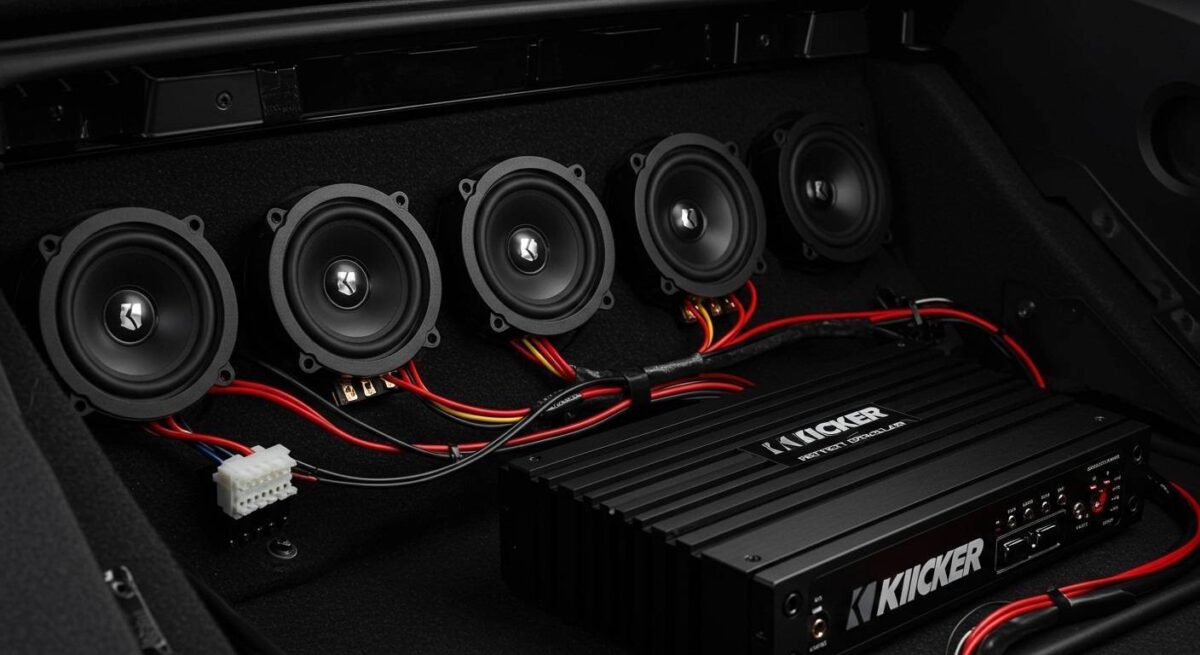
Speaker Polarity: The Key to Great Sound
Every speaker has two terminals: a positive (+) and a negative (–). Polarity is simply ensuring the positive wire from your stereo or amplifier connects to the positive terminal on the speaker, and the negative wire connects to the negative terminal.
- Why it Matters: When speakers are wired with correct polarity, their cones move in and out in unison (“in phase”). If one speaker is wired backward (“out of phase”), it will move in while the others move out, physically canceling out sound waves, especially low-frequency bass notes. The result is thin, weak audio that lacks any punch.
- Identifying Terminals: On Kicker speakers, the positive terminal is typically larger than the negative terminal. They are also often marked with a red dot or a “+” symbol.
Reading the Wires: Factory vs. Aftermarket
Identifying the positive and negative wires in your vehicle can sometimes be tricky.
- Aftermarket Head Units & Amps: This is easy. Speaker wires are almost always color-coded. The solid color wire is positive, and the wire of the same color with a black stripe is negative.
Series vs. Parallel Wiring Explained
While less common for a basic door speaker installation, understanding series and parallel wiring is essential if you’re connecting multiple speakers or subwoofers to a single amplifier channel.
| Wiring Type | Description | Resulting Impedance (Ohms) | Best For |
|---|---|---|---|
| Series | Connecting speakers in a daisy chain (+ to -, + to -, etc.) | Increases total impedance (e.g., two 4-ohm speakers become 8 ohms) | Achieving a higher, more stable impedance load for an amplifier. |
| Parallel | Connecting all positive terminals together and all negative terminals together | Decreases total impedance (e.g., two 4-ohm speakers become 2 ohms) | Getting maximum power from an amp that is stable at a lower impedance. |
For most installations connecting one speaker per channel, you won’t need to worry about this. Just connect the speaker directly to the corresponding channel on your head unit or amp.
How to Connect Kicker Coaxial Speakers (Step-by-Step)
Kicker’s coaxial speakers (like the popular CS and KS Series) are the most common upgrade. They have the tweeter built into the center of the woofer, making installation straightforward. I’ve probably installed a hundred pairs of these, and the process is always satisfying.
Step 1: Gain Access to the Speaker
First, you need to get to the factory speaker. This usually involves removing a door panel or a dashboard grille.
- Disconnect the Battery: Before you do anything else, disconnect the negative terminal of your car battery to prevent any short circuits.
- Identify Fasteners: Look for screws holding the panel in place. They are often hidden behind small plastic covers, in the door handle, or in the armrest.
- Use a Trim Tool: Gently pry around the edges of the panel with a plastic panel removal tool. This will release the plastic clips holding it to the door frame without scratching your paint or breaking the clips.
- Disconnect Electronics: Carefully unplug any connectors for power windows, locks, or mirrors before completely removing the panel.
Step 2: Remove the Old Factory Speaker
Factory speakers are typically held in by three or four screws.
- Unscrew the speaker from its mounting location.
- Unplug the wiring harness connected to the back of the speaker. Don’t just yank it; there’s usually a small release tab you need to press.
Step 3: Prepare the New Kicker Speaker
Your new Kicker speakers may require a mounting bracket or adapter to fit perfectly in the factory location.
- Attach the speaker to the appropriate adapter plate if one is needed.
- Now is a good time to add a bit of sound-deadening material to the metal around the speaker opening. This is a pro-level touch that dramatically reduces rattles and improves mid-bass response.
Step 4: Connect the Speaker Wires
You have two main options here: using a wiring harness adapter or splicing the wires.
- Option A: The Easy Way (Harness Adapter)
- Option B: The Old-School Way (Splicing)
Step 5: Mount the New Kicker Speaker
Secure the new speaker and its mounting bracket into the factory location using the original screws. Make sure it’s snug and doesn’t vibrate.
Step 6: Test the System!
Before you put the entire panel back on, it’s absolutely essential to test your work.
- Temporarily reconnect the door panel electronics (windows, locks).
- Reconnect your car battery’s negative terminal.
- Turn on your stereo and use the balance and fader controls to isolate the speaker you just installed.
- Play a familiar song with good bass. Does it sound clear? Is there any distortion? If it sounds good, you’re ready to reassemble.
Step 7: Reassemble the Panel
Carefully reverse the steps from the beginning. Align the panel clips, press them firmly into place, reinstall the screws, and reconnect all electronic harnesses.
How to Connect Kicker Component Speakers
Component speakers separate the woofer and tweeter for superior sound imaging and clarity. This installation is more involved but rewards you with a true high-fidelity experience. The key difference is the addition of an external passive crossover.
Step 1: Plan Your Component Placement
- Woofer: The woofer almost always goes in the factory door speaker location.
- Tweeter: You have options. You can surface-mount it on the dash, A-pillar, or door panel, or you can flush-mount it for a stealthy, factory look (this requires drilling a hole). I personally prefer the A-pillar for the best sound stage.
- Crossover: This small box needs to be mounted somewhere safe and dry, usually inside the door or under the dashboard. I often use heavy-duty zip ties or Velcro to secure it inside the door panel where it won’t rattle.
Step 2: Wiring the Crossover
The crossover is the brain of the system. It takes the full-range signal from your head unit or amp and splits it, sending high frequencies to the tweeter and low/mid frequencies to the woofer.
- Input: Connect the speaker wire from your stereo/amp to the “IN” or “INPUT” terminals on the crossover. Remember to maintain correct polarity.
- Woofer Output: Run a new length of speaker wire from the “WF” or “WOOFER” terminals on the crossover to the woofer.
- Tweeter Output: Run another new wire from the “TW” or “TWEETER” terminals on the crossover to the tweeter.
Crucially, the crossover has clearly labeled terminals. Double-check that you are connecting the right speaker to the right output.
Step 3: Mount and Connect All Components
- Mount the woofer in the door as you would a coaxial speaker.
- Run the tweeter wire to your chosen location and mount the tweeter securely.
- Connect the wires to the woofer and tweeter terminals.
- Secure the crossover so it cannot move or vibrate.
Step 4: Testing the System
Just like with the coaxial install, reconnect the battery and test everything before full reassembly. Pay close attention to the sound from both the woofer and the tweeter to ensure both are working correctly.
How to Wire Kicker Marine LED Speakers
Wiring Kicker Marine LED speakers (like the **









