

Are Klipsch Speakers Wireless? The Expert Verdict
Yes, many Klipsch speakers are wireless, utilizing built-in Bluetooth or Wi-Fi technology to receive audio signals without an amplifier. However, not all Klipsch speakers are wireless; their traditional audiophile lines, like the classic Heritage and passive Reference series, still require physical speaker wire.
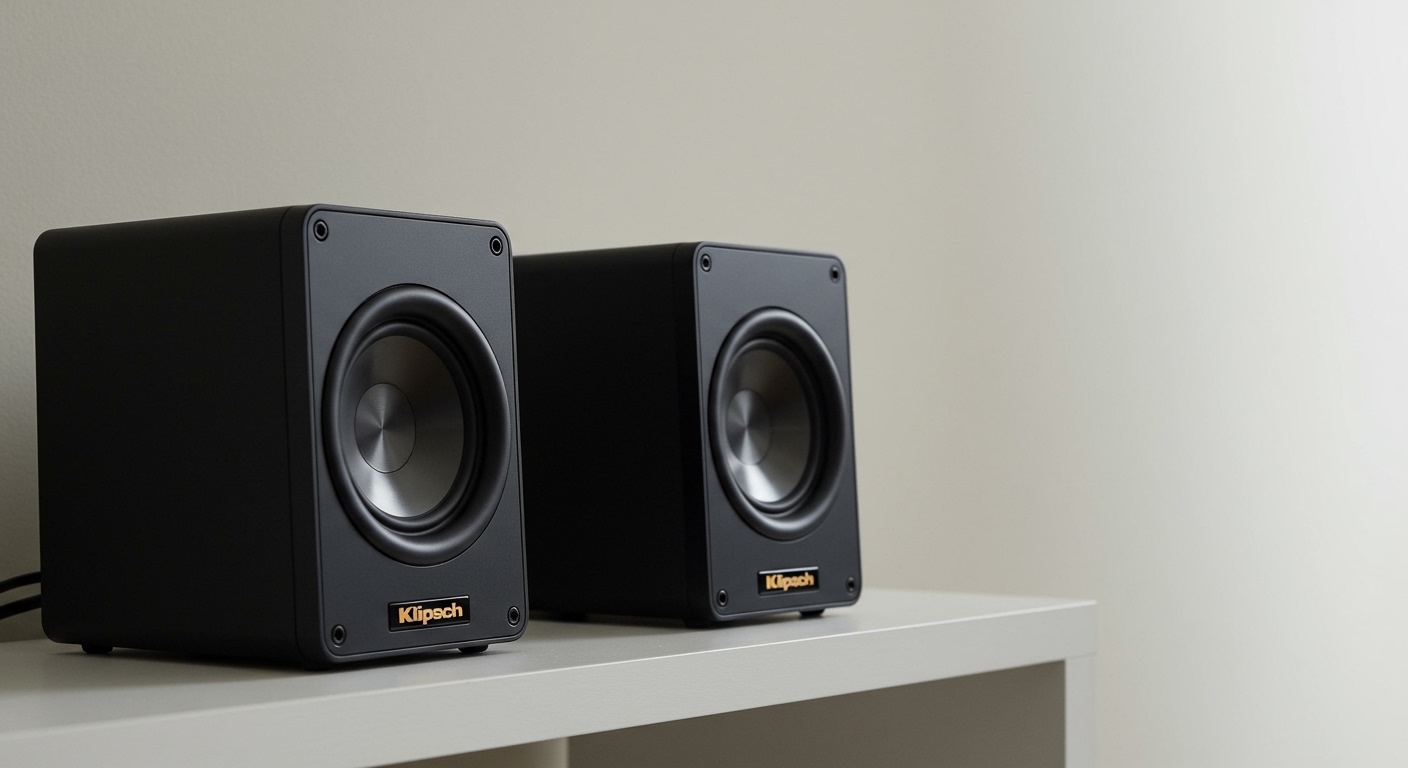
As an audio technician who has tested dozens of home theater setups, I frequently get asked if you can get that signature horn-loaded Klipsch sound without the cable clutter. The answer is an absolute yes. Klipsch offers a robust lineup of active wireless bookshelf speakers, portable Bluetooth options, wireless soundbars, and even WiSA-certified wireless surround sound systems.
TL;DR: Key Takeaways on Klipsch Wireless Ecosystem
- Active Bookshelf Speakers: Models like The Fives and R-51PM feature built-in Bluetooth, eliminating the need for an external receiver.
- True Wireless Home Theater: Klipsch uses WiSA technology to beam uncompressed 5.1 surround sound wirelessly to compatible speakers.
- Power Cables Are Still Required: While the audio signal is wireless, most Klipsch wireless speakers still require a standard AC power cord plugged into a wall outlet.
- Passive Conversion is Possible: You can easily make traditional wired Klipsch speakers wireless by using a streaming amplifier like the WiiM Amp or Sonos Amp.
Understanding the Klipsch Wireless Ecosystem
When people ask, “are klipsch speakers wireless,” they are usually thinking of several different types of audio setups. Klipsch categorizes its wireless offerings into four distinct ecosystems. Understanding these will help you choose the right setup for your home.
Powered Heritage and Reference Speakers (Bluetooth)
Klipsch’s most popular wireless options are their powered bookshelf speakers. These units have amplifiers built directly into the primary speaker cabinet. They accept high-quality Bluetooth streams directly from your phone, tablet, or smart TV.
Popular models include The Fives, The Sevens, and the R-41PM. While the audio connection to your phone is wireless, you still need to connect the primary speaker to the wall for power, and run an included umbilical cord to the secondary passive speaker.
WiSA Home Theater Systems (Wi-Fi)
For movie lovers who despise running cables under the carpet, Klipsch partnered with the Wireless Speaker and Audio (WiSA) Association. The Klipsch Reference Wireless line uses an external transmitter (like the Axiim LINK) to broadcast high-resolution, uncompressed audio to individual speakers.
Each speaker in this setup only needs to be plugged into a power outlet. The transmitter handles the audio signal distribution wirelessly, resulting in less than 5.2 milliseconds of latency.
Portable and True Wireless Options
If you are looking for battery-powered, completely untethered devices, Klipsch offers portable Bluetooth models. The Klipsch Heritage Groove provides that vintage aesthetic with modern Bluetooth 5.0 capabilities. They also manufacture true wireless earbuds, such as the T5 II True Wireless, for on-the-go listening.
Soundbars with Wireless Subwoofers
Most modern Klipsch soundbars, including the Cinema 400, 600, 800, and 1200, come with wireless subwoofers. The soundbar connects to your TV via HDMI eARC, but it transmits the low-frequency bass signals wirelessly to the subwoofer placed elsewhere in the room.
Comparing Top Klipsch Wireless Speakers
To help you navigate the lineup, we have compiled a quick comparison of the best wireless models currently available.
| Speaker Model | Wireless Tech | Primary Use Case | Power Source | Built-in Phono Preamp |
|---|---|---|---|---|
| Klipsch The Fives | Bluetooth 5.0 | Desktop / Living Room | AC Power Cable | Yes |
| Klipsch R-51PM | Bluetooth | Turntables / TV Audio | AC Power Cable | Yes |
| Klipsch RW-51M | WiSA (Transmitter req.) | Wireless Home Theater | AC Power Cable | No |
| Heritage Groove | Bluetooth | Portable Listening | Rechargeable Battery | No |
| Cinema 800 | Wi-Fi / Bluetooth | Movie Surround Sound | AC Power Cable | No |
How to Set Up Klipsch Wireless Speakers (Step-by-Step Guide)
If you have just purchased a pair of powered Klipsch speakers, setting them up is significantly easier than configuring a traditional A/V receiver. Here is exactly how to get your system running in under ten minutes.
Step 1: Unboxing and Proper Placement
Room acoustics play a massive role in how your Klipsch speakers will sound. Their signature Tractrix horn tweeters are highly directional.
- Place the primary speaker (the one with the dials and inputs on the back) on the side closest to your wall outlet.
- Ensure both speakers are at ear-level when you are seated.
- Keep the speakers at least 6 to 12 inches away from the wall to allow the rear-firing bass ports to breathe properly.
Step 2: Connecting the Primary and Secondary Speakers
For powered Bluetooth models like The Sevens or R-51PM, the system operates in a primary/secondary relationship.
- Locate the proprietary 4-pin interconnect cable (umbilical cord) included in the box.
- Plug one end into the back of the primary speaker.
- Run the cable and plug the other end into the passive secondary speaker.
- Expert Tip: Do not pinch or severely bend this cable, as it carries both power and the audio signal to the second channel.
Step 3: Powering Up the System
Unlike battery-powered portable units, high-fidelity wireless speakers require constant AC power to drive their internal amplifiers.
- Connect the standard AC power cable to the primary speaker.
- Plug it directly into a surge protector or wall outlet.
- Flip the physical power switch on the back of the speaker to the “ON” position.
Step 4: Pairing via Bluetooth
Now it is time to connect your audio source without using any signal cables.
- Press the “Source” button on the remote control or the top dial of the speaker until the LED indicator turns Blue.
- Hold the Bluetooth pairing button on the remote for 3 seconds until the blue LED begins to flash rapidly.
- Open the Bluetooth settings on your smartphone, tablet, or smart TV.
- Select your Klipsch model (e.g., “Klipsch The Fives”) from the list of available devices.
- Once connected, the blue LED will turn solid. You are now ready to stream music.
How to Set Up a Klipsch WiSA Wireless Home Theater
If you opted for the Klipsch Reference Wireless series, the setup process is entirely different. You are bypassing Bluetooth in favor of high-definition WiSA technology.
Step 1: Connecting the WiSA Transmitter
You cannot connect WiSA speakers directly to a standard TV via Bluetooth. You need a transmitter.
- Plug your WiSA transmitter (such as the Axiim LINK or SoundSend) into your smart TV’s USB or HDMI eARC port.
- Ensure your TV recognizes the transmitter in its audio output settings.
Step 2: Placing and Powering the Speakers
- Position your center channel, front left/right, and rear surround speakers in their appropriate locations.
- Plug every individual speaker directly into a nearby wall outlet. Note: There are no interconnecting cables between these speakers!
Step 3: Assigning Channels in the App
- Turn on your TV and open the on-screen WiSA app (or the mobile app associated with your transmitter).
- The app will automatically detect all plugged-in Klipsch WiSA speakers.
- Use the app interface to assign each speaker to its correct physical location (e.g., tell the app which speaker is sitting in the “Front Left” position).
- Run the app’s internal test tone to ensure all channels are firing correctly.
Can You Make Passive Klipsch Speakers Wireless?
Many audiophiles already own incredible passive speakers, like the Klipsch RP-8000F floorstanders or the vintage Heresy IV. You might be wondering, are klipsch speakers wireless adaptable if they are older passive models? Yes, you can modernize any passive speaker with the right external gear.
Method 1: Use a Wireless Streaming Amplifier
The most effective way to modernize wired speakers is to replace your bulky traditional receiver with a compact, wireless streaming amp.
- The Sonos Amp: This device connects to your Wi-Fi network. You plug your standard speaker wire from your passive Klipsch speakers into the back of the Sonos Amp. Now, your old speakers are fully integrated into the Sonos wireless ecosystem.
- The WiiM Amp: A highly affordable alternative. It features built-in Chromecast, **AirPlay 2









