

The Short Answer: Are Left and Right Speakers As You Look At Them?
Have you ever stared at a tangle of audio cables and wondered, are left and right speakers as you look at them? The answer is a definitive yes. When you sit in your primary listening position and face your audio equipment, the left speaker belongs on your physical left side, and the right speaker belongs on your physical right side.
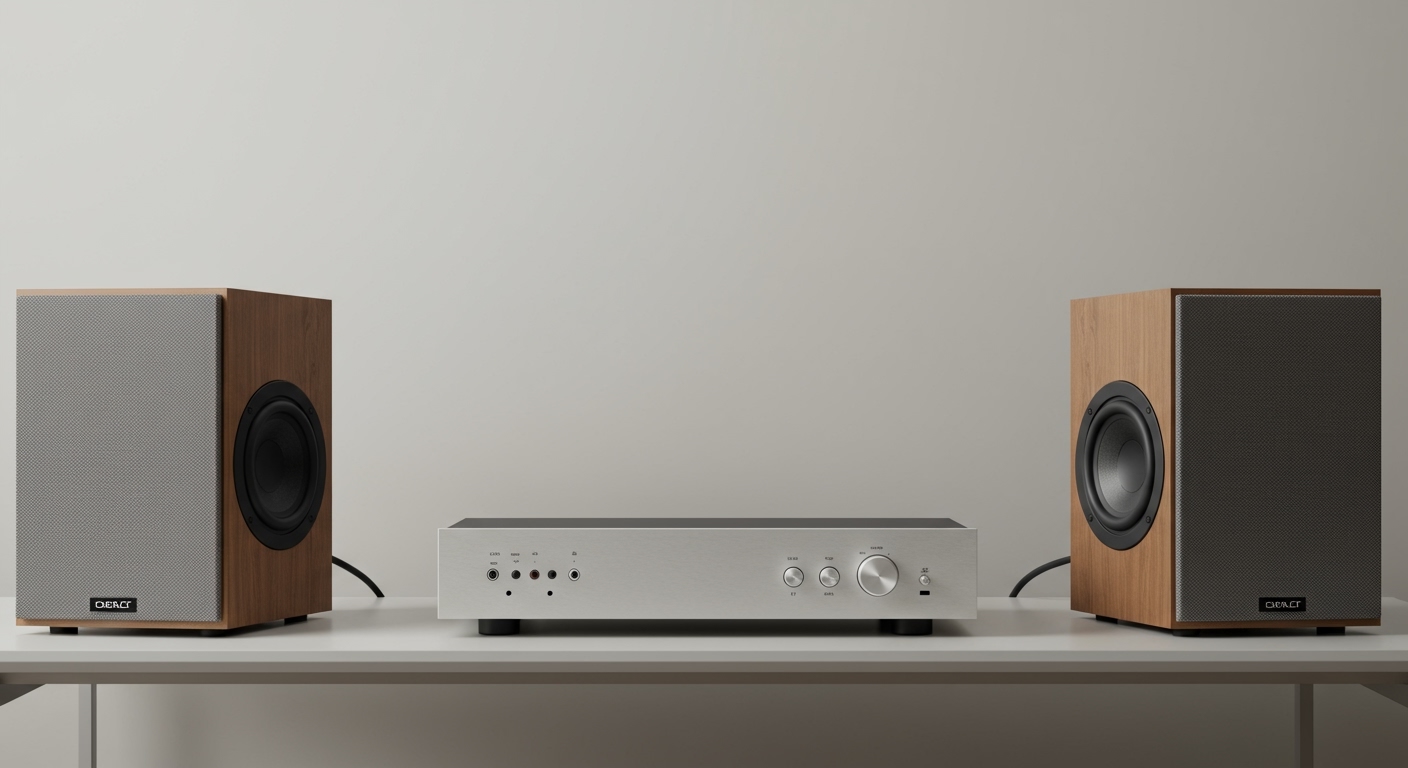
We have spent years configuring everything from desktop studio monitors to massive Dolby Atmos home theaters. In every single scenario, the orientation is always based on the audience’s perspective looking forward. Getting this foundational orientation correct is absolutely critical for experiencing true stereo imaging the way the audio engineers intended.
TL;DR: Key Takeaways for Speaker Placement
- Perspective Matters: Left and right are always determined from the listener’s perspective looking directly at the speakers.
- The Sweet Spot: You and your two speakers should form a perfect equilateral triangle for optimal sound.
- Audio Panning: Mixing up your speakers will reverse directional audio cues, ruining movies and video games.
- Ear Level is Key: Your speaker tweeters should be perfectly aligned with your ears when seated.
Why Does Speaker Orientation Matter So Much?
When audio engineers mix a song or a movie soundtrack, they use a technique called audio panning. This process distributes specific sounds to either the left audio channel, the right audio channel, or a blend of both. If you reverse your speakers, you completely destroy this intentional sonic landscape.
I once spent hours troubleshooting a client’s high-end home theater because they complained a car driving across the screen from left to right sounded completely backward. The issue wasn’t their expensive receiver; they had simply plugged the left speaker into the right terminal. Fixing this instantly restored the correct directional audio cues.
In competitive gaming, accurate stereo sound is literally a matter of digital life and death. If an opponent approaches from your left, but your speakers are swapped, you will turn the wrong way. Proper speaker placement ensures your visual and auditory inputs are perfectly synced.
The Science of Stereo Imaging
To truly understand why are left and right speakers as you look at them is such an important question, you have to understand stereo imaging. This is the illusion of multidimensional sound created by two separate audio channels. When set up correctly, your brain is tricked into hearing instruments playing in the empty space between the speakers.
This phenomenon relies on precise timing and volume differences between your left and right ears. If a snare drum is mixed slightly louder in the left channel, your brain perceives that drum as physically sitting on the left side of the stage. This creates a realistic, immersive soundstage.
If your left and right speakers are placed incorrectly, or placed too close together, this illusion collapses. The audio becomes muddy, and the distinct separation of instruments disappears.
Left vs. Right Channel Audio: What is the Difference?
Many beginners assume that the left and right speakers output the exact same sound. In a true stereo setup, this is entirely false. Below is a breakdown of how different audio elements are typically distributed across your speakers.
| Audio Element | Left Speaker Channel | Right Speaker Channel | Center (Phantom/Dedicated) |
|---|---|---|---|
| Lead Vocals | Rarely dominant | Rarely dominant | Highly Dominant (Anchored center) |
| Rhythm Guitar | Often panned hard left | Often low volume | Balanced |
| Lead Guitar | Low volume | Often panned hard right | Balanced |
| Bass & Kick Drum | Equal volume | Equal volume | Dead Center (Omnidirectional) |
| Movie Sound Effects | Left-side screen action | Right-side screen action | On-screen dialogue |
As you can see, the left and right audio channels carry entirely different sets of data. Swapping them literally scrambles the performance.
Step-by-Step Guide: How to Set Up Left and Right Speakers
Now that we know are left and right speakers as you look at them, it is time to physically place them in your room. Follow these steps to achieve studio-quality sound in your home.
Step 1: Define Your Primary Listening Position
Before moving any equipment, decide exactly where you will be sitting most of the time. In the audio world, this specific chair or couch cushion is called the sweet spot. Every measurement you take from this point forward will be based on this exact location.
Step 2: Establish the Equilateral Triangle
The golden rule of stereo speaker placement is the equilateral triangle. The distance between your left and right speakers should be exactly the same as the distance from each speaker to your head.
If you are sitting six feet away from your television, your left and right speakers should be exactly six feet apart from each other. This geometry ensures that the sound waves from both audio channels hit your ears at the exact same millisecond.
Step 3: Position the Left Speaker
Standing at your sweet spot and facing your screen or desk, place your first speaker to your physical left. Ensure that it is physically connected to the terminal marked “L” or “Left” on your audio receiver or amplifier. Keep the speaker at least one to two feet away from the back wall to prevent muddy bass frequencies.
Step 4: Position the Right Speaker
Repeat the process on your physical right side. Connect this speaker to the “R” or “Right” terminal on your amplifier. Measure the distance from the center of the left speaker’s cone to the center of the right speaker’s cone to ensure it matches the distance to your chair.
Step 5: Dial in the “Toe-In” Angle
Most speakers sound best when they are slightly angled inward, directly aiming at the listener’s ears. This inward angle is called toe-in.
I recommend starting with both speakers facing straight ahead into the room. Slowly pivot the left and right speakers inward by a few degrees at a time while listening to a familiar song. Stop angling them when the lead vocals sound like they are hovering magically in the dead center of the room.
Active vs. Passive Speakers: Does Orientation Change?
When dealing with passive speakers (speakers powered by an external receiver), the physical boxes are usually identical. You determine which is left and right entirely by where you place them and which wire you plug into them. However, active speakers (which have built-in amplifiers) are slightly different.
In most active stereo pairs, like desktop studio monitors or bookshelf systems, one speaker houses the power cord, the volume knob, and the inputs. This is considered the “master” speaker. The other is a passive “slave” speaker connected by a single wire.
You must check the back panel of the master speaker. The manufacturer will usually label it explicitly as the “Right Channel” or “Left Channel.” You cannot arbitrarily decide where to place the master speaker; you must place it on the side dictated by the manufacturer to keep your stereo imaging correct.
How to Test Your Left and Right Speaker Orientation
Even seasoned audio professionals double-check their work. Once you have your system wired, you need to verify that your left and right speakers are firing correctly. Here are the most reliable ways to test your setup.
The YouTube Audio Panning Test
The easiest method is to pull up a “Left/Right Stereo Audio Test” video on YouTube. These videos play a distinct sound and display a visual indicator of which speaker should be firing. If the screen says “Left Channel” but sound comes from your right side, you need to swap your cables immediately.
The Familiar Song Test
Play a song you know intimately. A great test track is “Space Oddity” by David Bowie. During the intro, the acoustic guitar should distinctly play out of the right speaker, while the snare drum hits on the left speaker. If the guitar is on the left, your system is reversed.
The Phase Cancellation Test
If your audio sounds hollow, weak, or lacks bass, your speakers might be out of phase. This happens when the positive (+) wire is connected to the negative (-) terminal on one speaker. The sound waves literally cancel each other out.
To fix this, check the speaker wire on the back of your receiver. Ensure the striped wire connects the red terminal on the amp to the red terminal on the speaker for both your left and right channels.
Advanced Speaker Placement: Surround Sound Considerations
When you upgrade from a simple stereo setup to a 5.1 or 7.1 surround sound system, the question of are left and right speakers as you look at them remains identical. However, you are now adding more channels that require precise placement.
The Center Channel
Your center channel speaker should be placed perfectly between your left and right speakers, directly above or below your screen. This speaker handles up to 80% of movie dialogue. It anchors the voices to the actors on the screen, allowing your left and right speakers to focus entirely on musical scores and sweeping sound effects.
Surround Left and Surround Right
In a 5.1 setup, the surround speakers









