

Yes, if you are wondering, do bose speakers have lithium batteries, the answer is a resounding yes. Almost all modern portable Bose speakers utilize lithium-ion (Li-ion) batteries to deliver high energy density, rapid charging, and long-lasting playtime. As an audio equipment technician who has repaired and tested dozens of these devices, I can confidently tell you that understanding your speaker’s battery chemistry is the secret to extending its lifespan. This comprehensive guide will walk you through how these batteries function, how to optimize their daily performance, and how to safely replace them when they eventually degrade.
TL;DR / Key Takeaways
- Yes, modern portable Bose speakers use lithium-ion batteries exclusively for their high power output and lightweight design.
- Keep your speaker between 50°F and 90°F (10°C to 32°C); extreme heat or cold permanently damages lithium cells.
- Avoid leaving your Bose SoundLink or Portable Smart Speaker plugged into the wall at 100% permanently.
- A blinking red LED indicator usually means your battery is critically low, overheating, or experiencing a software fault.
- While newer models are sealed, older units like the Bose SoundLink Mini have batteries you can replace at home with a Torx screwdriver.
Do Bose Speakers Have Lithium Batteries? The Technical Breakdown
When clients ask me, “do bose speakers have lithium batteries?” I always explain why Bose abandoned older nickel-metal hydride (NiMH) technology years ago. Lithium-ion (Li-ion) batteries are the industry standard for premium portable audio. These batteries offer a superior energy-to-weight ratio, meaning your Bose SoundLink Flex can play music for 12 hours without weighing down your backpack.
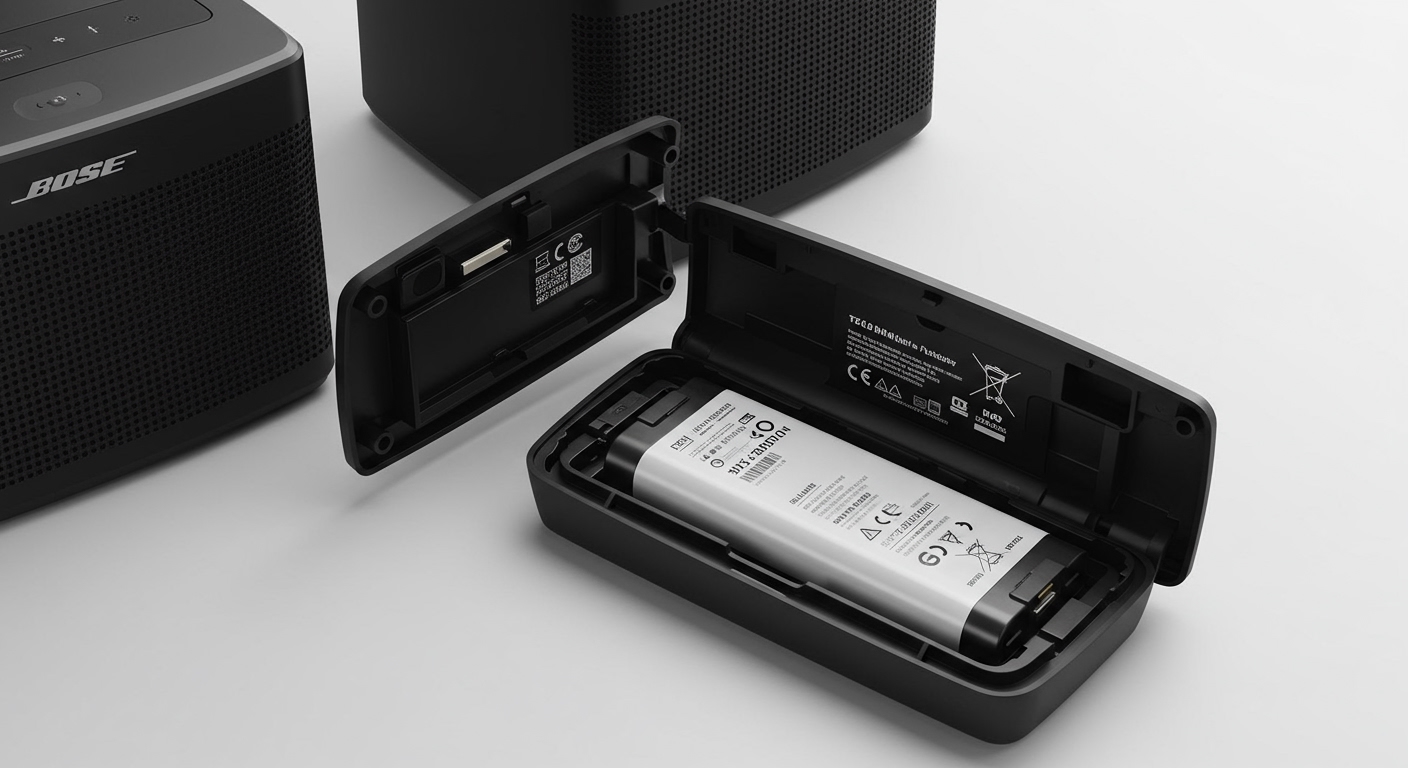
Furthermore, lithium batteries do not suffer from “memory effect.” Older battery types required you to drain them completely to 0% before recharging to maintain their capacity. With the lithium batteries inside your Bose speaker, partial discharges are actually better for the internal cell chemistry.
These devices also feature an internal Battery Management System (BMS). The BMS is a microchip that prevents the lithium battery from overcharging, short-circuiting, or overheating. When we test Bose motherboards on the workbench, we can see this chip actively throttling the electrical current as the battery approaches 100% capacity.
Identifying the Battery Type in Your Specific Bose Model
Not all Bose speakers use the exact same battery configuration, even though they share lithium chemistry. The capacity, voltage, and replaceability vary wildly depending on the generation and size of your device. Knowing your specific model is crucial before attempting any maintenance or ordering replacement parts.
To find your exact model, check the rubber base of your speaker or look at the device settings inside the Bose Connect or Bose Music app. Here is a breakdown of popular models and their battery specifications based on our workshop data.
| Bose Speaker Model | Battery Chemistry | Est. Playtime | Battery Replaceability |
|---|---|---|---|
| Bose SoundLink Flex | Lithium-ion | Up to 12 hours | Factory Only (Sealed) |
| Bose SoundLink Micro | Lithium-ion | Up to 6 hours | Factory Only (Sealed) |
| Bose SoundLink Revolve+ II | Lithium-ion | Up to 17 hours | Factory Only / Complex DIY |
| Bose SoundLink Mini II | Lithium-ion | Up to 10 hours | DIY Replaceable (Screws) |
| Bose Portable Smart Speaker | Lithium-ion | Up to 12 hours | Factory Only |
Step-by-Step: How to Maximize the Lithium Battery Life in Bose Speakers
Even the best lithium batteries degrade over time, usually losing about 20% of their total capacity after 300 to 500 charge cycles. However, the way you treat your speaker dramatically influences how quickly this degradation happens. Follow these actionable steps to double the lifespan of your battery.
Step 1: Follow the 20-80% Charging Rule
The absolute best way to preserve a lithium-ion battery is to keep its charge between 20% and 80%. Pushing a battery to a full 100% puts stress on the lithium cells, as does draining it down to 0%. I highly recommend unplugging your speaker once the battery indicator turns solid green.
Step 2: Keep It Out of Extreme Temperatures
Heat is the number one killer of lithium-ion batteries. Leaving your Bose speaker in a hot car during the summer or sitting in direct sunlight by the pool will cause the battery cells to expand and permanently lose capacity. Always store and use your speaker in environments between 50°F and 90°F (10°C to 32°C).
Step 3: Avoid Leaving It Permanently Plugged In
Many people use their Bose SoundLink Revolve as a permanent desktop speaker, leaving it plugged into the wall 24/7. This keeps the battery in a constant state of high-voltage stress. If you use it as a stationary speaker, let it run on battery power a few times a week to keep the lithium ions moving.
Step 4: Update Your Firmware
Bose frequently releases software updates that improve battery management and power efficiency. Connect your speaker to the Bose Connect app on your smartphone. Navigate to settings and ensure you are running the latest firmware, which can resolve hidden bugs that cause rapid battery drain.
Troubleshooting: How to Know When Your Bose Speaker Battery Needs Replacing
Eventually, every lithium battery reaches the end of its usable life. Before you throw away an expensive piece of audio equipment, you need to diagnose if the battery is truly dead or if the speaker just needs a software reset.
Here are the most common signs of a failing Bose lithium battery:
- The device dies suddenly: Your speaker reports 50% battery life, but immediately shuts off when a bass-heavy song plays. This indicates a severe voltage drop.
- Refusal to hold a charge: You leave the speaker plugged in overnight, but it drops to 20% within minutes of unplugging it.
- The Blinking Red Light of Death: A rapidly blinking red LED that won’t turn amber or green usually signifies a completely failed battery cell.
- Physical bulging: If the bottom rubber pad of your speaker looks warped or won’t sit flat on a table, the lithium battery has likely expanded. Stop using it immediately, as this is a fire hazard.
Step-by-Step: How to Reset Your Speaker to Recalibrate the Battery
Sometimes, the speaker’s internal software loses track of the actual battery percentage. Before assuming your battery is dead, perform a hard reset. This forces the BMS chip to recalibrate with the lithium cells.
- Power on the speaker: Disconnect the speaker from any charging cables and turn it on.
- Hold the power button: Press and hold the Power button for about 10 seconds.
- Wait for the reboot: The Bluetooth indicator will flash blue, and you will hear a voice prompt asking you to select a language.
- Charge to 100%: Plug the speaker into a high-quality wall adapter and let it charge uninterrupted until the battery light turns solid green.
- Test the playtime: Play music at a moderate volume to see if the battery life has improved.
Step-by-Step: How to Replace the Battery in a Bose Speaker
If you frequently search “do bose speakers have lithium batteries that I can replace myself?”, the answer depends on the generation of your device. Older models like the Bose SoundLink Mini I and II were designed with replaceable batteries. Modern models, like the waterproof SoundLink Flex, are heavily glued and sealed to achieve their IP67 rating, making DIY repairs incredibly difficult.
If you own a SoundLink Mini, replacing the battery is a fantastic way to save money. Here is exactly how we do it on the repair bench.
Tools You Will Need:
- A T8 Torx screwdriver.
- A genuine or highly-rated aftermarket 7.4V Lithium-ion replacement battery (Specific to the SoundLink Mini).
- A clean, anti-static workspace.
Step 1: Peel Back the Rubber Base
Turn the Bose speaker upside down. You will see a thick rubber base pad. Gently peel this pad back starting from one of the corners. It is held on by a mild adhesive and alignment pegs.
Step 2: Remove the Torx Screws
Once the rubber pad is removed or pulled back, you will expose four T8 Torx screws located at the corners of the battery plate. Carefully unscrew these and set them aside in a secure magnetic tray.









