

If you are wondering, do drones have speakers, the short answer is yes—but typically only on enterprise, commercial, or specialized models, not standard consumer drones. Most off-the-shelf camera drones prioritize lightweight designs and extended flight times over audio broadcasting capabilities. However, as drone technology has evolved, adding a megaphone or speaker payload has become a game-changer for industrial and public safety applications.
In my years of field testing and operating commercial UAVs (Unmanned Aerial Vehicles), I have seen firsthand how an aerial loudspeaker can transform a standard flight into a life-saving mission. Whether you want to warn trespassers, communicate with a lost hiker, or simply experiment with customized payload drops, understanding how drone audio works is essential.
This comprehensive guide will explain exactly how drone speakers function, what models support them, and provide a step-by-step tutorial on how to mount a speaker to your own drone.
🚀 TL;DR: Key Takeaways
- Consumer vs. Enterprise: Everyday drones (like the DJI Mini 3 or Mavic 3) do not have built-in speakers. Enterprise drones (like the DJI Mavic 3 Enterprise) feature dedicated ports for speaker attachments.
- Primary Uses: Drone speakers are primarily used for Search and Rescue (SAR), law enforcement, crowd control, and wildlife management.
- Loudness: Professional drone megaphones can reach volumes between 100 dB and 130 dB, easily overpowering loud propeller noise.
- Customization: You can add third-party, universal lightweight speakers to consumer drones, provided you respect the drone’s Maximum Takeoff Weight (MTOW).
- Flight Time Impact: Attaching a speaker increases drag and weight, typically reducing your battery life by 10% to 20%.
Do Drones Have Speakers Built-In?
When beginners ask, do drones have speakers, they usually assume the audio is integrated directly into the drone’s chassis. In reality, almost no modern drones feature a built-in, internal speaker.
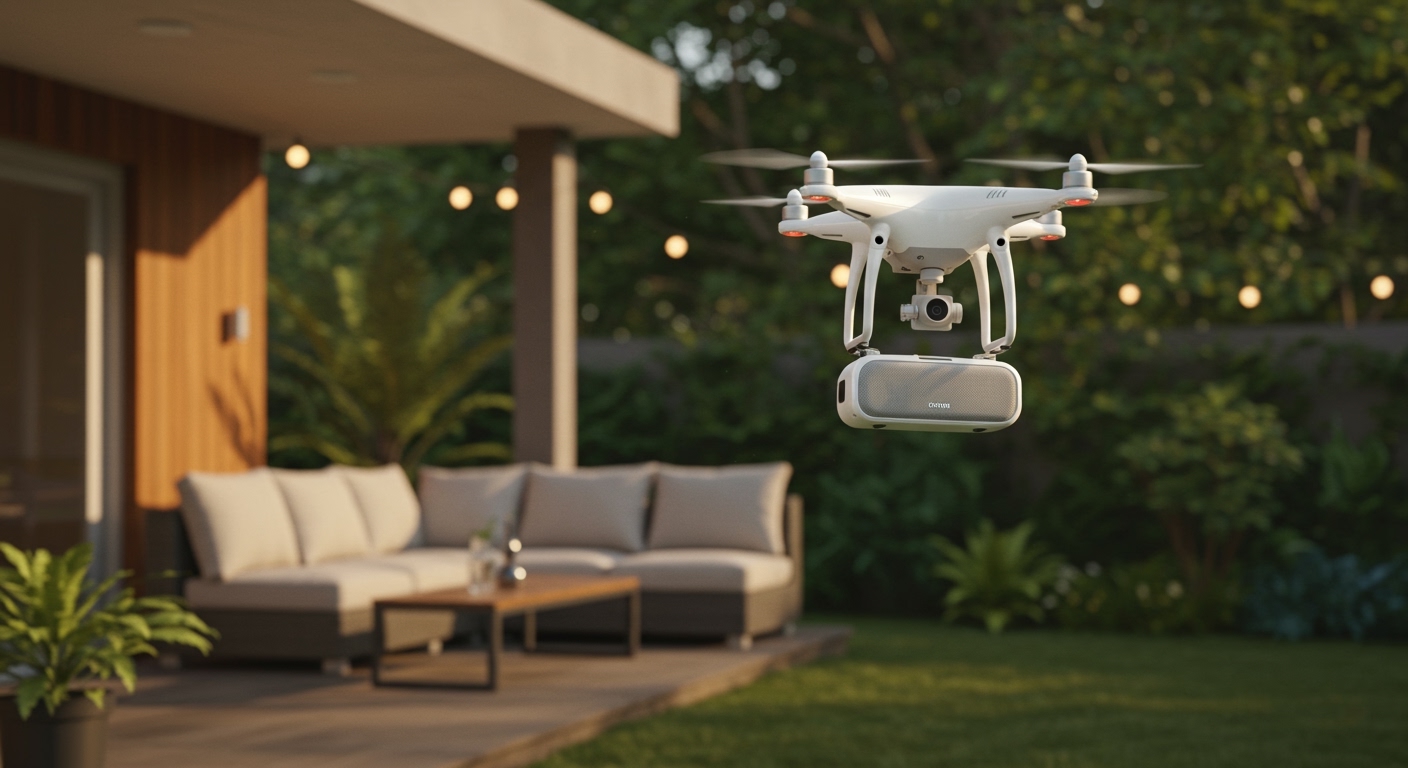
Instead, drones utilize a modular payload system. Manufacturers design enterprise drones with specialized mounting brackets and electronic contact points (like the DJI PSDK port). This allows operators to attach, detach, and swap out heavy-duty loudspeakers as needed.
Standard consumer drones lack these mounting points to save on weight and cost. If you fly a standard DJI Air 3 or Autel EVO Lite, you will not find a speaker onboard. However, as we will cover in our step-by-step guide below, you can still retrofit aftermarket speakers to these consumer models.
Why Do Drones Have Speakers? (Real-World Applications)
You might wonder why a flying camera needs to broadcast sound. In my experience consulting with public safety agencies, the ability to project a human voice from the sky is an invaluable tool. Here are the top use cases:
Search and Rescue (SAR) Operations
In dense forests or mountainous terrain, a lost hiker might not be able to see a drone, but they can hear it. Rescue teams use drone megaphones to broadcast pre-recorded messages or live audio. This allows them to instruct victims to stay put or guide them toward a nearby clearing for extraction.
Law Enforcement and Public Safety
Police departments frequently deploy drones equipped with loudspeakers for crowd management or standoff situations. Instead of sending an officer into a potentially dangerous area, law enforcement can fly a DJI Matrice 300 RTK over the scene. They can then issue legal warnings, dispersal orders, or negotiate with suspects from a safe distance.
Wildlife Management and Bird Control
Agricultural workers and airport authorities use drone speakers to mitigate wildlife hazards. By broadcasting the sounds of natural predators or distress calls at 110+ decibels, drones can effectively and humanely scare away flocks of birds. This prevents crop destruction and dangerous bird strikes near airport runways.
Event Management and Emergency Broadcasts
During large outdoor festivals or natural disasters, ground-based PA systems can fail or be out of range. First responders can deploy drones to broadcast emergency evacuation routes, weather warnings, or general public safety announcements across a wide radius.
Step-by-Step Guide: How to Add a Speaker to Your Drone
If your drone didn’t come with an audio system, you can still build one. Whether you are using a commercial drone with a payload port or a hobbyist drone with some lifting power, follow this step-by-step guide to get your drone talking.
Step 1: Calculate Your Drone’s Payload Capacity
Before buying any equipment, you must determine your drone’s Maximum Takeoff Weight (MTOW). Subtract the weight of the drone (with battery and propellers) from the MTOW to find your available payload capacity.
If you overload your drone, the motors will overheat, and it will crash. For example, a DJI Mavic Air 2 can safely lift an additional 150 to 200 grams. Ensure your chosen speaker and mounting bracket fall well below this limit.
Step 2: Choose the Right Drone Speaker
Select a speaker based on your drone’s tier. If you own an enterprise drone, buy the official modular attachment (e.g., the DJI Mavic 3 Enterprise Speaker). It integrates flawlessly with the native flight app.
For consumer drones, you will need an aftermarket universal drone megaphone. Look for units that feature their own independent battery and a two-way radio transmitter. CZI and StartRC make excellent lightweight options that weigh under 100 grams.
Step 3: Securely Mount the Speaker
Placement is critical for flight stability and audio clarity. You must mount the speaker as close to the drone’s Center of Gravity (CoG) as possible.
- For Enterprise Drones: Simply slide the speaker into the top PSDK port and tighten the locking screws.
- For Consumer Drones: Use a dedicated 3D-printed payload bracket designed for your specific drone model. Avoid using generic zip-ties or duct tape, as the vibrations from the propellers will loosen them mid-flight. Ensure the speaker does not block the downward vision sensors or the GPS module on top.
Step 4: Establish the Audio Transmission Link
How you talk through the drone depends on the speaker model. Enterprise speakers connect directly through the drone’s software. You simply speak into the microphone on your DJI RC Pro Enterprise controller.
For universal third-party speakers, you will usually receive a separate handheld UHF radio transmitter. Turn on the speaker module on the drone, turn on the handheld radio, and ensure they are on the same frequency channel. Test the Push-to-Talk (PTT) function on the ground before taking off.
Step 5: Conduct a Safe Test Flight
Adding a speaker drastically alters your drone’s aerodynamics. Take your drone to an open, grassy field for a test hover. Lift off to an altitude of 10 feet and check for any wobbling or motor strain.
Once stable, test the audio. Have a partner stand 100 feet away to gauge the clarity and volume of the speaker over the noise of the rotor wash (the sound of the propellers).
Step 6: Adjust Your Flight Expectations
Remember that adding a bulky speaker creates aerodynamic drag. You should immediately adjust your flight plan expectations.
If your drone normally flies for 30 minutes, expect the speaker payload to reduce that to 20 or 25 minutes. Fly more conservatively, avoid high winds, and monitor your battery voltage closely on your controller screen.
Top Drone Speaker Systems: A Data Comparison
To help you understand the current market, we have compiled a comparison of the most popular drone speaker payloads available today.
| Speaker Model | Compatible Drones | Max Volume (dB) | Weight (g) | Best Use Case |
|---|---|---|---|---|
| DJI Mavic 3E Speaker | DJI Mavic 3 Enterprise | 110 dB | 85 g | Police & SAR |
| CZI GL60 Gimbal | DJI Matrice 300 / 350 | 120 dB | 450 g | High-Altitude Broadcast |
| StartRC Universal | DJI Mini 3, Air 2S, Mavic | 100 dB | 55 g | Hobbyist / Farm use |
| CZI MP130 V2 | DJI Matrice Series | 130 dB | 550 g | Crowd Control |
Note: Decibel levels are typically measured at a distance of 1 meter from the audio source. Sound intensity drops significantly as the drone gains altitude.
Technical Challenges of Drone Audio Broadcasting
When users discover the answer to do drones have speakers is yes, they often overlook the physics of aerial sound. Broadcasting clear audio from a flying machine is incredibly difficult due to several acoustic and technical hurdles.
Overcoming Rotor Wash and Propeller Noise
Drones are incredibly loud. A commercial drone hovering 50 feet in the air generates roughly 75 to 80 decibels of propeller noise. If your speaker is not powerful enough, the sound of the motors will completely drown out your voice.
To fix this, high-end drone speakers utilize directional acoustics. They focus the sound waves downward in a tight cone, punching through the rotor wash so the audio remains intelligible to people on the ground.
The Inverse Square Law of Sound
Sound degrades rapidly over distance due to the Inverse Square Law. Every time you double the distance from the speaker, the sound pressure level drops by 6 decibels.
If a drone speaker outputs 110 dB at 1 meter, it will only register at roughly 74 dB by the time it reaches a person 60 meters (200 feet) below. Therefore, drone operators must fly relatively low—usually between 100 and 150 feet—for their broadcasts to be clearly understood.
Audio Latency and Feedback
When using a live microphone, audio latency (delay) can be a significant issue. Depending on the









