

Do Speakers Need Drivers? The Ultimate Guide to Audio Transducers
If you are asking do speakers need drivers, the answer is an absolute yes—both in the physical world and the digital one. A physical speaker driver is the actual cone-shaped hardware that pushes air to create sound waves, meaning a speaker physically cannot exist without one. Meanwhile, in the digital realm, your computer requires software drivers to communicate with your audio output devices.
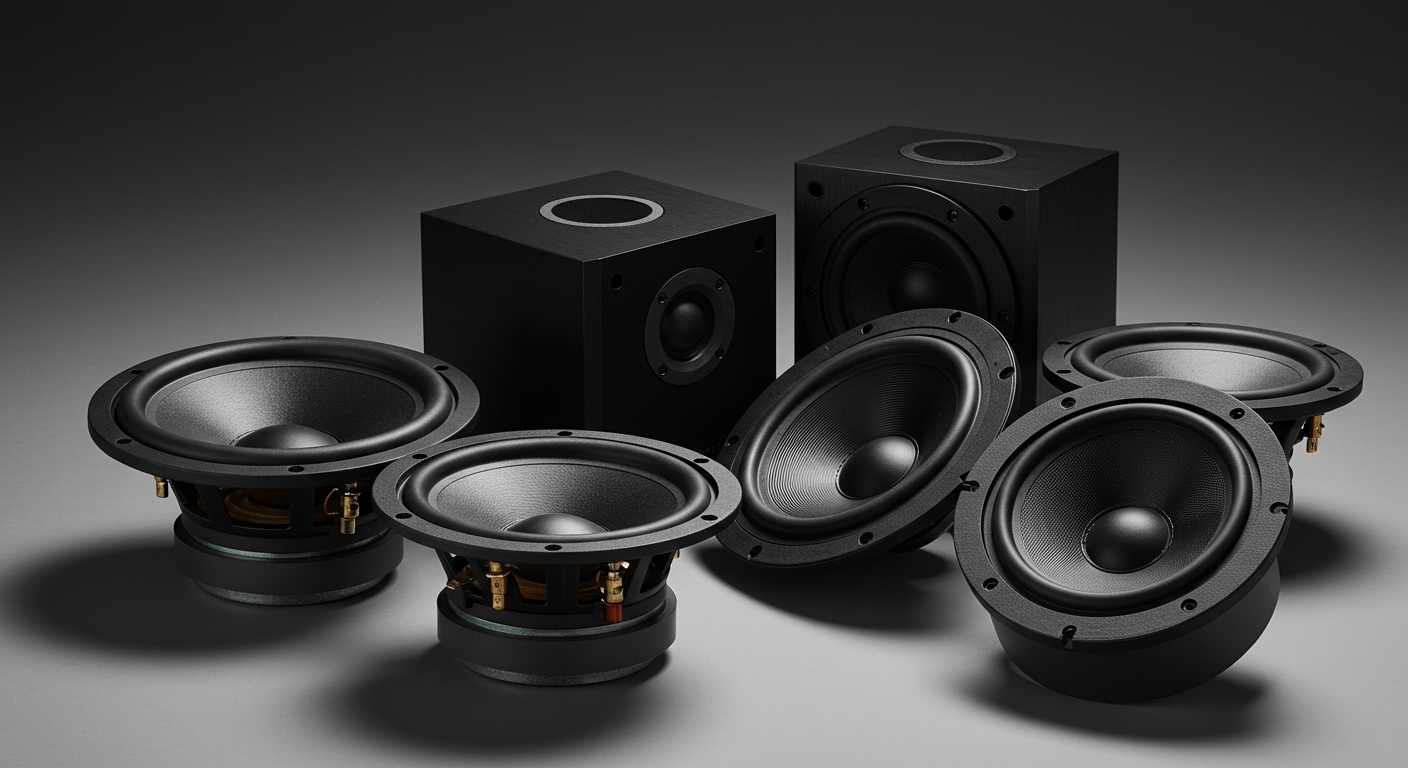
In my years of building custom audio setups and repairing vintage studio monitors, I have seen endless confusion over this exact topic. Many beginners mistake an empty speaker cabinet for a functioning unit, or they plug in a brand-new USB soundbar only to be met with dead silence due to outdated PC drivers.
This comprehensive step-by-step guide will break down everything you need to know about physical speaker drivers, how to diagnose them, and how to replace them. We will also quickly troubleshoot the software side to ensure your audio setup runs flawlessly.
TL;DR / Key Takeaways
- Physical Drivers are Essential: Without physical transducers (woofers, tweeters), a speaker is just an empty wooden or plastic box.
- Software Drivers Matter: Digital setups (like Windows PC speakers) require software drivers (e.g., Realtek Audio) to process digital signals into analog sound.
- Different Frequencies Need Different Hardware: A quality speaker uses multiple drivers—like tweeters for highs and subwoofers for deep bass—managed by a crossover network.
- DIY Repair is Possible: You can test a blown physical driver using a basic digital multimeter and replace it with just a screwdriver and a soldering iron.
The Anatomy of Sound: Why Do Speakers Need Drivers?
When clients ask me, “do speakers need drivers?”, I like to use a simple analogy. Think of a speaker cabinet as a car chassis, and the speaker driver as the engine. Without the engine, the car goes nowhere.
A speaker driver is an electromagnetic transducer. It takes electrical audio signals from your amplifier and converts them into mechanical energy. This mechanical energy moves the speaker cone back and forth, which vibrates the air molecules in your room.
These vibrations travel to your eardrums, allowing you to hear everything from a low bass drop to a high-pitched violin string. Because human hearing spans from 20 Hz to 20,000 Hz, reproducing all these sounds accurately with just one “engine” is extremely difficult.
The Hardware vs. Software Distinction
To be fully accurate, we must separate the two types of “drivers” in the audio world.
- Hardware Speaker Drivers: The physical, moving cones (woofers, tweeters) housed inside the speaker cabinet. Passive speakers only require these physical drivers to function.
- Software Audio Drivers: The digital code installed on a computer (like macOS or Windows 11) that tells the operating system how to send audio signals to your hardware.
If you are connecting standard analog speaker wire to an amplifier, you only need physical drivers. If you are plugging a speaker into a computer via USB, you need both.
Types of Physical Speaker Drivers You Should Know
To achieve high-fidelity audio, manufacturers split the frequency range across different types of physical drivers. A single “full-range” driver often struggles to produce both deep bass and crisp highs simultaneously.
By splitting the workload, each driver can operate within its optimal frequency band. Here is a breakdown of the standard speaker driver types you will encounter.
| Driver Type | Frequency Range | Primary Purpose | Examples in Audio |
|---|---|---|---|
| Tweeter | 2,000 Hz – 20,000 Hz | Handles high frequencies. Adds clarity and detail to audio. | Cymbals, highest vocal notes, birds chirping. |
| Mid-Range | 250 Hz – 2,000 Hz | Covers the most critical part of human hearing. | Human vocals, guitars, pianos, dialogue in movies. |
| Woofer | 40 Hz – 1,000 Hz | Handles the standard bass and lower mid-range tones. | Bass guitars, kick drums, deep cinematic sound effects. |
| Subwoofer | 20 Hz – 200 Hz | Dedicated entirely to ultra-low frequency sub-bass. | Electronic dance music basslines, earthquake movie effects. |
Step-by-Step Guide: How to Test if Your Speaker Drivers Are Blown
One of the most common reasons people search for replacement drivers is because their current ones have “blown.” A blown driver occurs when too much power (wattage) is sent through the voice coil, causing it to melt, or when extreme volume physically tears the cone.
If your audio sounds distorted, scratchy, or completely silent, you need to diagnose the hardware. Here is my proven, step-by-step diagnostic process.
Step 1: The Visual and Physical Inspection
First, remove the speaker grill. Look closely at the foam or rubber surround that connects the cone to the metal frame.
- Is the rubber cracked, flaking, or torn? If yes, the driver is compromised.
- Gently press the speaker cone inward with your fingers spread evenly around the dust cap.
- If you hear a scratching sound (like sandpaper), the voice coil has melted and is scraping against the magnet. The driver must be replaced.
Step 2: The Audio Isolation Test
Sometimes, only one driver in a multi-speaker cabinet fails.
- Play a sweeping frequency test track (easily found on YouTube or Spotify).
- Put your ear close to each individual driver (the tweeter, the mid-range, and the woofer).
- Identify exactly which driver is producing the rattling or buzzing sound.
Step 3: The Multimeter Continuity Test
If a driver is completely silent, the internal wire might be snapped. You can verify this with a digital multimeter.
- Remove the driver from the cabinet (unscrew it and disconnect the wires).
- Set your multimeter to the Ohms (Ω) or Resistance setting.
- Touch the red probe to the positive terminal and the black probe to the negative terminal.
- If the multimeter reads near the speaker’s rated impedance (e.g., 3.5 to 4.2 ohms for a 4-ohm speaker), the driver is healthy. If it reads “OL” (Open Loop) or infinity, the voice coil is dead.
How to Choose the Right Replacement Speaker Drivers
If you have confirmed that your physical speaker driver is dead, you cannot simply buy any random replacement off the internet. Choosing the wrong driver will ruin your sound quality or, worse, damage your amplifier.
When advising clients on replacements, I always tell them to match these three critical specifications.
Match the Impedance (Ohms)
Impedance is the electrical resistance your speaker presents to the amplifier. Most home audio drivers are rated at 4-ohm, 6-ohm, or 8-ohm.
If you replace an 8-ohm woofer with a 4-ohm woofer, your amplifier will have to work twice as hard. This can cause the amp to overheat and shut down. Always match the exact impedance of the original driver.
Match the Power Handling (RMS Wattage)
Look at the RMS (Root Mean Square) wattage rating, not the “Peak” wattage. RMS is the continuous power the driver can handle safely.
Ensure your new driver has an RMS rating equal to or slightly higher than the original. For example, if your amp outputs 50 watts RMS per channel, your replacement driver should comfortably handle at least 50 to 75 watts RMS.
Match the Physical Dimensions and Sensitivity
The new driver must physically fit into the existing hole (the cut-out diameter) of your speaker cabinet. Measure this in inches or millimeters before ordering.
Additionally, check the Sensitivity rating (measured in dB). If your original tweeter was rated at 90 dB and you install a replacement rated at 82 dB, the new tweeter will sound noticeably quieter than the rest of the speaker.
Step-by-Step: How to Replace Physical Speaker Drivers
Replacing a speaker driver is an incredibly satisfying DIY project. You do not need to be an audio engineer to do it safely.
Here is exactly how to execute a flawless driver replacement.
Tools You Will Need:
- A Phillips-head screwdriver or Allen keys (depending on your speaker screws).
- A Soldering iron and rosin-core solder (if the wires are soldered).
- Needle-nose pliers (if the wires use spade connectors).
- Weather-stripping tape or speaker gasket tape.
Step 1: Remove the Broken Driver
Ensure the speaker is completely disconnected from the amplifier. Lay the speaker cabinet flat on









