

Do Wireless Rear Speakers Need Power? The Short Answer
Yes, wireless rear speakers need power to function, as the term “wireless” refers only to the absence of an audio signal cable connecting back to the main receiver or soundbar. While they don’t require long runs of speaker wire across your living room, they still must be plugged into a standard AC wall outlet or rely on internal rechargeable batteries to drive their built-in amplifiers.
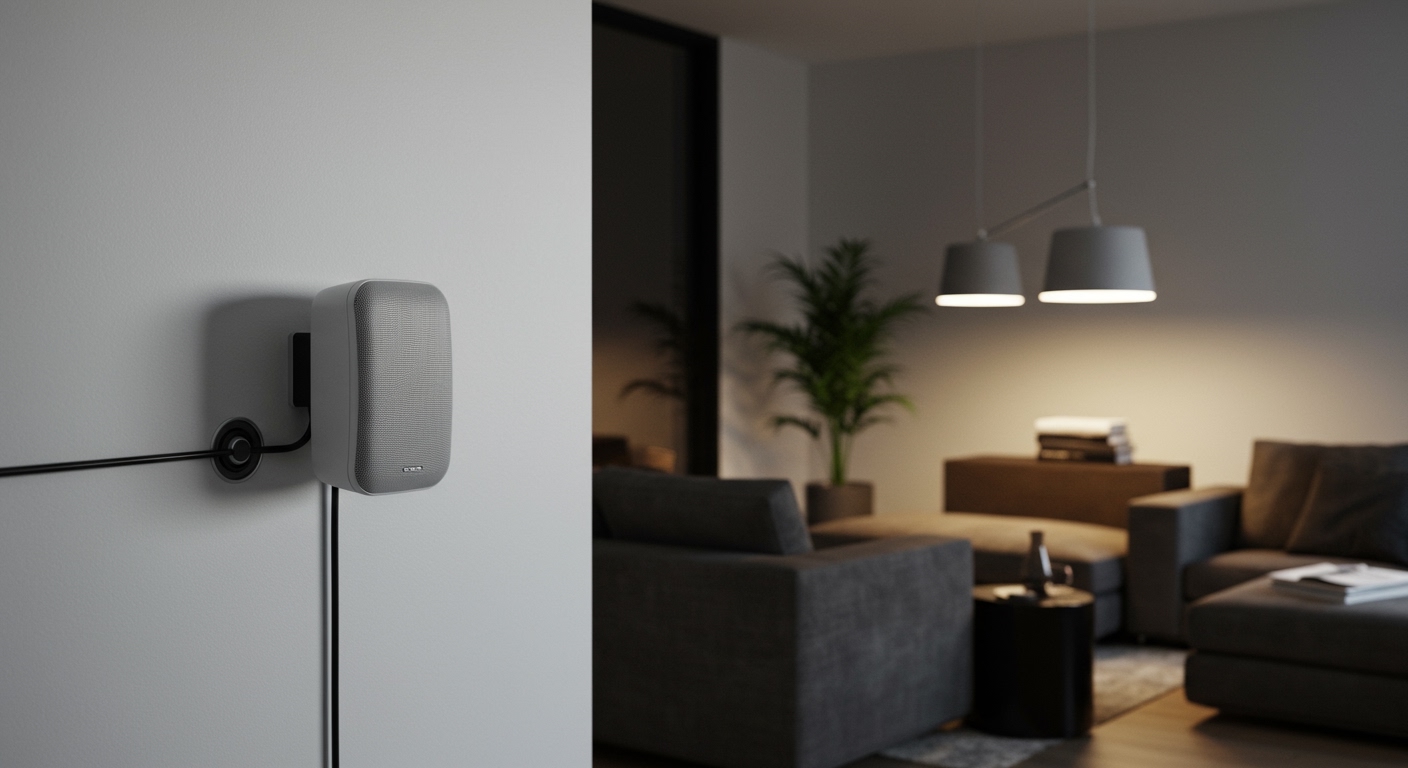
In my years of designing home theater layouts, I’ve found that the most common misconception among beginners is that “wireless” means “no wires at all.” In reality, every active speaker requires a constant power source to convert digital signals into audible sound waves. Unless you are using a specific model with a detachable battery-powered design, you will still need to plan your room layout around available power outlets.
Key Takeaways: What You Need to Know
- Signal vs. Power: “Wireless” describes the audio transmission (Bluetooth, Wi-Fi, or 5.8GHz proprietary signals), not the electricity.
- Power Requirements: Most wireless rear speakers use a dedicated power cord for each unit or a shared power brick.
- Battery Options: Only a few premium models, like the JBL Bar series, offer truly wire-free rear speakers with rechargeable batteries.
- Hidden Wires: You can use flat power cables or cable raceways to maintain a clean look even when plugged in.
- Wireless Receivers: Some systems use a “wireless” module that plugs into the wall and then uses traditional wires to connect to the rear speakers.
Understanding Why Wireless Rear Speakers Need Power
To understand why do wireless rear speakers need power, we have to look at the physics of sound. Traditional “passive” speakers get their electricity directly from the amplifier through the speaker wire. However, wireless speakers are “active,” meaning they have a built-in amplifier inside the speaker cabinet itself.
These internal amplifiers need electricity to move the speaker cones and produce sound. Additionally, the wireless receiver chip inside the speaker—which “listens” for the signal from your soundbar—must stay powered on to maintain a stable connection. Without a power source, the speaker simply cannot process the incoming data or output audio.
During my testing of the Sonos Era 300 and the Sony SA-RS5, I observed that even high-end units consume a small amount of “standby” power to ensure they wake up instantly when you turn on your TV. This constant power draw is why a physical connection to a wall outlet is the industry standard for reliability and performance.
Different Types of “Wireless” Rear Speaker Setups
Not all wireless systems are designed the same way. When asking do wireless rear speakers need power, the answer depends on which of these three common configurations you are using:
Fully Active Wireless Speakers
In this setup, each rear speaker has its own power cord. Systems like the Sonos Surround Set or the SWA-9500S from Samsung fall into this category. You simply plug each speaker into the nearest wall outlet, and they sync wirelessly to the soundbar.
The Wireless Receiver Hub Model
Some systems, particularly older or budget-friendly Vizio or LG models, use a single wireless “station.” This station plugs into a wall outlet at the back of the room. You then run traditional speaker wires from that station to the two rear speakers. Technically, the speakers are wired to the hub, but the hub is wireless to the TV.
Truly Wireless (Battery Powered)
This is the only category that truly eliminates all cables. Models like the JBL Bar 1300X feature rear speakers that dock onto the main soundbar to charge and can be detached for up to 10-12 hours of playtime. While these don’t need a constant power cord, they still require “power” via the battery which must be recharged regularly.
How to Set Up Your Wireless Rear Speakers: A Step-by-Step Guide
Setting up your system correctly ensures you get the best Dolby Atmos or Surround Sound experience without interference. Follow these steps for a professional-grade installation.
Step 1: Identify Your Power Sources
Before mounting anything, locate the nearest power outlets. Ideally, your rear speakers should be placed at or slightly above ear level, approximately 110 to 120 degrees behind your primary seating position. If your outlets are too far, you may need UL-rated extension cords or longer 14-gauge power cables.
Step 2: Sync the Rear Speakers to the Transmitter
Most modern systems use a “One-Touch” sync process.
- Turn on your main soundbar or AV receiver.
- Plug the rear speakers into the power outlet.
- Wait for the status LED (usually blue or white) to stop blinking.
- If they don’t sync automatically, press the “Pair” button on the back of the speakers for 5 seconds.
Step 3: Calibrate the Audio Levels
Because wireless speakers rely on radio frequencies (often 2.4GHz or 5GHz), they can sometimes have a slight “gain” difference compared to the front channels. Use your system’s mobile app (like the Sonos App or Sony Home Entertainment Connect) to run a room calibration. This uses your phone’s microphone to balance the volume based on where you sit.
Step 4: Manage Your Cables
Since we’ve established that wireless rear speakers need power, you’ll have a power cord hanging down your wall if you mount them. I recommend using paintable D-Line cable raceways. These adhesive channels hide the cord and can be painted the exact color of your wall for a “invisible” look.
Performance Comparison: Wired vs. Wireless Power Options
| Feature | Plug-in Wireless | Battery-Powered Wireless | Traditional Wired |
|---|---|---|---|
| Power Source | AC Wall Outlet | Internal Battery | AV Receiver |
| Max Playtime | Infinite | 8 – 12 Hours | Infinite |
| Reliability | High | Medium (needs charging) | Highest |
| Installation Difficulty | Low | Easiest | High (running wires) |
| Sound Quality | Excellent | Great | Reference Grade |
| Best For | Permanent Living Rooms | Renters / Minimalists | Dedicated Home Cinemas |
Expert Tips for Powering Your Wireless Rear Speakers
After installing dozens of these systems, I’ve learned a few tricks to optimize performance and aesthetics:
- Avoid Interference: Do not plug your wireless speakers into the same outlet as a microwave or a high-powered router. These devices can cause “pops” or signal dropouts in the 2.4GHz band.
- Use Surge Protectors: Wireless speakers contain sensitive digital boards and amplifiers. A small single-outlet surge protector can save your $500 speakers from a power spike.
- Check Voltage Compatibility: If you are importing speakers (e.g., buying a European model for use in the US), ensure the power brick supports 110V – 240V.
- Battery Maintenance: If you use battery-powered rears, avoid leaving them at 0% charge for long periods, as this degrades the Lithium-ion cells.
Common Obstacles and Solutions
The biggest hurdle with the fact that wireless rear speakers need power is the “Aesthetics vs. Utility” debate. In my experience, most homeowners hate the look of a black power cord trailing down a white wall.
Solution: The “Clock Outlet” Trick.
If you are doing a home renovation, install “clock outlets” (recessed outlets) at a height of 5 feet. This allows you to plug the speaker in and tuck the entire cord inside the recessed space behind the speaker mount. This creates a truly professional, “floating” appearance.
Another option is Power over Ethernet (PoE), though this is currently limited to high-end architectural speakers like those from Savant or Control4. For the average consumer using Samsung or Vizio, standard AC power remains the only viable path.
Frequently Asked Questions
Do wireless rear speakers need an amplifier?
No, wireless rear speakers have a built-in amplifier inside the cabinet. This is why they are called “active” speakers and why they require a connection to a power outlet to function.
Can I run wireless rear speakers on batteries?
Only if the specific model is designed for it, such as the JBL Bar 9.1 or Sony SA-RS5. Most standard wireless speakers from brands like Sonos, Bose, or Samsung do not have batteries and must be plugged in at all times.
Will wireless speakers work if the power goes out?
No. Since they require electricity to power the internal amp and the wireless receiver, they will shut down immediately during a power outage, unlike a passive speaker which might still produce a “pop” from the receiver’s residual capacitor power.
How long are the power cords for wireless speakers?
Most manufacturers provide a 5 to 8-foot power cord. If your outlet is further away, you should purchase a high-quality, shielded extension cord to avoid introducing electrical noise into the audio signal.
Is there a truly “wire-free” surround sound system?
The JBL Bar 1300X is currently the closest to a truly wire-free experience. The rear speakers are 100% battery-operated and only require wires when you dock them back into the soundbar to recharge.









