

Do You Need Speakers for a DJ Controller? The Direct Answer
Yes, you must have external speakers for a DJ controller because 99% of controllers do not have built-in speakers. While the controller acts as the “brain” of your setup, it only processes audio signals; it requires active monitor speakers, a PA system, or a home stereo to translate those signals into sound. If you are practicing at home, you can technically use headphones, but for any performance or immersive practice, external speakers are essential.
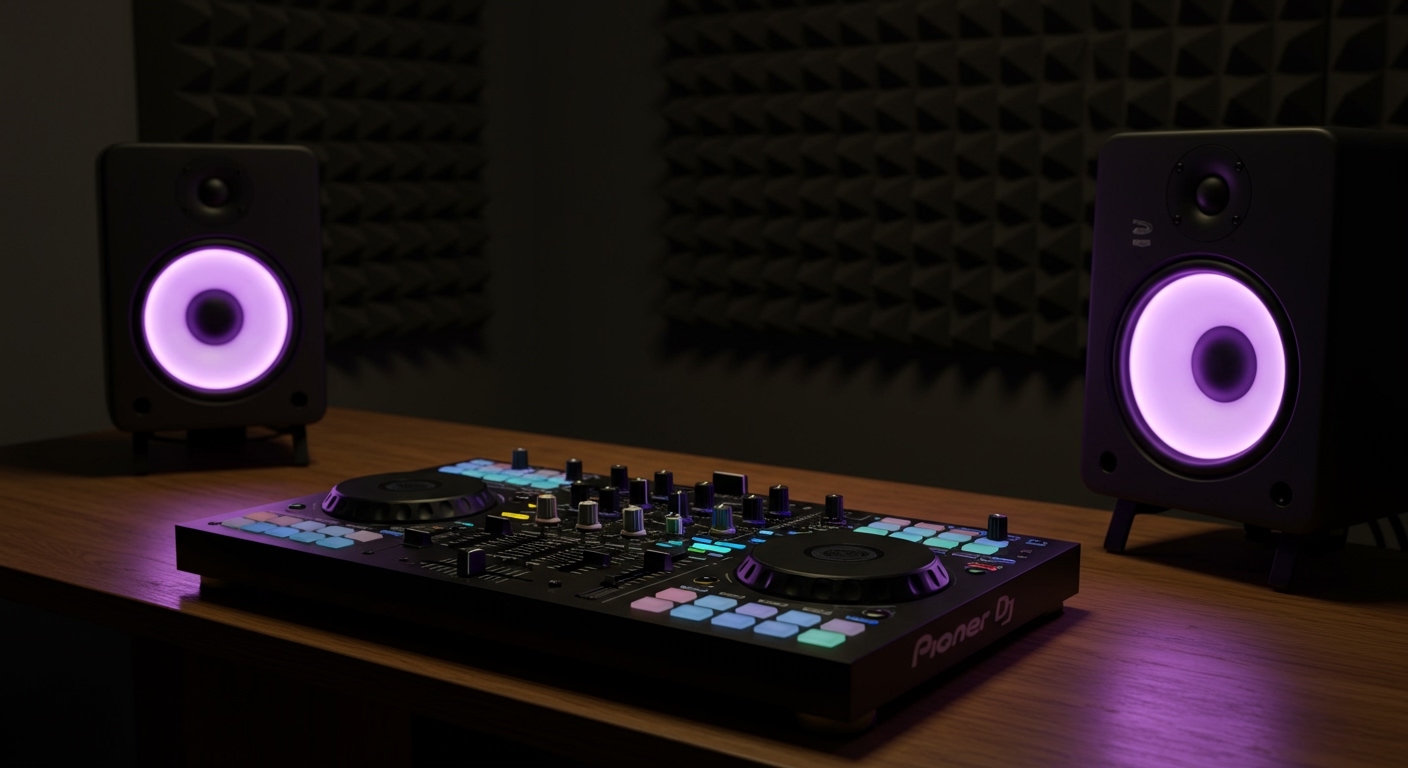
Key Takeaways: DJ Controller Speaker Essentials
- Most Controllers are Silent: They output a line-level signal that needs an amplifier or powered speaker.
- Latency is the Enemy: Avoid Bluetooth speakers at all costs due to the 100-300ms delay between your hands and your ears.
- Active vs. Passive: Beginners should choose Active (Powered) speakers to avoid needing a separate external amplifier.
- Connection Types: Most entry-level controllers use RCA (Red and White), while pro gear uses XLR or TRS (Balanced) cables.
- Audio Quality Matters: Studio monitors provide a “flat” response for accurate beatmatching, whereas PA speakers are built for volume and durability at parties.
Understanding the Signal Path: Why You Need Speakers
To understand why do you need speakers for a dj controller, you have to look at how a DJ setup functions. In my 12 years of performing, I’ve seen many beginners assume the USB cable provides both power and sound.
A DJ controller is a MIDI interface and an audio interface (sound card) combined. When you move a fader, it tells the software (like Serato, Rekordbox, or Traktor) what to do. The software processes the music, sends it back to the controller’s internal sound card, and that sound card sends an analog signal out through the Master Output.
Without a destination—like active speakers—that signal has nowhere to go. Unlike a laptop, the controller doesn’t have internal cones to vibrate and create sound waves.
Can I Use Any Speakers for DJ Controller Setups?
A common follow-up question is: can i use any speakers for dj controller setups? The short answer is yes, but with major caveats regarding latency and audio fidelity.
Studio Monitors (Best for Practice)
I personally use KRK Rokit 5s in my home studio. These are “active” speakers, meaning they plug directly into the wall for power. They provide a clear, crisp sound that allows you to hear if your beats are slightly “galloping” or out of sync.
Computer Speakers
You can use standard 2.1 computer speakers (like Logitech or Creative). You will likely need a 3.5mm to RCA adapter. While functional, they often lack the “punch” needed to feel the energy of a mix.
Home Theater & Soundbars
You can use these, but be careful. Many modern Soundbars use digital processing that introduces audio lag. If there is a 50ms delay, your scratches and transitions will sound off-beat, even if you are perfectly in time on your controller.
PA Speakers (Best for Gigs)
If you are playing a wedding or a backyard party, you need Public Address (PA) speakers like the QSC K12.2 or Mackie Thump series. These are designed to throw sound across a large room without distorting.
Comparing Speaker Types for DJs
| Speaker Type | Best Use Case | Connection Method | Latency Risk | Recommendation |
|---|---|---|---|---|
| Studio Monitors | Home Practice | RCA / TRS | Zero | Yamaha HS5 |
| PA Speakers | Parties / Gigs | XLR / TRS | Zero | JBL EON715 |
| Computer Speakers | Budget Home | 3.5mm Jack | Low | Logitech Z623 |
| Bluetooth Speakers | Not Recommended | Bluetooth / Aux | High | Avoid for DJing |
| Home Soundbars | Casual Listening | Optical / HDMI | Medium | Sonos (Wired only) |
The Connectivity Guide: How to Hook It Up
When I first started, I spent two hours trying to figure out why my Pioneer DDJ-400 wouldn’t make sound. It turned out I had the wrong cables. Here is exactly how to connect your gear.
RCA Connections (Unbalanced)
Most entry-level controllers (like the Numark Mixtrack or DDJ-FLX4) use RCA outputs. These are the standard red and white plugs.
- Pro Tip: Keep these cables under 10 feet. Any longer, and you might pick up radio interference or “hum.”
XLR and TRS Connections (Balanced)
Professional controllers (like the Pioneer DDJ-1000 or Denon Prime 4) feature XLR (3-pin) and TRS (1/4 inch) outputs. These are “balanced,” meaning they cancel out electrical noise. If you are playing in a club or near large power sources, always use these.
The USB Connection
Remember: The USB cable connects your Controller to your Laptop. It does not usually send audio to your speakers unless you are routing your audio through the laptop’s internal speakers (which I highly discourage due to poor sound quality).
Why You Must Avoid Bluetooth Speakers
I cannot emphasize this enough: do not use Bluetooth for DJing.
In a live DJ environment, timing is everything. When you press “Play” or move a “Jog Wheel,” you need to hear that change instantly. Bluetooth technology requires time to compress and transmit audio data.
- Standard Bluetooth Latency: 100ms – 300ms.
- Result: You will hear the beat in your headphones perfectly, but the “room sound” will be a quarter-beat behind. This makes beatmatching by ear impossible.
If you must use a portable speaker (like a JBL Flip or UE Boom), always use the Aux-In (3.5mm) cable to bypass the Bluetooth chip.
Expert Tips for Choosing Your First Set of Speakers
Based on my experience testing dozens of setups, here is what you should look for when deciding do you need speakers for a dj controller and which ones to buy.
- Look for “Active” Speakers: This saves you the headache of buying a separate amplifier. Active speakers have the amp built into the cabinet.
- Size Matters: For a bedroom, 5-inch woofers are the “Goldilocks” zone. They provide enough bass to feel the music without shaking the neighbors’ walls.
- Front-Firing Ports: if your desk is against a wall, look for speakers with the “bass port” (the hole) on the front. Rear-ported speakers can sound “muddy” or “boomy” when placed too close to a wall.
- Frequency Response: Look for a range of at least 50Hz to 20kHz. Anything less, and your kick drums will sound thin and weak.
Setting Up Your Space for Better Sound
It’s not just about the speakers; it’s about where you put them. To get the most out of your dj controller speakers, follow the Equilateral Triangle Rule.
- Place your two speakers so they are the same distance from each other as they are from your head.
- Point the “Tweeters” (the small top speakers) directly at your ears. High frequencies are very directional.
- Use Isolation Pads. Placing speakers directly on a wooden desk causes “comb filtering” and vibration. A $20 pair of foam pads will instantly make your $200 speakers sound like $400 speakers.
Actionable Steps: From Unboxing to Mixing
- Check your controller’s outputs: Look at the back. Is it RCA, 1/4 inch, or XLR?
- Buy the matching cables: Ensure they are high-quality, shielded cables.
- Power Sequence: Always turn your speakers ON last and OFF first. This prevents the “pop” that can damage your speaker cones.
- Set Levels: Keep your controller’s master knob at 12 o’clock. Adjust the volume on the speakers themselves until it’s a comfortable “loud” level. This gives you “headroom” to adjust during your set.
Frequently Asked Questions
Can I DJ using just my laptop speakers?
While possible in software like Rekordbox, it is not recommended. Laptop speakers lack the frequency range to hear bass and percussion clearly, and there is often a significant delay (latency) caused by the computer’s internal processing.
Do I need a subwoofer for my DJ controller?
A subwoofer is not strictly necessary for practicing, but it helps significantly with electronic music like House, Techno, or Hip-Hop. If you find your 5-inch monitors lack “thump,” adding a 10-inch sub will complete the sound.
Why is there a delay when I connect my DJ controller to my home cinema system?
Most home cinema receivers use Digital Signal Processing (DSP) to enhance audio for movies. This adds “latency.” Check your receiver settings for a “Direct” or “Game Mode” to bypass the processing and reduce the lag.
**
**
**
**









