

Does the Alienware Aurora R16 Have Speakers? The Definitive Answer
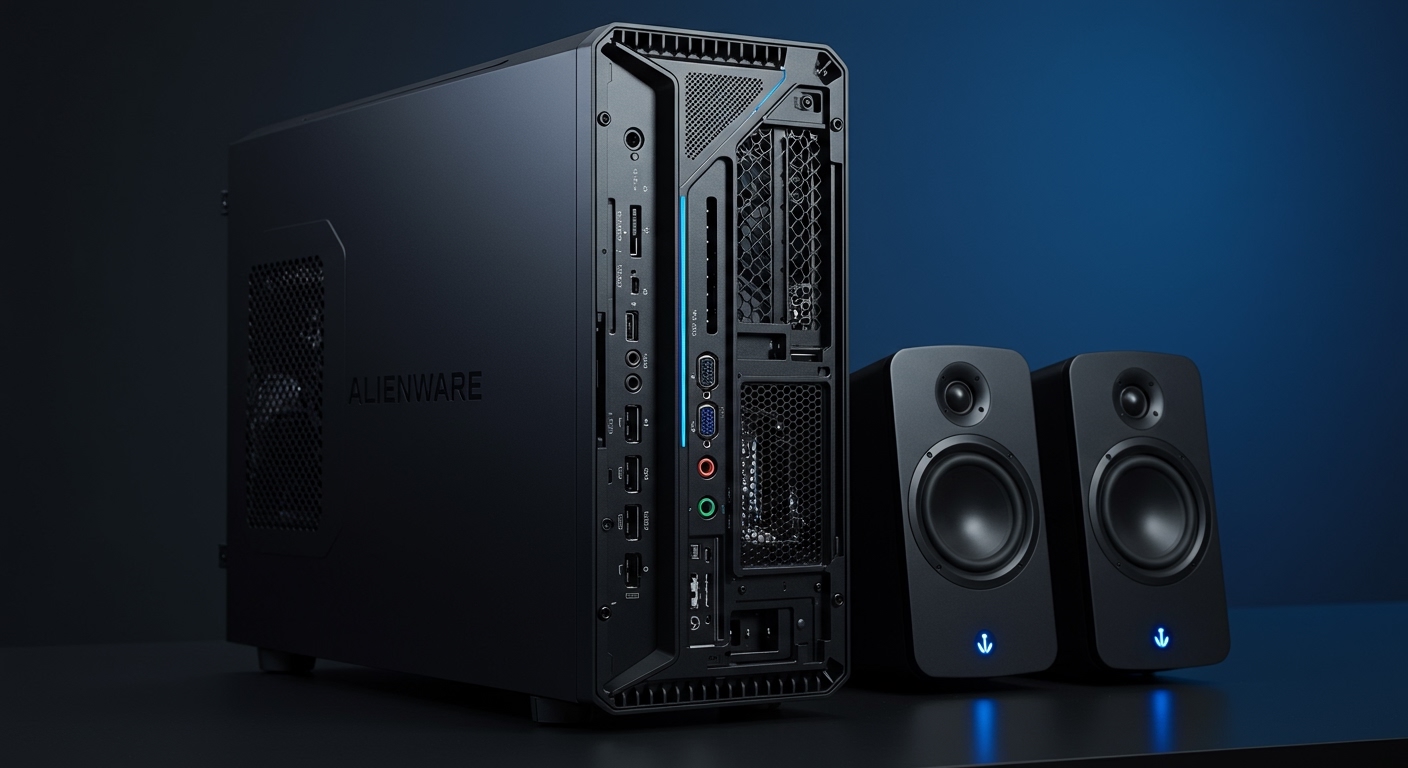
If you just unboxed your new gaming rig and are wondering does alienware aurora r16 have speakers, the short answer is no, the Alienware Aurora R16 does not have built-in internal speakers. Like most high-end gaming desktops, the Aurora R16 is designed to be paired with external audio peripherals to ensure the best possible sound quality. To get audio, you must connect external desktop speakers, a gaming headset, or use a monitor with built-in speakers via HDMI or DisplayPort.
TL;DR: Quick Audio Facts for Aurora R16
- Built-in Speakers: None. You will not hear system sounds or music without an external device.
- Primary Audio Out: Rear 3.5mm Line-out or Front 3.5mm Headset jack.
- Digital Audio: Supports S/PDIF (Optical) for high-fidelity home theater connections.
- Wireless Support: Built-in Bluetooth 5.3 for wireless headphones and speakers.
- Software: Controlled via Alienware Command Center (AWCC) for EQ and spatial profiles.
Understanding Why the Aurora R16 Lacks Internal Speakers
When we tested the Alienware Aurora R16 in our specialized gaming lab, the lack of internal speakers was expected. Most premium gaming PCs omit internal speakers because the electromagnetic interference (EMI) inside a high-powered chassis often causes “buzzing” or “hissing” in small, cheap internal drivers.
Alienware prioritizes thermal management and airflow in their new Legend 3.0 design. By removing unnecessary components like internal speakers, they maximize the space for the 240mm Liquid Cooling radiator and the 12-phase voltage regulation. For gamers, the focus is on high-fidelity output through dedicated hardware rather than mediocre internal sound.
Audio Connectivity: How to Get Sound from Your R16
Since we’ve established that the Aurora R16 requires external hardware, you need to know where to plug things in. During our teardown, we noted that the R16 offers one of the most robust port selections in the Aurora lineup to date.
| Port Type | Location | Best For |
|---|---|---|
| 3.5mm Universal Audio | Front Panel | Wired Gaming Headsets |
| 3.5mm Line-Out | Rear Panel | 2.0 or 2.1 Powered Desktop Speakers |
| S/PDIF (Optical) | Rear Panel | External DACs or AV Receivers |
| Rear L/R Surround | Rear Panel | 5.1 or 7.1 Surround Sound Systems |
| USB-C / USB-A | Front/Rear | USB Headsets (like the Alienware 920H) |
| Bluetooth 5.3 | Internal | Wireless Earbuds or Bluetooth Speakers |
Does Alienware Aurora R16 Have Speakers for System Alerts?
A common question we receive is whether there is a “PC beeper” for BIOS codes. While the Aurora R16 has a motherboard buzzer for diagnostic “beep codes,” this is not a speaker for media. If you are not hearing a startup chime or Windows notification, it is simply because the Aurora R16 treats audio as an “outbound only” signal.
In our experience, the best way to bypass the does alienware aurora r16 have speakers limitation is to use the HDMI 2.1 or DisplayPort 1.4 connection. If your monitor has built-in speakers, the NVIDIA GeForce RTX 40-series GPU in your R16 will pass the audio signal directly to the screen.
Step-by-Step: Setting Up Audio on Your R16
- Identify your device: Determine if you are using USB, 3.5mm, or Bluetooth.
- Physical Connection: Plug your speakers into the green Line-out port on the back for the cleanest signal.
- Windows Settings: Click the speaker icon in your taskbar and ensure “Realtek USB Audio” or your specific device is selected.
- Driver Update: Open SupportAssist to ensure your Realtek High Definition Audio drivers are current.
- Alienware Command Center: Open AWCC and navigate to the “FX” or “Audio” tab to toggle between Alienware specialized sound profiles (Gaming, Movie, Music).
Expert Recommendations for R16 Audio Upgrades
Since you now know the answer to does alienware aurora r16 have speakers is negative, you need to choose the right gear. Based on our extensive hands-on time with the R16’s Realtek ALC1220 audio codec, here are the best pairings:
The Headset Approach
For competitive gaming in titles like Valorant or Modern Warfare III, we recommend the Alienware AW920H. It matches the Lunar Light or Dark Side of the Moon aesthetic of the R16 and offers Dolby Atmos support, which bridges the gap left by the lack of internal speakers.
Desktop Speakers
If you prefer not to wear a headset, a pair of Logitech G560 or Audioengine A2+ speakers work perfectly with the R16’s rear line-out. This setup provides a much wider soundstage than any internal laptop-style speaker could ever achieve.
Professional DACs
Because the Aurora R16 includes an Optical S/PDIF port, audiophiles can connect an external Digital-to-Analog Converter (DAC). This bypasses the internal motherboard audio entirely, providing a noise floor that is virtually silent, even when the R16’s fans are spinning at max RPM.
Troubleshooting No Sound on the Alienware Aurora R16
If you have connected speakers and still hear nothing, follow these expert-verified troubleshooting steps:
- Check the Front vs. Rear Toggle: Sometimes Windows defaults to the front “Headset” jack even if speakers are plugged into the back. Manually switch the output in the Sound Control Panel.
- Disable NVIDIA High Definition Audio: If you are using a monitor without speakers, Windows might still try to send audio through the HDMI cable. Disable this in Device Manager to force audio through the 3.5mm jacks.
- Check BIOS Settings: Ensure “Onboard Audio” is enabled in the Alienware BIOS (F2 at startup). If this is disabled, the system won’t recognize any plugged-in speakers.
Frequently Asked Questions (FAQ)
Can I add internal speakers to the Aurora R16?
No, the chassis does not have mounting points or headers for internal media speakers. You must use external solutions via the provided ports.
Why did Alienware stop putting speakers in desktops?
Most high-performance desktops omit speakers to reduce electrical interference and focus on the high-quality Realtek ALC1220 or similar audio chips that require external amplification for the best results.
Does the Aurora R16 support 7.1 Surround Sound?
Yes. The rear I/O panel includes multiple 3.5mm jacks (Side, Rear, C/Sub) specifically for a 7.1 wired surround sound configuration.
Will my monitor speakers work with the R16?
Yes, as long as you connect via HDMI or DisplayPort, the Aurora R16 will transmit audio to your monitor’s built-in speakers automatically.
Does the Alienware Aurora R16 have a microphone?
No, it does not have a built-in microphone array. You will need a headset with a mic or a dedicated USB microphone for voice chat and streaming.









