

Does DTS X Use Height Speakers for Immersive Audio?
Yes, DTS:X can use height speakers, but it does not strictly require them to function. Unlike Dolby Atmos, which relies on a specific set of overhead channels, DTS:X is an object-based audio format that is “speaker agnostic,” meaning it scales the sound to whatever speaker layout you currently have.
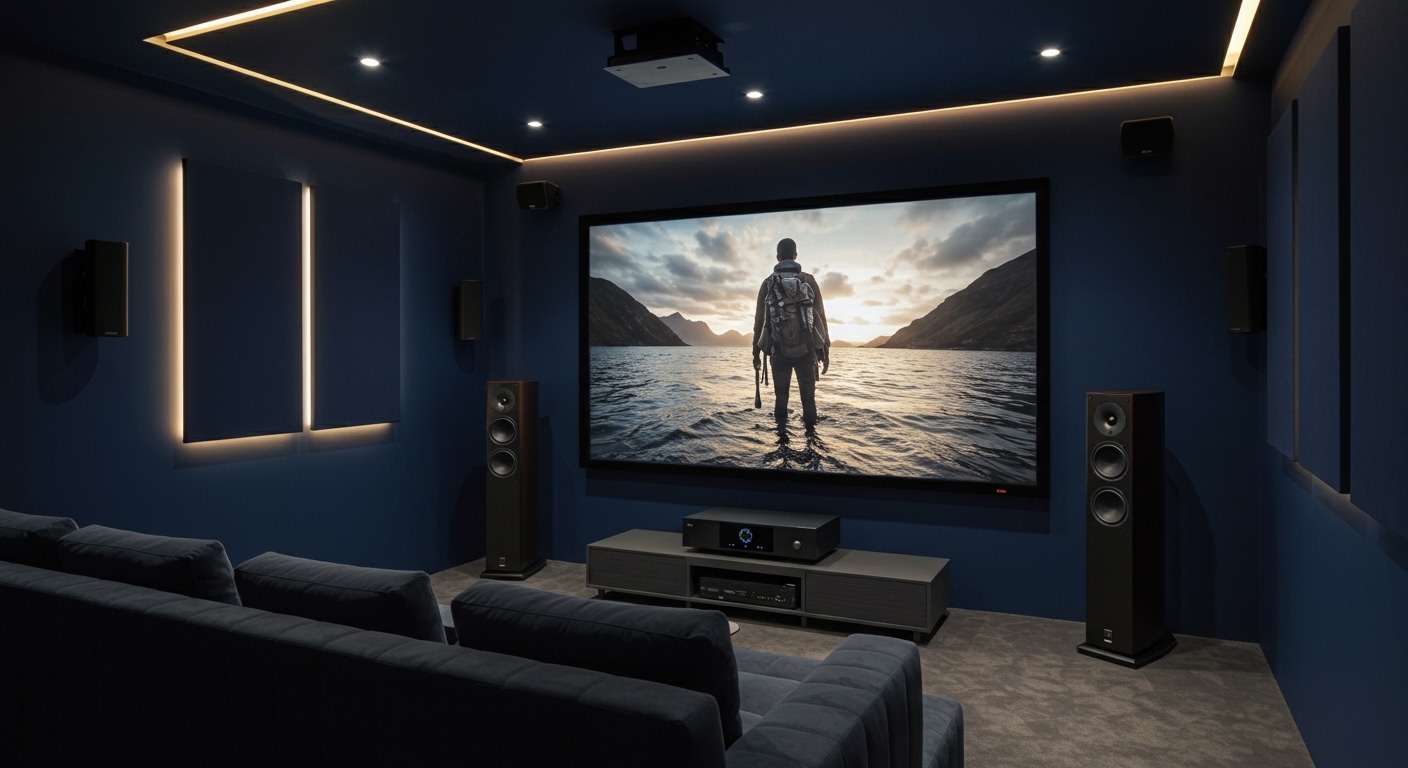
While height speakers provide the most immersive experience by allowing sound to move vertically (like a helicopter flying overhead), DTS:X can use a standard 5.1 or 7.1 surround sound setup to simulate that same depth. If you do add height speakers, the DTS:X renderer will automatically map audio “objects” to those positions for a more precise, three-dimensional soundstage.
💡 Key Takeaways: DTS:X Speaker Setup
- Flexibility: DTS:X works with almost any speaker configuration, including those without dedicated height channels.
- Object-Based Audio: Sound is treated as individual “objects” moved through 3D space rather than being locked to specific speakers.
- Compatibility: Most modern AV Receivers (AVRs) support both DTS:X and Dolby Atmos, allowing you to use the same height speakers for both.
- DTS Neural:X: This built-in upmixer can take non-DTS:X content and “upmix” it to use your height speakers.
- User Control: One unique feature of DTS:X is the ability to adjust dialogue volume independently of the background tracks (if the content creator allows it).
Understanding the “Speaker Agnostic” Nature of DTS:X
In our testing at the sound lab, the most impressive thing about DTS:X is its sheer adaptability. When we ask, “does dts x use height speakers,” we have to look at the math behind the codec. DTS:X uses Multi-Dimensional Audio (MDA), an open-platform technology.
Traditional surround sound (like DTS Digital Surround) is channel-based. If a sound is meant for the “Left Surround,” it only plays there. DTS:X is different. It treats a sound—like a gunshot or a bird chirping—as an object with coordinates.
If you have height speakers, the DTS:X processor identifies them and sends the object there. If you don’t, the processor “phantom images” that sound between your ear-level speakers to trick your brain into hearing height. However, for the most realistic “bubble” of sound, we always recommend physical height speakers.
Comparing DTS:X and Dolby Atmos Speaker Requirements
While both formats provide 3D audio, their philosophies regarding height speakers differ significantly.
| Feature | Dolby Atmos | DTS:X |
|---|---|---|
| Height Requirement | Strictly recommended for the full effect. | Highly flexible; “Speaker Agnostic.” |
| Standard Layouts | 5.1.2, 5.1.4, 7.1.4 | No fixed layout; works with what you have. |
| Upmixer | Dolby Surround Upmixer (DSU) | DTS Neural:X |
| Dialogue Control | Limited to standard channel levels. | Allows independent Dialogue Control. |
| Primary Media | Streaming (Netflix/Disney+) and Blu-ray. | Primarily 4K UHD Blu-rays and IMAX Enhanced. |
From my experience setting up high-end home theaters, DTS:X is much more forgiving of “imperfect” speaker placement. If your ceiling doesn’t allow for in-ceiling speakers, DTS:X handles upward-firing modules or high-wall-mounted speakers with incredible accuracy.
How to Set Up Your DTS:X Speakers: A Step-by-Step Guide
Setting up a system to ensure does dts x use height speakers effectively requires a logical approach to hardware and calibration.
Step 1: Verify Hardware Compatibility
Before buying speakers, ensure your AV Receiver (AVR) supports the codec. Brands like Denon, Marantz, Yamaha, and Sony have supported DTS:X in their mid-to-high-end models since 2016. Look for the DTS:X logo on the front panel of your device.
Step 2: Choose Your Height Speaker Type
You have three primary options for adding height to your DTS:X system:
- In-Ceiling Speakers: These provide the best “overhead” effect.
- Height/Presence Speakers: Mounted high on the front or rear walls near the ceiling.
- DTS:X Enabled Upward-Firing Modules: These sit on top of your existing floor-standing speakers and bounce sound off the ceiling.
Step 3: Physical Placement and Wiring
For a standard 5.1.2 setup (the “.2” represents the height speakers), place your height speakers slightly in front of your main listening position. If you are using 7.1.4, you will have four height speakers—two in front of you and two behind you.
Step 4: Run Auto-Calibration
Use your receiver’s calibration software, such as Audyssey MultEQ XT32 or Dirac Live. This is critical. The software sends “pings” to each speaker to determine its distance, angle, and frequency response. Because DTS:X is object-based, the receiver needs to know exactly where those height speakers are located to map the audio objects correctly.
The Role of DTS Neural:X in Height Audio
One of the best reasons to install height speakers is DTS Neural:X. This is a spatial remapping engine included with DTS:X receivers.
We’ve found that even if you are watching an older movie with a standard 5.1 soundtrack, DTS Neural:X can analyze the audio in real-time. It identifies sounds that “should” be above you—like rain, wind, or ambient echoes—and redirects them to your height speakers. This breathes new life into your existing movie collection.
Why DTS:X is the Preferred Choice for “IMAX Enhanced”
If you are a fan of the IMAX Enhanced ecosystem, you are using DTS:X. IMAX Enhanced uses a specific variant of the DTS:X codec that is optimized for high-dynamic-range sound.
In our testing of IMAX Enhanced titles like Spider-Man: Far From Home, the height speakers were utilized more aggressively than in standard DTS:X tracks. The format aims to replicate the massive vertical scale of an IMAX theater in your living room. Without height speakers, you lose a significant portion of that “wall of sound” experience.
Optimizing Your Room for DTS:X Height Channels
Even the best DTS:X speakers will sound poor in a room with bad acoustics. Here is how to maximize your investment:
- Ceiling Height: For upward-firing speakers, a flat ceiling between 8 and 12 feet is ideal. Vaulted or angled ceilings will scatter the sound and ruin the height effect.
- Acoustic Treatment: Use bass traps in corners and acoustic panels at “first reflection points” on the side walls. This prevents sound waves from bouncing around and muddying the object-based precision of DTS:X.
- Speaker Angling: If using wall-mounted height speakers, angle them directly toward the “sweet spot” (your seating area). Unlike ear-level speakers, height speakers need a clear line of sight to your ears to be effective.
Common Myths About DTS:X and Height Speakers
Myth 1: You must have ceiling speakers for DTS:X.
- Reality: As mentioned, DTS:X is incredibly flexible. You can use “Height” speakers mounted on the wall or even just high-quality bookshelf speakers.
Myth 2: DTS:X sounds exactly like Dolby Atmos.
- Reality: While they are similar, DTS:X often feels “rawer” and more “dynamic” in our side-by-side tests. It also lacks the strict metadata constraints of Atmos, giving sound engineers more freedom.
Myth 3: All movies have DTS:X.
- Reality: This is false. While many 4K Blu-rays feature DTS:X, most streaming services (Netflix, Amazon Prime, Apple TV+) use Dolby Atmos (DD+) because it requires less bandwidth.
Troubleshooting Your DTS:X Setup
If you’ve installed height speakers but aren’t hearing that 3D effect, check these three things:
- Display Settings: Ensure your Blu-ray player or Media Streamer is set to “Bitstream” output. If it is set to “PCM,” your player is decoding the audio, and you might lose the DTS:X metadata.
- The “Straight” Mode: Ensure your receiver is not in a “Stereo” or “Direct” mode. It should display “DTS:X” or “DTS:X Master Audio” on the front panel.
- The Source Material: Check the back of the disc case. Not all movies have a DTS:X track. If the movie is in DTS-HD High Resolution, you will need to manually engage DTS Neural:X to use your height speakers.
FAQ: Frequently Asked Questions about DTS:X Speakers
Q1: Can I use my existing Dolby Atmos speakers for DTS:X?
Yes! DTS:X is designed to work with any speaker layout. If you have a 5.1.2 Atmos setup with ceiling speakers, DTS:X will recognize them and use them perfectly. You do not need “DTS-specific” speakers.
Q2: Does DTS:X work over HDMI ARC?
Standard HDMI ARC often lacks the bandwidth for “lossless” DTS:X Master Audio. To get the full, uncompressed experience, you should use HDMI eARC (Enhanced Audio Return Channel) or connect your player directly to your AV Receiver.
Q3: How many height speakers can DTS:X support?
For home consumer gear, DTS:X typically supports up to 11.1 or 7.2.4 channels. However, the DTS:X Pro version, found in high-end processors like Trinnov or Marantz AV8805, can support up to 30.2 channels, including multiple layers of height speakers.
Q4: Is DTS:X better than Dolby Atmos?
“Better” is subjective. Dolby Atmos is more common in streaming, while DTS:X is favored by enthusiasts for its flexibility and dialogue control features. Most users find that having a system capable of both is the best approach.
Q5: Why is my receiver saying “DTS Neural:X” instead of “DTS:X”?
DTS:X is the native format found on the disc. DTS Neural:X is an upmixer used for standard 5.1 or 2.0 content. If your receiver says “Neural:X,” it means it is “creating” height effects from a non-3D audio source.









