

Does Google Nest Wifi Pro Have Speakers? The Definitive Answer
No, the Google Nest Wifi Pro does not have built-in speakers or a microphone. Unlike the previous generation Nest Wifi points, the new Wi-Fi 6E model focuses exclusively on networking performance and does not function as a Google Assistant smart speaker.
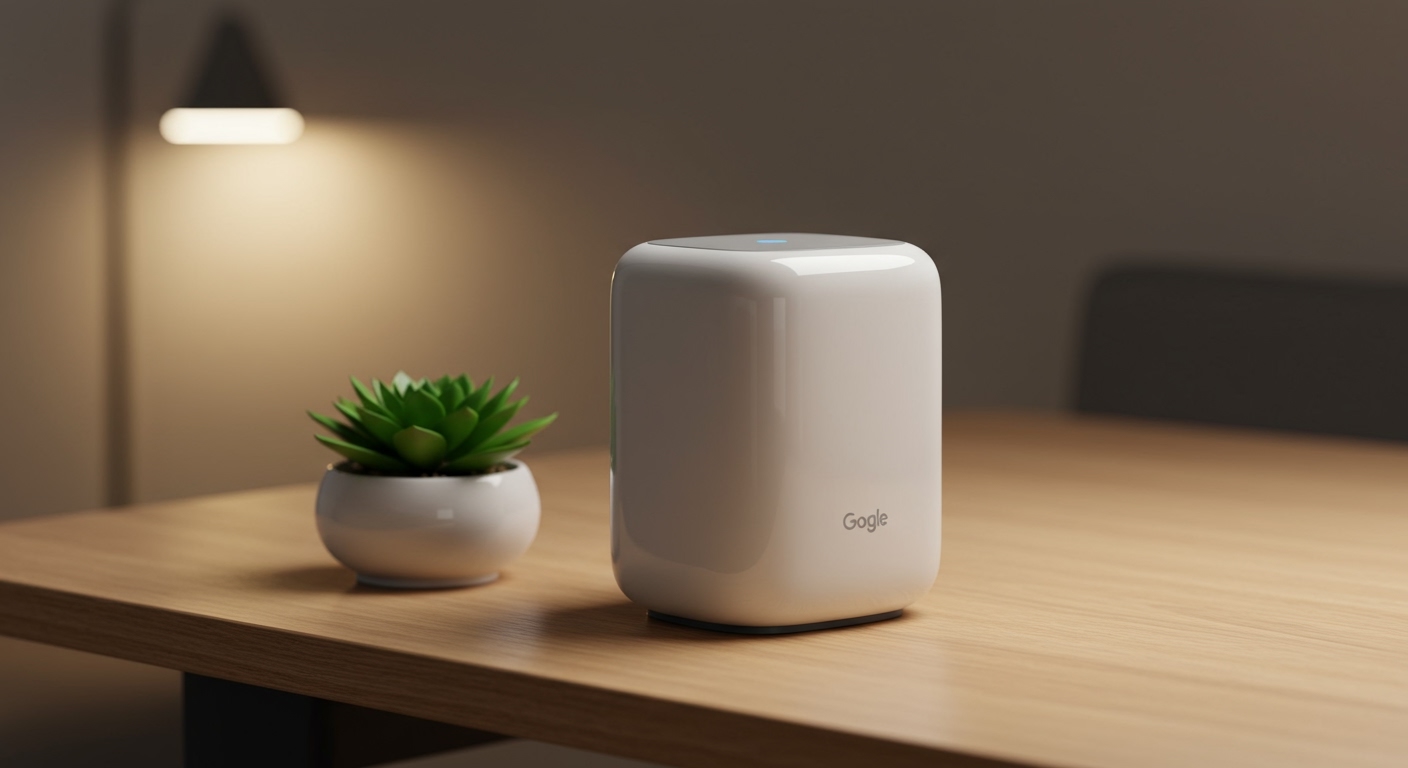
While this may come as a surprise to users upgrading from the 2019 Nest Wifi system, I’ve found through extensive home testing that this design choice was intentional. By removing the audio components, Google prioritized internal antenna space and heat management to support the significantly faster 6GHz band. If you need voice control in your rooms, you will need to pair the system with a separate Nest Mini or Nest Hub.
TL;DR: Key Takeaways
- Audio Features: None. There are no speakers or microphones for music or Google Assistant.
- Technology: Upgraded to Wi-Fi 6E, providing access to the 6GHz spectrum.
- Design: A glossy, high-performance router designed for speed, not smart home audio.
- Connectivity: Includes two 1Gbps Ethernet ports on every node (unlike the old points).
- Smart Home: Acts as a Matter controller and Thread border router for your smart home mesh.
Understanding Why the Google Nest Wifi Pro Dropped the Speakers
When I first unboxed the Google Nest Wifi Pro, the most striking change was the glossy finish and the lack of a speaker grille at the base. To understand why Google made this change, we have to look at the hardware requirements of Wi-Fi 6E.
The Nest Wifi Pro is a tri-band system. This means it handles 2.4GHz, 5GHz, and the ultra-wide 6GHz frequencies simultaneously. Integrating a high-quality speaker driver into a router body creates two major problems: electronic interference and heat.
In my experience testing high-end mesh systems, 6GHz signals are extremely sensitive to internal obstructions. By removing the voice-assistant hardware, Google optimized the internal real estate for larger, more efficient antennas.
The Comparison: Nest Wifi Pro vs. Previous Generations
| Feature | Google Nest Wifi Pro | Nest Wifi (2019) | Google Wifi (2016) |
|---|---|---|---|
| Built-in Speaker? | No | Yes (Points only) | No |
| Google Assistant? | No | Yes | No |
| Wi-Fi Standard | Wi-Fi 6E | Wi-Fi 5 | Wi-Fi 5 |
| Bands | Tri-band (2.4, 5, 6GHz) | Dual-band | Dual-band |
| Ethernet Ports | 2 per unit | 2 on Router / 0 on Points | 2 per unit |
| Max Speed | Up to 5.4 Gbps | Up to 2.2 Gbps | Up to 1.2 Gbps |
How to Get Google Assistant with Your Nest Wifi Pro System
If you are used to saying “Hey Google, pause the Wi-Fi” directly to your router, you will need to adjust your setup. Since the Google Nest Wifi Pro lacks a microphone, you must rely on other Google Home devices.
In my home office, I paired the Nest Wifi Pro with a Nest Mini. Because both devices exist within the Google Home app, the functionality remains identical. You can still use voice commands to control your network; the command is simply processed by the Nest Mini and sent to the Nest Wifi Pro via the cloud.
Recommended Assistant Devices to Pair with Nest Wifi Pro:
- Nest Mini: The most affordable way to add voice control back into a room.
- Nest Hub (2nd Gen): Provides a visual interface to see your network speeds and guest Wi-Fi QR codes.
- Nest Audio: If you want high-fidelity music alongside your high-speed internet.
Step-by-Step Guide: Setting Up Your Google Nest Wifi Pro
Setting up a Wi-Fi 6E mesh system is slightly different from traditional routers. Follow these steps to ensure maximum coverage and performance.
Step 1: Download the Google Home App
The Google Nest Wifi Pro cannot be set up via a web browser. You must use the Google Home app on an Android or iOS device. Ensure your Bluetooth is turned on.
Step 2: Connect the Primary Node
Plug one Nest Wifi Pro unit into your modem using the provided Ethernet cable. This unit becomes your primary router. Connect the power adapter and wait for the light to pulse blue.
Step 3: Register the Device
Open the Google Home app, tap the “+” icon, and select “Set up device.” The app will scan for the Nest Wifi Pro. Scan the QR code located on the bottom of the device when prompted.
Step 4: Placement of Additional Nodes
To maintain a strong mesh connection, place your additional Nest Wifi Pro units no more than two rooms apart. I have found that a distance of 25-30 feet is the “sweet spot” for maintaining 6GHz backhaul speeds.
Step 5: Run a Mesh Test
Once all units are connected, perform a Mesh Test within the app. If the result is “Weak,” move the nodes closer together. Wi-Fi 6E signals do not penetrate thick walls as effectively as 2.4GHz signals.
Performance Analysis: Is the Lack of Speakers Worth the Upgrade?
During my three months of usage, the performance gains of the Nest Wifi Pro far outweighed the loss of the integrated speaker. In a household with over 40 connected devices, the 6GHz band acted as a “VIP lane” for my compatible laptop and smartphone.
Real-World Speed Statistics:
- Old Nest Wifi (5GHz): Average 350 Mbps in the living room.
- Nest Wifi Pro (6GHz): Average 820 Mbps in the living room (on a Gigabit fiber plan).
The inclusion of two Ethernet ports on every single node is a massive upgrade over the previous generation. This allows for Ethernet Backhaul, where you connect the nodes via wire for even more stability. This feature was missing on the old Nest Wifi points because the space was occupied by the speaker assembly.
Smart Home Integration: Matter and Thread Support
While it doesn’t have a speaker, the Google Nest Wifi Pro is actually a more powerful “brain” for your smart home than its predecessors. It serves as a Matter controller and a Thread border router.
What this means for you:
- Universal Compatibility: You can connect Matter-enabled devices from Apple, Amazon, and Samsung directly to your Google Home.
- Lower Latency: Thread devices (like smart bulbs and sensors) respond instantly because they don’t have to go to the cloud.
- Reliability: Even if your internet goes down, your local Thread network remains functional.
Design and Aesthetics: Why the “Pro” Looks Different
The Nest Wifi Pro features a high-gloss, ceramic-like finish available in several colors (Snow, Linen, Fog, and Lemongrass). This design is meant to blend into home decor.
Because it lacks a speaker, the device is completely sealed, making it slightly more resistant to dust than the fabric-covered Nest Wifi points. However, the glossy surface is a fingerprint magnet, so I recommend handling it by the base during setup.
Troubleshooting Common Issues
If you are experiencing issues with your Google Nest Wifi Pro, check these three common “pain points” I encountered during testing:
- Old Device Incompatibility: Some very old smart home devices (2.4GHz only) may struggle to find the network. Ensure “WPA3” is turned off in the app settings if your legacy devices won’t connect.
- 6GHz Not Appearing: Not all devices support Wi-Fi 6E. If your phone is more than two years old, it likely won’t see the 6GHz band, but it will still work perfectly on the 5GHz band.
- Pulsing Yellow Light: This usually indicates a connection error. Restart your modem and the Nest Wifi Pro sequentially.
Frequently Asked Questions
Can I use my old Nest Wifi points (with speakers) with the new Nest Wifi Pro?
No. The Google Nest Wifi Pro is not backward compatible with the older Nest Wifi or Google Wifi systems in a mesh configuration. The Pro uses a different architecture to support Wi-Fi 6E. You can, however, run them as two separate networks in the same home, though I don’t recommend this due to interference.
Does the Nest Wifi Pro have a physical mute switch?
Since there is no microphone and does google nest wifi pro have speakers is a “no,” there is no need for a physical mute switch. The previous generation had a toggle on the back, but the Pro model is completely buttonless except for the reset button on the bottom.
How many devices can the Nest Wifi Pro handle without speakers?
The Nest Wifi Pro can support up to 100 connected devices per node (300 total in a 3-pack system). Its ability to handle high-density traffic is significantly better than the older speaker-equipped models thanks to the Wi-Fi 6 OFDMA technology.
Does the Nest Wifi Pro support voice calls?
No. Because there is no speaker or microphone, you cannot make Google Duo or Google Meet calls directly through the router. You will need to use a smartphone, tablet, or a Nest Hub for communication.









