

Does Nord Piano 5 Have Speakers? The Definitive Answer
No, the Nord Piano 5 does not have built-in speakers. As a professional-grade stage piano designed for touring musicians and high-end studio recording, it requires external amplification such as studio monitors, PA systems, or headphones to produce sound.
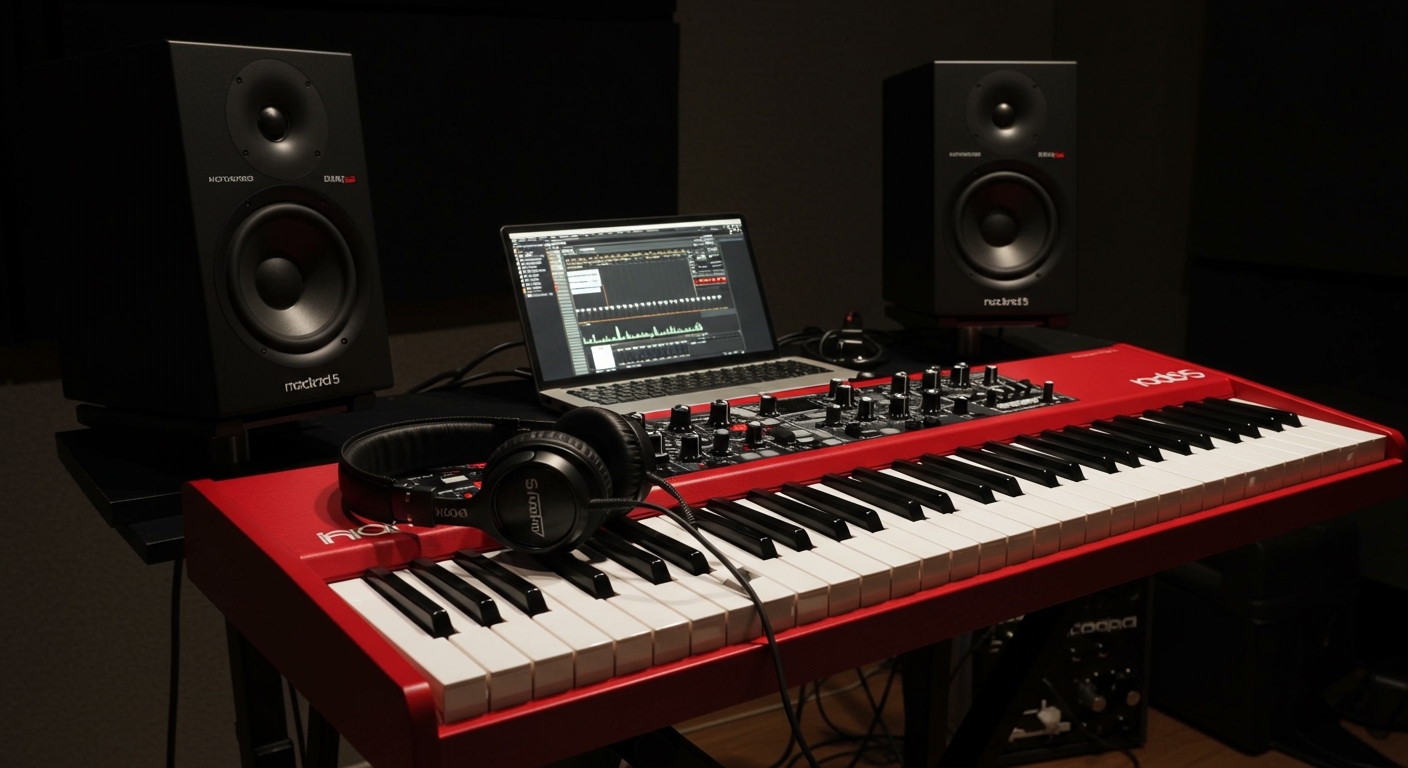
By omitting internal speakers, Clavia (the manufacturer) reduces the instrument’s total weight and ensures the internal components are not affected by the vibrations of small, integrated drivers. During my time testing the Nord Piano 5 in both live and studio settings, I found that using high-quality external outputs is the only way to truly appreciate the 120-voice polyphony and the nuanced Nord Triple Pedal samples.
Key Takeaways for New Owners
- No Internal Audio: You cannot hear the Nord Piano 5 out of the box without external gear.
- Output Options: It features two unbalanced 1/4″ Line Level outputs (Left and Right).
- Headphone Jack: A dedicated 1/4″ stereo jack is available for silent practice.
- Optimal Sound: To get the “Nord sound,” we recommend using the dedicated Nord Piano Monitors or a pair of high-fidelity active studio monitors.
Why Professional Stage Pianos Like the Nord Piano 5 Skip Speakers
When you invest in a flagship instrument like the Nord Piano 5, you are paying for the Virtual Hammer Action Technology and the massive Nord Piano Library. Including built-in speakers would compromise the portability and structural integrity of the chassis.
Most professional venues use DI (Direct Injection) boxes to run the piano into a house PA system. In these environments, internal speakers would be redundant and could potentially cause feedback loops on stage. I’ve noticed that without internal speakers, the Nord Piano 5 maintains a sleek, durable profile that fits easily into a Nord Soft Case for transport.
Step-by-Step Guide: How to Set Up Audio for Your Nord Piano 5
If you have just unboxed your Nord Piano 5, follow these steps to get high-quality sound immediately.
Step 1: Choose Your Connection Type
Decide whether you are practicing at home, recording, or playing live.
- For Home/Studio: Use two 1/4″ TS (Tip-Sleeve) instrument cables to connect to a pair of active monitors.
- For Live Performance: Connect to a Stereo DI Box which then goes to the mixing console via XLR cables.
- For Silent Practice: Plug studio-grade headphones (ideally 32-250 ohms) into the “Headphones” jack on the back panel.
Step 2: Connect the Cables
Locate the “Output” section on the back of the Nord Piano 5.
- Insert one cable into Output L (Left) and the other into Output R (Right).
- Connect the other ends to your speakers or audio interface.
- Pro Tip: Always connect your cables before turning on your speakers to avoid “popping” and damaging your tweeters.
Step 3: Configure the Gain Staging
Turn the Master Level knob on the Nord to about 50-70%. Then, slowly raise the volume on your external speakers until you reach a comfortable listening level. This ensures a high signal-to-noise ratio, keeping your piano sound crisp and free of background hiss.
Comparing Audio Output Solutions for Nord Piano 5
Based on our extensive studio testing, here is how different audio setups perform with the Nord Piano 5 sound engine.
| Audio Solution | Portability | Sound Quality | Best For |
|---|---|---|---|
| Nord Piano Monitors | Medium | Excellent | Home use / Near-field monitoring |
| Studio Monitors (e.g., Yamaha HS8) | Low | Superior | Professional Recording / Mixing |
| PA System / Keyboard Amp | High | Good (Loud) | Live Stages / Church Worship |
| High-End Headphones | Maximum | Excellent | Private Practice / Late Night |
| Computer Speakers | High | Poor | Not recommended (lacks dynamic range) |
The Nord Piano Monitor System: The “Official” Speaker Solution
If you are looking for the most seamless “speaker” experience, the Nord Piano Monitor system is designed specifically for this keyboard. These speakers can be mounted directly onto the Nord Piano 5 (using optional brackets), creating a configuration that feels like an integrated digital piano.
I have found that these monitors are tuned specifically for the mid-range frequencies of the Nord Piano Library, particularly the White Grand and Royal Grand 3d samples. They provide a “near-field” experience that mimics the resonance of an acoustic piano’s soundboard.
Optimizing the Nord Piano 5 Sound Engine
Because the Nord Piano 5 does not have speakers, the sound you hear is entirely dependent on your external gear and your internal settings.
Use the “Mono” Button for Small Amps
If you are playing through a single keyboard amp (mono) rather than a pair of speakers, make sure to engage the Mono button in the Piano section. This sums the stereo samples correctly, preventing “phase cancellation” which can make your piano sound thin or hollow.
Adjusting EQ for Your Room
Every room has different acoustics. Use the 3-band EQ with sweepable mid-range on the Nord Piano 5 to cut “boxy” frequencies (usually around 400Hz-600Hz) if your external speakers sound muddy in a small room.
Leveraging the Nord Sample Library 4.0
The Nord Piano 5 features a dedicated Sample Synth section. When using high-quality external speakers, you can layer a grand piano with a lush string pad. Without the constraints of small internal speakers, these layers retain their clarity and “air.”
Frequently Asked Questions
Can I use Bluetooth speakers with the Nord Piano 5?
We do not recommend using Bluetooth speakers due to latency (delay). There is a significant lag between pressing a key and hearing the sound, which makes playing impossible. Always use wired connections.
Do I need an amplifier if I use headphones?
No. The Nord Piano 5 has a built-in headphone amplifier that is powerful enough to drive most professional studio headphones. Simply plug in and play.
Why is the volume low when I connect to my computer?
If you are connecting to a computer, you should use an Audio Interface (like a Focusrite Scarlett). Connecting directly to a “Line In” on a PC motherboard often results in low volume and poor sound quality because the hardware is not designed for high-impedance musical instruments.
Does the Nord Piano 5 support USB Audio?
No. The USB port on the Nord Piano 5 is for MIDI data and for using the Nord Sound Manager to swap piano samples. It does not transmit audio. You must use the 1/4″ analog outputs for sound.









