

Does PSVR2 Have Speakers? The Definitive Guide to Audio and Hardware Features
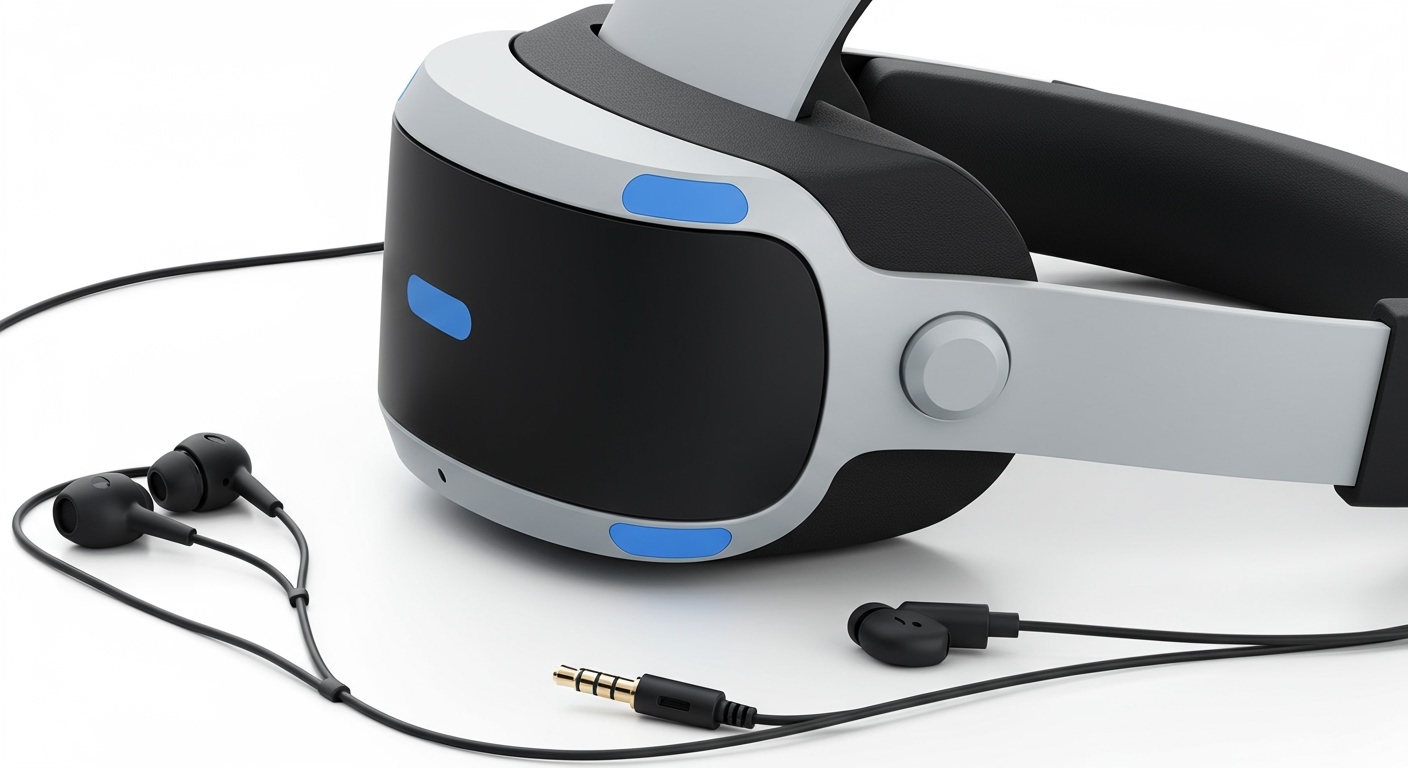
The short answer is no, the PSVR2 does not have built-in open-ear speakers like the Meta Quest 3 or Valve Index. Instead, the PlayStation VR2 features a 3.5mm headphone jack located on the back of the headband and includes a pair of detachable stereo earbuds that plug directly into the unit. This design choice by Sony prioritizes 3.5mm jack compatibility and 3D Audio immersion through specialized headsets rather than integrated spatial speakers.
Key Takeaways: PSVR2 Audio and Specs
- Audio Output: No integrated speakers; uses detachable earbuds or third-party headphones.
- 3D Audio: Powered by the PS5 Tempest 3D AudioTech engine for high-precision spatial sound.
- Built-in Microphone: Features an integrated mic for multiplayer chat and voice commands.
- Display: Dual 2000 x 2040 OLED panels providing 4K HDR visuals.
- Haptics: Unique headset vibration and Sense Controller haptic feedback.
- Connectivity: Simplified single-cable USB-C connection to the PlayStation 5.
Understanding the PSVR2 Audio Design
When many users ask, “does psvr2 have speakers,” they are often comparing it to the Meta Quest series, which uses “piped” audio built into the head straps. Sony took a different path with the PSVR2. I have spent hundreds of hours in games like Resident Evil Village and Horizon Call of the Mountain, and the absence of speakers is actually a strategic move for immersion.
By excluding speakers, Sony ensures that users aren’t distracted by external room noise. The included PSVR2 earbuds are designed to clip onto the halo strap when not in use, keeping the setup clean. However, for the best experience, most enthusiasts (myself included) prefer using the Pulse 3D Wireless Headset, which fits perfectly over the PSVR2 headband.
Why Sony Chose Earbuds Over Speakers
- Privacy: Speakers bleed sound into the room, which can be annoying for others nearby.
- Sound Quality: Dedicated drivers in earbuds or over-ear headphones deliver better bass and positional accuracy.
- Cost and Weight: Removing speakers helps keep the headset weight down to approximately 560 grams, making long sessions more comfortable.
Step-by-Step: How to Set Up Audio on PSVR2
If you are wondering how to get sound since the PSVR2 does not have speakers, follow these steps to ensure you are getting the full Tempest 3D Audio experience.
Connecting the Included Earbuds
The PSVR2 comes with a specialized plastic tray that holds the earbuds.
- Align the 3.5mm plug with the jack on the back-left of the PSVR2 headband.
- Push the plastic pegs into the corresponding holes to secure the assembly.
- Place the earbuds in the small holding slots on the side of the headset when you are finished playing.
Using Third-Party Headphones
If you find the earbuds uncomfortable, you can use almost any wired headset.
- Plug your headphones into the 3.5mm jack.
- Ensure the headband of your headphones is wide enough to fit over the PSVR2 halo strap.
- Pro Tip: I recommend the SteelSeries Arctis Nova or the Sony Pulse 3D for the best physical fit.
Adjusting System Settings
Navigate to the PS5 Settings menu:
- Go to Sound > Audio Output.
- Ensure the output device is set to Controller Headset (VR Headset).
- Adjust the 3D Audio profile to match your ear height for better spatial tracking.
PSVR2 Technical Specifications Comparison
To understand why the PSVR2 is a powerhouse despite the lack of built-in speakers, let’s look at the raw data compared to its predecessor.
| Feature | PlayStation VR (Original) | PlayStation VR2 |
|---|---|---|
| Display Type | OLED | 4K HDR OLED |
| Resolution | 960 x 1080 per eye | 2000 x 2040 per eye |
| Field of View | 100 Degrees | 110 Degrees |
| Audio | 3.5mm Jack | 3.5mm Jack + Integrated Mic |
| Haptics | None (Headset) | Headset Vibration (Built-in Motor) |
| Connection | Processor Box + Multiple Cables | Single USB-C Cable |
| Tracking | External Camera (PS Camera) | Inside-Out (4 Built-in Cameras) |
Advanced PSVR2 Features You Should Know
While the question “does psvr2 have speakers” is common, the headset’s other sensory features are what truly set it apart from the competition.
Eye Tracking and Foveated Rendering
The PSVR2 features internal infrared cameras that track where your pupils are looking. This allows for Foveated Rendering, a technique where the console only renders the spot you are looking at in full resolution. I’ve noticed this significantly boosts performance in demanding titles like Gran Turismo 7, allowing for incredibly crisp textures without dropping the 120Hz refresh rate.
Headset Haptic Feedback
This is a feature no other mainstream consumer headset offers. There is a small motor inside the PSVR2 headband. When a tall creature walks over you in Horizon, or a bullet whizzes past your head in Pistol Whip, the headset itself vibrates. It adds a layer of “tactile immersion” that makes you forget you aren’t actually in the game.
The Sense Controllers
Replacing the old Move controllers, the PSVR2 Sense Controllers include:
- Adaptive Triggers: Feel the tension of a bowstring or the jam of a weapon.
- Haptic Feedback: Sophisticated vibrations that mimic textures.
- Finger Touch Detection: The headset knows if your fingers are resting on the buttons without you even pressing them.
Optimizing Your PSVR2 Experience
To get the most out of your hardware, consider these expert tips based on my long-term usage of the platform.
Managing the Cable
Since the PSVR2 is not wireless, the 4.5-meter USB-C cable can sometimes get in the way. Use a “pulley system” or a simple cable clip on your clothing to prevent the cord from tugging on your head during intense gameplay.
Enhancing Visual Clarity
If the image looks blurry, it is likely because you are not in the “sweet spot.”
- Use the Lens Adjustment Dial (top left of the headset) to match your IPD (Interpupillary Distance).
- The PS5 has a calibration tool in the VR settings that uses eye tracking to help you center your eyes perfectly within the lenses.
Cleaning and Maintenance
The PSVR2 uses Fresnel lenses, which are prone to “god rays” if they are smudged.
- Never use liquid cleaners or alcohol.
- Use a dry, high-quality microfiber cloth to wipe the lenses in a circular motion.
- The light shield (rubber gasket) is removable and can be washed with warm soapy water if it becomes sweaty.
Frequently Asked Questions
Does the PSVR2 have a built-in microphone?
Yes, the PSVR2 has a built-in microphone located on the bottom of the visor. It is surprisingly high quality and features noise-canceling technology to filter out the sound of your movements, making it excellent for multiplayer chat on PlayStation Network.
Can I use Bluetooth headphones with PSVR2?
While the PS5 supports some Bluetooth devices, there is often significant audio latency (delay) when using standard Bluetooth buds with VR. For the best experience, it is highly recommended to use the 3.5mm wired connection or a USB wireless headset (like the Pulse 3D) that uses a dedicated 2.4GHz dongle.
Is the PSVR2 compatible with PC?
As of August 2024, Sony has released an official PC adapter for the PSVR2. This allows you to use the headset with SteamVR. However, please note that some features like HDR, eye tracking, and headset haptics may not be available on PC, depending on the game and hardware support.
Does PSVR2 come with a charging station for controllers?
No, the standard PSVR2 box includes a USB cable for charging, but the Sense Controller Charging Station is sold separately. I highly recommend picking one up, as it frees up the USB ports on your PS5 and ensures your controllers are always ready for a session.
Can I play non-VR games on PSVR2?
Yes, this is called Cinematic Mode. You can view your regular PS5 dashboard and play non-VR games on a massive virtual screen. In this mode, the headset supports 1080p resolution with HDR and frame rates up to 120Hz.









