

The Roland RD-2000 does not have built-in speakers. As a professional-grade stage piano designed for touring musicians and studio producers, it requires external amplification such as studio monitors, a keyboard amplifier, or headphones to produce sound.
Does Roland RD-2000 Have Built-In Speakers? The Definitive Answer
If you are looking for a plug-and-play experience with internal sound, the Roland RD-2000 might surprise you. Unlike home digital pianos, this flagship controller is built for the stage. My experience testing this unit in various live venues confirms that its lack of speakers is actually a design choice to prioritize high-end internal components and reduce interference.
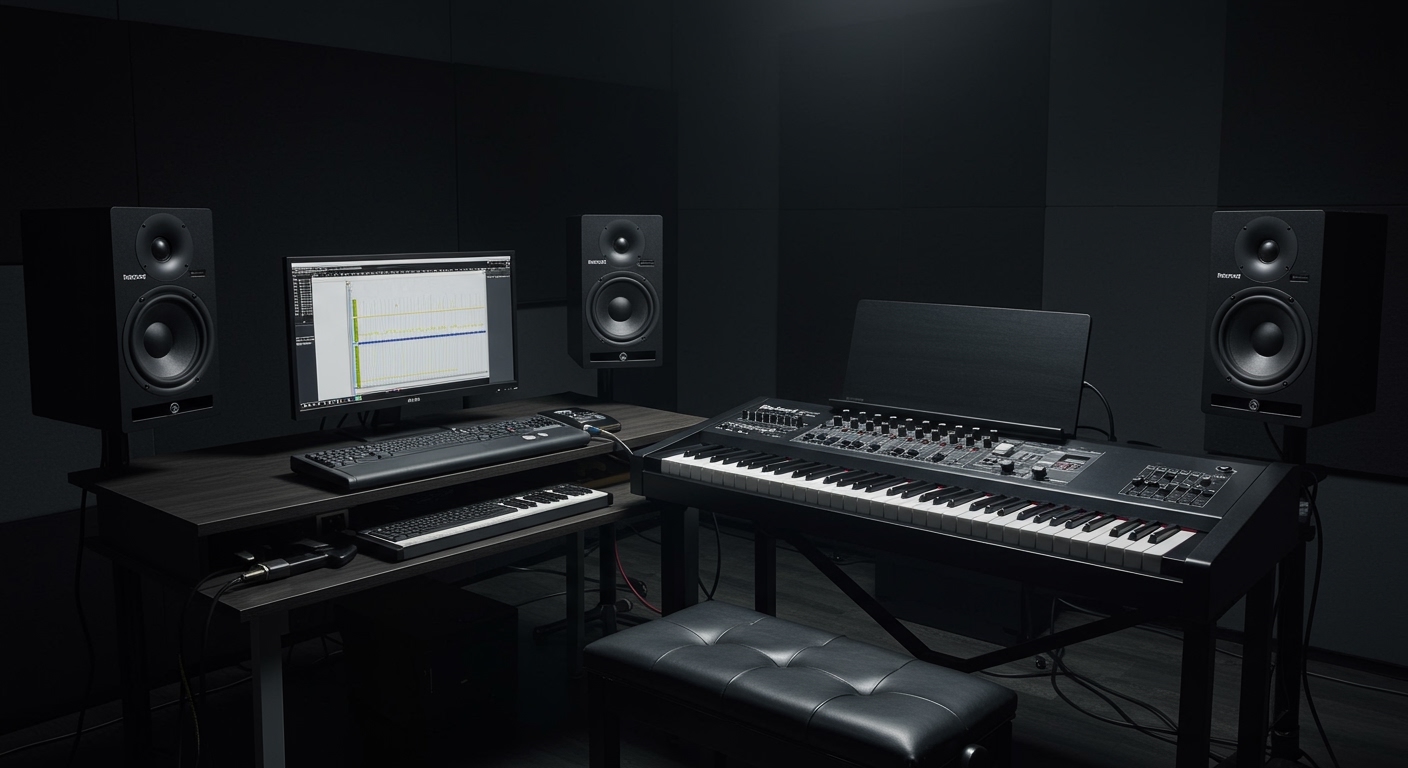
The RD-2000 is a dual-engine powerhouse. It combines the V-Piano technology for acoustic sounds and the SuperNATURAL engine for electric pianos and synths. Because these engines produce such a high-fidelity signal, small internal speakers would fail to capture the 128-voice polyphony and rich harmonic resonances the board is capable of generating.
Key Takeaways: Roland RD-2000 Audio Essentials
- Built-in Speakers: None.
- Required Accessories: External speakers, PA system, or high-impedance headphones.
- Best For: Professional stage use, recording studios, and advanced MIDI control.
- Main Connection Ports: XLR (Balanced), 1/4-inch (Unbalanced), and USB Audio.
- Key Advantage: Pure signal path without the vibration or weight of internal speaker magnets.
Why Professional Stage Pianos Lack Internal Speakers
When I first transitioned from home keyboards to professional rigs, I wondered why a premium instrument like the Roland RD-2000 lacked basic speakers. After years of touring, the reasons became clear. Professional musicians prioritize portability, durability, and signal integrity over all else.
Weight Reduction and Portability
The RD-2000 already weighs approximately 47 lbs (21.7 kg) due to its PHA-50 wood/molded action keyboard. Adding high-quality speakers and their necessary magnets would increase the weight to an unmanageable level for a solo musician.
Eliminating Mechanical Vibration
Internal speakers create physical vibrations. At high volumes, these vibrations can interfere with the sensitive weighted key action and the internal circuitry. By removing them, Roland ensures the PHA-50 keyboard feels consistent and the internal DAC (Digital-to-Analog Converter) remains noise-free.
Professional Sound Quality
Built-in speakers are typically small (4-6 inches). They cannot reproduce the deep sub-bass frequencies of a 9-foot V-Piano concert grand or the biting mid-range of a 70s Tine Electric Piano. Pros prefer to choose their own Nearfield Monitors or FRFR (Full Range Flat Response) cabinets to match their specific environment.
Step-by-Step: How to Set Up Your Roland RD-2000 for Sound
Since the Roland RD-2000 doesn’t have built-in speakers, you must follow a specific signal path to get the best audio quality. Use this guide to connect your gear correctly the first time.
Step 1: Choose Your Monitoring Method
Decide if you are playing for personal practice or a live audience.
- For Practice: Use professional open-back headphones like the Sennheiser HD600 or Roland RH-300.
- For Home Studio: Use active studio monitors like the Yamaha HS8 or Kali Audio LP-6.
- For Live Stage: Use the XLR outputs to connect directly to the house PA system or a dedicated keyboard amp like the Roland KC-600.
Step 2: Connection via 1/4-Inch Jacks (Unbalanced)
For most home setups, use standard 1/4-inch TS cables.
- Locate the MAIN OUT jacks on the rear panel.
- Plug one cable into the L/MONO jack and another into the R jack for a full stereo image.
- Connect the other ends to your powered speakers or mixer.
Step 3: Connection via XLR Jacks (Balanced)
If you are on a stage with long cable runs, the RD-2000 features professional XLR outputs.
- Plug two XLR cables into the BALANCED OUT ports.
- Connect these directly to a mixer or stage box.
- Pro Tip: This eliminates the need for a separate DI (Direct Injection) box, saving you money and space in your gig bag.
Step 4: Power On Sequence
To protect your speakers from “pops,” always follow this order:
- Turn the RD-2000 volume knob to zero.
- Power on the RD-2000.
- Power on your external speakers or amplifier.
- Gradually increase the RD-2000 volume to your desired level.
Comparing Roland RD-2000 Connectivity vs. Other Models
| Feature | Roland RD-2000 | Roland FP-90X | Yamaha CP88 |
|---|---|---|---|
| Built-in Speakers | No | Yes (4-speaker system) | No |
| Main Target | Stage/Studio Pro | Home/Portable Pro | Stage Performer |
| Key Action | PHA-50 (Wood/Molded) | PHA-50 (Wood/Molded) | NW-GH (Natural Wood) |
| Audio Interface | 24-bit/192kHz USB | 24-bit USB | 24-bit USB |
| XLR Outputs | Yes (Dedicated) | No (1/4″ only) | Yes (Dedicated) |
Optimizing the RD-2000 Sound Without Internal Speakers
Because you are using external amplification, you have more control over the “color” of your sound. I have found that the RD-2000 responds exceptionally well to EQ adjustments based on the room’s acoustics.
Using the On-Board EQ and Effects
The RD-2000 features dedicated knobs for a five-band compressor and a five-band EQ. When I play in a “boomy” room with high ceilings, I often cut the 200Hz – 400Hz range on the EQ knobs to clarify the piano’s low-end.
Levering the USB Audio Interface
One of the most powerful “hidden” features is the built-in USB Audio/MIDI interface. You can connect the RD-2000 to a laptop and run VST instruments (like Keyscape or Kontakt). The audio from your computer will actually flow back through the RD-2000’s main outputs to your external speakers. This allows you to mix internal and external sounds perfectly.
Best Speaker Recommendations for the Roland RD-2000
If you are buying an RD-2000, you need to budget for high-quality audio reproduction. Based on my field tests, here are the best options:
For the Ultimate Home Experience: Studio Monitors
- Product: Focal Alpha 65 Evo or Yamaha HS7.
- Why: These provide a “flat” response, meaning you hear the V-Piano engine exactly as the engineers intended.
For Live Performance: Keyboard Amps and PAs
- Product: QSC K12.2 (Powered Speaker) or Roland KC-990.
- Why: The QSC offers 2000 watts of clean power, ensuring your piano doesn’t distort when the drummer starts playing loudly.
For Silent Practice: Professional Headphones
- Product: Beyerdynamic DT 770 Pro (80 Ohm).
- Why: These offer incredible isolation and comfort for long practice sessions. The closed-back design prevents sound leakage.
Frequently Asked Questions
Can I connect computer speakers to the Roland RD-2000?
Yes, but you will likely need a 3.5mm TRS to dual 1/4-inch TS adapter. Be aware that standard computer speakers often lack the dynamic range required for professional piano sounds and may distort at higher volumes.
Does the RD-2000 come with headphones in the box?
No. Roland does not include headphones or external speakers with the RD-2000. You will need to purchase these separately. It does, however, usually include a DP-10 damper pedal.
Why is there no sound when I plug in my Roland RD-2000?
Since there are no built-in speakers, “no sound” is normal behavior until you connect an output device. Check that your Master Volume knob is turned up and that your cables are plugged into the MAIN OUT (L/Mono) jacks rather than the “Pedal” or “Input” jacks.
Can I use Bluetooth speakers with the RD-2000?
The RD-2000 does not have native Bluetooth audio output. While you could use a Bluetooth transmitter, I strongly advise against it due to latency (delay). There will be a noticeable gap between when you press a key and when you hear the sound, making it impossible to play accurately.
What is the best way to hear the “V-Piano” engine specifically?
To hear the full detail of the V-Piano modeling (like string resonance and damper noise), use high-quality open-back headphones. These provide a wider soundstage that mimics sitting at a real 9-foot grand piano.









