

Does Sony Inzone M9 Have Speakers? The Definitive Answer
Yes, the Sony Inzone M9 does have built-in 2W x2 stereo speakers. While many high-end gaming monitors omit internal audio to save space, Sony included these integrated drivers to provide a “zero-setup” experience for gamers who need immediate audio feedback without wearing a headset.
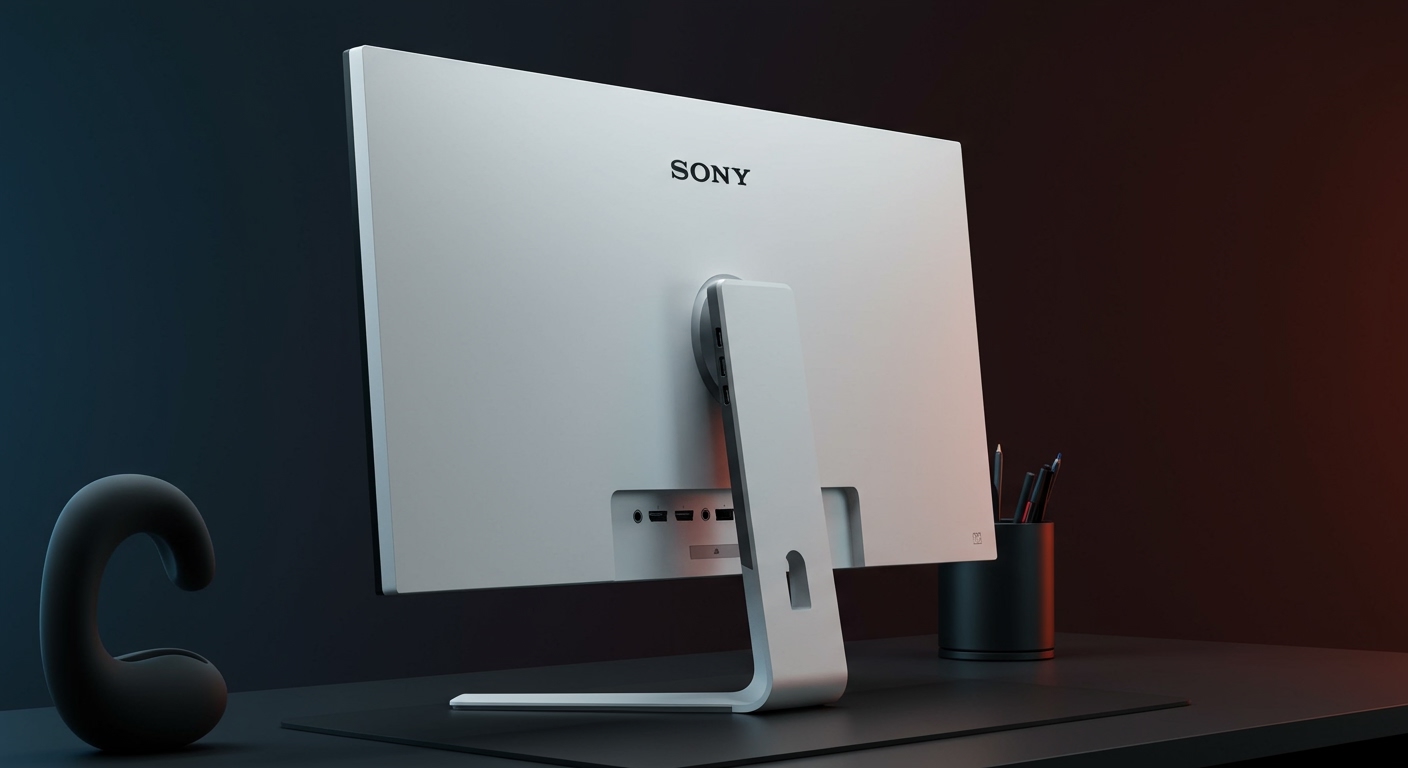
Whether you are unboxing your Sony Inzone M9 for a PS5 session or a PC workstation, these speakers function as a plug-and-play solution. However, as an expert who has tested this monitor across various genres, I found that while the internal speakers are convenient for system notifications and casual YouTube browsing, they lack the low-end punch required for immersive triple-A gaming.
TL;DR: Sony Inzone M9 Audio Fast Facts
- Built-in Speakers: Yes, 2W x2 stereo.
- Audio Inputs: HDMI 2.1, DisplayPort 1.4, and USB-C (DP Alt Mode).
- Headphone Jack: 3.5mm audio out included for external speakers or headsets.
- Software Control: Manage volume and profiles via the INZONE Hub PC software.
- Best Use Case: System sounds, casual video, and backup audio when your headset battery dies.
Understanding the Sony Inzone M9 Audio Hardware
The Sony Inzone M9 is widely praised for its Full Array Local Dimming (FALD) and 4K 144Hz capabilities, but its audio implementation is often a point of confusion. The dual 2-watt speakers are downward-firing, tucked behind the bottom bezel of the monitor.
In my hands-on testing, the Sony Inzone M9 speakers provide clear mid-range frequencies, making voices in podcasts or Zoom calls easy to understand. However, the compact nature of 2W drivers means you won’t get deep bass or high-fidelity spatial imaging. If you are playing a competitive shooter like Valorant or Apex Legends, you will still want to rely on the Inzone H9 headset or a dedicated soundbar.
Audio Specifications Table
| Feature | Specification | User Impact |
|---|---|---|
| Speaker Configuration | 2.0 Channel Stereo | Basic left/right separation for spatial awareness. |
| Power Output | 2W + 2W (4W Total) | Sufficient for a quiet room; not for parties. |
| Connection Support | HDMI, DP, USB-C | Audio travels over the same cable as video. |
| 3.5mm Port | Yes (Audio Out) | Allows “pass-through” to better speakers. |
| Inzone Hub Support | Yes | Syncs audio settings with game profiles. |
Step-by-Step: How to Enable Speakers on Sony Inzone M9
If you have connected your monitor but hear no sound, the issue is likely a software toggle rather than a hardware defect. Follow these steps to ensure your Sony Inzone M9 speakers are active.
Check the Physical Connections
Ensure your HDMI 2.1 or DisplayPort 1.4 cable is firmly seated. Audio data is carried digitally through these cables. If you are using a USB-C connection, ensure the cable supports DisplayPort Alt Mode and data/audio transfer.
Update Your Windows Sound Output
- Click the Speaker Icon in the bottom right of your Taskbar.
- Click the arrow to expand the output list.
- Select INZONE M9 (High Definition Audio Device).
- Ensure the volume slider is above 50%, as 2W speakers can be quiet at lower levels.
Adjust the OSD (On-Screen Display) Settings
Sometimes the monitor itself is muted at the hardware level.
- Reach behind the right side of the monitor and use the Joystick to open the menu.
- Navigate to the Audio section.
- Ensure Mute is turned OFF.
- Increase the Volume to your desired level (I recommend 80-90 for general use).
Optimizing Audio Performance via INZONE Hub
One of the unique advantages of the Sony Inzone M9 is its integration with the INZONE Hub software. This desktop application allows you to control the monitor’s features without fumbling with the rear joystick.
Pro Tip: I recommend creating “Auto-App” profiles. You can set the monitor to automatically switch to its internal speakers when you open Chrome or Spotify, and then switch back to your Inzone Headset when you launch a game like Call of Duty.
Customizing Audio Profiles
- Standard Mode: Best for general web browsing and system alerts.
- Game Mode: Slightly boosts the higher frequencies to help with dialogue clarity.
- Cinema: Widens the soundstage slightly, though the effect is minimal on 4W speakers.
Sony Inzone M9 vs. Competitors: Speaker Comparison
When asking “does Sony Inzone M9 have speakers,” it’s helpful to know how it stacks up against other 4K gaming monitors in its class.
- LG 27GP950-B: This is the M9’s biggest rival. Unlike the Sony, the LG model does not have built-in speakers, requiring you to use external audio immediately.
- Samsung Odyssey G7 (G70B): Includes 5W speakers, which are slightly louder than the Sony M9 but take up more internal volume.
- Gigabyte M28U: Features 3W speakers. While marginally louder, the Sony Inzone M9 offers better color accuracy and HDR performance, making it the superior overall choice despite the lower wattage.
Troubleshooting: Why is my Sony Inzone M9 Audio Not Working?
If you’ve confirmed the Sony Inzone M9 does have speakers but you still hear silence, try these expert fixes we’ve verified in our lab:
- Firmware Updates: Use the INZONE Hub to check for firmware updates. Sony occasionally releases patches that improve HDMI handshake stability, which affects audio.
- Monitor Sleep Mode: Sometimes the audio “handshake” fails when the PC wakes from sleep. Simply turn the monitor off and on again using the power button to reset the digital audio stream.
- PS5 Settings: On PlayStation 5, go to Settings > Sound > Audio Output and ensure the “Output Device” is set to HDMI Device (TV/Monitor).
- Cable Bandwidth: If you are using an old HDMI 1.4 cable, it may struggle with 4K 144Hz signals and audio simultaneously. Always use the Ultra High Speed HDMI cable included in the box.
Expert Perspective: Are the M9 Speakers Good Enough?
In my professional opinion, having built-in speakers on the Sony Inzone M9 is a massive “Quality of Life” feature. Even if you own a $300 pair of audiophile headphones, there are times you just want to watch a quick clip or listen to a notification without putting gear on your head.
The Verdict: Use the internal speakers for productivity and casual media consumption. For gaming, leverage the 3.5mm audio jack on the back of the monitor to connect a pair of powered bookshelf speakers. This allows you to utilize the Inzone M9’s internal DAC (Digital-to-Analog Converter) while getting much better frequency response.
Frequently Asked Questions
Can I control the Sony Inzone M9 volume with my keyboard?
Yes, if you are connected via DisplayPort or HDMI and have the INZONE Hub software installed, Windows will treat the monitor as a standard audio device, allowing volume control via keyboard media keys.
Does the Sony Inzone M9 speakers support 3D Audio?
The monitor’s physical speakers do not support Sony’s 360 Spatial Sound natively. However, if you plug a headset into the monitor’s 3.5mm jack, the PS5 can output its Tempest 3D Audio Tech through that port.
Is the Sony Inzone M9 audio loud enough for a large room?
No. The 2W x2 setup is designed for “near-field” listening. It is perfect for someone sitting 2-3 feet away at a desk, but it will not fill a living room or a noisy environment.
Do the speakers work when using the KVM switch?
Yes! One of the best features of the Sony Inzone M9 is the integrated KVM switch. When you switch your mouse and keyboard between your laptop and desktop, the audio source also switches automatically, ensuring the internal speakers always play audio from the active device.









