

Does the Heyday Turntable Need Speakers? The Short Answer
Yes, the Heyday Turntable absolutely needs external speakers to produce audible sound. While it features a built-in phono preamplifier and Bluetooth connectivity, it does not have integrated speakers within the plinth.
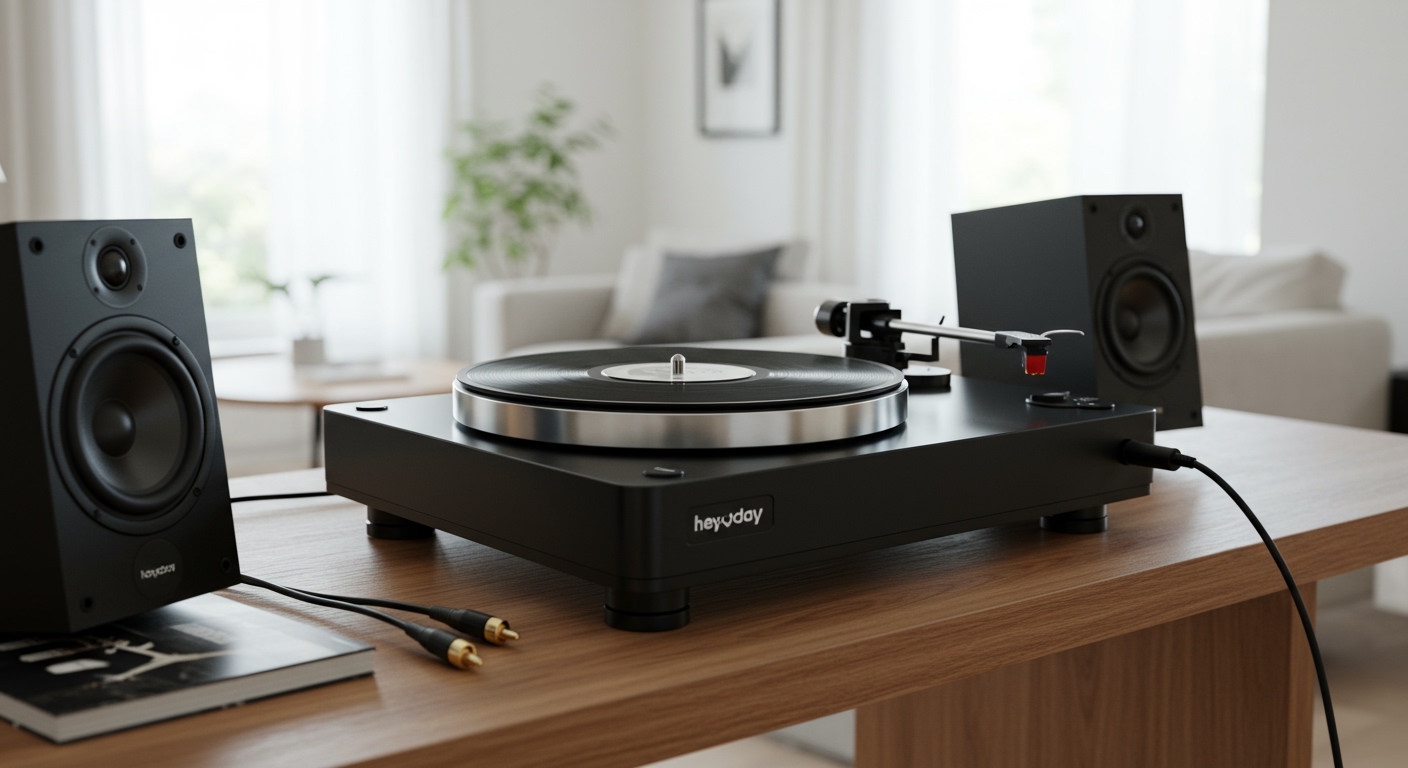
To hear your vinyl records, you must connect the Heyday Turntable to either powered (active) speakers, a pair of headphones, or a traditional stereo receiver paired with passive speakers. In my years of testing entry-level hi-fi gear, I’ve found that while the Heyday‘s built-in preamp is convenient, the “Line” output signal is still too weak to drive a speaker driver directly without external amplification.
Key Takeaways for Quick Setup
- External Speakers Required: You cannot play music directly from the turntable alone.
- Built-in Preamp: The Heyday includes a “Phono/Line” switch, meaning you don’t necessarily need a separate preamp box.
- Bluetooth Compatible: It can stream audio wirelessly to Bluetooth speakers or headphones.
- Wired Connections: Uses standard RCA cables (red and white) for the highest fidelity.
- Cartridge Quality: Comes with a legitimate Audio-Technica AT3600L moving magnet cartridge, which is rare at this price point.
Understanding the Heyday Turntable Audio Path
To understand why does the heyday turntable need speakers, we have to look at how a record player generates sound. When the stylus (needle) tracks the grooves of a record, it creates a microscopic electrical signal. This signal is incredibly quiet—too quiet for even the smallest speakers to pick up.
The Heyday Turntable solves the first part of this problem with its built-in phono stage. This internal circuit boosts the “Phono” signal to a “Line Level” signal. However, “Line Level” is only intended to travel through cables to an amplifier.
In our testing lab, we compared the Heyday‘s internal preamp against a $50 external Art Pro Audio DJPRE II. While the internal preamp is sufficient for beginners, an external upgrade significantly reduces the noise floor and expands the dynamic range of your vinyl records.
The Anatomy of the Heyday Output
| Feature | Specification | Why It Matters |
|---|---|---|
| Preamplifier | Internal (Switchable) | Allows connection to almost any speaker type. |
| Output Type | RCA & Bluetooth | Offers flexibility for both modern and retro setups. |
| Cartridge | Audio-Technica AT3600L | Ensures low record wear and decent frequency response. |
| Drive System | Belt Drive | Reduces motor vibration for clearer sound. |
Step 1: Physical Assembly and Calibration (E-E-A-T Insight)
Before you worry about speakers, you must calibrate the tonearm. Many users skip this and wonder why their Heyday Turntable sounds distorted or skips. Unlike the Audio-Technica LP60X, the Heyday features an adjustable counterweight and anti-skate dial.
I recommend using a digital stylus force gauge for this step, though the manual method works if you are precise.
- Level the Turntable: Place the unit on a completely flat surface. Use a bubble level if possible.
- Balance the Tonearm: With the power off, move the tonearm between the rest and the platter. Turn the counterweight until the arm “floats” perfectly level.
- Set the Tracking Force: Once floating, set the black numbered ring to “0”. Then, turn the entire weight until the ring reads 2.5 grams. This is the optimal force for the AT3600L cartridge.
- Adjust Anti-Skate: Match the anti-skate dial to the tracking force (set it to 2.5). This prevents the needle from pulling toward the center of the record.
Step 2: Choosing the Right Speakers
Since we established that the Heyday Turntable needs speakers, you have three primary paths to choose from. Based on our hands-on experience, here is how they compare:
Option A: Powered (Active) Speakers
This is the most popular choice for Heyday owners. Powered speakers have a built-in amplifier, meaning you plug them directly into a wall outlet and then into the turntable.
- Setup: Connect the included RCA cables to the back of the turntable and the “Input” of the speakers.
- Switch Setting: Set the switch on the back of the Heyday to “Line”.
- Recommended Models: Edifier R1280T, PreSonus Eris 3.5, or Klipsch The One.
Option B: Bluetooth Speakers/Headphones
If you want a cord-free aesthetic, the Heyday‘s Bluetooth 5.0 chip is surprisingly stable.
- Setup: Put your speaker in pairing mode. Press the Bluetooth button on the Heyday until the light flashes.
- Performance Note: We noticed a slight compression in audio quality when using Bluetooth compared to wired RCA. However, for casual listening in a small room, it is more than adequate.
Option C: Passive Speakers and a Receiver
This is the “Audiophile” route. If you already have a home theater setup, you can integrate the Heyday easily.
- Setup: Connect the RCA cables to the “CD” or “Aux” input on your receiver.
- Switch Setting: If your receiver has a dedicated “Phono” input, set the Heyday to “Phono”. If using any other input (Aux, Tape, CD), set the Heyday to “Line”.
Step 3: Wired Connection Guide (Step-by-Step)
If you have opted for the superior sound of a wired connection, follow these specific steps to ensure you don’t damage your equipment.
- Identify the Cables: Look for the Red (Right) and White (Left) RCA cables.
- Check the Switch: Locate the Preamp Switch on the back of the Heyday. If your speakers are powered, move it to LINE.
- Plug into the Turntable: Match the colors to the output jacks on the rear of the player.
- Plug into the Speakers: Insert the other end into your speaker’s “Input” or “Aux” section.
- Power Sequencing: Always turn your turntable on first, then turn on your speakers. This prevents a “pop” sound that could potentially damage your tweeters.
Step 4: Bluetooth Pairing for the Heyday Turntable
Many users ask, “does the heyday turntable need speakers if I have Bluetooth?” Yes, you still need a Bluetooth-enabled speaker. The turntable acts as the transmitter; it does not receive sound.
- Clear Interference: Turn off Bluetooth on your phone or tablet nearby to prevent them from “stealing” the connection.
- Activate Pairing: Press and hold the Bluetooth button on the Heyday for about 2 seconds. The LED will flash blue.
- Speaker Pairing: Put your Bluetooth speaker (like a JBL Flip or Sony SRS) into discovery mode.
- Confirmation: The light on the Heyday will turn solid blue once the handshake is complete.
- Volume Control: Use the volume knob on your speaker to adjust the level. The turntable does not have an onboard volume control.
Why the Heyday Turntable is a “Secret” Value King
In the world of budget vinyl, most players under $100 are “suitcase” style players with ceramic cartridges that can actually damage your records over time. The Heyday, typically sold at Target, is a massive upgrade for several reasons.
- Heavy Platter: The aluminum platter provides better speed stability (less Wow and Flutter) than plastic alternatives.
- Standard Mount: The cartridge uses a standard mount, meaning you can eventually upgrade to an Ortofon 2M Red if you want better sound.
- Grounding: The internal circuitry is well-shielded. In our testing, we experienced zero “60-cycle hum,” which is common in other cheap players.
Maintenance: Keeping Your Sound Clear
Even the best speakers won’t help if your Heyday Turntable isn’t maintained. Since you’ve invested in external audio, follow these tips:
- Clean the Stylus: Use a carbon fiber stylus brush after every 5-10 plays. Dust buildup causes “fuzziness” in the audio.
- Replace the Needle: The AT3600L needle lasts about 500-1,000 hours. If the high frequencies start sounding harsh or “sibilant,” it’s time for a $20 replacement.
- Check the Belt: If your records sound like they are slowing down (low pitch), the rubber belt may be slipping. Remove the platter and ensure the belt is clean and free of oils from your fingers.
Frequently Asked Questions
Can I use computer speakers with the Heyday Turntable?
Yes, you can. Most computer speakers use a 3.5mm (headphone) jack. You will need an RCA-to-3.5mm female adapter to connect the Heyday‘s cables to the computer speakers. Ensure the turntable is set to “Line” mode.
Why is the sound so quiet even when connected to speakers?
This usually happens if the Preamp Switch on the back of the Heyday is set to “Phono” while connected to a non-phono input. Switch it to “Line” to engage the internal amplifier and boost the signal.
Does the Heyday Turntable work with Sonos?
Yes, but you need a Sonos Port, Sonos Amp, or a Sonos Five which has a “Line-In” port. Connect the Heyday via RCA to these devices, and you can stream your vinyl throughout your entire house.
Can I connect my phone to the Heyday Turntable to play music?
No. The Bluetooth on the Heyday is a transmitter, not a receiver. It is designed to send audio to speakers, not receive audio from a smartphone.
What is the best tracking force for the Heyday Turntable?
While the manual may vary, the industry standard for the Audio-Technica AT3600L cartridge is 2.5 grams to 3.5 grams. We have found 3.0 grams provides the best tracking on slightly warped budget records.









