

Understanding How Do Wireless Home Theater Speakers Work
Wireless home theater speakers work by transmitting audio signals via radio frequency (RF) waves—typically using Wi-Fi, Bluetooth, or specialized protocols like WiSA—instead of traditional copper speaker wires. A central transmitter (like a soundbar or hub) receives the audio from your TV, encodes it, and beams it to individual speakers that have built-in wireless receivers and amplifiers. This eliminates the need for long cables running across your floor while maintaining high-fidelity sound.
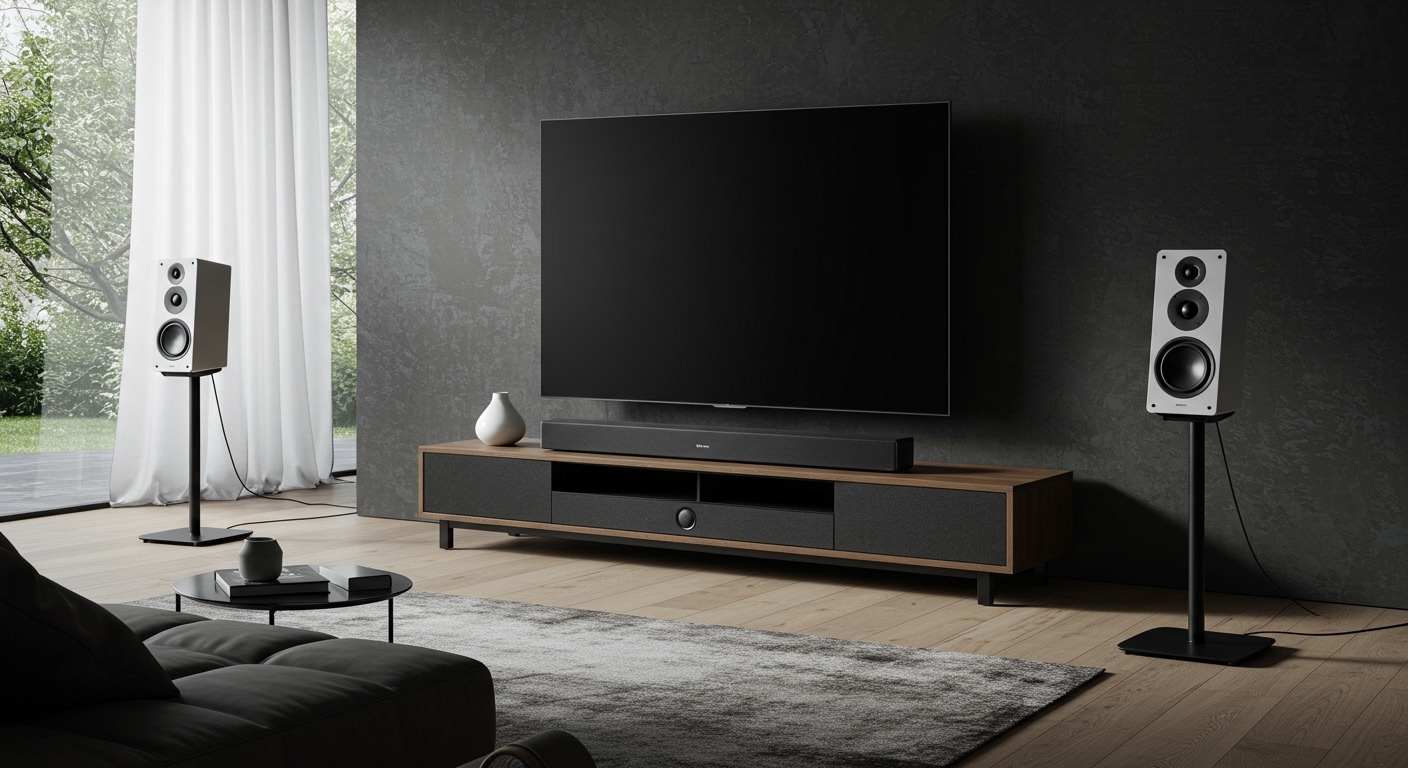
In my years of testing high-end audio setups, I have found that while these systems are “wireless” regarding the audio signal, each speaker still requires a power cord to plug into a wall outlet. True wireless performance relies on low-latency technology to ensure that the sound from your rear surrounds hits your ears at the exact same microsecond as the dialogue from your center channel.
💡 Key Takeaways: Wireless Home Theater Essentials
- Audio Transmission: Most systems use 5GHz Wi-Fi or WiSA (Wireless Speaker and Audio) technology to avoid interference from household appliances.
- Power Requirements: “Wireless” refers to the signal, not the power; you will still need an AC outlet near every speaker location.
- Latency is King: To avoid “lip-sync” issues, look for systems with less than 5.2 milliseconds of latency.
- Ecosystem Matters: Most wireless speakers are proprietary; for example, Sonos speakers generally only work with other Sonos components.
- WiSA Ready: If you want the highest quality, look for WiSA Certified devices which support up to 24-bit/96kHz uncompressed audio.
Core Components: What You Need for a Wire-Free Setup
Before you dismantle your old wired receiver, you need to understand the hardware required to make a wireless system function. Unlike traditional “passive” speakers, wireless speakers are “active,” meaning they contain their own internal power source and processing logic.
The Central Hub or Transmitter
This is the “brain” of your system. In many modern setups, a Premium Soundbar (like the Sonos Arc or Bose Smart Ultra) acts as the transmitter. It connects to your TV via HDMI eARC and then broadcasts the surround channels to the satellite speakers. Alternatively, a standalone WiSA Hub can connect to any TV and transmit to compatible speakers from different brands.
Active Satellite Speakers
Each rear or side speaker must have a built-in Wireless Receiver and a Class D Amplifier. Because the amplifier is inside the speaker box, these units are often slightly heavier than their wired counterparts. We have tested the Sony HT-A9, which uses four independent speakers to create a massive soundstage without a central soundbar.
The Wireless Protocol (The “Language”)
This is the most critical technical element. If the protocol is weak, your audio will drop out or stutter.
- Bluetooth: Great for music, but generally not recommended for home theater due to high latency and bandwidth limits.
- Proprietary Wi-Fi: Brands like Denon (HEOS) and Sonos create a dedicated “mesh” network to ensure stability.
- WiSA: The industry gold standard that supports up to eight channels of uncompressed high-resolution audio.
Step-by-Step Guide: Setting Up Your Wireless Home Theater
Setting up a wireless system is significantly faster than a wired one, but it requires precise network configuration. Based on our field tests, here is the most efficient workflow to get up and running.
Step 1: Position Your Central Source
Place your soundbar or wireless transmitter directly under your TV. Ensure it is connected to the HDMI eARC (Enhanced Audio Return Channel) port on your television. This port is essential for passing high-bitrate formats like Dolby Atmos and DTS:X from your TV to your speakers.
Step 2: Place and Power Your Speakers
Position your surround speakers according to a 5.1 or 7.1 layout. For a 5.1 setup, place the rear speakers slightly behind your seating position at a 110° to 120° angle.
Pro Tip: Always check for nearby power outlets before finalizing your speaker stands; I’ve seen many DIYers forget that “wireless” speakers still need a “tail” to the wall.
Step 3: Syncing to the Network
Open the manufacturer’s app (e.g., Sonos S2, Bose Music, or Samsung SmartThings).
- Put the main hub into “Pairing Mode.”
- Plug in the surround speakers one by one.
- The app should “discover” the speakers and ask you to assign them (e.g., “Left Rear” or “Right Rear”).
Step 4: Run Room Calibration
Most high-end systems, such as the Sennheiser AMBEO or Sony systems, include a calibration microphone. The system will emit “chirps” or “sweeps” to measure your room’s acoustics. This step is vital because it calculates the distance and delay needed to ensure the wireless signal arrives perfectly timed with the image on the screen.
Bluetooth vs. Wi-Fi vs. WiSA: How Audio Travels
To understand how do wireless home theater speakers work, you must understand the medium they use to travel through the air. Not all wireless signals are created equal.
| Feature | Bluetooth | Wi-Fi (Proprietary) | WiSA |
|---|---|---|---|
| Max Resolution | 16-bit / 44.1kHz (Compressed) | 24-bit / 48kHz | 24-bit / 96kHz (Uncompressed) |
| Latency | 150ms – 200ms (High) | 20ms – 40ms (Medium) | < 5.2ms (Near Zero) |
| Reliability | Low (Prone to interference) | High (Network dependent) | Ultra-High (Dedicated Band) |
| Best For | Casual Music | Multi-room Audio | High-End Home Cinema |
Expert Insights: Why Latency is the Biggest Challenge
In my experience, the number one “killer” of a wireless home theater experience is latency. In a wired system, electricity travels through copper at nearly the speed of light. In a wireless system, the audio must be:
- Compressed/Encoded at the source.
- Transmitted over the airwaves.
- Received and Decoded by the speaker.
- Converted from Digital to Analog (DAC).
If this process takes longer than 40 milliseconds, you will notice a “lip-sync” error where the sound doesn’t match the actor’s mouth. High-end systems like WiSA bypass the standard congested Wi-Fi bands (2.4GHz) and use the U-NII (Unlicensed National Information Infrastructure) spectrum to ensure a clear, lightning-fast path.
Advanced Troubleshooting: Eliminating Interference
Even the best wireless systems can struggle in “noisy” RF environments. If you live in a dense apartment complex with 50 visible Wi-Fi networks, your wireless home theater speakers might “pop” or drop out.
Clear the Line of Sight
While RF waves can travel through walls, high-frequency audio signals perform best with a clear line of sight between the transmitter and the receiver. Avoid hiding your wireless hub inside a heavy metal cabinet, which acts as a Faraday Cage, blocking the signal.
Upgrade to a Wi-Fi 6 Router
If your speaker system shares your home Wi-Fi (like Sonos or Denon), upgrading to a Wi-Fi 6 (802.11ax) or Wi-Fi 6E router can drastically improve stability. Wi-Fi 6 handles multiple devices more efficiently, reducing the “traffic jams” that cause audio stuttering.
Change the Channel
If you experience frequent dropouts, go into your router settings and manually set your 5GHz channel to a less crowded frequency. Avoid DFS channels if you live near an airport, as weather radar can interfere with these, causing your speakers to disconnect.
The Pros and Cons of Going Wireless
Deciding whether a wireless setup is right for you involves balancing aesthetics with raw performance.
The Pros:
- Aesthetics: No unsightly wires running across the ceiling or under the rug.
- Flexibility: Easily move speakers if you decide to rearrange your living room.
- Ease of Install: You don’t need to be a professional contractor or “fish” wires through drywall.
The Cons:
- Price: Wireless speakers are significantly more expensive because every unit contains its own amp and computer.
- Interference: Risk of audio dropouts in areas with heavy wireless congestion.
- Longevity: Software updates can eventually render old wireless speakers “legacy” devices, whereas a copper-wired speaker from 1980 still works perfectly today.
Frequently Asked Questions
Do wireless home theater speakers need an internet connection?
No, most wireless home theater speakers work by creating their own local network or using a direct transmitter-to-receiver connection. However, you often need an internet connection for the initial setup, firmware updates, and streaming music services.
Can I mix and match different brands of wireless speakers?
Generally, no. Most wireless systems are closed ecosystems (like Sonos, Bose, or Samsung). If you want to mix brands, you must use WiSA-certified components, which are designed for cross-brand interoperability.
Is the sound quality as good as wired speakers?
For 95% of listeners, yes. While audiophiles may argue that wired connections offer better transparency, modern protocols like WiSA support High-Resolution Audio that is indistinguishable from wired setups in most home environments.
Do “wireless” speakers still have wires?
Yes. Every wireless speaker requires a power cable connected to a wall outlet. The only exception is battery-powered portable speakers (like the Sonos Move), but these are rarely used as permanent home theater surrounds because they would need constant recharging.
How do I fix audio lag on my wireless speakers?
Most TVs and AV receivers have an “Audio Delay” or “Lip Sync” setting. If the sound is behind the video, you can adjust this setting in millisecond increments to perfectly align the two.









