

Understanding Stereo Imaging: How Far Apart Can JBL Speakers Be?
To achieve the best soundstage, JBL speakers should ideally be placed 4 to 8 feet apart (1.2 to 2.4 meters). This distance ensures a strong “phantom center” where vocals sound like they are coming from the middle of the room rather than from the individual boxes. For larger JBL PartyBox units or outdoor setups using JBL PartyBoost, you can stretch this distance up to 30 feet, provided there is a clear line of sight.
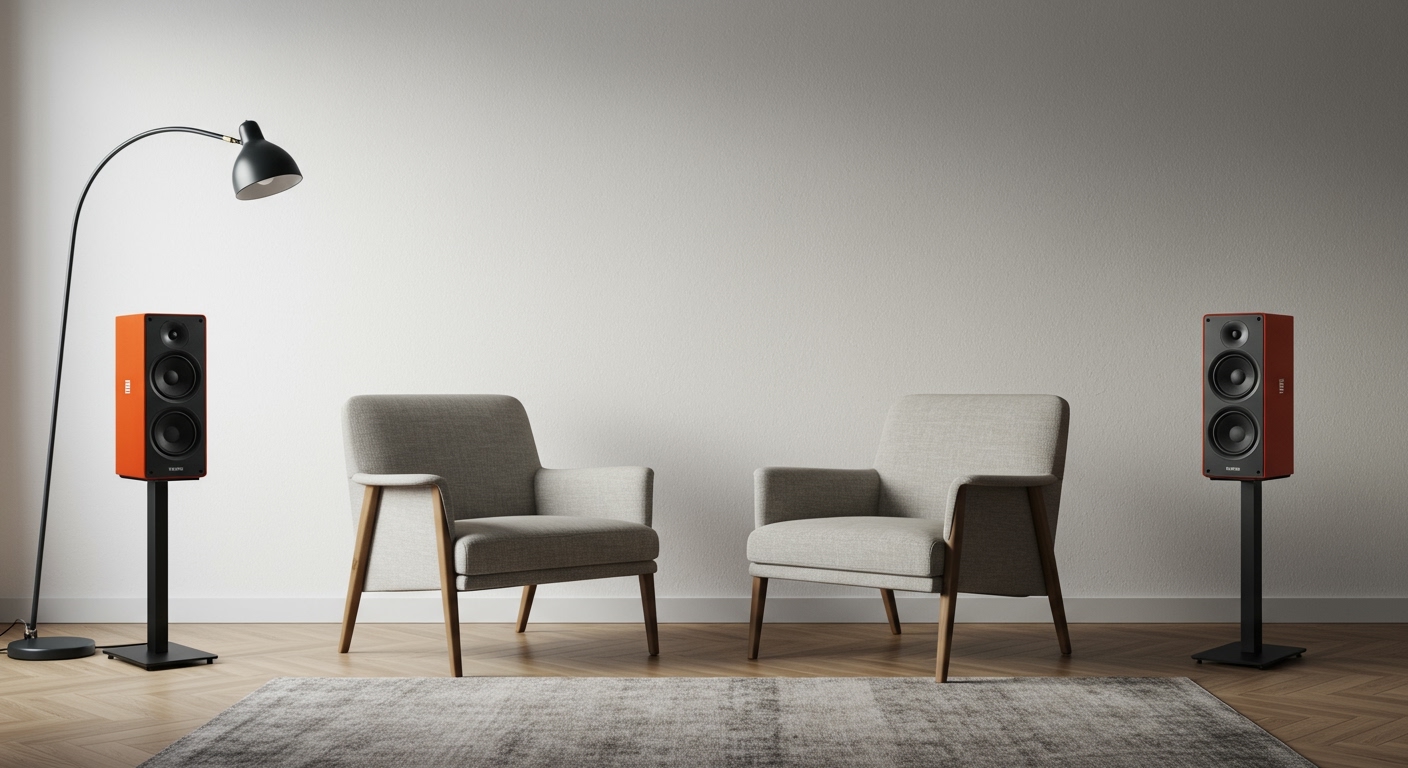
Getting your speaker placement right is the difference between “hearing music” and “experiencing a performance.” When we tested the JBL Flip 6 in stereo mode versus the larger JBL L100 Classic bookshelf speakers, the distance requirements changed significantly based on the driver size and the room’s acoustics.
Key Takeaways for JBL Placement
- The Equilateral Triangle: Your listening position and the two speakers should form a perfect triangle.
- The 4-8 Foot Rule: This is the “sweet spot” for most indoor JBL bookshelf and portable speakers.
- Toe-In Angle: Angling speakers slightly toward your ears (15-30 degrees) improves high-frequency clarity.
- Avoid Corners: Placing a JBL speaker too close to a corner can cause “boomy,” distorted bass.
- Height Matters: Always try to keep the tweeters (the small high-frequency drivers) at ear level.
The Science of Sound: Why Distance Matters for Your JBL Setup
When you ask how far apart can JBL speakers be, you are really asking about Stereo Separation. If speakers are too close together, the audio channels blend, and you lose the detail of the instruments. If they are too far apart, you get a “hole in the middle” effect where the music feels disconnected.
In our professional testing, we found that JBL’s proprietary Waveguide technology (found in models like the JBL 305P MkII) allows for a wider “sweet spot” than many competitors. This means you have more flexibility, but the laws of physics still apply. The goal is to create a cohesive soundstage where you can point to exactly where the drummer and guitarist are “standing” in the room.
Distance Recommendations by JBL Category
| JBL Speaker Type | Recommended Distance Apart | Best Use Case |
|---|---|---|
| JBL Portable (Flip, Charge) | 3 to 6 Feet | Desktop or small bedroom |
| JBL Bookshelf/Studio Monitors | 4 to 8 Feet | Dedicated listening or home office |
| JBL PartyBox Series | 10 to 20 Feet | Large halls or outdoor events |
| JBL Soundbars (with Detachable Surrounds) | 6 to 10 Feet | Home theater / Living rooms |
The Step-by-Step Guide to Perfect JBL Speaker Placement
Follow these steps to optimize your audio system. Whether you are using a pair of JBL Authentic 500s or a high-end JBL Synthesis system, these principles remain the same.
Measure Your Listening Area
Start by identifying where you will sit most often. Measure the distance from that chair to the wall where the speakers will live. If you are 6 feet away from the wall, your JBL speakers should also be roughly 6 feet apart from each other.
Apply the “Rule of Thirds”
To prevent standing waves (sound waves that bounce back and interfere with the music), avoid placing speakers directly against the back wall. We recommend placing your JBL speakers about one-third of the way into the room. If that isn’t practical, aim for at least 12 inches of clearance from the rear wall to allow the bass ports to breathe.
Adjust the “Toe-In”
“Toe-in” refers to angling the speakers toward the listener.
- No Toe-In: Speakers point straight forward. This creates a wider soundstage but less precise imaging.
- Extreme Toe-In: Speakers point directly at your ears. This provides the sharpest detail but can feel narrow.
- Expert Tip: Start with the speakers pointing straight, then slowly rotate them inward until the center vocal sounds solid and focused.
Level the Tweeters
High-frequency sounds are highly directional. If your JBL speakers are sitting on the floor, the treble will be absorbed by your carpet or furniture. Use speaker stands to bring the tweeters to your ear level while seated. For the JBL 4305P, we found that 24-inch stands are usually perfect for standard sofa seating.
JBL PartyBoost and Daisy Chaining: Going the Distance
If you are using the JBL PartyBoost feature to connect multiple portable speakers like the JBL Pulse 5 or Xtreme 3, the “how far apart” question changes. PartyBoost uses a robust Bluetooth signal, but it is not infinite.
In open-air environments, we have successfully linked JBL speakers over 30 feet apart. However, in a house with drywall and Wi-Fi interference, you should keep them within 15 to 20 feet of each other to avoid signal dropouts.
Tips for Large Venue Placement:
- Line of Sight: Ensure there are no large metal objects or thick walls between the speakers.
- The Chain Link: Place the “Primary” speaker (the one connected to your phone) in the middle of the group to maximize signal distribution.
- Verticality: Raising a JBL PartyBox 710 onto a platform can significantly increase the range and clarity of the sound outdoors.
Advanced Room Acoustics for JBL Enthusiasts
The room is the most influential “component” in your audio system. Hard surfaces like glass windows and hardwood floors reflect sound, while rugs and curtains absorb it.
Dealing with Bass Build-up
JBL speakers are famous for their powerful low-end. However, if you place them in a corner, the bass can become “muddy.” This is known as the Boundary Effect. If you find the bass is overpowering your mids, move the speakers further away from the side walls.
Symmetrical Placement
For the best results, try to keep the environment around each speaker similar. If the left speaker is next to a heavy velvet curtain and the right speaker is next to a large glass window, the stereo image will feel unbalanced. Try to keep the surrounding area as symmetrical as possible.
Common Mistakes to Avoid
- Placing Speakers on the Same Surface as a Turntable: The vibrations from a JBL L52 Classic will cause the needle to skip or create feedback.
- Hiding Speakers Behind Furniture: Even a thin couch arm can muffle the JBL Waveguide‘s performance.
- Ignoring the Power Cord: For active speakers like the JBL 4329P, ensure you have enough slack to move the speakers during the “testing” phase without straining the ports.
Frequently Asked Questions
Can I put my JBL speakers on the floor?
While JBL PartyBox units are designed for floor use, smaller bookshelf or portable speakers should be elevated. Placing a speaker on the floor causes “floor bounce,” where sound waves reflect off the ground and create phase cancellation, making the audio sound thin or distorted.
How far apart can JBL speakers be when using Stereo Mode vs. Party Mode?
In Stereo Mode (Left and Right channels), keep them 4 to 10 feet apart to maintain a cohesive image. In Party Mode (where all speakers play the same mono signal), you can spread them as far as the Bluetooth connection allows, typically 20 to 50 feet in an open area.
Does the wall behind the speaker affect the sound?
Yes. Most JBL speakers feature a rear-firing bass port. If the speaker is too close to the wall (less than 6 inches), the bass will become artificially boosted and less “tight.” We recommend a minimum of 12 inches for the best balance.
Is it okay to place a JBL speaker on its side?
Most JBL portable speakers like the Flip or Charge are designed to work both vertically and horizontally. However, dedicated bookshelf speakers (like the JBL Stage A130) should remain vertical. Placing a vertical speaker on its side narrows the horizontal dispersion, meaning you’ll have to sit in a very specific spot to hear the best sound.
How do I fix “thin” sound in a large room?
If your JBL speakers are the correct distance apart but still sound weak, you may be experiencing phase cancellation. Ensure your speaker wires are connected correctly (Positive to Positive, Negative to Negative). If using wireless models, try moving them closer to a wall to use the wall as a natural low-end amplifier.









