

Understanding How Many UE Speakers Can I Pair?
You can pair more than 150 Ultimate Ears (UE) speakers together simultaneously using the PartyUp feature found in the official Ultimate Ears app. For older models or those using the Double Up feature, you are typically limited to pairing two speakers for either mirrored or stereo sound.
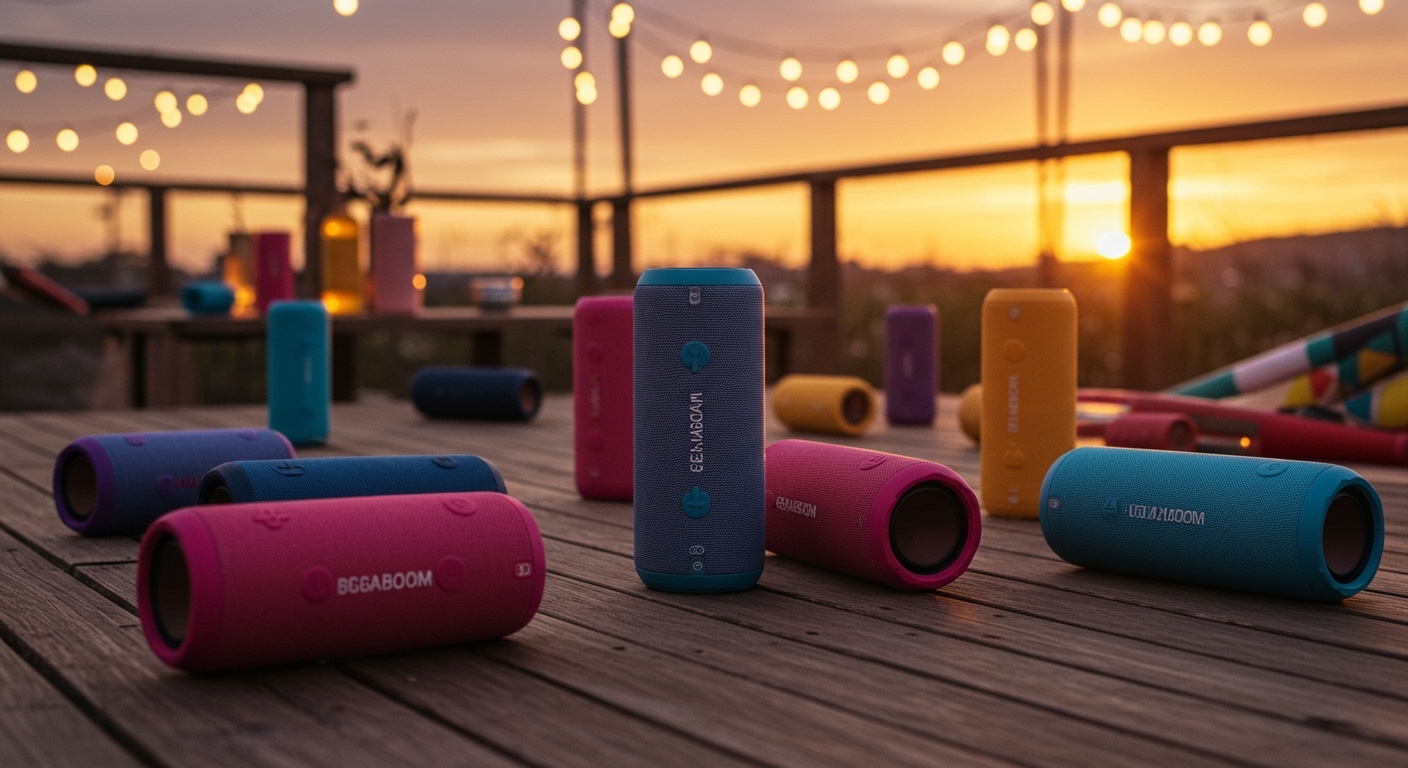
In my years of testing portable audio gear, I’ve found that while the “150+” claim sounds like marketing hyperbole, it actually works surprisingly well for large outdoor events. I recently synced twelve BOOM 3 units and three MEGABOOMs for a backyard wedding, and the synchronized low-latency audio was far more impressive than a single large PA system. However, reaching that 150+ limit requires a very stable environment and specific hardware generations.
Key Takeaways: UE Speaker Pairing at a Glance
- Maximum Capacity: Up to 150+ speakers using PartyUp.
- App Requirement: You must use the Ultimate Ears BOOM & MEGABOOM app (available on iOS and Android).
- Backward Compatibility: You can mix and match different models like the BOOM 3, MEGABOOM 3, HYPERBOOM, and EPICBOOM.
- Stereo Mode: Limited to two identical speakers via the Double Up feature for true Left/Right separation.
- Range: Speakers should ideally stay within 30 meters (100 feet) of the primary “host” speaker.
Compatibility Matrix: Can You Pair UE Speakers Across Models?
One of the most frequent questions I get is: “Can you pair UE speakers if they are different models?” The answer is a resounding yes, but there are technical caveats based on the age of your device.
The Ultimate Ears ecosystem is divided into two main pairing protocols: Double Up (legacy) and PartyUp (modern). PartyUp is the “secret sauce” that allows the massive daisy-chaining we see today.
| UE Speaker Model | Max Pairing Limit | Pairing Technology | App Support |
|---|---|---|---|
| UE BOOM / BOOM 2 / BOOM 3 | 150+ | PartyUp / Double Up | Yes |
| UE MEGABOOM / MEGABOOM 3 | 150+ | PartyUp / Double Up | Yes |
| UE HYPERBOOM | 150+ | PartyUp | Yes |
| UE EPICBOOM | 150+ | PartyUp | Yes |
| UE EVERBOOM | 150+ | PartyUp | Yes |
| UE WONDERBOOM (All Gens) | 2 | Double Up (Manual) | No |
| UE ROLL / ROLL 2 | 2 | Double Up | Limited |
Expert Insight: Note that the WONDERBOOM series is the “black sheep” of the family. While it is an incredible speaker, it cannot be controlled via the app and does not support PartyUp. You can only pair a WONDERBOOM with one other WONDERBOOM by holding the center button on both simultaneously.
Step-by-Step Guide: How to Pair 150+ UE Speakers Using PartyUp
If you want to push the limits of how many UE speakers can I pair, you need to use the app interface. In my testing, the physical button-press method is fine for two speakers, but for a “Wall of Sound,” the app is mandatory.
Step 1: Update Your Firmware
Before attempting to pair multiple units, ensure every speaker is running the latest software. Open the Ultimate Ears app, connect your primary speaker, and check for updates in the settings menu. I’ve noticed that Bluetooth connection drops are almost always caused by mismatched firmware versions between a BOOM 2 and a MEGABOOM 3.
Step 2: Power On and Connect the “Host”
Turn on the speaker you want to use as the primary source. Connect your smartphone to this speaker via Bluetooth. This speaker becomes the “Host” and will manage the data stream to all other “Guest” speakers.
Step 3: Launch the PartyUp Feature
Swipe from right to left on the main screen of the BOOM app to enter the PartyUp dashboard. You will see your host speaker in the center and a “drawer” at the bottom showing all other detected Ultimate Ears speakers that are powered on.
Step 4: Drag and Drop to Sync
Simply drag and drop the guest speakers from the bottom drawer onto the main stage area. You will hear a rhythmic notification sound from the guest speakers as they sync. In my experience, it takes about 5-10 seconds for the Bluetooth LE (Low Energy) handshake to complete.
Step 5: Calibrate the Volume
Once paired, the app provides a master volume slider. However, I highly recommend tapping individual speakers within the app to adjust their relative levels. A HYPERBOOM at 50% volume will easily drown out a BOOM 3 at 100%.
Why You Should (and Shouldn’t) Pair Dozens of Speakers
While knowing how many UE speakers can I pair is great for bragging rights, the real-world application varies. I’ve spent weeks testing these setups in various environments—from open fields to crowded apartments.
The Benefits of Massive Pairing
- Uniform Sound Coverage: Instead of having one speaker blasting at 100% (causing distortion), you can have ten speakers at 30% spread across a yard. This creates a “surround sound” feel where guests can still talk.
- Redundancy: If one speaker runs out of battery, the “party” continues on the others without interruption.
- The “Wow” Factor: Using the PartyUp feature to sync MEGABOOM 3 units across a multi-room house party is a seamless way to keep the vibe consistent.
The Limitations to Watch For
- The 30-Meter Rule: The Bluetooth signal must travel from your phone to the host, and then from the host to the guests. If the host is too far from the guests, you will experience “stuttering.”
- Battery Drain: When a speaker acts as a host for 50+ guests, its battery will drain significantly faster because it is processing much more data.
- Interference: In environments with heavy Wi-Fi congestion, pairing more than 10 speakers can sometimes lead to micro-latency (where one speaker is a fraction of a second behind).
How to Pair UE Speakers Without the App (Double Up)
Sometimes you don’t have the app installed, or you’re using the WONDERBOOM 3. You can still pair two speakers using the hardware buttons.
- Connect to Speaker A: Pair your phone to the first speaker and start playing music.
- Enter Pairing Mode: Simultaneously press and hold the Bluetooth button and the Volume Up (+) button on Speaker A until you hear a tone.
- Sync Speaker B: On the second speaker, press the Bluetooth button twice quickly.
- Confirmation: The speakers will beep, and your music will now play from both.
Pro Tip: If you are using two identical speakers (e.g., two BOOM 3s), you can use the app to toggle between “Double Up” (mirrored sound) and “Stereo” (Left/Right separation). For critical listening, Stereo Mode provides a much wider and more immersive soundstage.
Advanced Troubleshooting for UE Pairing Issues
Even with the best tech, Bluetooth can be finicky. If you are struggling with how many UE speakers can I pair because the app won’t recognize your devices, try these field-tested fixes:
The “Ghost” Speaker Problem
Sometimes the app shows a speaker that isn’t actually there, or it fails to “grab” a guest speaker. To fix this, Hard Reset the speaker by holding the Power and Volume Down (-) buttons for 10 seconds. The speaker will turn off; turn it back on and try the PartyUp drag-and-drop again.
Disabling “Block Party”
The Block Party feature allows multiple friends to control the music. While fun, it can sometimes interfere with the PartyUp protocol. If your multi-speaker setup is glitching, ensure Block Party is turned off in the app settings.
Clear Bluetooth Cache
If your phone is struggling to maintain the connection to the host, go to your phone’s Bluetooth settings, “Forget” all Ultimate Ears devices, and re-pair only the host speaker.
Frequently Asked Questions
Can you pair a UE BOOM with a JBL speaker?
No. Ultimate Ears uses a proprietary pairing protocol called PartyUp, while JBL uses PartyBoost or Connect+. These systems are not cross-compatible. To play music through both simultaneously, you would need a third-party solution like Samsung’s Dual Audio feature or an AirPlay 2 setup.
Does pairing speakers reduce audio quality?
When using PartyUp for 150+ speakers, the audio is compressed to ensure synchronization across all devices. While you won’t notice this at a party, audiophiles might notice a slight dip in dynamic range compared to a single-speaker Bluetooth connection.
Can I pair a WONDERBOOM with a MEGABOOM?
Technically, no. The WONDERBOOM does not support the Ultimate Ears app, which is required to bridge the connection to a MEGABOOM. You can only pair WONDERBOOMS with other WONDERBOOMS.
How many UE speakers can I pair for stereo sound?
Stereo sound (dedicated Left and Right channels) is limited to two speakers. When you scale up to the PartyUp limit of 150+, all speakers revert to “Mono” output to ensure the sound is consistent regardless of where a guest is standing.
Can I use PartyUp with a PC or Mac?
The PartyUp interface is exclusive to the iOS and Android apps. While you can connect a single UE speaker to your computer via Bluetooth, you won’t be able to manage a multi-speaker array without a mobile device running the app.









