

How to Attach Speakers to Amplifier: The 5-Minute Quick Start
To attach speakers to an amplifier, you must connect the positive (+) and negative (-) terminals on the back of the amplifier to the corresponding terminals on your speakers using high-quality speaker wire. Ensure your amplifier is powered off before starting to prevent accidental short circuits or damage to your hardware.
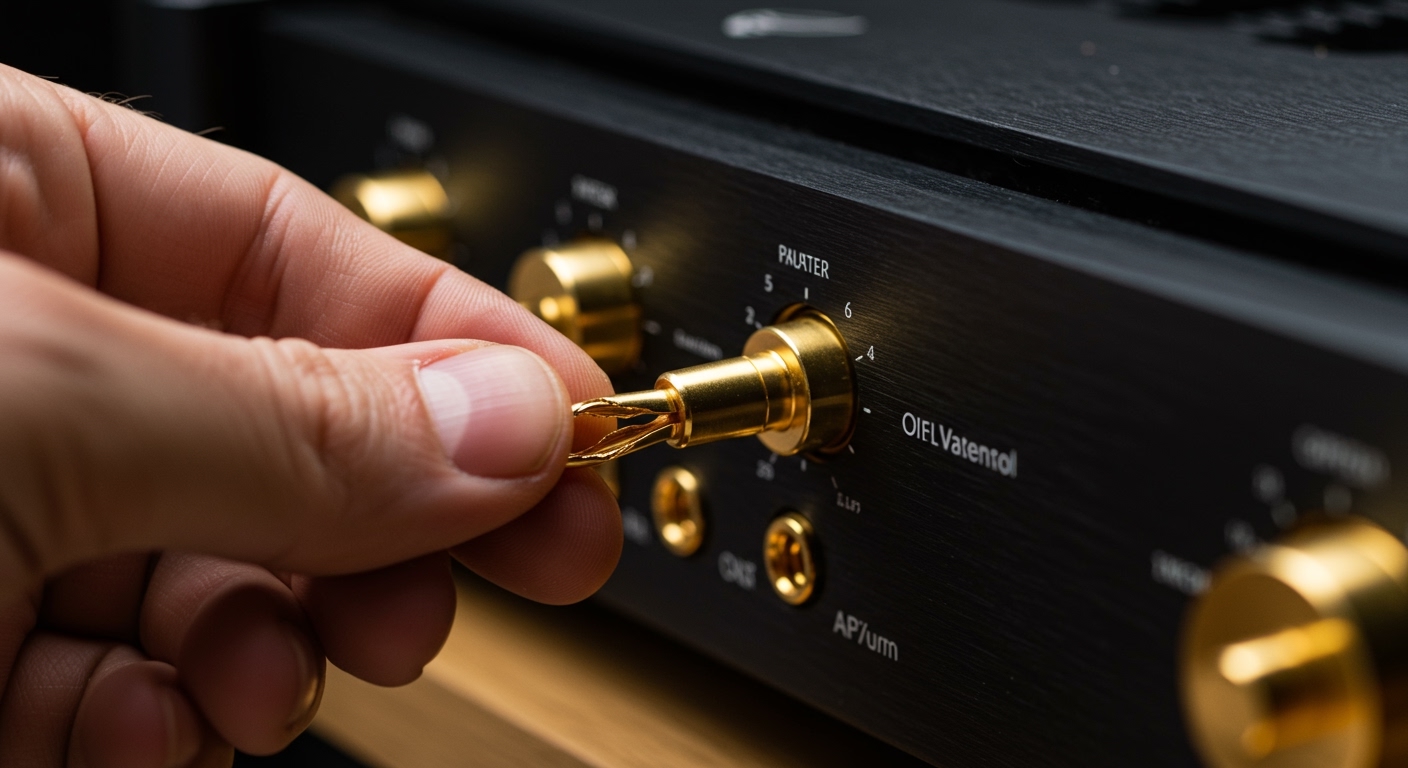
In my fifteen years of setting up high-end home theaters and professional studio monitors, I’ve found that most “blown” equipment stems from simple wiring errors. Whether you are using banana plugs, spade lugs, or bare wire, the fundamental goal is a secure, clean connection that maintains proper polarity.
TL;DR: Key Takeaways for Speaker Setup
- Match Polarity: Always connect Red to Red (+) and Black to Black (-).
- Power Off: Never swap wires while the amplifier is turned on.
- Check Impedance: Ensure your speaker’s Ohm rating (e.g., 4Ω or 8Ω) is compatible with your amplifier’s output.
- Use Quality Wire: For runs under 50 feet, 16-gauge (AWG) wire is usually sufficient; for longer runs, use 14-gauge or 12-gauge.
- Secure Connections: Avoid “stray strands” of copper wire that could touch other terminals and cause a short.
Essential Tools and Materials for Connection
Before you begin the process of how to attach speakers to amplifier units, you need to gather the right supplies. Using the wrong tools can damage the delicate copper strands or result in a loose connection that degrades sound quality.
- Speaker Wire: Look for Oxygen-Free Copper (OFC) rather than Copper-Clad Aluminum (CCA) for better conductivity.
- Wire Strippers: A dedicated tool ensures you cut the insulation without nicking the internal copper.
- Banana Plugs (Optional but Recommended): These provide a “plug-and-play” experience and prevent oxidation.
- Measuring Tape: Measure the distance from the amp to each speaker, adding about two feet of “slack” for cable management.
Understanding Speaker Terminals: Binding Posts vs. Spring Clips
Different amplifiers and speakers use different “gateways” for their connections. Identifying which one you have determines how you will prepare your wire.
Binding Posts
These are found on most mid-to-high-end receivers like Denon, Marantz, and Yamaha. They consist of a threaded metal post with a plastic nut. They are highly versatile because they accept banana plugs, spades, and bare wire.
Spring Clips
Commonly found on budget-friendly bookshelf speakers or older “vintage” receivers. You press a lever down to reveal a small hole, insert the bare wire, and release the lever to clamp it. These do not typically support banana plugs.
| Terminal Type | Best Connection Method | Stability | Ease of Use |
|---|---|---|---|
| Binding Post | Banana Plugs | Excellent | Very High |
| Spring Clip | Bare Wire / Pin Connector | Moderate | Moderate |
| Spade Lug | Screw-down Binding Post | Very High | Low (requires tools) |
Step-by-Step Guide: How to Attach Speakers to Amplifier
Following a systematic approach ensures you don’t miss a channel or cross your wires. We recommend setting your speakers in their final positions before running the cables.
Step 1: Prepare the Speaker Wire
If you are using bare wire, use your wire strippers to remove about 1/2 inch to 3/4 inch of the plastic jacket from the ends of the cable. Twist the copper strands tightly so there are no “frays.” In my experience, a tight twist is the best way to prevent a single strand from touching the adjacent terminal and triggering the amp’s “Protect Mode.”
Step 2: Identify the Polarity
Speaker wire is almost always marked to help you distinguish between the two conductors. Look for:
- A red stripe or a molded ridge on one side of the insulation.
- The words “Positive” or “+” printed on the jacket.
- One wire being silver (tinned) while the other is copper.
Identify which side you will designate as Positive (+) and stick to it for both the amp and speaker ends.
Step 3: Connect to the Amplifier
Locate the “Speaker Out” section on the back of your integrated amplifier or AV receiver.
- Unscrew the binding post nut.
- Insert the wire into the side hole (for bare wire) or the center hole (for banana plugs).
- Tighten the nut firmly by hand. Do not use pliers, as over-tightening can crack the plastic.
Step 4: Connect to the Speaker
Repeat the process on the back of the speaker. Ensure the wire you connected to the Red (+) terminal on the amp goes to the Red (+) terminal on the speaker. This maintains “In-Phase” audio, which is critical for bass response and imaging.
Step 5: The “Tug Test” and Power Up
Gently tug on each wire to ensure it is locked in place. Check one last time for stray copper hairs. Once you are confident, plug in the amplifier and turn the volume to the minimum before hitting the power button.
Choosing the Right Wire Gauge (AWG)
One common mistake we see is using wire that is too thin for long distances. Resistance increases as the wire gets longer, which can lead to a loss of power and high-frequency detail.
- 0–20 Feet: 16 AWG is perfectly fine for almost all 8-ohm speakers.
- 20–50 Feet: Upgrade to 14 AWG to maintain signal integrity.
- 50+ Feet: Use 12 AWG to prevent “insertion loss” and keep your damping factor high.
The Importance of Phase and Polarity
If you learn only one thing about how to attach speakers to amplifier outputs, let it be this: Phase matters.
If one speaker is connected correctly (+ to +) and the other is reversed (+ to -), the speakers will work “against” each other. One speaker cone will push out while the other pulls in. This results in “Phase Cancellation,” which makes the bass sound thin and the vocals sound like they are coming from “everywhere and nowhere” rather than the center of the room.
Expert Pro-Tip: If your system sounds “hollow,” do the 9V Battery Test. Briefly touch the speaker wires to a 9V battery. If the speaker cone moves outward, the wire on the positive battery terminal is your positive wire.
Advanced Connection Techniques
For enthusiasts looking to squeeze every bit of performance out of their Hi-Fi setup, consider these advanced methods.
Using Banana Plugs for Longevity
I always recommend banana plugs for customers who move their gear frequently. Copper wire oxidizes over time, turning green or black, which increases resistance. Banana plugs seal the connection point and provide a massive surface area for signal transfer.
Bi-Wiring and Bi-Amping
Some high-end speakers, like those from Bowers & Wilkins or KEF, have four terminals instead of two.
- Bi-Wiring: Uses two sets of cables from one amplifier to separate the high-frequency and low-frequency signals.
- Bi-Amping: Uses two separate amplifiers to power the tweeter and woofer independently.
Unless you have a high-end system, standard single-wiring is usually sufficient for most listeners.
Troubleshooting Common Setup Issues
If you’ve followed the steps for how to attach speakers to amplifier but aren’t hearing music, check these common culprits:
- The “Protect” Light: If your amp shuts off or shows a red light, you likely have a short circuit. Check for a single strand of wire touching the metal chassis or the opposite terminal.
- A/B Speaker Switch: Many amplifiers have buttons for “Speaker A” and “Speaker B.” Ensure the correct output is selected on the front panel.
- Tape Monitor/Mute: Ensure the Mute button isn’t engaged and the “Tape Monitor” loop isn’t active, as this can bypass the main inputs.
- Source Input: Verify that your source (Phone, Turntable, CD Player) is plugged into the matching input on the back of the amp.
Frequently Asked Questions (FAQ)
Can I use regular electrical wire for my speakers?
Technically, yes, as electrical wire is made of copper. However, dedicated speaker wire is much more flexible, labeled for polarity, and designed with specific strand counts to optimize audio signals. We recommend using 16-gauge OFC speaker wire for the best results.
Does it matter which side of the speaker wire goes to red or black?
The wire itself is neutral. What matters is consistency. As long as the same “side” of the wire connects the red terminal on the amp to the red terminal on the speaker, you are in phase.
What happens if I connect the wires while the amp is on?
You risk a momentary short circuit if the positive and negative wires touch. This can blow an internal fuse, trigger a protection circuit, or in worst-case scenarios, fry the output transistors of your amplifier. Always power down first.
How much wire should I strip?
You should strip approximately 1/2 inch to 3/4 inch. If you strip too much, you leave exposed copper that could touch other components. If you strip too little, the terminal might clamp onto the plastic insulation instead of the metal, resulting in no sound.
Is there a difference between “Left” and “Right” speaker wire?
No, the wire is identical. However, make sure you connect the “Left Output” on the amp to the speaker on your left when seated in your listening position to maintain the correct stereo image.









