

How to Connect Alto Speakers to Mixer: The Definitive Setup Guide
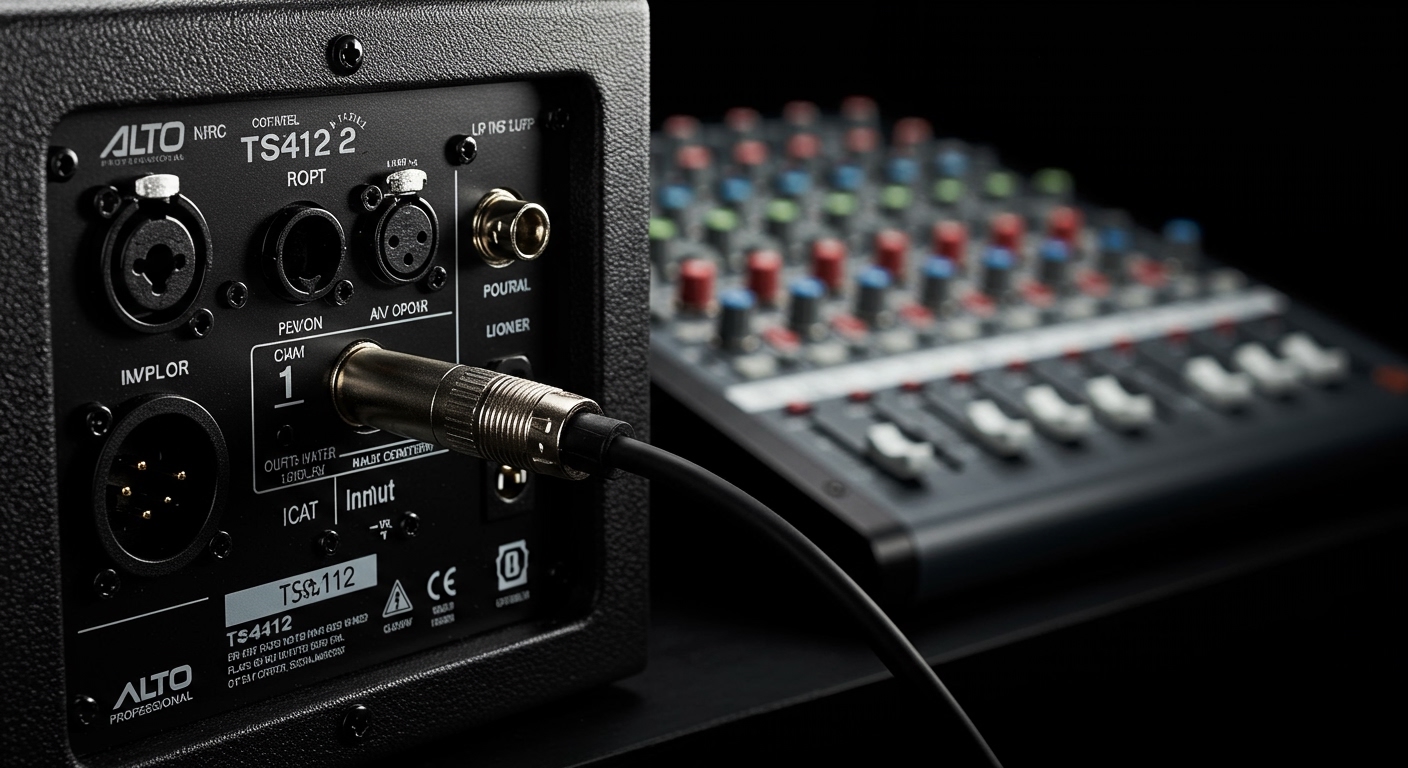
To connect Alto speakers to a mixer, you must run a balanced XLR or 1/4″ TRS cable from the mixer’s Main Out (Left/Right) to the Input 1 or 2 ports on the back of your Alto Professional speaker. Ensure your mixer’s master fader is set to zero before powering on the speakers to avoid damaging the drivers with a sudden “pop.”
Quick Start Guide: Key Takeaways for Alto Speaker Setup
If you are on-site and need a fast reference, follow these essential steps:
- Cable Type: Use XLR (male to female) for long runs to minimize noise and interference.
- Input Selection: Plug into Input 1 on the Alto TS4 or TX series for a standard line-level signal.
- Power Sequencing: Turn on your mixer first, then your Alto speakers. Reverse the order when powering down.
- Volume Control: Set the speaker’s Volume/Gain knob to the 12 o’clock position (unity) and control the actual loudness via your mixer’s Main Fader.
- Stereo vs. Mono: For a standard stereo setup, connect the Mixer Left Out to Speaker A and Mixer Right Out to Speaker B.
Understanding Your Gear: Why Alto Professional Integration Matters
When I first started setting up live sound for local venues, I often saw beginners struggle with signal flow. Alto Professional speakers, particularly the TS412 and TS415 models, are renowned for their high-wattage output and clarity. However, even the most powerful speaker sounds terrible if the gain staging between the mixer and the active speaker is incorrect.
The goal of learning how to connect alto speakers to mixer systems is to achieve a “clean” signal. This means maximizing the signal-to-noise ratio so you hear the music, not a constant background hiss. Whether you are using a Behringer X32, a Yamaha MG10, or a small Alto ZMX mixer, the principles remain the same.
Step 1: Choosing the Correct Cables for Your Alto Setup
Before you plug anything in, you need the right “bridge” between your devices. Alto speakers are active (powered), meaning they have built-in amplifiers. You should never use a “speaker cable” (the unshielded kind used for passive speakers) to connect a mixer to an Alto unit.
XLR Cables (The Professional Standard)
XLR cables are the gold standard for how to connect alto speakers to mixer hardware. They feature three pins and a locking mechanism. Because they are balanced, they cancel out electromagnetic interference, which is crucial if your cables are longer than 10 feet.
TRS (Tip-Ring-Sleeve) Cables
If your mixer only has 1/4″ outputs, ensure you use TRS cables rather than standard TS (instrument) cables. TRS cables look like headphone jacks with two rings on the tip. They provide a balanced signal similar to XLR, keeping your audio clean.
| Cable Type | Best For… | Connection End A (Mixer) | Connection End B (Alto Speaker) |
|---|---|---|---|
| XLR (Male to Female) | Long distances, maximum noise rejection. | XLR Male Out | XLR Female In |
| TRS to XLR | Small mixers with 1/4″ outs connecting to Alto. | 1/4″ TRS Out | XLR Female In |
| TRS to TRS | Short desktop setups. | 1/4″ TRS Out | 1/4″ TRS In |
Step 2: Step-by-Step: How to Connect Alto Speakers to Mixer
Follow this exact sequence to ensure a safe and professional connection. I have used this process for hundreds of gigs without a single blown fuse.
- Power Down Everything: Ensure both your Alto speakers and your audio mixer are switched off.
- Zero the Levels: Turn the Master Fader on your mixer all the way down. On the back of the Alto speaker, turn the Volume/Gain knobs to the “Min” position.
- Connect the Mixer Side: Plug the XLR male end of your cable into the Main Output L of your mixer. Repeat with a second cable for Main Output R.
- Connect the Speaker Side: Plug the XLR female end into Input 1 on your first Alto speaker. If you have a second speaker, connect the “Right” cable to its Input 1.
- Set the Input Switch: On many Alto TS3/TS4 models, there is a switch or a dial to choose between “Mic” and “Line.” Since you are coming from a mixer, ensure this is set to Line.
- Power On Sequence: Turn on the mixer first. Wait three seconds, then flip the power switch on your Alto speakers.
Step 3: Configuring Gain Staging for Peak Performance
“Gain Staging” is the secret sauce to a professional sound. If your mixer is “clipping” (hitting the red lights), your Alto speakers will output distorted sound, regardless of how low the speaker volume is set.
We recommend the “Unity Gain” method. Set your Alto speaker volume knob to the 12 o’clock position (usually marked with a “0dB” or a small notch). Then, adjust your mixer’s channel gains so they peak in the yellow range, and use your Main Fader to reach the desired volume in the room. This ensures the Alto speaker’s internal Class-D amplifier is receiving a strong, clean signal to work with.
Step 4: Linking Multiple Alto Speakers (Daisy Chaining)
If you are playing a large room and need more coverage, you can “daisy chain” your speakers. This allows you to send the same signal from the mixer to multiple Alto units.
- The Mix Out Port: On the back of your first Alto speaker, locate the port labeled “Mix Out” or “Link Out.”
- The Connection: Run an XLR cable from the Mix Out of Speaker A to Input 1 of Speaker B.
Advanced Features: Alto TS4 Series Bluetooth and DSP
Newer models like the Alto TS410, TS412, and TS415 include advanced features that change how to connect alto speakers to mixer setups in modern environments.
Using the Alto Pro App
I’ve found that the Alto Pro App (available for iOS and Android) is a lifesaver for fine-tuning. Once your mixer is connected via wire, you can use the app to adjust the Speaker Use EQ settings.
- Flat: Best for standard mixer output.
- Live: Adds a slight mid-range boost for vocals.
- DJ: Boosts lows and highs for recorded music.
- Custom: Allows you to create a specific EQ curve for the room.
Bluetooth Linking
While your main signal should come from the mixer, you can link two Alto TS4 speakers wirelessly via Bluetooth for “Stereo Link” mode. This is great for background music but I always recommend staying wired for the primary mixer connection to avoid latency during live performances.
Troubleshooting Common Setup Issues
Even with the best gear, issues happen. Here is how we solve the most frequent problems when connecting Alto speakers to a mixer.
Problem: Loud Hum or Buzzing Noise
- The Cause: Often a “ground loop” caused by the mixer and speaker being plugged into different power outlets.
- The Fix: Press the Ground Lift button on the back of the Alto speaker. This disconnects the internal ground from the signal path to stop the hum.
Problem: Very Quiet Sound with Hiss
- The Cause: You likely have the speaker set to Line level but your mixer is outputting a very weak signal, or you are using an unbalanced cable.
- The Fix: Check your mixer’s Main Out levels. Ensure you are using XLR or TRS cables.
Problem: The Sound is Distorted
- The Cause: “Clipping.” Your mixer is sending too “hot” of a signal.
- The Fix: Look at the Signal/Limit LED on the back of the Alto. If it’s flashing red constantly, turn down the mixer’s Master Fader.
Optimizing Placement for Your Alto Speaker System
How you position the speakers after connecting them to the mixer is just as important as the cables themselves.
- Height Matters: Get your Alto speakers up on stands. The high-frequency horn should be slightly above the ear level of the audience.
- The 60-Degree Rule: Aim the speakers inward at a slight angle toward the center of the “dance floor” or seating area.
- Avoid Feedback: Never place your microphones directly in front of the Alto speakers. Keep the speakers forward of the “line of microphones” on stage.
Frequently Asked Questions (FAQ)
Can I connect my phone directly to an Alto speaker and a mixer at the same time?
Yes. Most Alto Professional speakers have two inputs. You can have your mixer connected to Input 1 and a phone (via a 3.5mm to XLR adapter or Bluetooth on TS4 models) connected to Input 2. They will mix together inside the speaker.
Do I need an amplifier for Alto speakers?
No. Alto TS and TX series are “active” or “powered” speakers. They have an internal amplifier specifically tuned for the drivers. Connecting an external power amp to an active Alto speaker will likely destroy the electronics.
What is the “Contour” button on the back of my Alto speaker?
The Contour button is a preset EQ. When engaged, it boosts the bass and treble frequencies. It is excellent for low-volume background music or DJ sets, but I usually leave it “Off” when mixing a live band to maintain a natural sound.
Should I use XLR or 1/4″ cables for my mixer?
Always use XLR if both your mixer and Alto speakers support it. XLR is more secure due to its locking mechanism and provides better protection against radio frequency interference over long distances.
**
**
**
**









