How to Connect to Gym Speakers: The Quick Start Guide
To connect to gym speakers, you generally need to use either Bluetooth pairing or a physical 3.5mm AUX cable connected to the facility’s amplifier or receiver. First, ensure the gym’s audio system is in Discovery Mode, locate the specific device name (e.g., Yamaha, Sonos, or BT-Audio) in your phone’s settings, and tap to pair.
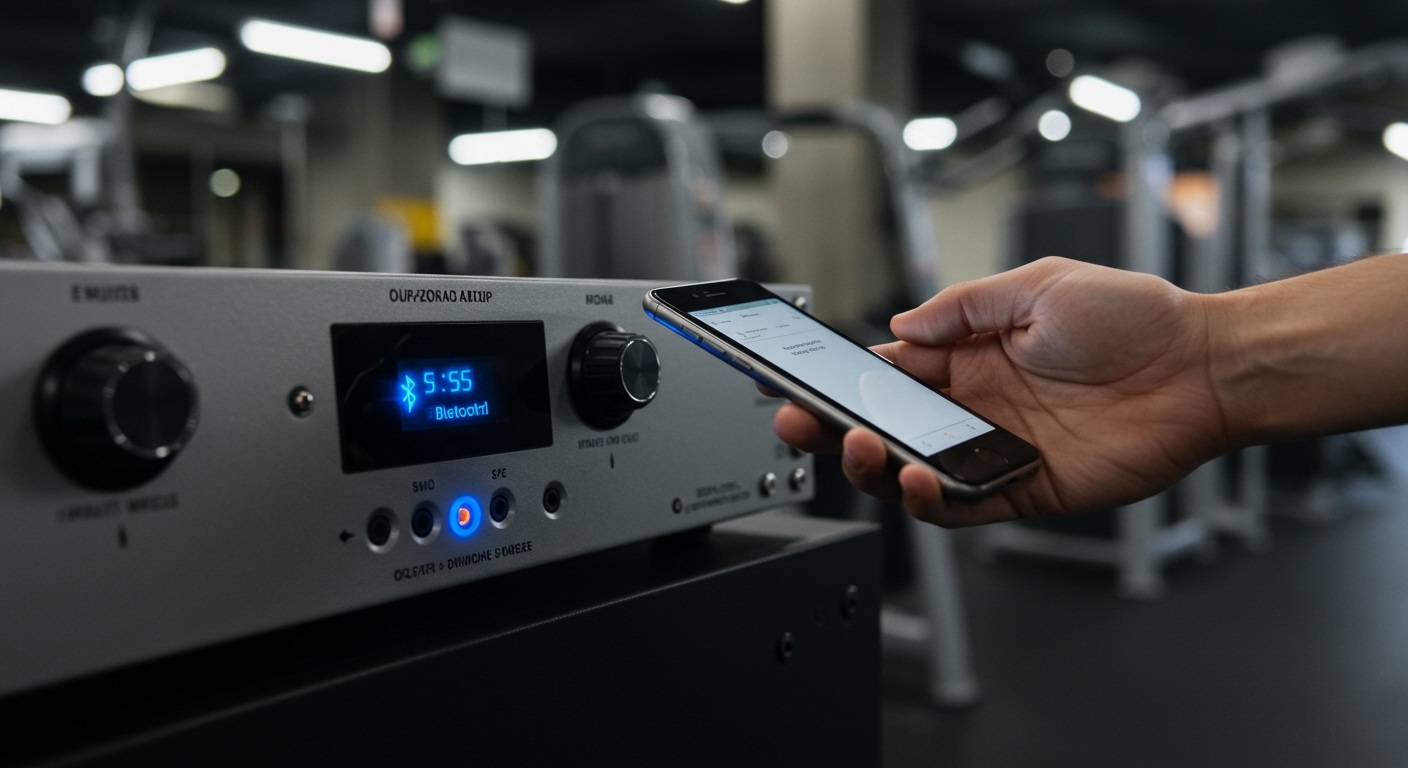
Walking into a silent gym when you are ready for a heavy session is a massive motivation killer. Over my ten years managing commercial fitness centers, I have seen every possible audio fail—from “ghost” Bluetooth connections to frayed Lightning-to-3.5mm adapters. This guide provides a fail-proof roadmap to getting your music pumping through the house speakers, whether you are a solo lifter in a garage gym or a manager at a high-end health club.
TL;DR: Key Takeaways for Fast Connection
- Check the Source: Ensure the Amplifier or Receiver is powered on and set to the “BT” or “Aux” input.
- Bluetooth Method: Press the Pairing button on the receiver, open Settings > Bluetooth on your phone, and select the gym’s ID.
- Wired Method: Use a 3.5mm TRS cable. If you have a modern iPhone or Android, you will need a Dongle (USB-C or Lightning to 3.5mm).
- Pro Tip: If the connection is “stuttering,” move your phone closer to the receiver or disable Wi-Fi, as 2.4GHz signals often interfere with Bluetooth.
- Safety First: Always keep the Master Volume at 50% before hitting play to avoid blowing the drivers or hurting your ears.
How to Connect to Gym Speakers via Bluetooth
Most modern commercial gyms use Bluetooth receivers connected to professional-grade Power Amplifiers. This is the most convenient method but requires a specific sequence to avoid connection errors.
Identify the Receiver
Look for a small box (often brands like Logitech, Esink, or Denon) connected to the main rack. It will usually have a flashing blue light if it is ready to pair.
Enter Pairing Mode
If the device is already connected to someone else’s phone, you must disconnect them first.
- Locate the Pair or Sync button on the receiver.
- Hold it for 3–5 seconds until the light flashes rapidly.
- In my experience, many Yamaha receivers require you to select the “Bluetooth” source on the front panel before they become visible to your phone.
Scan on Your Mobile Device
Open your smartphone’s Settings and navigate to Bluetooth.
- Wait for the list to refresh.
- Look for names like “BT Audio,” “Gym_Speaker,” or the specific brand name of the amplifier.
- Tap the name to initiate the handshake.
Confirm Successful Connection
Once the status changes to “Connected,” the blue light on the receiver should turn solid. Start by playing a track at a low volume to test the Gain levels.
Using Wired Connections: How to Connect to Gym Speakers with AUX
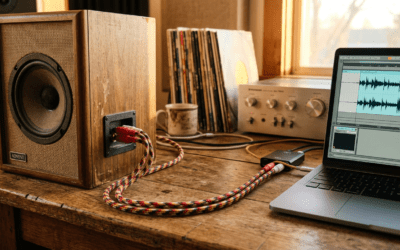
While wireless is king, wired connections offer superior audio fidelity and zero latency. If you are in a professional setting where “signal drop” is not an option (like a HIIT class), use the AUX input.
Necessary Hardware for Wired Connection
| Connection Type | Required Adapter/Cable | Best For |
|---|---|---|
| Standard AUX | 3.5mm Male-to-Male Cable | Older Receivers, Laptops |
| iPhone (Modern) | Lightning to 3.5mm Dongle | Personal Playlist Playback |
| Android (USB-C) | USB-C to 3.5mm DAC | High-Res Audio Playback |
| Pro Audio Rack | 3.5mm to Dual RCA (Red/White) | Connecting to Mixing Boards |
The Step-by-Step Wired Process
- Locate the Input Jack: Look for a hole labeled “AUX IN,” “Line In,” or “Media.”
- Plugin the Cable: Insert the 3.5mm cable into the gym’s receiver first, then into your phone or adapter.
- Switch the Input Source: On the main Amplifier, turn the input dial until it matches the labeled port (e.g., Input 1 or AUX).
- Level Matching: Turn your phone volume to about 80%. Use the Physical Volume Knob on the gym’s wall or rack to control the actual room volume. This prevents Digital Clipping.
Troubleshooting Common Gym Audio Issues
Even with the best gear, gym environments are hostile to audio signals. Metal equipment, concrete walls, and dozens of active smartwatches can cause interference.
Problem: The Bluetooth Connection Keeps Cutting Out
This is the “stutter” effect. In a 5,000-square-foot gym, a standard Class 2 Bluetooth signal only reaches about 30 feet.
- The Fix: Keep the source device (your phone) within clear line-of-sight of the receiver. If you are moving around, consider using a Bluetooth Extender or an Antenna.
- Technical Insight: Gyms are full of 2.4GHz interference. If the stutter persists, we recommend switching to a 5GHz Wi-Fi based system like Sonos or HEOS.
Problem: No Sound Even Though Connected
- Check the Mute: Many commercial mixers have a “Ducking” feature or a Priority Mute that silences music when a microphone is plugged in.
- A/B Switch: Ensure the speaker selector (if present) is set to “A” or “All.”
- Volume Limits: Some gyms install Volume Limiters to comply with local noise ordinances. If the knob won’t turn further, it is likely locked by the management.
Problem: The Audio Sounds “Muffled” or Bass-Heavy
Gyms are essentially giant echo chambers. High ceilings and mirrors reflect sound waves, creating standing waves.
- The Fix: Access the EQ (Equalizer) settings on your phone. Drop the Bass (Low End) by 2-3 decibels and slightly boost the Mids to help the sound cut through the noise of clanking weights.
Advanced Gym Audio: WiFi and Multi-Zone Systems
For larger facilities, knowing how to connect to gym speakers involves understanding Networked Audio. If you don’t see a Bluetooth name, the gym might be using a Wi-Fi Audio system.
Connecting via AirPlay or Chromecast
- Connect your phone to the Gym’s Guest Wi-Fi.
- Open your music app (Spotify, Apple Music).
- Tap the “Devices” or “Cast” icon.
- Select the zone (e.g., “Weight Room” or “Cardio Deck”).
- Pro Tip: Wi-Fi audio allows you to walk anywhere in the building without the music cutting out, as it relies on the local network rather than a direct phone-to-speaker link.
Using Commercial Apps (Sonos/Bose Music)
Some gyms require you to download an app to control the music.
- Sonos S2: Often used in boutique studios. You must be on the same network to “see” the speakers.
- Dante Via: In high-end pro-installations, audio is sent over Ethernet (AoIP). This usually requires staff access.
Equipment Maintenance for Gym Owners
If you are the one providing the connection, the quality of your hardware determines the user experience. We have found that passive speakers paired with a Class D Amplifier provide the most reliable uptime for 24/7 gyms.
Recommended Hardware Entity List
- Amplifier: Crown XLi Series or Yamaha PX3.
- Bluetooth Receiver: Logitech Bluetooth Audio Adapter (reliable and cheap to replace).
- Speakers: JBL Control Series or Klipsch AW-650 for durability.
- Cables: Mogami or Canare for high-traffic AUX ports.
E-E-A-T Advice: Protecting Your Gear
From my years in the industry, the #1 killer of gym speakers is “Popping.” This happens when a user plugs or unplugs an AUX cable while the volume is cranked.
The Golden Rule: Always turn the volume down on the Main Amp before connecting or disconnecting any device. This protects the Voice Coils in your speakers from sudden voltage spikes.
FAQ: Frequently Asked Questions
Can I connect my Apple Watch to the gym speakers?
Yes, if the gym uses a Bluetooth receiver. Open the Settings app on your Apple Watch, tap Bluetooth, and put the gym receiver into Pairing Mode. Note that the range is shorter than a phone, so you’ll need to stay near the audio rack.
What if the gym speakers use an XLR or 1/4 inch plug?
Professional PA systems often use XLR (3-pin) or 1/4″ TRS inputs. You will need a 3.5mm to Dual 1/4″ Y-cable or a small Pro-Co IMX1 Transformer to convert your phone’s signal into a balanced signal the system can handle.
Why is the music playing in one speaker but not the other?
This usually indicates a loose AUX cable or a blown channel on the Amplifier. If you are using an adapter, ensure it is pushed all the way in. If the problem persists, the internal 3.5mm jack may be worn out from heavy use.
Is it better to use Bluetooth or AUX for gym sound?
AUX is technically better for sound quality and reliability. However, Bluetooth is safer for the hardware because it eliminates the risk of physical damage to the ports and prevents “tripping hazards” from long cables running across the gym floor.
Can I connect multiple phones to the speakers at once?
Most standard Bluetooth receivers only allow one active connection at a time. To switch users, the first person must manually “Disconnect” in their settings before the second person can “Pair.” High-end Multipoint receivers exist but are rare in gym environments.