

How to Connect to Restaurant Speakers: The Definitive Guide
To learn how to connect to restaurant speakers, you must link your audio source (tablet, smartphone, or media player) to a centralized commercial amplifier or zone mixer via XLR/RCA cables, Bluetooth, or Wi-Fi-enabled streaming. Most professional venues use a 70V distributed audio system, which allows you to daisy-chain dozens of speakers while maintaining consistent volume and audio quality across large dining areas.
TL;DR: Key Takeaways for Fast Setup
- Identify the Hub: Locating the amplifier or receiver is the first step; this is where all speaker wires converge.
- Choose Your Input: Use a 3.5mm to RCA cable for the most reliable “hardwired” connection to a tablet or PC.
- Go Wireless: For modern setups, use a commercial Wi-Fi streamer like Sonos Port or Bluesound Professional to avoid the 30-foot range limit of Bluetooth.
- Respect the Law: Never use a personal Spotify account; ensure you use a licensed service like Soundtrack Your Brand or Cloud Cover Music to avoid heavy fines.
- Check the Ohms: Ensure your amplifier matches the speaker impedance (usually 70V for restaurants) to prevent blowing the hardware.
Understanding Your Restaurant Audio Hardware
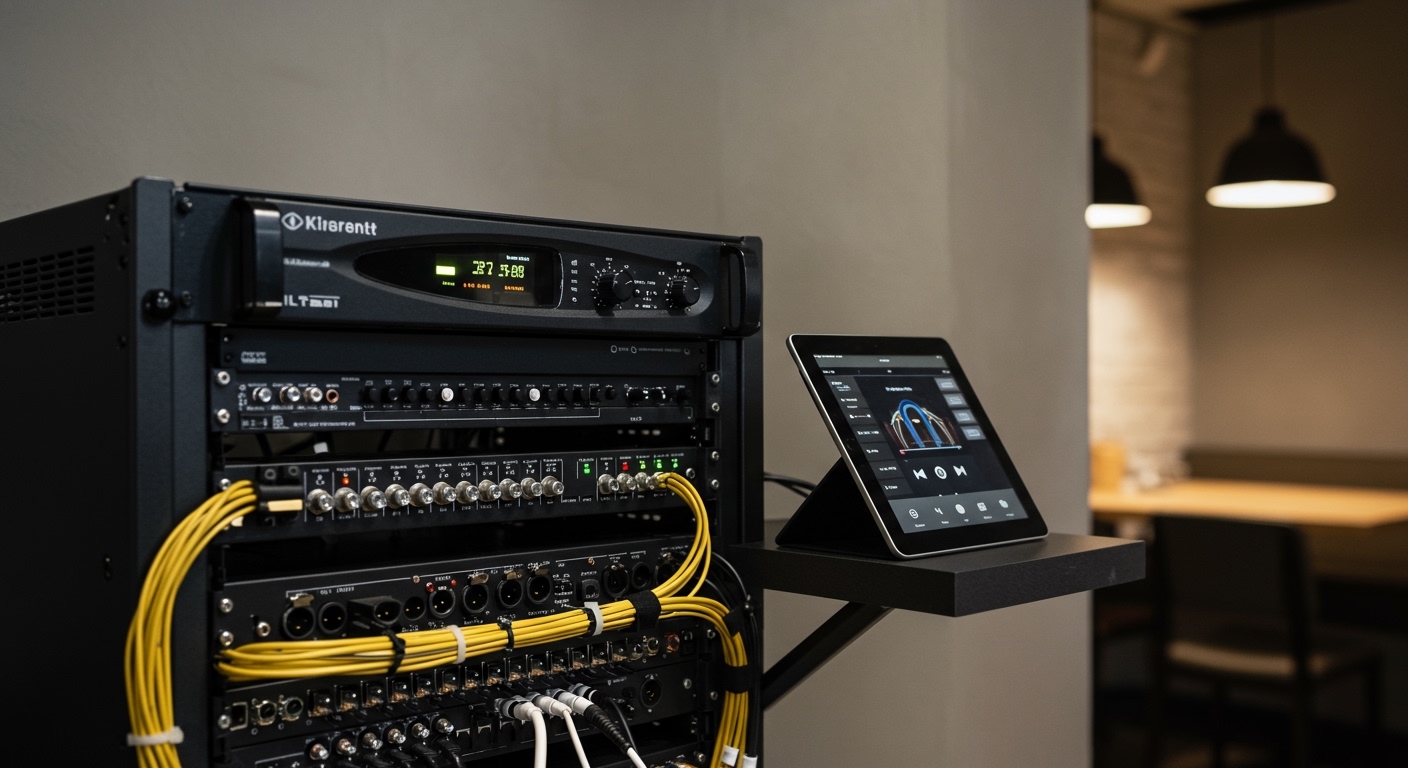
Before you can determine how to connect to restaurant speakers, you need to understand the hardware sitting in your back office or equipment rack. Unlike home theaters, restaurant systems are built for “all-day” durability and long cable runs.
The Role of the Commercial Amplifier
The amplifier is the heart of your system. In a professional setting, we almost always recommend a 70-volt system. This allows us to run thousands of feet of wire to in-ceiling speakers without losing volume. If you see a “Master Volume” knob and several smaller knobs labeled “Zone 1” or “Zone 2,” you are looking at a multi-zone mixer-amplifier.
Inputs and Connectors
To connect your device, you will likely interact with these ports:
- RCA (Red and White): The standard for analog connections from CD players or streamers.
- 3.5mm (Headphone Jack): Found on older tablets and laptops.
- XLR (3-pin): Used for high-end balanced audio and microphones.
- Terminal Blocks (Phoenix Connectors): Often used for permanent installations where bare wires are screwed into a plug.
| Connection Type | Reliability | Range | Best For |
|---|---|---|---|
| Wired (RCA/3.5mm) | High | Limited by cable length | Tablets, PCs, fixed players |
| Bluetooth | Medium | < 30 feet | Small cafes, temporary setups |
| Wi-Fi / Ethernet | High | Unlimited (Network-based) | Multi-room, professional streaming |
| Dante (AoIP) | Elite | Unlimited (Network-based) | Large stadiums, high-end resorts |
Step-by-Step: How to Connect to Restaurant Speakers via Wired Connection
In my decade of consulting for hospitality groups, I have found that a wired connection is the “gold standard” for reliability. It doesn’t drop out when the microwave runs, and it doesn’t require “pairing” every morning.
Locate the “Line In” or “Aux” Port**
Look at the back of your commercial amplifier. You are looking for a pair of red and white RCA jacks labeled “Input 1,” “Aux,” or “CD.”
Select the Right Cable**
If you are using a modern iPad or tablet, you will likely need a USB-C to RCA adapter or a 3.5mm to RCA Y-adapter. Avoid cheap unbranded cables; I recommend Monoprice or Hosa for durability in a greasy kitchen environment.
Connect the Device**
Plug the RCA ends into the amplifier and the other end into your source device. Pro-tip: Secure the cable with a zip-tie to the equipment rack so it doesn’t get pulled out during cleaning.
Adjust the Gain Levels**
Turn the volume on your tablet to about 80%. Then, slowly turn up the Input Gain on the amplifier until you hear clear audio. Finally, adjust the Master Volume to reach the desired atmosphere.
How to Connect to Restaurant Speakers via Bluetooth
Many modern mixer-amplifiers (like those from JBL or Crown) now come with built-in Bluetooth. While convenient, there are specific “rules of engagement” to keep the music from cutting out.
The Range Limitation
Bluetooth typically fails after 30 feet. If your amplifier is in a back office with thick concrete walls and your tablet is at the host stand, the audio will stutter.
Step-by-Step Bluetooth Pairing:
- Enable Pairing Mode: Press the “Pair” button on the front of the restaurant amplifier.
- Search on Device: Open Bluetooth settings on your phone/tablet and look for the model name (e.g., “JBL-MA120”).
- Disable Notifications: This is critical. Go to your device settings and ensure “Do Not Disturb” is on. You don’t want the entire dining room hearing your text message pings.
- Forget Other Devices: Ensure no other staff members have their phones paired to the system, or they might accidentally hijack the audio from the breakroom.
Connecting via Professional Network Streamers (Wi-Fi)
For high-end venues, learning how to connect to restaurant speakers involves using Networked Audio. This is how brands like Starbucks and Chipotle manage their sound.
Why Use a Network Player?
A network player (like a Sonos Port, WiiM Pro, or Bluesound Professional B100S) connects to your internet via Ethernet. It then outputs audio to your amplifier.
Setting Up the Network Connection:
- Connect to the Amp: Plug the streamer into the “Line In” of your amplifier.
- Hardwire the Internet: Always use an Ethernet cable rather than Wi-Fi to prevent interference from the guest Wi-Fi network.
- Use the App: Control the music via a desktop app or a locked-down tablet. This allows managers to change volume or playlists from anywhere in the building.
Managing Different Audio Zones
A common mistake I see is playing the same volume in the bar as in the dining room. To truly master how to connect to restaurant speakers, you must utilize Zone Control.
Creating the Right Atmosphere
- The Bar/Lounge: Usually 3-6 decibels louder than the dining room. Use more “low-end” (bass) here.
- The Dining Room: Focus on mid-range frequencies so guests can hear each other talk without shouting.
- Restrooms: Often overlooked. Use a separate zone so you can keep the volume low and ambient.
- Patio: Requires weather-proof speakers and a dedicated zone to turn off at night to comply with local noise ordinances.
Using a Zone Mixer
If your amplifier doesn’t have built-in zones, you can add a Zone Switcher or a Multi-Zone Mixer (like the Cloud Z4). This sits between your music source and your amplifiers, giving you individual volume knobs for every area of the restaurant.
The Legal Side: Commercial Music Licensing
You cannot simply connect your personal Spotify, Apple Music, or Pandora account to your speakers. This is a violation of the DMCA and can result in lawsuits from ASCAP, BMI, and SESAC.
Commercial-Grade Streaming Services
When considering how to connect to restaurant speakers, you must choose a licensed provider. These services include the necessary public performance licenses in their monthly fee.
- Soundtrack Your Brand: (Formerly Spotify for Business) – Great for curated playlists.
- Cloud Cover Music: Excellent for scheduling different genres for “Happy Hour” vs. “Dinner.”
- Rockbot: Allows for social interaction where guests can “request” songs.
- Mood Media: The industry standard for large-scale enterprise solutions.
Expert Troubleshooting: “Why Is My Audio Not Working?”
If you have followed the steps on how to connect to restaurant speakers but still have silence, check these common failure points based on my years of on-site repairs:
The “Protect” Light**
If a red light labeled “Protect” is glowing on your amplifier, there is a short circuit. This usually happens if two speaker wires are touching or if a speaker has blown. Turn off the power immediately.
Ground Loop Hum**
If you hear a constant low buzzing or humming, you likely have a ground loop. This happens when the audio source and the amplifier are on different electrical circuits. Use a Ground Loop Isolator (a small $15 device) between your tablet and the amp to fix this instantly.
Low Volume from One Speaker**
On 70V systems, check the transformer tap on the back of the individual speaker. It may be set to a low wattage (e.g., 1W instead of 10W). Increasing the “tap” will make that specific speaker louder without affecting the others.
Frequently Asked Questions
Can I use a regular home receiver for my restaurant?
While possible for very small cafes, I do not recommend it. Home receivers are designed for 8-ohm speakers and short wire runs. They often overheat when left on for 12+ hours a day and lack the “Priority Mic” features needed for paging guests.
How many speakers can I connect to one amplifier?
In a 70V system, you can connect as many speakers as you want, provided the total wattage of the speakers does not exceed the amplifier’s power rating. For example, a 100W amplifier can safely power twenty 5W speakers.
Can I connect my restaurant speakers to my TV?
Yes. You can take the Optical Out or RCA Out from your TV and plug it into an “Aux” input on your amplifier. This is common for sports bars during big games. You may need a Digital-to-Analog Converter (DAC) if your TV only has an optical output.
What is the best way to control volume from the host stand?
The best way is to install a wall-mounted attenuator (a volume knob) at the host stand. This allows the staff to adjust the volume locally without needing access to the expensive equipment in the back office.
Is Wi-Fi better than Bluetooth for restaurant audio?
Yes, Wi-Fi is significantly better. It offers higher audio fidelity, does not cut out when the device moves too far away, and allows multiple staff members to control the music from an app without “re-pairing” the hardware.
**
**
**
**









