

How to Connect Two Edison Speakers: The Definitive Guide
To learn how to connect two Edison speakers, you must first identify if your models support True Wireless Stereo (TWS) or require a physical wired connection. For most modern Edison Professional models, you can pair them wirelessly by turning both to Bluetooth mode and holding the TWS or Play/Pause button on both units until they beep and sync. If your speakers lack TWS, you can “daisy chain” them using standard XLR or RCA cables from the “Line Out” of the first speaker to the “Line In” of the second.
Quick Summary: Key Takeaways
- Wireless Method: Use the TWS (True Wireless Stereo) feature for a cable-free setup.
- Wired Method: Use XLR or RCA cables for zero latency and professional-grade reliability.
- ST-3000 Support: Yes, you can connect two Edison ST-3000 speakers together using the TWS function or physical cables.
- Master vs. Slave: In a paired setup, one speaker (Master) controls the volume and Bluetooth source, while the other (Slave) mirrors the audio.
- Pro Tip: Always turn the volume down on both speakers before initiating a connection to prevent “pop” noises that can damage drivers.
Understanding Edison Professional Speaker Technology
In my years of setting up mobile DJ rigs and backyard cinema systems, I’ve found that Edison Professional speakers offer one of the most straightforward pairing processes in the industry. However, the method you choose depends heavily on the specific hardware you are using.
Most modern Edison speakers are designed with Bluetooth 5.0 technology. This allows for higher data transfer rates and more stable connections when using TWS. If you are using an older model, or a high-output unit like the M-7500, you might find that a wired connection provides the “punch” and reliability needed for large crowds.
The Benefit of Dual Speaker Setups
Why go through the effort of connecting two units?
- True Stereo Imaging: You separate the left and right audio channels for a 3D soundstage.
- Increased Coverage: Two speakers placed 20 feet apart cover a much larger area without needing to redline the volume on a single unit.
- Redundancy: If one speaker encounters an issue, your event doesn’t go silent.
How to Connect Two Edison Speakers via TWS (Wireless)
This is the most popular method for home users and small gatherings. TWS allows you to send a single Bluetooth signal from your phone to one speaker, which then relays the signal to the second speaker wirelessly.
Step-by-Step Wireless Pairing Process
- Power On: Turn on both Edison Professional speakers. Ensure neither is currently connected to your phone’s Bluetooth.
- Set to Bluetooth Mode: Press the Mode button on both speakers until the LED display reads “BLUE” or “BT.”
- Initiate TWS Pairing: On the first speaker (this will be your Master), press and hold the TWS button (sometimes labeled as Play/Pause/TWS) for 3 to 5 seconds.
- Sync the Second Speaker: Repeat the long press on the second speaker. You should hear a voice prompt or a “beep” indicating the speakers have found each other.
- Connect Your Device: Open the Bluetooth settings on your smartphone or laptop. Select the Edison Speaker model (e.g., Edison ST-3000).
- Verify Stereo Sound: Play a track. Audio should now stream from both units simultaneously.
Expert Note: If the speakers fail to sync, turn both off and back on. TWS modules sometimes “hang” if they are searching for a previously paired device.
Can Two Edison ST-3000 Speakers Be Connected Together?
One of the most frequent questions I receive is: can two edison st-3000 speakers be connected together? The answer is a definitive yes.
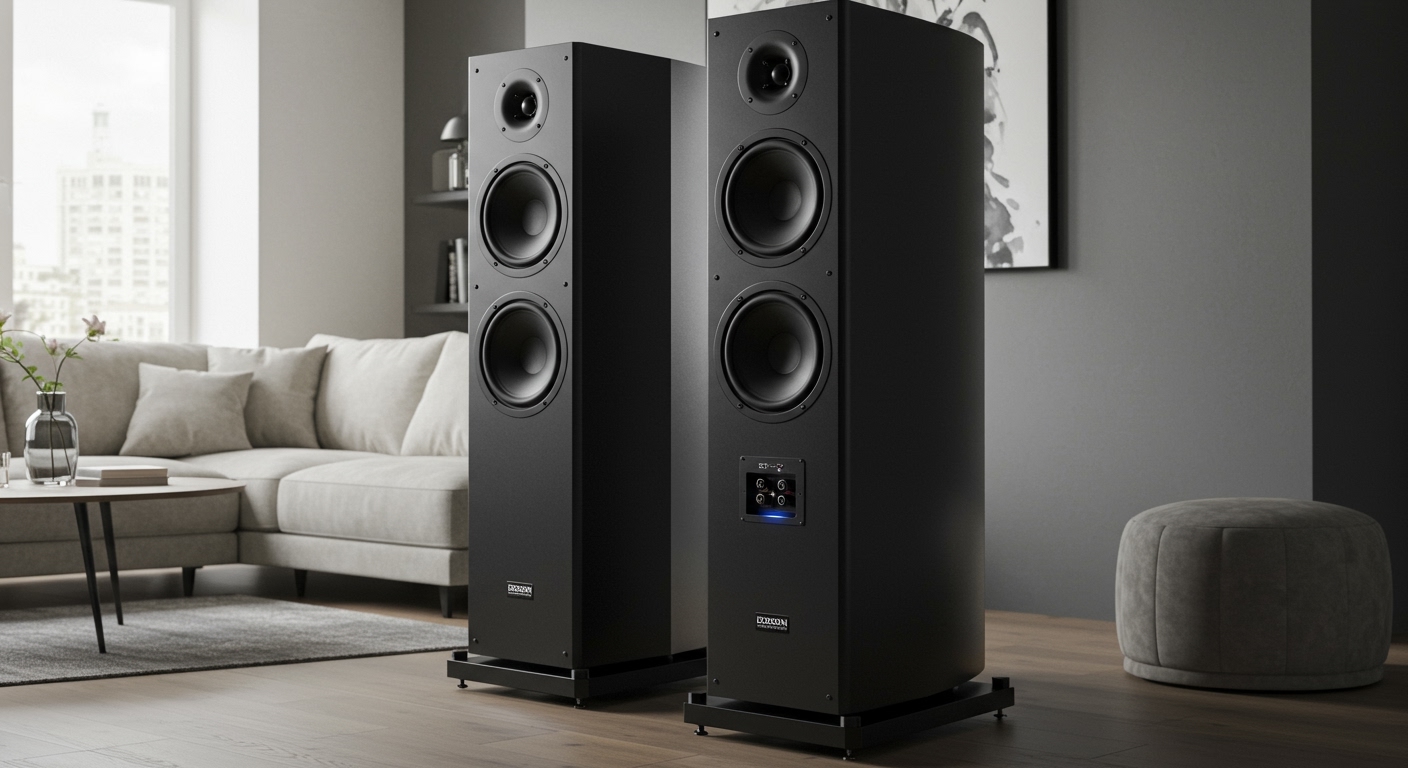
The Edison ST-3000 is a powerhouse “Stark” series speaker designed specifically for high-fidelity output. Because it features a dedicated TWS button on the rear control panel, it is incredibly easy to pair with another ST-3000.
ST-3000 Specific Connection Tips
- Distance: Keep the two ST-3000 units within 15 feet of each other during the initial pairing process. Once paired, you can move them up to 30 feet apart.
- Obstructions: Avoid placing large metal objects or Wi-Fi routers between the two speakers, as this can cause the secondary speaker to “stutter.”
- Firmware: Ensure both units are from the same production run if possible, though Edison is generally good about cross-generation compatibility.
The Wired Method: Daisy Chaining Edison Speakers
While wireless is convenient, I always recommend a wired connection for professional events like weddings or corporate presentations. Cables eliminate the risk of wireless interference from crowded cell phone signals.
Using XLR Cables (The Professional Way)
Most Edison Professional speakers, including the ST-3000 and M-Series, feature an XLR Output and an XLR Input.
- Primary Speaker: Plug your audio source (mixer or microphone) into the “Input” of Speaker A.
- The Link: Take a balanced XLR cable. Plug the female end into the Line Out or Mix Out of Speaker A.
- Secondary Speaker: Plug the male end of that cable into the Line In or Input of Speaker B.
- Gain Staging: Set the volume on Speaker A to your desired level. Then, slowly turn up the volume on Speaker B until it matches the output of the first.
Using RCA Cables (The Consumer Way)
If you are using smaller Edison bookshelf or portable units, they may use RCA (Red and White) jacks.
- Connect the RCA Out of the master speaker to the RCA In of the slave speaker.
- Note that RCA is an unbalanced signal. I’ve found that using RCA cables longer than 15 feet can introduce a “hum” or “buzz” into your audio.
Comparison: Wireless TWS vs. Wired Connection
| Feature | TWS (Wireless) | Wired (XLR/RCA) |
|---|---|---|
| Ease of Setup | Very High (No cables) | Moderate (Requires cables) |
| Audio Latency | Slight (10-40ms) | Zero |
| Reliability | Susceptible to interference | 100% Stable |
| Distance | Limited to ~30 feet | Up to 100+ feet (XLR) |
| Best For | Backyard parties, Home use | Live DJs, Public Speaking |
Optimizing Your Dual Edison Speaker Setup
Setting up the hardware is only half the battle. To get the best sound, you need to consider acoustics and positioning.
The 60-Degree Rule
In my testing, the best soundstage is achieved by placing the speakers at a 60-degree angle relative to the primary listening area. This creates an “Equilateral Triangle” where the listener is at one point and the speakers are at the other two.
Height Matters
Edison speakers are “point-source” drivers. This means the sound travels in a straight line. If the speakers are sitting on the ground, the sound will be absorbed by the floor and the legs of people in the room.
- Actionable Advice: Use Speaker Stands. Elevate the speakers so the tweeter (the small top speaker) is at ear level for your audience.
Troubleshooting Common Connection Issues
Even with the best gear, things can go wrong. Here is how I fix the most common Edison speaker problems:
The Secondary Speaker is Silent**
- Fix: Ensure you are in Bluetooth mode on both. If using a cable, check if you accidentally plugged into a “Mic In” instead of a “Line In.” “Mic In” ports have different impedance levels and may not register a line-level signal correctly.
Audio is Out of Sync (Echo)**
- Fix: This usually happens in TWS mode. Power cycle both units. Ensure no other Bluetooth devices (like a smartwatch or tablet) are trying to connect to the speakers simultaneously.
Low Volume on the Second Speaker**
- Fix: When daisy-chaining, the second speaker has its own independent volume knob. You must manually balance the two. I recommend setting the second speaker to 75% volume and using the Master speaker to control the overall room level.
Bluetooth Signal Dropping Out**
- Fix: Move your phone closer to the Master speaker. The phone talks to the Master, and the Master talks to the Slave. If your phone is 20 feet away from the Master, and the Master is 20 feet from the Slave, the signal has to travel too far.
Advanced Use Case: Connecting to a Mixer
If you are a DJ or hosting a large event, you shouldn’t rely on the built-in Bluetooth. Instead, use a Pro Audio Mixer.
- Connect your laptop or controller to the Mixer.
- Run two XLR cables from the Mixer’s Left and Right Outputs.
- Plug the Left XLR into Speaker 1.
- Plug the Right XLR into Speaker 2.
- This provides a True Stereo experience where the speakers are independent but perfectly synced by the hardware mixer.
Maintenance Tips for Your Edison Speakers
To ensure your Edison Professional speakers last for years, follow these maintenance protocols I’ve developed over years of gear ownership:
- Cooling: If using speakers outdoors in the sun, ensure the rear metal plate (the heat sink) has airflow. Overheating can cause the Bluetooth module to disconnect.
- Voltage Protection: Use a Surge Protector. Edison speakers have powerful internal amplifiers that are sensitive to “dirty” power at outdoor venues or generators.
- Storage: Always store in a dry environment. Humidity can corrode the internal TWS antenna or the XLR pins.
Frequently Asked Questions
How many Edison speakers can I connect together?
Using TWS, you are generally limited to two speakers. However, using the Wired Daisy Chain method (XLR Out to XLR In), you can theoretically connect an unlimited number of speakers in a row. Just be aware that each link in the chain can introduce a tiny amount of electronic noise.
Can I pair two different Edison models?
It depends on the chipset. Usually, if both speakers have a TWS button, they can pair. However, pairing a large M-7500 with a smaller ST-3000 may result in unbalanced sound levels. It is always best to pair identical models for the most cohesive audio experience.
Does the Edison ST-3000 have an app for pairing?
As of the current models, Edison Professional focuses on hardware-based pairing. There is no specific app required. All pairing is done via the physical buttons on the back of the unit or the included remote control.
What is the range of the TWS connection?
In an open field, I’ve managed to get Edison speakers to stay synced at about 40 feet. In a house with walls and interference, stay within 20-25 feet to avoid audio dropouts.
Why does my speaker say “Disconnected” randomly?
This is often caused by Bluetooth Interference. Devices like microwave ovens, baby monitors, and high-power Wi-Fi routers operate on the same 2.4GHz frequency. Try moving your setup away from these devices if the connection remains unstable.
Final Thoughts on Edison Speaker Connectivity
Learning how to connect two Edison speakers significantly upgrades your audio capabilities. Whether you choose the convenience of TWS for a pool party or the rock-solid reliability of XLR cables for a professional gig, the Edison ST-3000 and its siblings are versatile enough to handle both. Always remember to pair your speakers before connecting your Bluetooth device, and use stands to ensure your sound reaches the back of the room.









