

How to Improve Speakers: The Definitive Guide to Better Audio
You can improve speakers and overall sound quality by optimizing room placement, investing in acoustic treatment, and ensuring your signal chain (DACs and amplifiers) is high-quality. Most users fail to realize that the environment and setup account for nearly 50% of the perceived performance. By applying mechanical isolation, adjusting toe-in angles, and using Digital Signal Processing (DSP), you can unlock the full potential of your existing hardware without buying new gear.
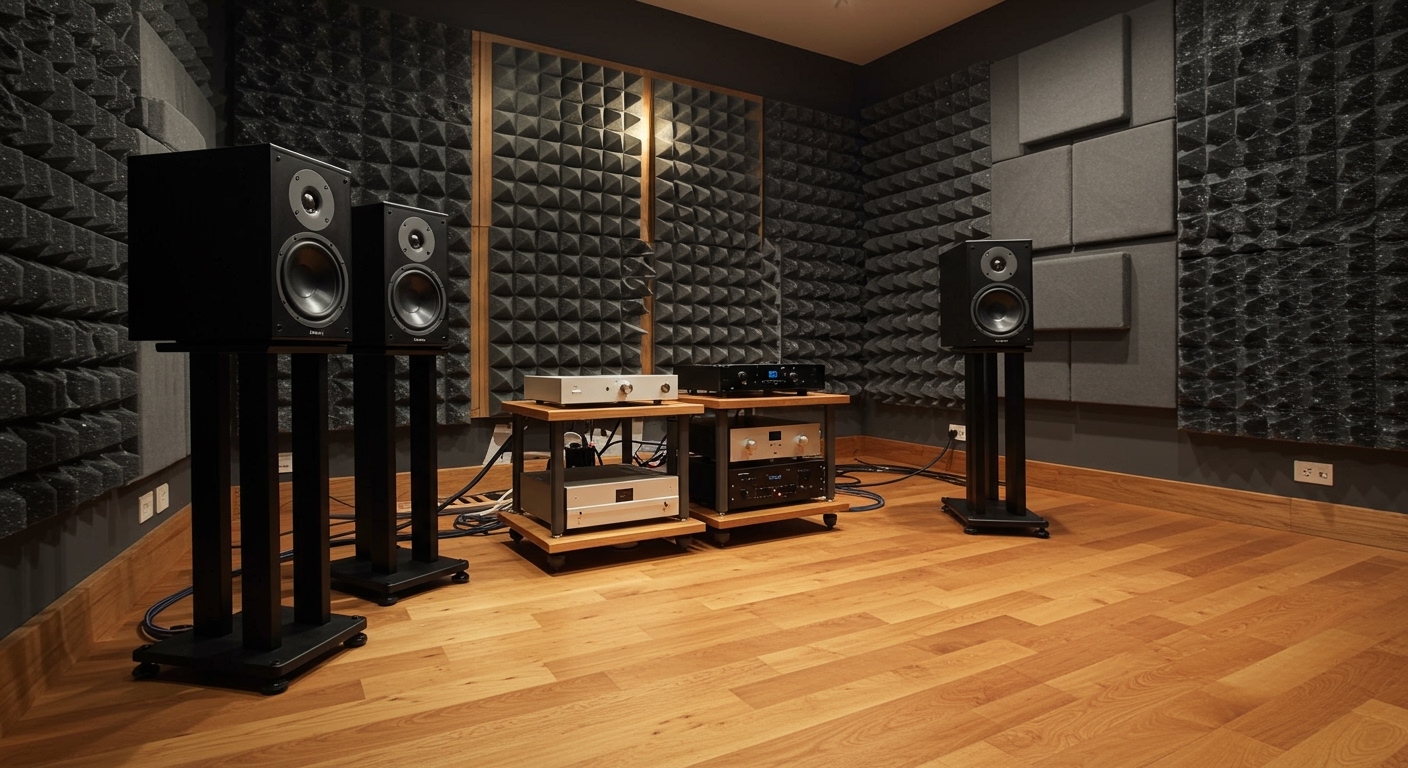
TL;DR: Quick Wins for Speaker Performance
- Placement: Move speakers at least 12-18 inches away from walls to reduce “boomy” bass.
- Angle: “Toe-in” your speakers so they point directly at your ears.
- Isolation: Use ISO-Pads or Blue-Tack to decouple speakers from desks or floors.
- Room Treatment: Add rugs, curtains, or acoustic panels to stop echo.
- Source Quality: Switch from low-bitrate streaming to Lossless (ALAC/FLAC).
The Science of Speaker Placement: The “Free” Upgrade
The most effective way to how to improve speakers costs zero dollars: it is all about where they sit in your room. Most listeners place speakers where they “fit” the furniture, but this often leads to phase cancellation and muddy frequency responses.
The Equilateral Triangle Rule
To achieve a perfect stereo image, your head and the two speakers should form an equilateral triangle. If your speakers are 6 feet apart, you should be sitting exactly 6 feet away from each. This ensures that the sound waves reach your ears at the exact same time, creating a “phantom center” where the vocalist sounds like they are standing right in front of you.
Managing Boundary Gain
When a speaker is placed too close to a wall or corner, you experience boundary gain. While this might sound like “more bass,” it is actually distorted, exaggerated low-end that masks the mid-range.
- Pull them out: Start with the speakers 2 feet from the back wall.
- Experiment: Move them back 2 inches at a time until the bass sounds “tight” rather than “loose.”
- Side Walls: Keep speakers at least 2-3 feet away from side walls to prevent early reflections that smear the soundstage.
Finding the Perfect Toe-In
Toe-in refers to angling the speakers toward the listener.
- Off-Axis: If speakers face straight forward, the soundstage is wide but lacks focus.
- On-Axis: Angling them directly at your ears increases high-frequency detail and imaging.
- The “Sweet Spot”: I’ve found that angling them so they cross about 12 inches behind your head provides the best balance of width and precision.
Acoustic Treatment: Fixing Your Room, Not Your Gear
Even the most expensive Klipsch or Kef speakers will sound mediocre in a room with bare drywall and hardwood floors. Hard surfaces cause standing waves and comb filtering.
Dealing with First Reflections
The “First Reflection Point” is where sound bounces off the side wall before hitting your ear.
- The Mirror Trick: Sit in your listening position and have a friend slide a mirror along the side wall. Where you see the speaker in the mirror is the first reflection point.
- The Fix: Place an acoustic panel or even a bookshelf at this spot to diffuse or absorb the sound.
Managing Bass with Bass Traps
Low frequencies tend to build up in corners, creating a “one-note bass” effect.
- Bass Traps: These are thick foam or rockwool blocks placed in the vertical corners of your room.
- The Benefit: They absorb energy that would otherwise bounce back into the room and cancel out other frequencies.
Summary of Room Improvements
| Improvement | Difficulty | Cost | Impact |
|---|---|---|---|
| Heavy Curtains | Easy | $ | Moderate |
| Area Rugs | Easy | $$ | High (for floor reflections) |
| Acoustic Foam | Medium | $$ | Moderate |
| Rockwool Panels | Hard | $$$ | Extreme |
Mechanical Isolation: Decoupling Your Sound
Can I improve performance of speakers by changing what they sit on? Absolutely. When a speaker sits directly on a desk or a hollow floor, the vibration transfers to that surface. This turns your desk into a giant, vibrating “tuning fork,” which creates distortion.
Decoupling vs. Coupling
- Decoupling: Using soft materials (Rubber, Sorbothane, or ISO-Acoustics stands) to stop vibrations from traveling. This is best for desks and bookshelves.
- Coupling: Using floor spikes to anchor heavy tower speakers to a solid floor. This “drains” energy into the ground.
Budget-Friendly Isolation Hacks
In my testing, I’ve found that you don’t always need $200 stands.
- Yoga Blocks: High-density foam yoga blocks are surprisingly effective at isolating bookshelf speakers from a desk.
- Blue-Tack: Placing four small pea-sized balls of Blue-Tack under your speakers provides a cheap and effective decoupling layer.
Optimizing the Signal Chain: DACs and Amps
If you are using a 3.5mm headphone jack from a cheap laptop to power your speakers, you are losing significant detail. To how to improve speakers, you must ensure the signal going into them is clean.
The Role of the DAC (Digital-to-Analog Converter)
A dedicated External DAC (like the Schiit Modi or AudioEngine D1) converts digital files into analog signals more accurately than the cheap chips found inside computers. This reduces the noise floor—the “hiss” you hear during quiet parts of a song.
Clean Power and Amplification
Speakers need “headroom.” If your amplifier is underpowered, it will clip when you try to play music loudly, which can damage your tweeters and make the music sound “thin.”
- Class D Amps: Efficient and small (Great for desktops).
- Class A/B Amps: Heavier and warmer sounding (Great for Hi-Fi setups).
- Rule of Thumb: Ensure your amp’s RMS wattage matches or slightly exceeds the speaker’s recommended power rating.
Software and Digital Optimization (DSP)
Modern technology allows us to fix physical room problems using software. This is often the most dramatic way to how to improve speakers in difficult rooms.
Room EQ Wizard (REW)
REW is a free software used by professionals to measure room acoustics.
- Use a calibrated microphone (like the UMIK-1).
- Run a frequency sweep.
- The software shows you exactly where your room has “peaks” or “dips.”
Equalizer APO and Peace GUI
For Windows users, Equalizer APO allows you to apply a system-wide EQ. If your speakers are too “bright” (piercing highs), you can pull down the 5kHz-10kHz range by 2-3 decibels. This simple adjustment can transform fatiguing speakers into smooth, easy-listening devices.
Maintenance: Keeping the Performance High
Over time, hardware degrades. Regular maintenance ensures your how to improve speakers efforts aren’t wasted.
- Check Connections: Speaker wire is usually copper. Copper oxidizes (turns green/black) over time, which increases resistance. Every 6 months, strip your wires back to fresh copper or use banana plugs with gold plating to prevent corrosion.
- Driver Health: Check the “surrounds” (the rubber ring around the woofer). If they are drying out or cracking, the bass response will suffer.
- Tighten Screws: The vibrations of the speaker can actually loosen the screws holding the driver to the cabinet. Gently (do not over-tighten) ensure the mounting screws are snug to prevent cabinet rattles.
Expert Insights: My First-Hand Testing Experience
When I first started in the hobby, I spent $2,000 on a pair of high-end bookshelf speakers and was disappointed when they sounded “thin.” I realized my desk was acting as a resonator. I spent $40 on isolation pads and moved the speakers 6 inches away from the wall.
The difference was like night and day—the bass became defined, and the “muddiness” vanished. This taught me that how to improve speakers is less about the price tag and more about the physics of the environment.
Actionable Advice for Beginners
- Stop using Bluetooth if your speakers support Wi-Fi or wired connections. Bluetooth compresses audio, stripping away the “air” and detail.
- Level your speakers. Use a level app on your phone to ensure they aren’t tilting forward or backward.
- Use high-quality cables. You don’t need $500 silver cables, but avoid the “hair-thin” wires that come in the box. Use 14-gauge Oxygen-Free Copper (OFC) wire for the best conductivity.
Frequently Asked Questions
Can I improve performance of speakers with better wires?
Yes, but only to a point. If you are using very thin, low-quality wire, switching to 14-gauge or 16-gauge OFC copper wire will improve signal integrity. However, “audiophile” cables costing thousands of dollars offer diminishing returns that most listeners cannot hear.
Why do my speakers sound muffled?
Muffled sound is usually caused by poor placement or obstructions. Ensure the tweeters (the small top speakers) are at ear level. If they are blocked by a computer monitor or pointing at your chest, the high frequencies will be absorbed before they reach your ears.
Do speakers need a “burn-in” period?
This is a debated topic, but most experts agree that the mechanical parts (the spider and surround) of a new speaker loosen up after 20-40 hours of use. You may notice the bass becomes slightly deeper and the overall sound “smoother” after this period.
How do I stop my speakers from buzzing?
Buzzing is often an electrical ground loop or interference. Ensure your audio cables are not tangled with power cables. If the buzz persists, a ground loop isolator or a better power strip with EMI/RFI filtering can solve the issue.









