

To measure the sound output of speakers accurately, you must use a calibrated measurement microphone paired with analysis software like Room EQ Wizard (REW) or a dedicated Sound Pressure Level (SPL) meter. The process requires placing the microphone at a fixed distance—typically one meter from the tweeter—and running a frequency sweep to capture the decibel (dB) levels across the audible spectrum (20Hz to 20kHz).
Why You Need to Measure Your Speaker Output
Most listeners rely on their ears, but human hearing is notoriously subjective and easily fooled by room acoustics. When I first started calibrating high-end home theaters, I realized that what I thought was “punchy bass” was actually a massive 15dB peak at 60Hz caused by poor speaker placement.
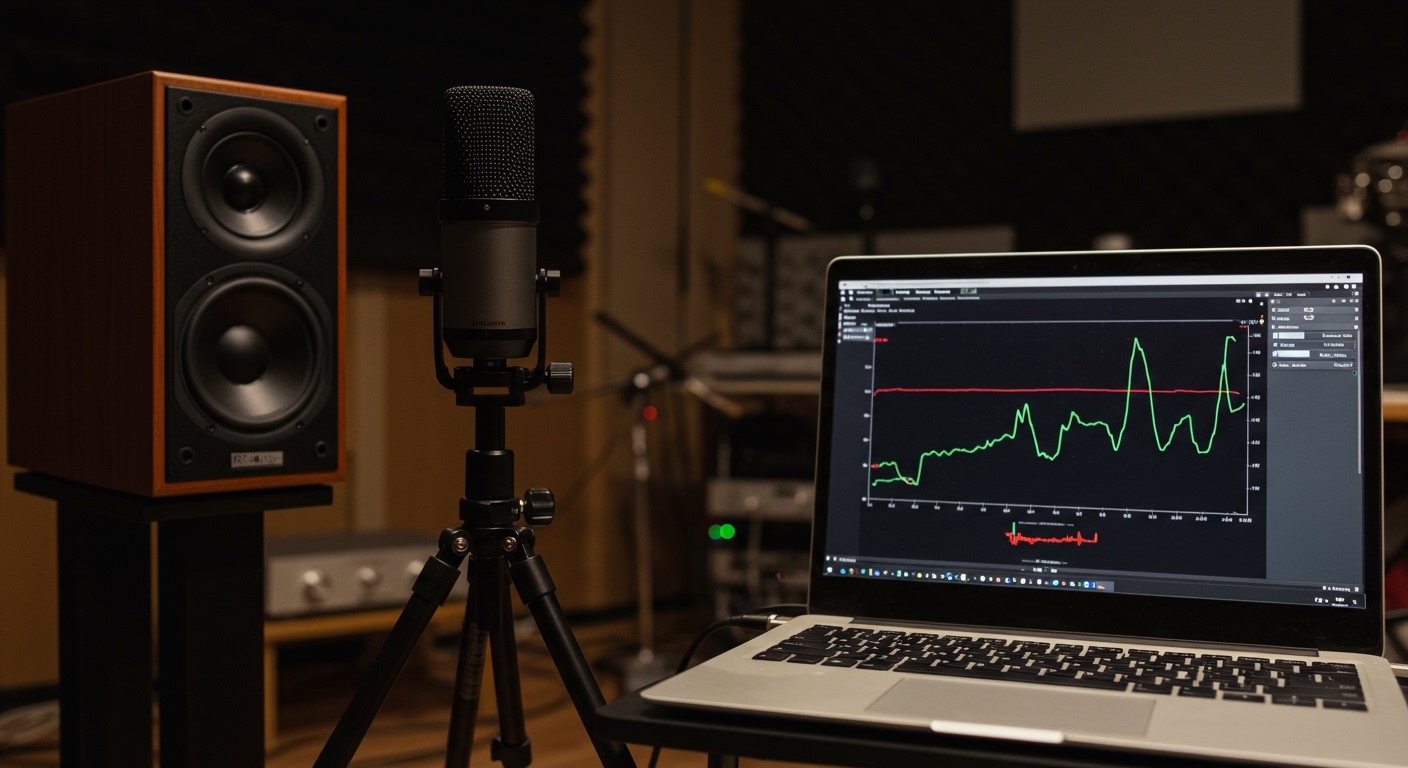
Measuring your speakers provides objective data that allows you to identify hardware defects, optimize placement, and tune your Equalizer (EQ) for a flat, high-fidelity response. Whether you are a hobbyist or a professional, knowing how to measure sound output of speakers is the only way to ensure you are hearing the artist’s intent.
Key Takeaways for Quick Measurement
- Essential Gear: A UMIK-1 calibrated microphone, a tripod, and a laptop with REW software.
- Ideal Environment: A quiet room with minimal reflections or an outdoor “ground plane” setup for the most accurate results.
- Primary Metric: Sound Pressure Level (SPL) measured in decibels (dB).
- Standard Distance: 1 meter (3.3 feet) is the industry standard for measuring sensitivity and frequency response.
- Software Goal: To generate a Frequency Response Curve that shows how loud the speaker is at every pitch.
Essential Tools for Speaker Measurement
You cannot measure high-fidelity audio using a standard smartphone microphone. While phone apps are “okay” for finding general noise levels, their internal microphones are filtered for human speech and roll off sharply below 100Hz and above 10kHz.
| Tool Type | Recommended Product | Purpose |
|---|---|---|
| Measurement Mic | miniDSP UMK-1 | Provides a flat, calibrated response for PC/Mac analysis. |
| SPL Meter | Reed Instruments R8050 | Great for quick, handheld decibel readings without a PC. |
| Software | Room EQ Wizard (REW) | The industry standard (and free) for acoustic analysis. |
| Hardware | Boom Microphone Stand | Eliminates vibrations and ensures precise positioning. |
| Cabling | USB or XLR (w/ Phantom Power) | Connects your microphone to your measurement device. |
Setting Up Your Measurement Environment
Before you learn how to measure sound output of speakers, you must understand that the room is part of the speaker. Sound waves bounce off walls, floors, and ceilings, creating “comb filtering” that muddies your data.
In-Room Measurements
Most users will measure in their living room or studio. To get the best data, place your speakers at least 3 feet away from any walls. This delays the “first reflections,” allowing the software to “gate” the measurement (cutting off the sound before the wall bounce reaches the mic).
Ground Plane Measurements
In my experience, if you want to measure the true output of a subwoofer or a large tower speaker without room interference, you should move outdoors. By placing the speaker and the microphone on the flat ground, you eliminate the floor reflection, simulating an “anechoic” (reflection-free) environment.
Nearfield vs. Farfield
- Nearfield: Placing the mic within 1-2 inches of the driver. This is excellent for measuring the speaker’s output while ignoring the room entirely.
- Farfield: Placing the mic 1-2 meters away. This measures how the speaker actually sounds at a listening position.
Step-by-Step: How to Measure Sound Output of Speakers
Follow this process to get a professional-grade frequency response and SPL reading.
Step 1: Calibration and Software Prep
Download and install Room EQ Wizard (REW). If you are using a UMIK-1, you will have a unique calibration file. Load this file into REW immediately. This tells the software exactly how to “correct” the microphone’s inherent tiny errors, ensuring 0.5dB accuracy.
Step 2: Physical Microphone Placement
Mount your microphone on a stand. Point it directly at the tweeter (the small top driver) of the speaker.
- Distance: Use a tape measure to ensure exactly 1 meter from the speaker grille to the microphone tip.
- Height: Ensure the mic is at the same vertical height as the tweeter.
Step 3: Setting the Levels
In REW, open the Check Levels tool. It will play a “pink noise” signal. Turn up your amplifier until the software reads approximately 75dB SPL. This is loud enough to rise above the background noise of your house but quiet enough to avoid damaging your ears or the speaker.
Step 4: Running the Frequency Sweep
Click the Measure button. Set the range from 20Hz to 20,000Hz.
- Ensure the room is completely silent (turn off AC and fans).
- Press Start.
- The speaker will emit a “chirp” or “sweep” that sounds like a rising whistle.
- The software will instantly generate a graph showing the Sound Pressure Level across all frequencies.
Understanding the Measurement Data
Once the sweep is finished, you will see a complex graph. Here is how to interpret what you are seeing to improve your sound.
Frequency Response (The Curve)
The horizontal axis is Pitch (Hz) and the vertical axis is Loudness (dB). A “perfect” speaker would show a flat line.
- Peaks: If you see a massive spike at 100Hz, your speaker is likely too close to a corner.
- Dips (Nulls): If you see a deep valley at 80Hz, sound waves are canceling each other out due to room reflections.
Total Harmonic Distortion (THD)
This is a critical metric for speaker quality. THD measures how much “unwanted” noise the speaker adds to the signal. We’ve found that high-quality speakers usually stay below 1% THD at 75dB. If your THD spikes at specific frequencies, your speaker cabinet might be vibrating, or the driver is reaching its physical limit.
Waterfall Graphs (Time Domain)
A Waterfall Graph shows how long sound lingers in your room. If you see “tails” stretching out at low frequencies, it means your room has reverberation issues. This is common in rooms with hardwood floors and no rugs.
Expert Tips for Accurate Readings
After measuring hundreds of setups, I have learned a few “pro-level” tricks that separate amateurs from experts:
- Use C-Weighting for SPL: If you are using a handheld meter, set it to C-Weighting and Slow Response. A-weighting is designed for human hearing safety (ignoring bass), while C-weighting is much more accurate for measuring the full power of music and movies.
- The “Tape Trick”: Always mark your speaker and mic stand positions on the floor with painter’s tape. If you move the speaker by just 2 inches, the measurement will change drastically.
- Verify with Multiple Sweeps: Never trust a single measurement. Run the sweep three times. If the lines don’t perfectly overlap, there is background noise (like a passing car or a humming refrigerator) ruining your data.
- Watch the Clipping: If your REW graph shows “Clipping” in red text, your input volume is too high. This will result in fake distortion data. Turn down the mic gain or the speaker volume and re-run.
Frequently Asked Questions
Can I measure speaker output with a smartphone app?
While apps like Decibel X or NIOSH SLM are useful for general noise level safety, they are not accurate enough for speaker calibration. Smartphone microphones are physically too small to capture deep bass (below 50Hz) or ultra-high frequencies accurately.
What is a “good” decibel level for home speakers?
For critical listening, most audiophiles aim for a reference level of 75dB to 85dB SPL. For casual listening, 60dB to 70dB is standard. Anything consistently above 85dB can lead to long-term hearing fatigue or damage.
Why does my measurement look like a “mountain range” instead of a flat line?
This is usually caused by room modes. Sound waves reflect off your walls and either add together (peaks) or cancel each other out (dips). To fix this, you should try Acoustic Treatment (panels and bass traps) or use Digital Signal Processing (DSP) to flatten the response.
How often should I measure my speakers?
You should measure your speakers whenever you move them to a new room, add a subwoofer, or change your seating position. In a dedicated theater, we recommend an annual check to ensure no drivers have degraded or “blown.”









