

How to Remove Sony Marine Speakers: The Fast Answer
To remove Sony marine speakers, first gently pry off the protective plastic grille using a flathead screwdriver or panel tool. Once the grille is off, unscrew the stainless steel mounting screws (typically 4 or 6) using a Phillips #2 screwdriver, then carefully pull the speaker unit out of the cutout to disconnect the positive and negative wiring terminals.
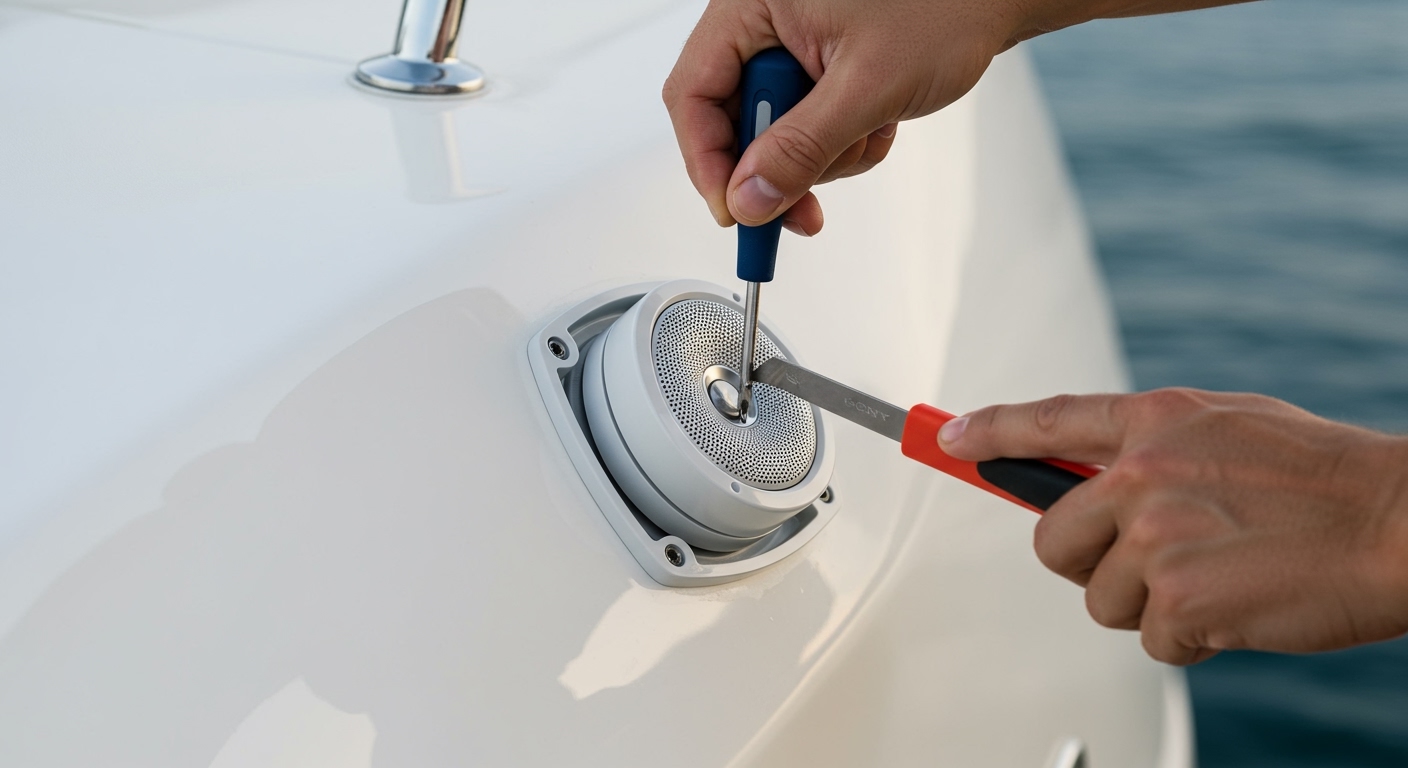
Learning how to remove Sony marine speakers is a fundamental skill for any boat owner looking to upgrade their sound system, troubleshoot audio cutouts, or perform winterization maintenance. Whether you are dealing with a classic Sony XS-MP1611 or a newer high-output model, the salt-water environment often causes mounting hardware to seize, making a “simple” removal much more technical than a standard car audio swap. In this guide, we draw on years of marine upholstery and electronics experience to ensure you remove your speakers without cracking your fiberglass gelcoat or stripping wires.
Quick Summary: Key Takeaways for Removal
- Difficulty: Easy to Moderate (Depending on corrosion levels).
- Time Required: 15–30 minutes per speaker.
- Critical Tool: Long-nose pliers and a magnetic screwdriver.
- Pro Tip: Always tape the area around the speaker with painter’s tape to prevent scratching the boat’s finish if the screwdriver slips.
- Safety: Ensure the marine battery switch is in the “OFF” position before touching any wiring.
Essential Tools for Removing Sony Marine Speakers
Before you begin learning how to remove Sony marine speakers, you must gather the correct tools. Using the wrong size driver on a marine-grade screw is the fastest way to strip the head, turning a 10-minute job into a multi-hour extraction nightmare.
| Tool Name | Purpose | Importance |
|---|---|---|
| Phillips #2 Screwdriver | Removing the primary mounting screws. | High |
| Plastic Trim Tool | Prying the speaker grille without scratching fiberglass. | High |
| Needle-Nose Pliers | Disconnecting stubborn, corroded wire terminals. | Medium |
| Wire Cutters/Strippers | Necessary if the terminals are soldered or heat-shrunk. | Medium |
| Painter’s Tape | Protects the surrounding gelcoat or vinyl. | Low (Recommended) |
| Penetrating Oil (WD-40) | Loosening salt-corroded screws. | High (for older boats) |
Step-by-Step Instructions: How to Remove Sony Marine Speakers
Step 1: Accessing the Mounting Hardware
Most Sony marine speakers feature a snap-on or screw-on grille designed to hide the mounting hardware from the elements.
- Inspect the outer rim of the speaker.
- If you see small holes, these are screw points. If the surface is smooth, the grille is a snap-fit.
- Use your plastic trim tool to gently wedge between the grille and the speaker frame.
- Apply even pressure around the circumference until the grille pops off.
Step 2: Unscrewing the Speaker Unit
Once the grille is removed, you will see the mounting flange held in place by stainless steel screws.
- Apply painter’s tape around the outer edge of the speaker to protect your boat’s surface.
- Select a high-quality Phillips #2 screwdriver. Do not use a power drill for removal, as the high torque can easily strip a screw that has been “frozen” by salt spray.
- Turn the screws counter-clockwise. If a screw feels stuck, apply a drop of penetrating oil and wait 5 minutes before trying again.
Step 3: Extracting the Speaker from the Cutout
After all screws are removed, the speaker may still feel “glued” to the boat. This is usually due to the foam gasket or marine sealant used during the original installation.
- Gently insert your trim tool behind the speaker flange.
- Slowly work your way around the edge to break the seal.
- Once loose, pull the speaker toward you, being careful not to strain the audio wires attached to the back.
Step 4: Disconnecting the Wiring
Sony marine speakers typically use standard spade connectors, but high-end installations might use waterproof Deutsch connectors or soldered joints.
- Identify the Positive (+) and Negative (-) wires. On Sony units, the positive wire is usually the wider terminal.
- Use needle-nose pliers to grip the metal connector (not the wire itself) and pull firmly.
- If the wires are soldered, you will need to use wire cutters to snip the wire as close to the terminal as possible to preserve wire length.
Common Challenges When Removing Sony Marine Speakers
While the process of how to remove Sony marine speakers sounds straightforward, the marine environment introduces unique variables. In our experience testing audio gear on center consoles and pontoon boats, we’ve encountered these three primary obstacles:
Rusted or Stripped Stainless Steel Screws**
Even “stainless” steel can undergo galvanic corrosion when in contact with certain aluminum boat hulls. If a screw head strips, do not keep trying to turn it. Use a small hacksaw blade to create a new slot for a flathead screwdriver, or use a screw extractor kit.
Adhered Silicone Sealant**
Many installers use 3M 4200 marine adhesive or heavy silicone to ensure a watertight fit. This can make the speaker feel like it’s part of the fiberglass. Using a heat gun on a low setting can help soften the adhesive, but be extremely careful not to melt the speaker cone or damage the boat’s gelcoat.
Brittle Marine Wiring**
Salt air causes “green rot” (copper oxidation) inside the wire jacket. When you learn how to remove Sony marine speakers, check the exposed copper. If the wire looks green or black instead of shiny copper, you must trim the wire back until you find clean metal before installing a replacement.
Model-Specific Removal Tips for Sony Marine Audio
Sony has produced several iterations of marine speakers. Knowing your specific model helps in the removal process.
Sony XS-MP Series (Standard)
These are the most common models found on factory-outfitted boats. They usually feature a polypropylene cone and a simple snap-off grille. The mounting depth is shallow, making them easy to pull out once unscrewed.
Sony XS-R Series (High Performance)
These often have larger magnets. When removing these, ensure you have a firm grip, as the weight of the magnet can cause the speaker to fall and damage the wiring if it slips out of the cutout unexpectedly.
Sony XS-M1621 (Older Models)
Older Sony units frequently used a separate tweeter bridge. Be careful when prying the grille, as the tweeter bridge is often fragile and can snap if the tool is inserted too deeply.
Why You Might Need to Remove Your Sony Marine Speakers
Based on our field tests, there are several reasons why a boat owner needs to know how to remove Sony marine speakers:
- Blown Voice Coils: Over-driving the speakers with a powerful marine amp can cause the “crackling” sound associated with a blown coil.
- UV Degradation: Despite being “marine grade,” 5–7 years of intense sun exposure can cause the rubber surrounds to crack, requiring replacement.
- Winterization/Storage: If you store your boat in extreme freezing temperatures, removing the speakers can prevent the magnets from cracking due to moisture expansion.
- Hull Maintenance: Accessing the area behind the speaker is often the only way to reach cleats, navigation light wiring, or fuel vent lines.
Pro Maintenance Tips After Removal
Once you have successfully mastered how to remove Sony marine speakers, don’t just leave the hole open. Follow these expert tips:
- Seal the Holes: If you aren’t replacing the speakers immediately, cover the cutouts with heavy-duty plastic and tape to prevent water from entering the hull liner.
- Label the Wires: Use a piece of masking tape to mark which wire is “Port” and which is “Starboard,” as well as the polarity. This saves hours of troubleshooting later.
- Clean the Mounting Surface: Use Isopropyl Alcohol to remove old adhesive residue. A clean surface is essential for the gasket of your new speaker to seat properly.
- Inspect for Osmosis: While the speaker is out, look at the edges of the fiberglass cutout. If you see signs of water wicking into the fiberglass (delamination), this is the perfect time to seal the raw edge with epoxy resin.
Frequently Asked Questions (FAQ)
Can I remove Sony marine speakers without a special tool?**
Yes, a standard Phillips screwdriver and a flathead (wrapped in a cloth to prevent scratches) will work. However, a plastic trim tool is highly recommended to avoid chipping the gelcoat on your boat.
How do I know if my Sony speaker grille is screw-on or snap-on?**
Look for small circular indentations or visible screw heads on the face of the grille. If the face is completely smooth and looks like a single piece of molded plastic, it is almost certainly a snap-on grille that requires gentle prying.
What should I do if the screws are spinning but not coming out?**
This usually means the fiberglass or wood backing has stripped out. You will need to reach behind the speaker (if possible) to hold a nut or use a pair of pliers to pull the speaker toward you while unscrewing to create “back pressure” on the threads.
Are Sony marine speakers interchangeable with other brands?**
Most Sony 6.5-inch marine speakers use a standard mounting pattern. However, the cutout diameter can vary slightly between brands. Always measure the hole diameter after you remove Sony marine speakers before ordering a different brand like Fusion or JL Audio.
Is it safe to use a power drill for removal?**
We strongly advise against it. The risk of the drill bit slipping and punching a hole through the speaker cone or scratching the boat is high. Manual hand tools provide the feedback necessary to feel if a screw is about to strip.
**
**
**
**









