

How to Set Up Studio Monitor Speakers for Professional Accuracy
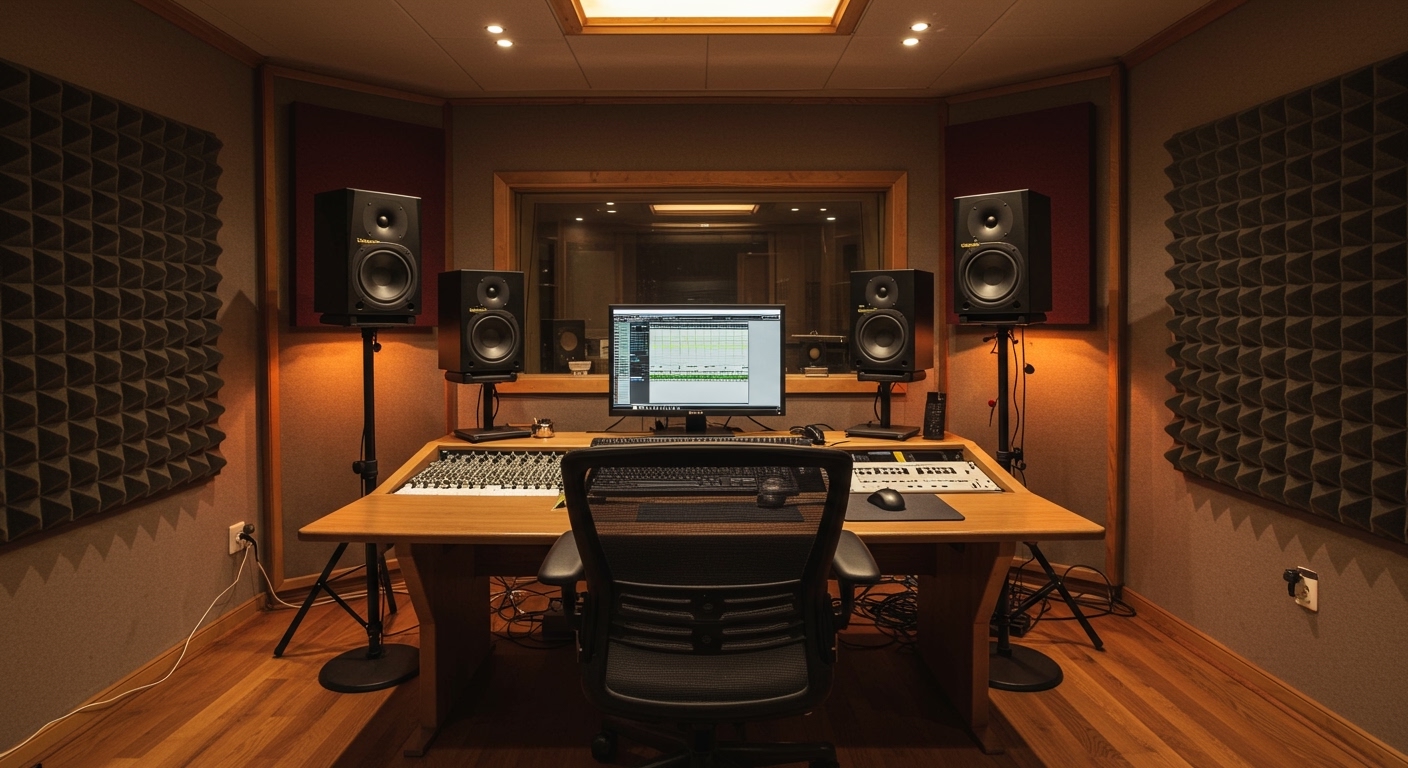
To set up studio monitor speakers correctly, you must position them in an equilateral triangle with your head, ensuring the tweeters are exactly at ear level and angled directly toward your listening position. This configuration minimizes phase distortion and ensures you hear a flat, neutral frequency response for critical mixing decisions.
Key Takeaways: The Quick Setup Checklist
- The 38% Rule: Place your listening position at 38% of the room’s length to avoid the worst standing waves.
- Equilateral Symmetry: The distance between the two monitors must equal the distance from each monitor to your head.
- Ear-Level Alignment: Always align the acoustic axis (usually the tweeter) with your ears.
- Decoupling: Use isolation pads or stands to prevent desk vibrations from coloring the sound.
- Room Treatment: Prioritize bass traps in corners and acoustic panels at first reflection points.
Why Proper Monitor Placement is Critical for Your Mixes
In my 15 years of professional mixing, I have seen expensive Genelec and Neumann monitors sound like cheap computer speakers simply because of poor placement. If your monitors are positioned incorrectly, you aren’t hearing the music; you are hearing the distortions of your room.
When you set up studio monitor speakers without a plan, you encounter boundary interference and comb filtering. These physical phenomena create “fake” bass or “hidden” mid-frequencies. You might find yourself cutting bass in a mix because the room is boosting it, only to find the mix sounds thin and weak when played in a car or on headphones.
We use studio monitors for their linear frequency response. Unlike hi-fi speakers that “flatter” the sound, studio monitors are designed to be “brutally honest.” A proper setup ensures that the honesty of the speaker isn’t compromised by the physics of your workspace.
Step 1: Finding the Ideal Listening Position
Before you move a single speaker, you must identify where you will sit. The most common mistake is sitting directly in the center of the room or too close to a wall.
The 38% Rule for Room Geometry
Acoustic experts, such as Wes Lachot, often recommend the 38% Rule. This suggests that the ideal listening spot is located 38% into the room’s length, measured from the front wall.
At this specific point, the distribution of room modes (low-frequency build-ups) is most balanced. If 38% isn’t possible due to furniture, aim for somewhere between 35% and 42%. Avoid the 50% mark at all costs, as this is a null point where bass frequencies often disappear entirely.
Maintain Lateral Symmetry
Your setup should be centered between the left and right walls. If your left monitor is two feet from a wall and your right monitor is six feet from a wall, your stereo image will be lopsided. The reflections from the closer wall will arrive at your ears sooner, causing a shift in the perceived “center” of your mix.
Step 2: Creating the Equilateral Triangle
The gold standard for how to set up studio monitor speakers is the equilateral triangle. This geometry ensures that the arrival time of the sound from both speakers is identical, creating a strong “phantom center.”
- Measure the Distance: Measure the distance between the center of the left monitor and the center of the right monitor (e.g., 5 feet).
- Position Your Seat: Your head should be exactly 5 feet away from each speaker.
- Toe-In Angle: Rotate the monitors inward so they are aimed directly at your ears. Usually, this results in a 60-degree angle.
| Metric | Desktop Setup (Small) | Mid-Field Setup (Large) |
|---|---|---|
| Distance Apart | 3 – 4 Feet | 6 – 8 Feet |
| Distance to Listener | 3 – 4 Feet | 6 – 8 Feet |
| Toe-In Angle | 60 Degrees | 60 Degrees |
| Ideal Monitor Size | 5″ – 7″ Woofers | 8″ + Woofers |
Step 3: Setting the Correct Height and Angle
A common error is placing monitors flat on a desk. This causes sound to bounce off the desk surface and hit your ears a few milliseconds after the direct sound, creating comb filtering.
Align the Tweeters
High frequencies are highly directional. If your tweeters are aimed at your chest or over your head, you will lose high-end clarity and detail. Ensure the tweeters are at the same horizontal plane as your ears.
If your desk is too low, use speaker stands like the Ultimate Support MS-90 or IsoAcoustics ISO-155 desktop stands to raise them. If you must place them higher than ear level, tilt them downward so the acoustic axis points directly at your ears.
Vertical vs. Horizontal Orientation
Unless your monitors are specifically designed for horizontal use (like the Focal Shape Twin or certain ADAM Audio models), always keep them vertical. Placing a standard vertical monitor on its side narrows the “sweet spot” and creates phase issues between the woofer and the tweeter.
Step 4: Managing Distance from the Walls (SBIR)
Where you place the speakers relative to the front wall (the wall you face) significantly impacts bass response. This is known as Speaker-Boundary Interference Response (SBIR).
- Near the Wall: Placing speakers very close to the wall (less than 1 foot) can cause a massive boost in low frequencies (the Boundary Effect). Some modern monitors, like the Yamaha HS series, have “Room Control” switches to compensate for this.
- Away from the Wall: Moving speakers 2-3 feet away can provide a more natural sound but may create phase cancellations at specific low frequencies.
- The Sweet Spot: We have found that for most home studios, a distance of about 8 to 12 inches from the front wall is a manageable compromise, provided you use acoustic treatment.
Step 5: Essential Tools for Calibration
Once your speakers are physically in place, you need to calibrate them. Professional results require more than just “using your ears.”
Using an SPL Meter
To ensure your left and right speakers are outputting the exact same volume, use an SPL (Sound Pressure Level) Meter or a smartphone app.
- Play Pink Noise through one speaker at a time.
- Adjust the gain on the back of the monitor until both read 75dB or 85dB from your listening position.
Software Room Correction
Even with perfect placement, your room will still have flaws. We highly recommend using Sonarworks SoundID Reference. This system uses a measurement microphone to analyze your room and creates an EQ curve that “flattens” your monitors’ output. This is the single most effective way to improve your studio monitor setup in a home environment.
Step 6: Decoupling and Vibration Control
When your monitors sit directly on a desk, the desk becomes part of the speaker. The wood vibrates, adding “mud” to the low-mids.
We use decoupling tools to solve this:
- Sorbothane Pads: Cheap and effective at absorbing vibrations.
- IsoAcoustics Stands: These use a patented floating design that physically isolates the speaker from the surface.
- MoPads: High-density foam wedges that allow for easy angling.
By decoupling your monitors, you will immediately notice a “tightening” of the bass and a clearer stereo image.
FAQ: Common Studio Monitor Setup Questions
Should I plug my monitors into a power strip or the wall?
It is best to use a power conditioner (like a Furman M-8×2). This protects your gear from surges and filters out RFI/EMI noise that can cause “hissing” or “humming” in your speakers.
Can I use XLR and TRS cables together?
Yes. Most professional interfaces use Balanced TRS outputs, while monitors use XLR or TRS inputs. Using a “TRS to XLR” balanced cable is perfectly fine and maintains a noise-free signal. Avoid using unbalanced TS (instrument) cables, as they will pick up interference.
How far should I sit from my monitors?
For nearfield monitors (5 to 8-inch woofers), the ideal distance is between 3 and 5 feet. If you sit too far back, you will hear more of the room’s reflections than the speakers’ direct sound.
Do I really need a subwoofer?
A subwoofer is helpful for electronic music or film scoring, but it makes setup much harder. If you are in a small, untreated room, a subwoofer often causes more problems (like massive bass peaks) than it solves. Focus on getting your primary monitors right first.









