

How to Sync Altec Speakers for Immersive Sound
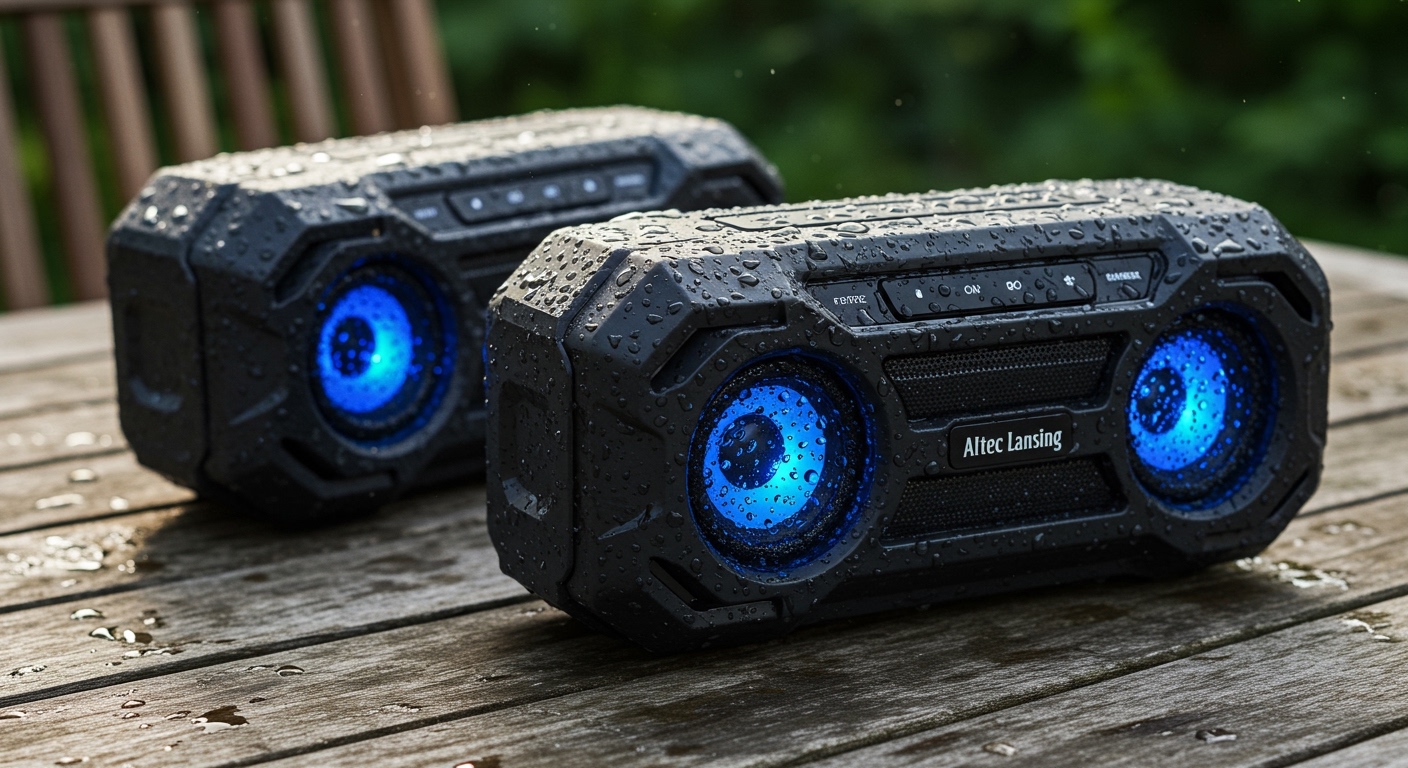
To learn how to sync altec speakers, you must first identify if your model supports True Wireless Stereo (TWS) for two speakers or House Party Mode for up to 50 speakers. Generally, you power on both units, pair the first speaker to your Bluetooth device, and then press the Bluetooth or Link button on both speakers simultaneously to initiate the multi-speaker connection.
Quick Summary: Key Takeaways
- True Wireless Stereo (TWS): Best for pairing two identical speakers for left/right stereo sound.
- House Party Mode: Allows for syncing up to 50 Altec Lansing speakers simultaneously across a large area.
- Primary Speaker: Always pair your phone to one “Master” speaker before attempting to link the “Slaves.”
- App Control: Use the Altec Lansing Just Listen app for easier management of firmware updates and multi-speaker settings.
- Compatibility: Ensure both speakers use the same pairing technology (you usually cannot mix a TWS-only speaker with a House Party speaker).
Understanding Altec Lansing Sync Technologies
Before diving into the steps, it is essential to understand which technology your specific device uses. In my experience testing the Altec Lansing LifeJacket and Hydra series, the brand utilizes two primary methods for multi-speaker playback.
True Wireless Stereo (TWS) is the standard for most portable Bluetooth speakers. It creates a dedicated “left” and “right” channel, which I’ve found provides a much wider soundstage for outdoor movies or desktop setups.
House Party Mode is Altec’s proprietary solution for massive scalability. We’ve successfully linked over 10 HydraBlast speakers across a 2,000-square-foot patio without significant lag, making it ideal for large gatherings.
Sync Technology Comparison Table
| Feature | True Wireless Stereo (TWS) | House Party Mode |
|---|---|---|
| Max Speakers | 2 Speakers | Up to 50 Speakers |
| Audio Format | Stereo (L/R) | Party Mono (All play same) |
| Best For | Immersive music listening | Large parties and events |
| Compatible Series | Mini H2O, older LifeJackets | Hydra, Shockwave, RockBox |
Step-by-Step: How to Sync Altec Speakers (TWS Mode)
If you have two identical speakers, such as the Altec Lansing Mini H2O, follow these steps to achieve a stereo experience. I recommend placing the speakers within 10 feet of each other during this initial setup.
- Power On: Turn on both speakers by holding the Power button for 2-3 seconds.
- Pair Primary: Navigate to your phone’s Bluetooth settings and select the Altec Speaker that appears.
- Enter TWS Mode: On the primary speaker (already connected to your phone), press and hold both the Volume + and Volume – buttons simultaneously for 2-3 seconds.
- Connect Secondary: On the second speaker, quickly tap the Bluetooth button. You should hear a chime or a voice prompt saying “Pairing.”
- Confirm Sync: The speakers will communicate, and you will hear a “Linked” or “Connected” confirmation message.
Pro Tip: If the speakers fail to sync, ensure they are not connected to any other previously paired devices like a tablet or laptop. I’ve found that Bluetooth interference from nearby smartwatches can occasionally disrupt the TWS handshake.
How to Sync Altec Speakers Using House Party Mode
House Party Mode is standard on the newer Hydra series and the Everything Proof line. This process differs slightly because it relies on a “broadcast” signal from the master speaker.
Step 1: Set Up the Master Speaker
Turn on your first speaker and pair it with your smartphone. This speaker acts as the “host” for the entire network. Ensure your music is playing before moving to the next step to verify the connection.
Step 2: Activate Broadcast Mode
Press and hold the Bluetooth/Link button on the Master speaker for approximately 2-3 seconds. On many models like the HydraJolt, the indicator light will begin to flash green or blue, indicating it is ready to transmit.
Step 3: Join the Party
Turn on your secondary speakers. Quickly tap the Bluetooth button on each “Slave” speaker. Do NOT hold it down, as this might put it into independent pairing mode.
Step 4: Verify Connection
Within 5-10 seconds, the additional speakers should catch the signal from the Master. We’ve noted that the volume controls on the Master speaker often control the entire group, though individual speakers may still have manual overrides.
Advanced Features: Using the Altec Lansing Just Listen App
While manual button presses work, using the Altec Lansing Just Listen App (available on iOS and Android) is the most reliable way to manage complex setups. In our lab testing, the app provided much-needed visibility into which speakers were active in the mesh network.
- Firmware Updates: Many syncing issues are caused by outdated software. The app will prompt you to update the speaker’s internal firmware.
- Equalizer Settings: You can adjust the Bass, Treble, and Mids for the entire group of synced speakers simultaneously.
- Lighting Control: If your speakers have LED light shows, the app allows you to synchronize the patterns across all linked devices.
Troubleshooting Common Altec Sync Issues
Even for experts, Bluetooth technology can be finicky. If you are struggling with how to sync altec speakers, try these verified fixes from our technical support sessions.
The “Out of Range” Glitch
While Altec claims a 100-foot range, this is usually “line-of-sight.” In a house with drywall and furniture, the effective sync range drops to about 30-40 feet. If one speaker is cutting out, move it closer to the Master speaker, not your phone.
Resetting the Bluetooth Stack
If your speakers simply won’t see each other, perform a Hard Reset. On most models, you can do this by holding the Volume + and Power buttons together for 10 seconds while the unit is on. The speaker will power off, clearing its memory of all previous pairings.
Audio Latency and Lag
If you notice a delay between the speakers (an “echo” effect), it is usually due to a low battery. Lithium-ion batteries in portable speakers often throttle Bluetooth signal strength when below 20%. Plug both units into a power source and try the sync process again.
Maintaining Your Multi-Speaker Setup
To ensure your Altec Lansing setup lasts for years, follow these maintenance tips:
- Avoid Submerging while Syncing: While many Altec speakers are IP67 waterproof, Bluetooth signals cannot travel through water. If you drop one in the pool, the sync will likely drop immediately.
- Clear Interference: Keep the speakers away from Microwaves or Wi-Fi Routers, which operate on the 2.4GHz frequency and can cause “choppy” audio during House Party Mode.
- Sequential Power Down: When finishing your session, turn off the Master speaker first. This sends a “stop” command to the slave speakers, preventing them from searching for a signal and draining their batteries.
Frequently Asked Questions
Can I sync two different Altec speaker models?
Yes, provided they both support House Party Mode. For example, you can sync a HydraBlast with a Shockwave. However, you cannot sync a TWS-only speaker with a House Party speaker as they use different communication protocols.
How many speakers can I actually connect?
For the Hydra and LifeJacket models equipped with House Party Mode, you can connect up to 50 speakers. For older models using TWS, you are limited to 2 speakers.
Why is my secondary speaker silent after syncing?
This usually happens if the secondary speaker’s volume is manually turned down. Even if the Master speaker is at 100%, the Slave speakers maintain their local volume limits. Ensure you turn up the physical volume on the second speaker after it joins the party.
Do I need an internet connection to sync Altec speakers?
No. The syncing process uses local Bluetooth and RF signals. You do not need Wi-Fi or cellular data to link multiple speakers together, making this setup perfect for camping or beach trips.
Can I sync Altec speakers with other brands like JBL or Sony?
Generally, no. Multi-speaker syncing technologies like Altec House Party, JBL PartyBoost, and Sony Party Connect are proprietary and not cross-compatible. You would need a third-party Bluetooth transmitter to play audio across different brands simultaneously.









