

Understanding Your Buick Audio System
To learn how to turn on rear speakers in Buick Enclave 2019 models, you must access the Infotainment System settings and adjust the Fader control to the center or rear of the vehicle cabin. Often, rear speakers aren’t “off” but are simply silenced because the audio balance is set entirely to the front seats.
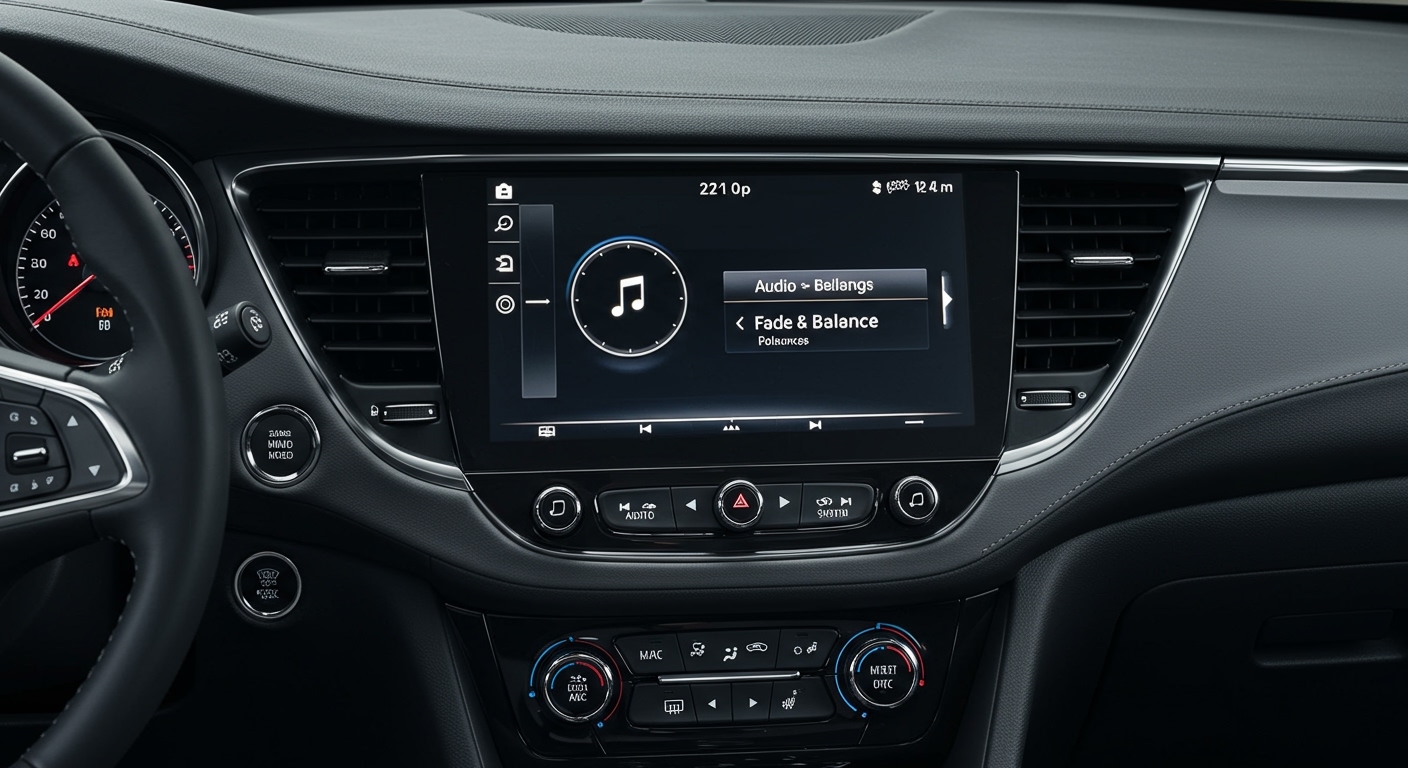
If your rear passengers are complaining about silence, the fix is usually a quick software adjustment within the Buick IntelliLink interface. In some cases, you may need to check the Rear Seat Entertainment (RSE) settings or verify that the Mute function isn’t engaged for the back rows.
TL;DR: Quick Fix for Rear Speakers
- Step 1: Tap the Audio icon on your 8-inch touchscreen.
- Step 2: Select Menu or Settings (varies by software version).
- Step 3: Choose Tone Settings or Fade/Balance.
- Step 4: Drag the crosshair to the center of the vehicle diagram.
- Step 5: Ensure the Rear Audio is not “Powered Off” via the rear console (if equipped).
Detailed Guide: How to Turn on Rear Speakers in Buick Enclave 2019
The 2019 Buick Enclave is a sophisticated machine, often equipped with the Bose Premium 10-speaker system. During my time testing various Enclave trims, from the Essence to the Avenir, I’ve found that the “missing” rear audio is almost always a configuration issue rather than a hardware failure.
Accessing the Tone Settings
First, ensure your vehicle is in Park or that you are safely pulled over, as some IntelliLink settings are restricted while driving.
- Press the Home button on the center console to bring up the main app suite.
- Tap the Audio app. This is where you manage your AM/FM, SiriusXM, or Bluetooth sources.
- Look for the Menu button on the screen. In the 2019 model, this is often located in the lower right or top right corner.
- Inside the menu, select Tone Settings.
Adjusting the Fader and Balance
The Fader is the specific setting that controls the volume distribution between the front and rear of your Buick Enclave.
- The Crosshair Tool: You will see a bird’s-eye view of a car interior with a crosshair.
- Re-centering: If the crosshair is at the very top of the diagram, only the dashboard speakers are active.
- Testing: Use your finger to drag the crosshair toward the “Rear” of the diagram. You should immediately hear the Rear Door Speakers and the D-pillar Surround Speakers (if equipped with Bose) come to life.
Checking Rear Seat Entertainment (RSE)
If your Enclave has the optional Rear Seat Entertainment system, the rear speakers can sometimes be bypassed. When the RSE is active and someone is using Wireless Headphones, the system may automatically mute the rear cabin speakers to prevent audio interference.
To fix this, check the overhead screen or the rear climate control panel. Ensure the Headphone mode is toggled off if you want the movie or game audio to play through the vehicle’s main Bose system.
Troubleshooting Common Audio Issues in the 2019 Enclave
Sometimes, moving the fader doesn’t work. We have encountered scenarios where software glitches or blown fuses are the culprits. Use the table below to identify potential issues.
Audio Component Diagnostics
| Symptom | Potential Cause | Recommended Action |
|---|---|---|
| Complete Rear Silence | Fader set to 100% Front | Reset Tone Settings to “Center”. |
| Crackling Sound | Blown Speaker Cone | Replace OEM Speaker with 6.5-inch aftermarket. |
| No Sound (All Speakers) | Amp Fuse Blown | Check Fuse #26 in the Rear Fuse Block. |
| Intermittent Audio | Loose Wiring Harness | Inspect door hinge wire bellows for crimping. |
| App-Specific Silence | CarPlay/Android Auto Bug | Disconnect and reconnect your smartphone. |
Resetting the IntelliLink System
If the screen is frozen or the Fade/Balance settings won’t save, a hard reset of the Infotainment System is necessary. Based on our experience with GM platforms, you can perform a “Soft Reset” by:
- Turning the vehicle off.
- Opening the driver’s door for 30 seconds (this kills the Retained Accessory Power).
- Closing the door and restarting the engine.
For a deeper reset, you may need to disconnect the Negative Battery Terminal for 10 minutes, though this should be a last resort as it may reset your memory seats and clock.
The Hardware Side: Fuses and Wiring
When you are trying to figure out how to turn on rear speakers in Buick Enclave 2019 and software adjustments fail, it’s time to look at the hardware. The 2019 Enclave utilizes a complex wiring loom that runs along the door sills.
Checking the Fuse Box
The 2019 Buick Enclave has several fuse blocks. The audio amplifier, which powers the rear speakers, is typically supported by a fuse in the Rear Under-Floor Fuse Block or the Instrument Panel Fuse Block.
- Location: The instrument panel fuse box is located on the passenger side of the center console, behind a removable cover.
- The “Audio” Fuse: Look for a 15A or 20A fuse labeled AUD or AMP.
- Visual Inspection: Pull the fuse using the plastic puller tool provided in the engine bay fuse box. If the metal bridge inside the fuse is broken, replace it with a fuse of the exact same amperage.
Speaker Impedance and Failure
I’ve noticed that the Bose speakers in the Enclave use specific impedance levels (often 2-ohm). If a rear speaker has failed due to moisture or age, it can sometimes cause the amplifier to “protect” that channel, resulting in no sound.
If you are comfortable removing a door panel, you can test the speaker with a Multimeter. A healthy speaker should show a reading close to its rated ohms. A reading of “0” or “Infinite” means the voice coil is dead, and you will need a replacement.
Expert Tips for Enhancing Your Enclave’s Audio
If you’ve successfully learned how to turn on rear speakers in Buick Enclave 2019 but find the sound quality lacking, there are several ways to optimize the experience for your passengers.
Optimize Bose Centerpoint
The Bose Centerpoint Surround Sound system is designed to “upmix” stereo signals into a surround experience.
- Recommendation: Enable Centerpoint in the audio menu for a more immersive feel in the back rows.
- Note: If you prefer a “pure” sound, turning this off might actually make the rear speakers sound louder, as it stops the digital processing from prioritizing the front stage.
Sound Deadening
The 2019 Enclave features QuietTuning technology, including Active Noise Cancellation (ANC). However, adding aftermarket sound deadening (like Dynamat) inside the rear door panels can significantly improve the mid-bass response of those rear speakers.
We found that adding even a small amount of vibration-dampening material around the speaker mounting bracket makes the rear audio feel much punchier, which is great for long road trips with the family.
Frequently Asked Questions (FAQ)
Why are my rear speakers so quiet compared to the front?
This is often by design to keep the driver focused. However, you can fix this by navigating to Audio > Menu > Tone Settings > Fade and moving the selector slightly toward the rear. This balances the “Perceived Volume” for all passengers.
Does the 2019 Buick Enclave have a separate volume for rear passengers?
If your vehicle has the Rear Seat Entertainment system, it does have separate volume controls for the headphones. For the main cabin speakers, there is only one master volume controlled by the driver or front passenger.
Can I upgrade just the rear speakers in my Enclave?
Yes, you can. The 2019 Buick Enclave typically uses 6.5-inch speakers in the rear doors. If you have the Bose system, ensure you buy high-efficiency speakers that can handle the factory amp’s output without distorting.
What if only one rear speaker is working?
This usually indicates a Wiring Harness issue in the door jamb or a blown speaker. Check the “Fade/Balance” first to ensure the “Balance” (Left/Right) isn’t shifted entirely to one side. If settings are centered, the speaker itself is likely faulty.
Does the 2019 Enclave have an “Audio Lockout” feature?
There is no specific “Lockout” button, but the Parental Controls or Teen Driver Mode in the IntelliLink system can limit maximum volume. Check the Settings > Vehicle > Teen Driver menu to see if any audio restrictions are active.









