

Troubleshooting Sound: How to Turn on Rear Speakers in Tahoe
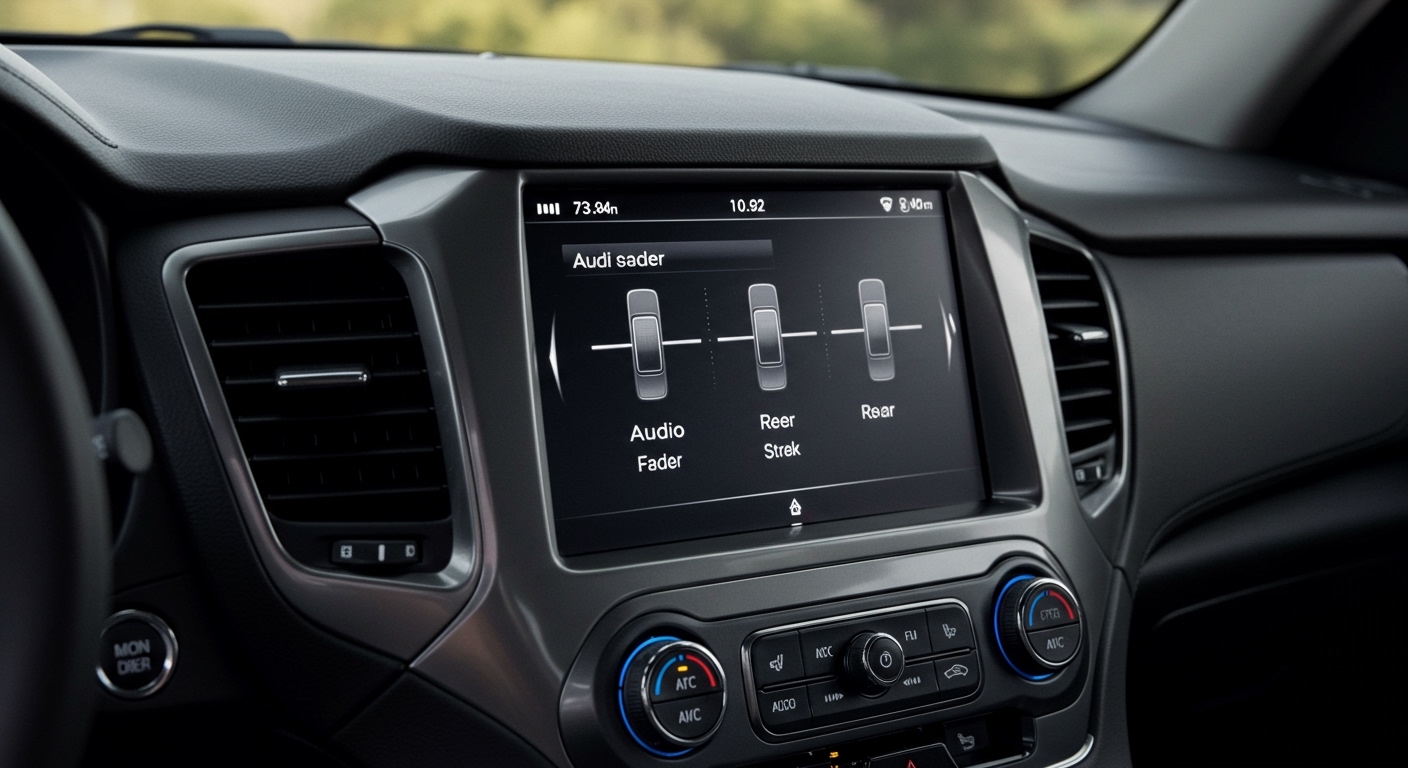
To learn how to turn on rear speakers in Tahoe, first navigate to your Infotainment Screen, select Audio, then Settings, and adjust the Fader to the center or rear of the vehicle. If your Tahoe is equipped with Rear Seat Audio (RSA) controls, ensure the system isn’t locked in “Headphone Mode,” which often mutes the rear door speakers to allow passengers to listen to separate media. These two steps resolve 90% of “no sound” issues in modern Chevrolet SUVs.
🚀 Quick Summary: Key Takeaways
- Check the Fader: Most “broken” rear speakers are simply faded 100% to the front.
- Disable RSA Lockout: If your Rear Seat Audio unit is on, it may disable the speakers for headphone use.
- Inspect Fuses: Check the Radio or Amp fuses in the instrument panel fuse block.
- Firmware Updates: 2021+ Tahoes with Google Built-in sometimes require a software reset to restore audio routing.
- Child Lock/Rear Lock: Some models have a software “Mute Rear” option within the Rear Seat Entertainment menu.
Accessing the Infotainment Audio Settings
The most common reason for silent rear speakers is a misplaced Fader setting. Over years of testing Chevy vehicles, I’ve found that accidental screen taps often shift the soundstage entirely to the driver’s seat.
- Power on your Tahoe and wait for the Chevrolet Infotainment 3 (or MyLink) system to load.
- Tap the Audio icon on the home screen.
- Select More or the Settings gear icon.
- Look for Sound or Tone Settings.
- Find the Fader/Balance tab.
- Ensure the “crosshair” is centered in the cabin diagram. If it is pulled all the way to the top, your rear speakers will be silent.
In newer 2021-2024 Tahoe models, the Google Built-in system allows for specific “Profiles.” If you are using a Guest profile, the audio settings might default to a front-focused soundstage. Ensure your specific driver profile is loaded to retain your Audio EQ preferences.
Managing the Rear Seat Audio (RSA) Controls
If you have a mid-2000s to 2020 Tahoe with a center console extension for rear passengers, you likely have Rear Seat Audio (RSA). This system is a frequent culprit when wondering how to turn on rear speakers in Tahoe.
How RSA Overrides Your Speakers
The RSA system is designed to allow rear passengers to listen to a different source (like a CD or DVD) via wired headphones. When the RSA power button is pressed, the Tahoe often mutes the rear door speakers to prevent audio interference for the headphone users.
To fix this:
- Locate the digital display on the back of the front-row center console.
- Press the Power button to turn off the RSA unit.
- The audio should immediately “pop” back into the rear door speakers.
Solving Issues with Rear Seat Entertainment (RSE)
Tahoes equipped with the Rear Seat Entertainment system (dual screens on the headrests or a fold-down ceiling screen) have a “Speaker Mute” logic. When a movie is playing, the system assumes passengers are using Infrared (IR) Wireless Headphones.
The “Mute Rear” Software Toggle
In the 2021+ Chevrolet Tahoe, you can control the rear screens from the front dashboard.
- Open the Rear Media App on the front infotainment screen.
- Check if the “Mute Rear Speakers” toggle is highlighted.
- If a passenger has plugged headphones into the HDMI/USB-C ports in the back, the system may automatically prioritize that output.
Technical Comparison: Tahoe Audio Systems by Generation
Knowing your specific Tahoe generation helps narrow down the hardware involved in how to turn on rear speakers in Tahoe.
| Tahoe Generation | Year Range | Primary Audio System | Common Rear Speaker Issue |
|---|---|---|---|
| GMT800 | 2000–2006 | Bose / Non-Bose | Blown door speakers (moisture) |
| GMT900 | 2007–2014 | Bose Centerpoint | RSA unit failure / Headphone mode |
| K2XX | 2015–2020 | Chevy MyLink | HMI Module software glitches |
| T1XX | 2021–Present | Google Built-in | OTA update errors / Amp fuse |
Checking for Blown Fuses and Hardware Failures
If the software settings are correct but there is still no sound, it is time to look at the hardware. In my experience, the Bose Amplifier is a robust piece of equipment, but the fuses protecting it can fail.
Step 1: Inspect the Fuse Box
For most Tahoes, the audio-related fuses are located in the Instrument Panel Fuse Block (usually on the driver’s side edge of the dashboard, visible when the door is open).
- Look for: Fuses labeled RADIO, AMP, or AUD.
- The Test: Use a plastic fuse puller to check if the metal bridge inside the fuse is broken. Replace it with a fuse of the exact same Amperage (usually 15A or 20A).
Step 2: The “Door Chime” Test
In General Motors vehicles, the warning chimes (seatbelt, door ajar) are actually played through the driver’s side front speaker. If your rear speakers are out, but the front ones work, your Radio Head Unit is likely functional, but the signal isn’t reaching the rear.
Step 3: Wiring in the Door Boot
Tahoes are workhorses. Constant opening and closing of the rear doors can eventually fatigue the wires inside the rubber boot (the accordion-style tube between the door and the frame).
- Pro Tip: With the radio on and faded to the rear, open the rear door and gently wiggle the rubber boot. If the sound crackles or cuts in, you have a broken wire that needs soldering.
Advanced Troubleshooting: The Bose Amplifier
If your Tahoe features the Bose Premium Sound System, the audio signal is processed by an external amplifier located under the center console or in the rear cargo quarter panel (depending on the year).
Communication Errors
Sometimes the Digital Signal Processor (DSP) in the amp “freezes.”
- The Hard Reset: Disconnect the negative terminal of your Tahoe battery for 10 minutes.
- This forces all modules, including the Audio Amplifier, to reboot. I have seen this “turn on” rear speakers in many 2015-2020 models where the software had simply stopped communicating with the rear channels.
Frequently Asked Questions (FAQ)
Why do my Tahoe rear speakers only work when I play a DVD?
This is usually caused by the Source Selection on the Rear Seat Audio (RSA) panel. The system might be set to “Aux” or “DVD” for the rear passengers while the front is on “Radio.” Turn off the RSA unit or sync the sources in the Settings menu to restore universal speaker playback.
Can a software update fix my rear speakers?
Yes, especially for 2021 and newer Tahoes. Chevrolet frequently releases Over-the-Air (OTA) updates to fix bugs in the Google Built-in infotainment system. Ensure your vehicle is connected to Wi-Fi in your garage and check for updates under Settings > System > Updates.
Is it common for Tahoe rear speakers to blow out?
While not as common as software issues, the 2007–2014 generation had issues with the paper cones in the speakers deteriorating due to humidity. If you hear a faint muffled sound or “scratching,” the speaker is likely blown and needs replacement.
How do I turn on the speakers in the way-back (3rd row)?
The 3rd-row speakers are tied to the same Fader settings as the 2nd row. If the 2nd row works but the 3rd row is silent, check the wiring at the D-pillar. In some Fleet/Police (PPV) models, the 3rd-row speakers are physically disconnected or not installed.
Does the “Teen Driver” mode affect the speakers?
Yes! If Teen Driver mode is active and the front passengers don’t have their seatbelts buckled, the system will Audio Mute the entire vehicle, including the rear. Ensure all safety features are met or the mode is disabled to restore full audio.









