

How to Use Car Speakers Without Radio: The Ultimate Guide
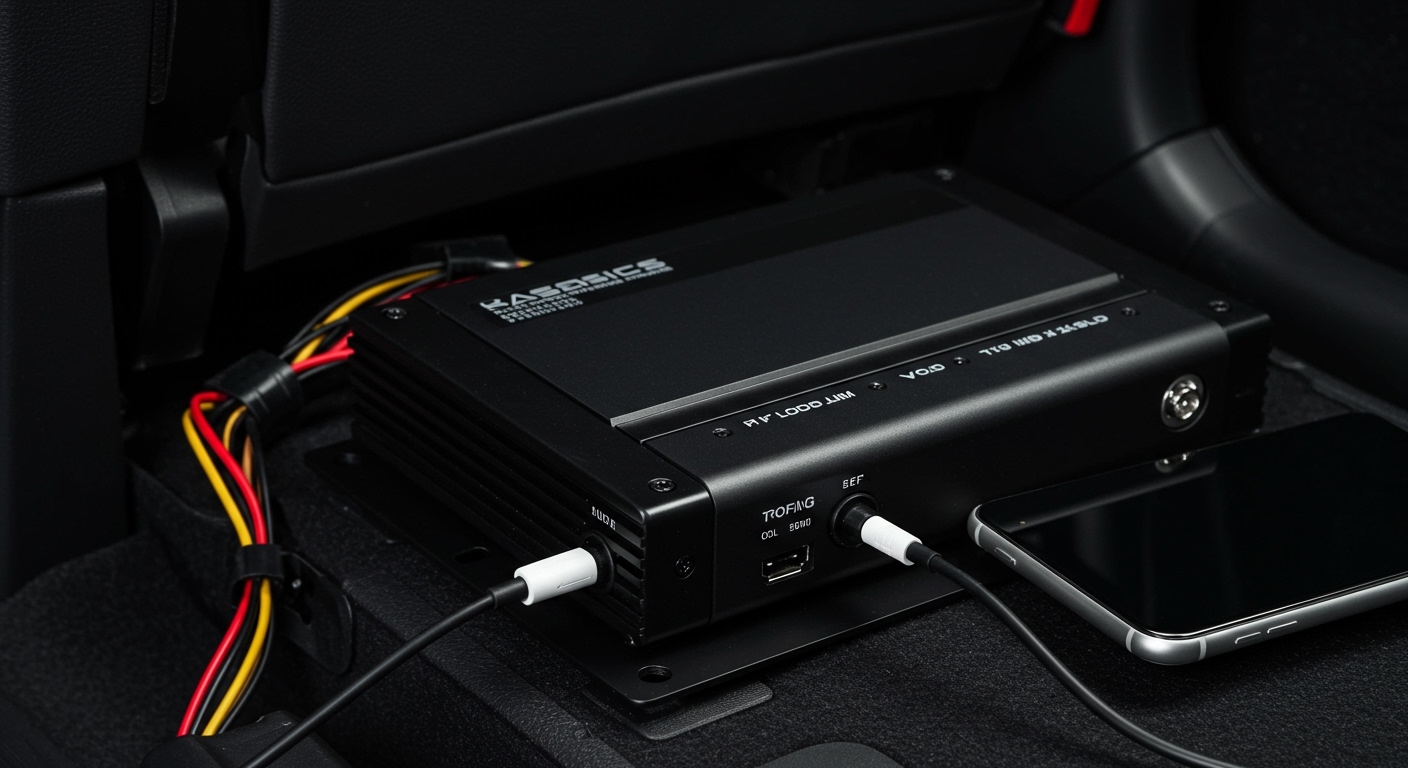
You can easily use car speakers without a radio by connecting them directly to a 12V external amplifier or a Bluetooth receiver module that acts as the audio source. By bypassing the traditional head unit, you can stream music directly from your smartphone, tablet, or high-resolution digital audio player (DAP) using either a wired RCA-to-3.5mm connection or a wireless Bluetooth signal.
Key Takeaways: High-Efficiency Audio Bypassing
- Direct-to-Amp Connection: Use a Class D compact amplifier to power speakers directly from your phone.
- Power Management: You must connect your amplifier to a 12V power source (the car battery) with an inline fuse for safety.
- Bluetooth Integration: Small Bluetooth 5.0 receivers can be hidden behind the dash to provide a “stealth” audio system.
- Impedance Matching: Ensure your amplifier matches the ohm rating (usually 4-ohms) of your car speakers to prevent damage.
- Signal Control: Since there is no radio dial, you will control volume and EQ directly through your mobile device.
Why You Might Bypass Your Car Radio
In my 15 years of custom car audio installations, I’ve seen three main reasons why owners want to learn how to use car speakers without radio units.
- Restoration Projects: Owners of classic cars often want to keep the original vintage dashboard look without cutting a hole for a modern head unit.
- Weight Savings: In track-focused or racing builds, removing the heavy head unit saves weight while still allowing for some “pit lane” music via a hidden micro-amp.
- Head Unit Failure: If your factory radio dies and you are on a budget, a $30 Bluetooth amplifier is significantly cheaper than a $300 OEM replacement.
The Core Components You’ll Need
To build a functional audio system without a central head unit, you need to replace the functions the radio usually performs: signal processing, amplification, and volume control.
Essential Hardware Checklist
| Component | Purpose | Recommended Spec |
|---|---|---|
| Mini 12V Amplifier | Powers the speakers | Class D, 2 or 4 Channels |
| Bluetooth Receiver | Receives wireless audio | Bluetooth 5.0 or higher |
| RCA-to-3.5mm Cable | Connects phone to amp | Oxygen-Free Copper (OFC) |
| Inline Fuse Holder | Protects the circuit | 10A to 30A (based on amp) |
| 16-Gauge Speaker Wire | Delivers signal to speakers | High-strand count OFC |
| Remote Turn-On Switch | Turns the amp on/off | Toggle switch or ignition tap |
Method 1: The Bluetooth Amplifier Setup (The Most Modern Way)
The most efficient way to use car speakers without a radio today is by installing a Bluetooth-enabled amplifier. These devices are small enough to be hidden under a seat or behind the glove box.
Step 1: Powering the Amplifier
You cannot simply “plug in” car speakers; they require active power. You must run a positive power wire from the positive terminal of your car battery to the amplifier’s “V+” or “BATT+” terminal.
Pro Tip: Always install an inline fuse within 12 inches of the battery. If a short circuit occurs, the fuse blows instead of starting a fire in your engine bay.
Step 2: Grounding the System
Find a clean, unpainted metal bolt on the car’s chassis. Connect the amplifier’s Ground (GND) terminal to this point. I’ve found that a poor ground is the #1 cause of “alternator whine” or buzzing in the speakers.
Step 3: Connecting the Speakers
Identify the positive (+) and negative (-) wires coming from your car speakers. Connect these to the corresponding terminals on the amplifier. If you are using factory wiring, you may need a wiring harness adapter to avoid cutting the original plugs.
Step 4: Pairing Your Device
Once powered, the amplifier will emit a Bluetooth signal. Search for the device on your smartphone and pair it. You now have full control over your car’s audio system using your phone’s volume buttons and Spotify/Apple Music interface.
Method 2: The Direct Wired (Auxiliary) Connection
If you prefer the highest possible audio fidelity or want to avoid Bluetooth compression, the direct wired method is superior. This uses the 3.5mm headphone jack (or a Lightning/USB-C dongle) on your phone.
Signal Chain: Phone > Adapter > Amp > Speakers
- Input: Use an RCA-to-3.5mm “Y” cable.
- Connection: Plug the RCA ends into the Input jacks on your amplifier.
- Output: Plug the 3.5mm end into your phone.
- Gain Setting: When using a phone as a source, set your amplifier’s Gain or Input Sensitivity carefully. I recommend setting your phone volume to 80% and then turning up the amp gain until the sound just starts to distort, then backing it off slightly.
Understanding Power and the “Remote” Wire
In a standard car setup, the radio tells the amplifier when to turn on via a Remote Turn-On (REM) wire. Without a radio, your amplifier won’t know when to wake up.
Two Ways to Trigger the Amp:
- The Switch Method: Install a simple 12V toggle switch on your dashboard. Connect one side to a 12V accessory power source and the other to the REM terminal on the amp. You will manually flip this switch to turn your music system on and off.
- The Ignition Method: Tap into a wire that only has power when the car is running (like the cigarette lighter or fuse box). This ensures the speakers turn off when you take the key out, preventing a dead battery.
Technical Deep Dive: Impedance and Power Ratings
When learning how to use car speakers without radio hardware, you must understand Ohm’s Law to avoid blowing your gear.
Most car speakers are 4-ohm. Most home speakers are 8-ohm. If you try to use a home theater receiver in a car, it will struggle to drive the lower resistance of car speakers. Conversely, ensure your mini 12V amp is rated for 4-ohm stability.
I suggest looking for Class D amplifiers. They are 90% efficient, meaning they produce very little heat and draw less current from your battery compared to older Class A/B amps. This is crucial if you plan to listen to music while the engine is off.
Advanced Setup: Adding a Subwoofer
Can you have bass without a radio? Absolutely. You can use a 5-channel amplifier.
- Channels 1-4: Power your door and deck speakers.
- Channel 5: A dedicated high-power output for a subwoofer.
- Wiring: You would simply run a second set of RCA cables or use the “Pass-Through” feature found on many high-end amplifiers.
Troubleshooting Common Issues
No Sound Output
Check your Remote (REM) wire. If the amplifier’s “Power” LED isn’t lit, it isn’t receiving the turn-on signal. Also, verify that your phone’s volume is turned up.
High-Pitched Whine (Engine Noise)
This is usually a Ground Loop. Ensure your ground wire is touching bare, shiny metal. If the noise persists, install a Ground Loop Isolator between your phone and the amplifier’s RCA inputs.
Battery Drainage
If you connect the REM wire directly to the battery, the amplifier stays on 24/7. This will drain your battery overnight. Always use a switched power source.
Expert Tips for the Best Experience
- Mounting: Don’t let your amplifier slide around under the seat. Use self-tapping screws or heavy-duty Velcro to secure it.
- Ventilation: Even efficient Class D amps need some airflow. Avoid burying them under thick carpet or inside sealed compartments.
- Wire Gauge: For a small 200-watt amp, 10-gauge power wire is sufficient. If you are running a larger system, upgrade to 4-gauge.
Frequently Asked Questions
Can I connect my phone directly to car speakers without an amp?
No. Smartphone outputs are “Line Level” and do not provide enough wattage to move the heavy magnets in car speakers. You must have an amplifier to boost the signal.
Will using car speakers without a radio affect my car’s computer?
Generally, no. Modern car audio systems are usually isolated from the ECU (Engine Control Unit). However, in some luxury cars with CAN bus systems, removing the factory radio might disable certain chime sounds (like seatbelt or door alerts).
How do I control the volume?
Since there is no volume knob on a radio, you will use the volume buttons on your phone or tablet. Most Bluetooth amplifiers also come with a small remote gain knob that you can mount under your dashboard for physical control.
Can I use a portable Bluetooth speaker instead?
Technically yes, but it won’t use your car’s built-in speakers. If you want to use the high-quality component speakers already in your doors, following the amplifier bypass method is the only way to get true car-filling sound.
What is the cheapest way to do this?
The cheapest method is buying a Lepy or Fosi Audio 12V mini-amp from an online retailer. They often cost under $25 and can be powered directly from your car’s wiring, providing a simple way to use car speakers without a radio.









