

Why You Must Disconnect Your Car Battery When Changing Speakers
Yes, you must disconnect your car battery (specifically the negative terminal) before changing your speakers or performing any car audio work. Doing so prevents accidental short circuits that can blow fuses, damage your new speakers, or—in the worst-case scenario—fry your vehicle’s expensive Electronic Control Unit (ECU).
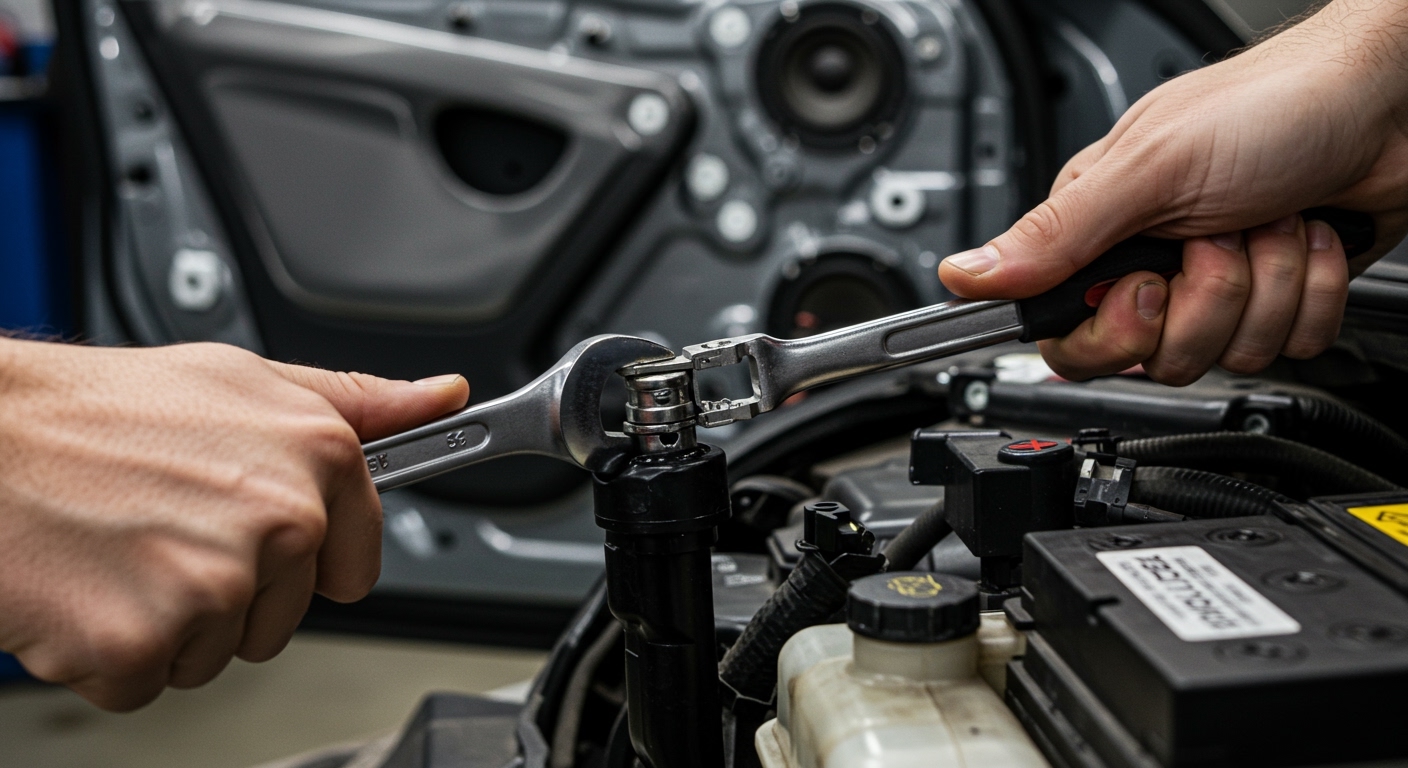
In my decade of experience as a car audio technician, I’ve seen DIYers skip this step only to end up with a $1,500 repair bill because a live speaker wire touched the metal door frame. Modern vehicles are essentially “computers on wheels,” and even a small spark can trigger a cascading electrical failure. By disconnecting the negative terminal, you break the circuit and ensure a safe working environment for both you and your car’s sensitive electronics.
### 📝 Key Takeaways: Car Battery Safety * Primary Rule: Always disconnect the negative (-) terminal first to kill the electrical ground. * Safety First: Prevents short circuits, blown fuses, and “popping” of new speaker voice coils. * Computer Protection: Protects the Engine Control Module (ECM) and infotainment systems from voltage spikes. * Tool Check: A simple 10mm wrench or socket set is usually all you need. * Memory Tip: Use a Memory Saver tool if you are worried about losing radio presets or clock settings.
The Risks of Working on Live Audio Systems
When people ask, “should i disconnect my car battery when changing speakers,” they often think of speakers as “low voltage” components. While true, the wiring leads back to the head unit or an amplifier, both of which are connected directly to the vehicle’s main power grid.
Risk of Short Circuits
If a live positive speaker wire touches the metal of your car door (which acts as a ground), it creates a dead short. This can melt wire insulation or destroy the internal output transistors of your factory radio or aftermarket head unit.
Protecting the Airbag System
Many modern cars have Side Impact Airbag sensors located inside the door panels. While rare, working near these sensors with a live battery increases the risk of an accidental deployment. Disconnecting the battery ensures the SRS system is deactivated while you work.
Avoiding “Pop” Damage
If you plug or unplug speakers while the system is live, you can cause an electrical “pop.” This sudden voltage spike can physically damage the delicate cone or voice coil of your brand-new speakers before you even get to hear them.
Step-by-Step: How to Safely Disconnect Your Battery
Following the correct sequence is vital. If you touch the positive terminal with a wrench while it’s also touching the car frame, you will create a massive spark.
Required Tools
- Insulated Wrench (usually 10mm or 12mm).
- Work Gloves to protect against battery acid or sharp metal.
- Safety Glasses to protect against accidental sparks.
The Procedure
- Turn off the Ignition: Ensure the engine is off and the keys are out of the ignition.
- Locate the Negative Terminal: Look for the (-) symbol or a black cover. The cable is usually black and bolted directly to the car’s chassis.
- Loosen the Nut: Use your wrench to loosen the nut on the negative terminal clamp.
- Remove and Isolate: Pull the cable off the post. Pro Tip: Wrap the cable end in a microfiber towel or a rubber glove to ensure it doesn’t accidentally spring back and touch the terminal.
- Wait 2 Minutes: This allows the capacitors in the audio system to fully discharge.
Comparing Risks: Battery Connected vs. Disconnected
| Factor | Battery Connected (Risky) | Battery Disconnected (Safe) |
|---|---|---|
| Short Circuit Risk | High – Touching metal creates sparks. | Zero – No complete circuit exists. |
| Fuses | Likely to blow if wires touch. | Protected and safe. |
| ECU/Computer | Vulnerable to voltage spikes. | 100% Isolated. |
| Airbag Safety | Sensors remain active. | Sensors are powered down. |
| Audio Settings | Settings are saved. | Settings may reset (Use a memory saver). |
Essential Car Battery Tips for Audio Enthusiasts
Installing new speakers often leads to installing subwoofers and amplifiers. This increases the “current draw” on your electrical system. Use these expert tips to ensure your battery stays healthy during and after your upgrade.
Check Your Resting Voltage
Before starting your project, use a Multimeter to check your battery’s health.
- 12.6V to 12.8V: The battery is fully charged and healthy.
- 12.2V: The battery is at 50% charge; consider charging it before testing your new audio.
- Below 12.0V: The battery is failing and may struggle to power upgraded speakers.
Clean Terminals for Better Sound
Corrosion (white powdery substance) acts as a resistor. It limits the flow of electricity to your speakers and amps, which can cause audio clipping or distortion. Use a mixture of baking soda and water with a wire brush to clean the terminals while they are disconnected.
The “Big Three” Upgrade
If you are moving beyond simple door speakers to a high-powered system, we recommend the “Big Three” upgrade. This involves replacing three factory wires with heavy-duty 0-gauge or 4-gauge copper cables:
- Battery negative to chassis.
- Engine block to chassis.
- Alternator positive to battery positive.
This ensures your new audio equipment gets the stable voltage it needs to perform at its peak.
Common Mistakes to Avoid When Changing Speakers
We have seen many DIY projects go south because of simple oversights. Avoid these common pitfalls:
- Forgetting the Radio Code: Some older vehicles (Honda, Acura, VW) require a security code to reactivate the radio after the battery is disconnected. Ensure you have this code in your glovebox before pulling the terminal.
- Stripping Terminal Nuts: Don’t over-tighten the battery terminal when you finish. It only needs to be “snug.” If you can’t move the cable by hand, it’s tight enough.
- Incorrect Polarity: When installing the speakers themselves, always double-check the positive (+) and negative (-) leads. Reversing them won’t blow the battery, but it will cause your speakers to be “out of phase,” resulting in a total loss of bass response.
Expert Insights: When Can You Skip Disconnecting?
In my professional experience, there is almost no scenario where it is better to leave the battery connected. Some people argue that they don’t want to lose their “Idle Relearn” settings on the car’s computer.
If you are extremely concerned about losing ECU memory, use a OBD-II Memory Saver. This device plugs into your diagnostic port and uses a small 9V battery or a portable jump starter to provide just enough power to keep the computer chips “alive” while the main battery is disconnected. This gives you the safety of a dead circuit at the doors while keeping your settings intact.
FAQ: Frequently Asked Questions
Can I just pull the audio fuse instead of disconnecting the battery?
While pulling the radio fuse or AMP fuse helps, it is not as safe as disconnecting the battery. Other wires (like door locks, window switches, or airbag sensors) remain live inside the door panel. It is always safer to kill power at the source.
Will disconnecting my battery harm my car’s computer?
No. Modern cars are designed to have their batteries replaced. While you might lose your clock settings or radio presets, the ECU will simply go through a short “re-learning” phase once you start the car, which takes about 5-10 minutes of driving.
Should I disconnect the positive or negative terminal first?
Always disconnect the Negative (-) terminal first. If your wrench touches the car’s frame while loosening the negative terminal, nothing happens. If you try to loosen the positive terminal first and touch the frame, you will create a dangerous high-current short circuit.
Do I need to disconnect the battery just to change a tweeter?
Yes. Even small tweeters are part of the larger electrical loop. A short is a short, regardless of the size of the speaker you are replacing.
How long can the battery stay disconnected?
You can leave it disconnected as long as you need to complete the job. It will not “leak” power or damage the vehicle by being disconnected for several hours or even days.
**
**
**
**









