

Understanding What is RCA in Speakers: The Fundamentals
What is RCA in speakers refers to the Radio Corporation of America connector, a type of analog audio connection that uses red and white cables to transmit sound signals between devices. These “phono” connectors are the industry standard for connecting turntables, amplifiers, subwoofers, and powered monitors because they provide a reliable, unbalanced signal path for high-fidelity audio.
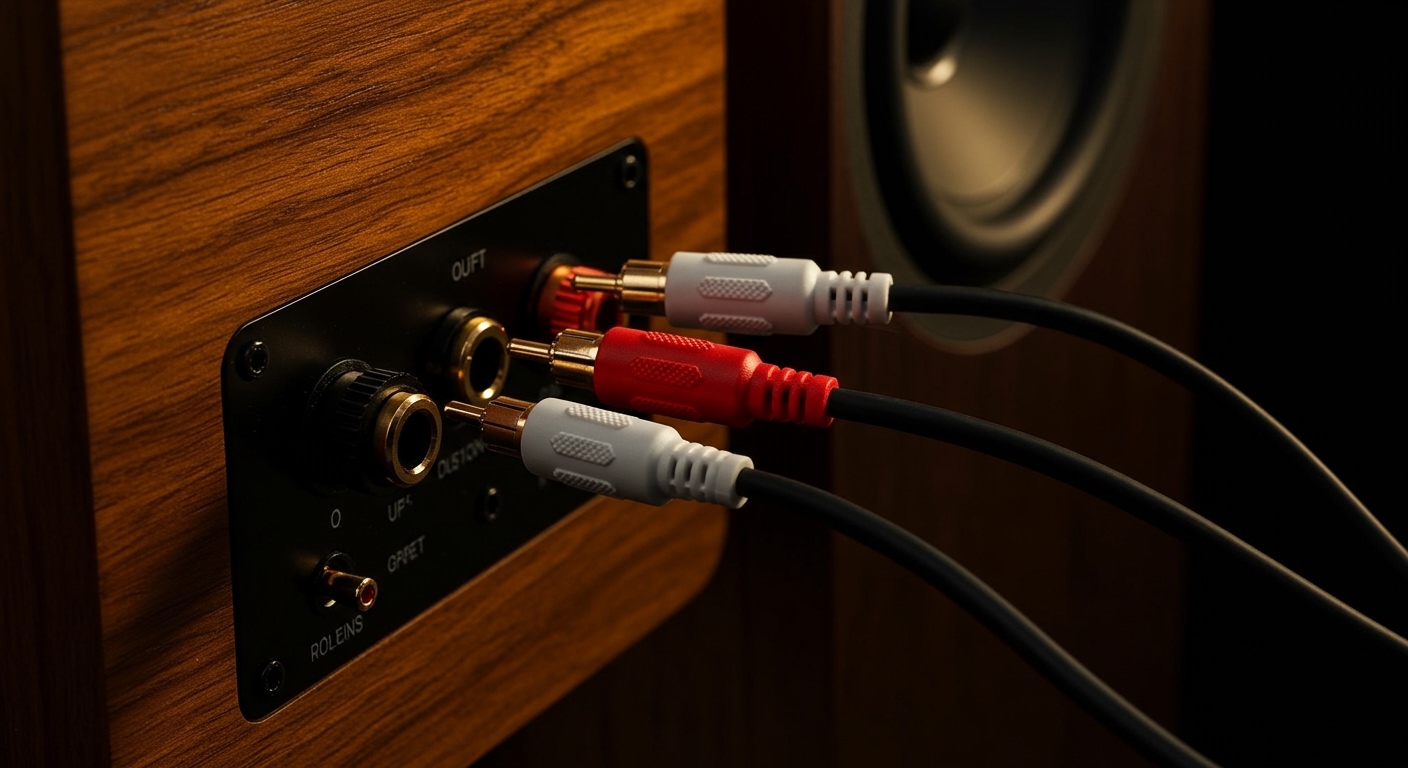
TL;DR: Key Takeaways for RCA Audio
- Color Coding: Red is always for the Right channel; White (or Black) is for the Left channel.
- Signal Type: RCA carries an unbalanced analog signal, meaning it is best kept to lengths under 15 feet to avoid noise.
- Application: Used primarily for Active (Powered) speakers, Home Theater Receivers, and DJ equipment.
- Ease of Use: It is a “plug-and-play” technology—no software or complex pairing required.
The Anatomy of an RCA Connection
To truly understand what is RCA in speakers, you have to look at the physical design of the plug. I have handled thousands of these cables in my years as an audio engineer, and the design hasn’t changed much since the 1930s because it simply works.
An RCA connector consists of two main parts:
- The Center Pin: This carries the actual audio signal.
- The Outer Ring: This acts as the ground and the shield.
When you push an RCA plug into a jack, the “ground” ring usually makes contact before the signal pin does. This prevents the loud “pop” or “thump” that can sometimes damage speaker drivers, though I still recommend turning your volume down before plugging anything in.
Common RCA Cable Components
| Component | Material | Purpose |
|---|---|---|
| Connector Pin | Gold-plated or Nickel | Conducts the electrical audio signal. |
| Shielding | Braided Copper or Foil | Protects the signal from EMI (Electromagnetic Interference). |
| Dielectric | Polyethylene or PVC | Insulates the internal wires to prevent signal leakage. |
| Jacket | Rubber or Flex-PVC | Protects the cable from physical damage and kinking. |
Step-by-Step Guide: How to Connect RCA Speakers
Whether you are setting up a pair of Edifier R1280Ts or a high-end Yamaha receiver, the process remains consistent. Based on my experience setting up home studios, here is the most reliable way to ensure a clean connection.
Step 1: Identify Your Speaker Type
Before grabbing cables, check if your speakers are Active or Passive.
- Active Speakers: These have a built-in amplifier and will have RCA jacks directly on the back.
- Passive Speakers: These require an external amplifier. You will connect the RCA cables to the Amplifier, not the speakers themselves.
Step 2: Match the Color Codes
This is the most critical rule in audio.
- Locate the RCA Output on your source (PC, Turntable, or CD Player).
- Plug the Red connector into the Red jack (Right).
- Plug the White connector into the White or Black jack (Left).
- Repeat this on the Speaker Input or Amplifier Input side.
Step 3: Check for “Phono” vs “Line”
If you are using a turntable, look for a switch on the back.
- If your turntable has a built-in preamp, set it to Line.
- If you are plugging into a dedicated Phono input on a receiver, set it to Phono.
- Expert Insight: Plugging a “Line” level signal into a “Phono” input will result in massive distortion and could blow your speakers. Always double-check this switch.
Step 4: Cable Management
Keep your RCA cables away from power strips and AC power bricks. Because RCA is an unbalanced signal, it is prone to picking up “60-cycle hum” from electrical interference. I recommend cross-hatching cables at 90-degree angles rather than running them parallel to power lines.
Why Use RCA? Benefits and Drawbacks
In the world of Bluetooth and Optical (Toslink), you might wonder why we still care about what is RCA in speakers. After testing various digital-to-analog converters (DACs), I’ve found that RCA remains the “gold standard” for analog purists.
The Advantages
- Universal Compatibility: Almost every piece of analog gear from the last 50 years uses RCA.
- No Latency: Unlike Bluetooth, there is zero delay between the source and the sound. This is vital for gaming and vinyl listening.
- Durability: The connectors are robust and can be soldered/repaired easily if they break.
The Disadvantages
- Noise Pickup: Because it lacks a “third wire” for noise cancellation (found in XLR), long cable runs can introduce hiss.
- Unbalanced: If you run an RCA cable longer than 20 feet, you will likely notice a loss in high-frequency detail.
Advanced Knowledge: RCA vs. XLR vs. 3.5mm
If you are building a high-end system, you need to know where RCA stands compared to its competitors. In my studio, I use a mix of all three, but each has a specific role.
RCA vs. 3.5mm (Aux)
A 3.5mm jack (standard headphone jack) is essentially two RCA signals crammed into one tiny plug. It is convenient for phones and laptops but lacks the robust shielding and contact surface area of a dedicated RCA pair. If you have the choice, use RCA-to-RCA for better channel separation.
RCA vs. XLR (Balanced)
XLR cables are used in professional audio. They use three pins to cancel out noise.
- Use RCA for home setups where distances are short.
- Use XLR if you are running cables across a large room or near heavy electrical equipment.
Troubleshooting Common RCA Speaker Issues
In my years of troubleshooting audio systems, 90% of RCA problems come down to three things.
- The “Ground Loop” Hum:
- Intermittent Sound:
- Static When Moving Cables:
Expert Tips for Maximizing Sound Quality
To get the most out of your RCA speakers, follow these “pro-level” tweaks:
- Clean Your Connections: Use DeoxIT or 99% isopropyl alcohol on a cotton swab to clean the RCA jacks once a year. Oxidation can dull the sound.
- Don’t Overspend on “Snake Oil”: You do not need $500 RCA cables. However, avoid the $2 “throwaway” thin red-and-white cables that come in the box. Look for Oxygen-Free Copper (OFC) and shielded options.
- Short is Better: Always use the shortest cable possible. If your turntable is 3 feet from your amp, don’t use a 10-foot cable coiled up. Coiling creates an inductor, which can actually attract more interference.
Frequently Asked Questions
Can I plug RCA into a subwoofer?
Yes. Most powered subwoofers have an RCA LFE (Low-Frequency Effects) input. You can use a single RCA cable to connect the “Sub Out” on your receiver to this jack.
Is RCA the same as a Phono connection?
Physically, yes. However, a “Phono” signal is much weaker than a “Line” signal. If your speaker has an RCA input labeled Phono, it has a built-in amplifier specifically for turntables.
Does the color of the RCA cable matter?
Technically, no. The wire inside is the same. However, following the Red (Right) and White (Left) convention is vital for maintaining the correct “stereo image.” If you swap them, the sound that should be on the left will come from the right.
Can I convert RCA to Bluetooth?
Yes. You can buy an RCA Bluetooth Transmitter. This plugs into the RCA outputs of your TV or turntable and sends the signal wirelessly to your Bluetooth speakers or headphones.









