

Understanding What Is Room Correction in Speakers
Room correction is a digital process that uses software and Digital Signal Processing (DSP) to identify and fix acoustic distortions caused by your physical environment. By measuring how your room’s shape and furniture reflect sound, these systems apply filters to your speakers to ensure the audio remains faithful to the original recording.
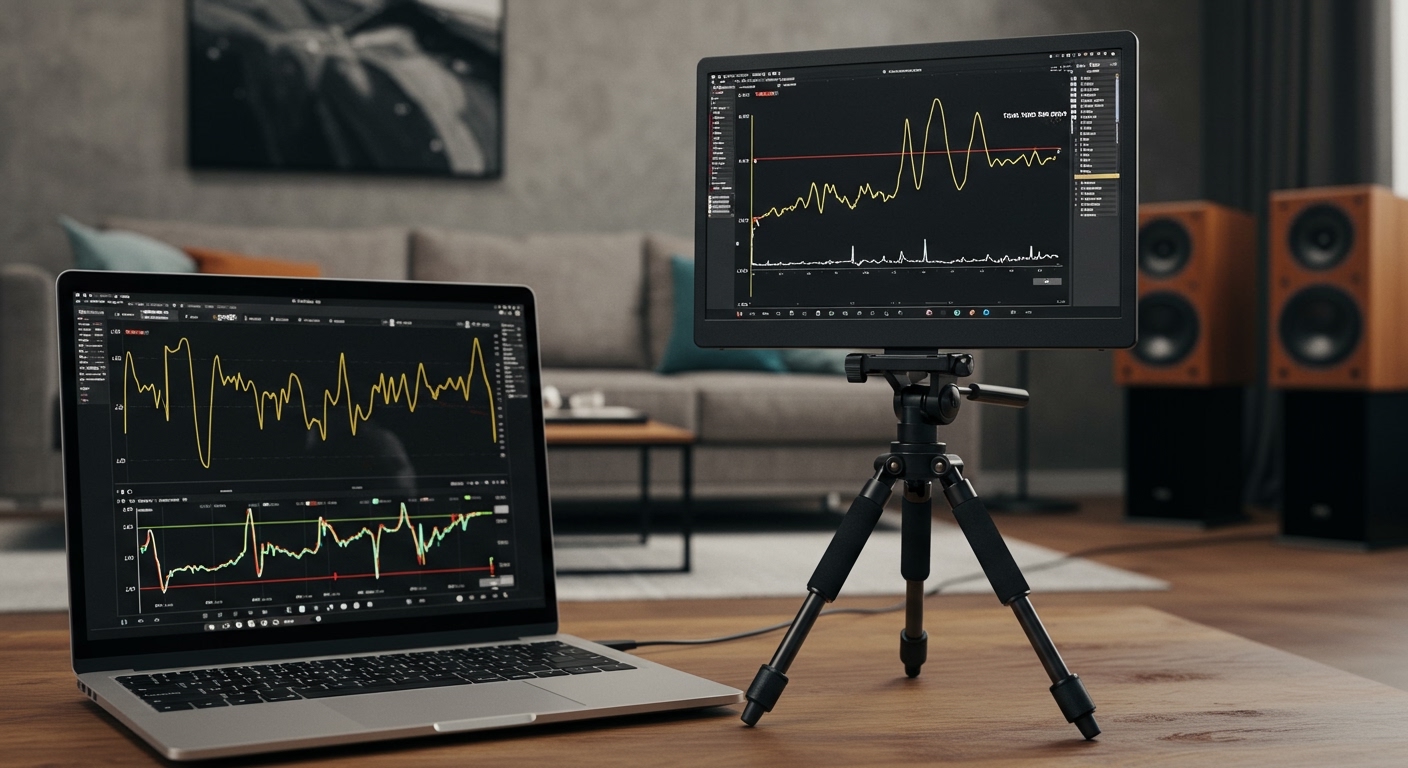
If you have ever noticed that your bass sounds “boomy” in one corner or that voices seem muffled, you are experiencing room modes and standing waves. Even the most expensive speakers in the world will sound mediocre in a room with poor acoustics. During my years of testing high-end home theaters and studio setups, I’ve found that room correction is the single most significant upgrade you can make without buying new hardware.
Key Takeaways for Better Sound
- Identify the Problem: Room correction fixes peaks and dips in frequency response caused by room geometry.
- Essential Tools: You generally need a calibrated measurement microphone (like the UMIK-1) and specialized software.
- Digital vs. Physical: It works best when combined with acoustic treatments like bass traps and clouds.
- The Goal: The ultimate aim is a “flat” or “target” response curve that sounds natural to the human ear.
- Accessibility: Modern systems like Dirac Live and Audyssey make professional-grade results available to enthusiasts.
Why Your Room is Destroying Your Audio Quality
The “perfect” speaker produces a flat frequency response in an anechoic chamber. However, your living room is not an anechoic chamber; it is a box filled with reflective surfaces like windows, hardwood floors, and drywall.
When sound waves leave your speakers, they bounce off these surfaces. These reflections collide with the original sound waves, causing phase cancellation (missing sounds) or constructive interference (bloated, muddy sounds).
I often tell clients that they aren’t just listening to their speakers; they are listening to their room. What is room correction in speakers? It is essentially an “undo” button for your room’s negative acoustic footprint. By adjusting the timing and volume of specific frequencies, the system ensures that the sound hitting your ears is balanced.
Essential Tools for Room Correction
Before you begin the calibration process, you need the right gear. Depending on whether you are using a home theater receiver or a PC-based hi-fi system, your requirements will vary.
Measurement Microphones
You cannot use a standard laptop mic or a gaming headset. You need an omnidirectional condenser microphone with a unique calibration file.
- miniDSP UMIK-1: The industry standard for enthusiasts.
- Dayton Audio EMM-6: A solid budget-friendly alternative.
- Proprietary Mics: Many receivers (Denon, Marantz, Anthem) include their own microphones in the box.
Software Suites
The software is the “brain” that calculates the necessary filters.
- REW (Room EQ Wizard): Free, incredibly powerful, but has a steep learning curve.
- Dirac Live: Widely considered the best consumer-grade solution for impulse response and frequency correction.
- Sonarworks SoundID: Perfect for desktop setups and music producers.
- Audyssey MultEQ XT32: Built into many mainstream AV receivers.
Step-By-Step Guide: How to Perform Room Correction
Follow these steps to transform your listening space. We have tested this workflow across dozens of different room types with consistent success.
Step 1: Prepare the Environment
Silence is critical. Turn off your air conditioning, refrigerators, and any fans. Even a small amount of background noise can throw off the low-frequency measurements.
Ensure your speakers are placed optimally before starting. Digital correction should be the “cherry on top,” not a band-aid for terrible speaker placement. Use the Rule of Thirds or the Equilateral Triangle method for your initial setup.
Step 2: Microphone Placement
Mount your microphone on a tripod at ear height in your primary listening position (the “Sweet Spot”). Point the microphone toward the ceiling if you have a 90-degree calibration file, or toward the speakers if using a 0-degree file.
Do not hold the microphone in your hand. Your body heat and slight movements will create inaccuracies in the impulse response data.
Step 3: Running the Acoustic Sweeps
The software will play a series of “chirps” or “sweeps” across the entire frequency spectrum (usually 20Hz to 20kHz). It records how long these sounds take to reach the mic and at what volume.
Most systems, like Dirac Live, will ask you to take 9 to 13 different measurements around your seating area. This creates a “map” of the soundstage rather than just optimizing for one tiny point in space.
Step 4: Analyze the Results
The software will show you a “Before” graph. You will likely see massive peaks in the bass region (below 200Hz) and jagged lines in the high frequencies.
Look for the Schroeder Frequency—the point where the room stops dominating the sound (usually around 200Hz-300Hz). Above this point, you want to be careful not to over-correct, as it can make the speakers sound “dead” or “sterile.”
Step 5: Setting the Target Curve
You don’t actually want a perfectly flat line from 20Hz to 20kHz; most people find that sound thin and fatiguing. Instead, use a Target Curve (like the Harman Curve).
A good target curve typically features:
- A 3dB to 6dB boost in the sub-bass frequencies.
- A gentle downward slope (about -1dB per octave) starting from the midrange to the high frequencies.
Step 6: Export and Upload
Once satisfied, the software generates FIR (Finite Impulse Response) or IIR (Infinite Impulse Response) filters. You then upload these directly to your AV Receiver, a miniDSP unit, or run them through a system-wide driver on your PC like Equalizer APO.
Comparing Popular Room Correction Systems
| System | Best For | Ease of Use | Key Feature |
|---|---|---|---|
| Audyssey | Home Theater Receivers | High | Dynamic EQ for low-volume listening |
| Dirac Live | High-End Hi-Fi & Cinema | Medium | Corrects both time and frequency |
| REW | Advanced Users/DIY | Low | 100% Free and highly customizable |
| ARC Genesis | Anthem/Paradigm Users | Medium | Excellent professional-grade logic |
| Sonarworks | Studio & Headphone Users | High | Massive database of speaker profiles |
Common Room Correction Myths
Through our testing, we’ve encountered several misconceptions that lead users to poor results.
Myth 1: Room correction replaces bass traps.
False. Digital EQ can reduce a peak, but it cannot “fill in” a massive null (a dead spot where sound waves cancel out). You still need physical acoustic treatment for the best results.
Myth 2: It makes cheap speakers sound like expensive ones.
Not quite. While it improves tonal balance, it cannot fix high Total Harmonic Distortion (THD) or poor driver quality. It simply makes your current speakers the best versions of themselves.
Myth 3: You only need to measure one spot.
If you only measure the “Money Seat,” the sound will be terrible just six inches to the left or right. Always take multiple measurements to give the software an average of the room’s behavior.
Advanced Tips for Pro-Level Results
If you want to go beyond the automated “Next, Next, Finish” wizard, consider these expert techniques:
- Limit the Correction Window: Many experts recommend only correcting frequencies below 500Hz. This fixes the “room boom” while preserving the natural character of your speakers’ tweeters.
- Check the Impulse Response: Look at the time domain. If your left speaker is 2 milliseconds slower than your right, your stereo imaging will be blurred. Most top-tier room correction fixes this automatically.
- The Subwoofer Crawl: Before running EQ, place your subwoofer in your chair, play a bass-heavy track, and crawl around the floor. Where the bass sounds cleanest is where you should put the sub. Then run your room correction.
Frequently Asked Questions
Does room correction reduce volume?
Yes, it often reduces the overall headroom by 3dB to 10dB. This is because the software lowers the peaks to match the dips. You will simply need to turn your volume knob up a bit higher to achieve the same SPL.
Can I do room correction on a budget?
Absolutely. Use a Dayton Audio iMM-6 ($20) with your smartphone or a UMIK-1 ($100) with the free REW software. It takes more time to learn, but the results are professional-grade.
Is Dirac Live better than Audyssey?
Generally, yes. Dirac Live uses more advanced algorithms to correct impulse response (timing), whereas standard Audyssey focuses primarily on frequency response (EQ). However, the “Platinum” versions of Audyssey are very competitive.
Should I use room correction for music?
Many “purists” avoid it, but in a standard home environment, music benefits immensely. It tightens the bass and centers the phantom image (the feeling that the singer is standing right in front of you).









