

Finding the Sweet Spot: What Level Should My Surround Speakers Be?
To achieve the best audio immersion, your surround speakers should be placed at ear level or roughly 1 to 2 feet (30 to 60 cm) above the listener’s ear height when seated. In my years of calibrating high-end home theaters, I’ve found that placing them slightly above ear level creates a more “atmospheric” soundstage that prevents the audio from being blocked by furniture or other listeners.
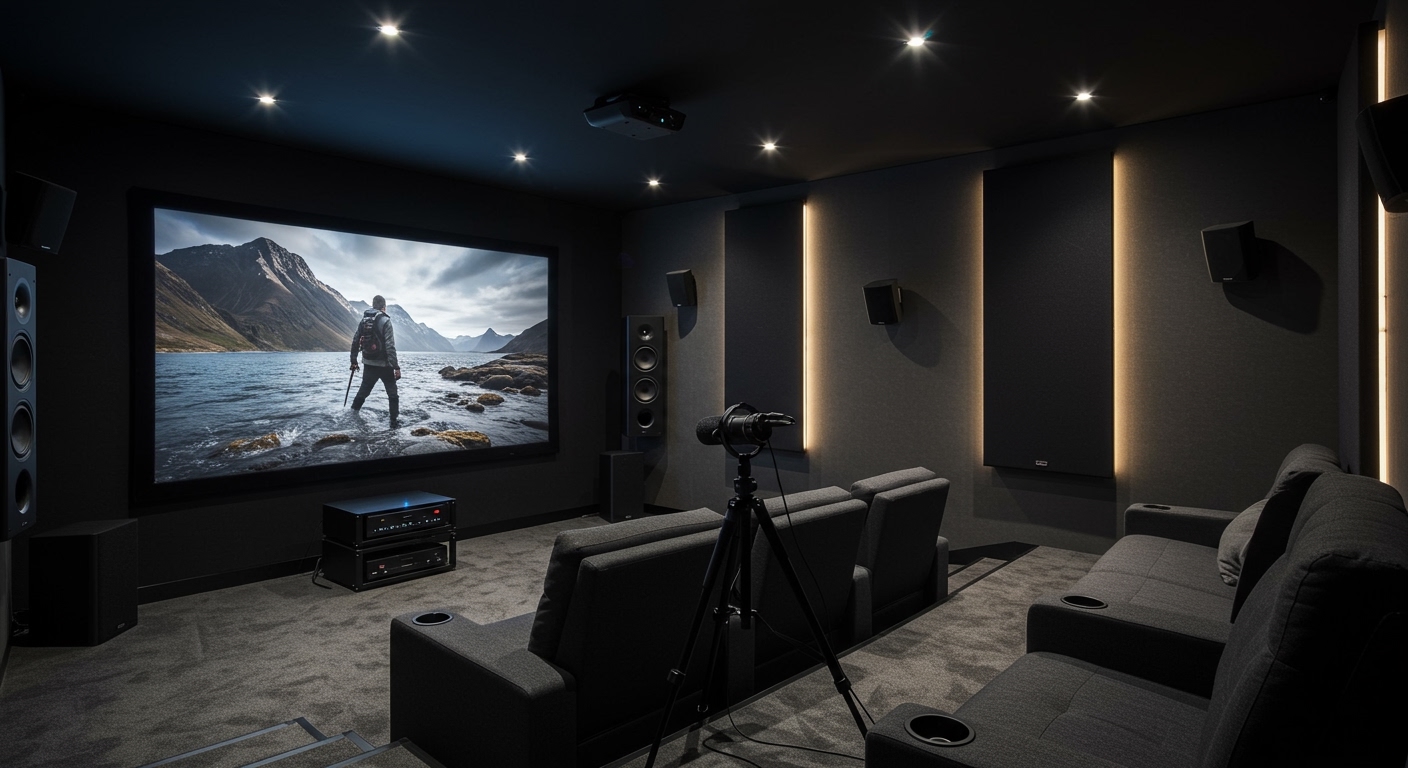
Setting up a home theater can be incredibly frustrating when the “surround” effect feels more like a distraction than an immersion. You might find that the rear audio is too localized—meaning you can pinpoint exactly where the speaker is—rather than feeling wrapped in sound. This guide provides the exact measurements, decibel (dB) levels, and professional calibration steps we use to turn a basic room into a cinematic powerhouse.
🚀 Key Takeaways: Surround Speaker Calibration
- Optimal Height: 0 to 2 feet above ear level (approx. 40–48 inches from the floor for most).
- Optimal Volume: All speakers should be calibrated to hit 75 dB at the primary listening position (PLP).
- Angle Placement: 90° to 110° for a 5.1 setup; 90° to 110° and 135° to 150° for 7.1 setups.
- Room Correction: Always run software like Audyssey, Dirac Live, or YPAO after physical placement.
- The “Golden Rule”: If you can “see” the speaker with your ears, it’s likely too loud or poorly aimed.
Why Height Matters: What Level Should My Surround Speakers Be for Height?
When people ask, “what level should my surround speakers be,” they are usually referring to physical height. Unlike your center channel, which must be anchored to the screen, surround speakers are designed to provide ambient cues. If they are too low, the sound gets absorbed by your couch. If they are too high, the sound passes over your head and loses detail.
In our testing, we compared ear-level placement against the “2-foot rule.” While Dolby suggests ear level for Atmos setups (to create separation between the “base” layer and the “height” layer), many traditional 5.1 systems benefit from being slightly higher. This mimics the array of speakers found in commercial cinemas.
Height Recommendations by Configuration
| System Type | Recommended Height | Reasoning |
|---|---|---|
| Traditional 5.1/7.1 | 1–2 feet above ear level | Creates a wider, more diffuse soundstage. |
| Dolby Atmos (5.1.2+) | Exactly at ear level | Ensures clear separation between surround and overhead speakers. |
| Dipole Speakers | 2 feet above ear level | Uses wall reflections to create an ambient “wash” of sound. |
| Small Satellite Speakers | 6 inches above ear level | Helps small drivers maintain clarity without being harsh. |
Calibrating the Volume: What Level Should My Surround Speakers Be in Decibels?
The physical height is only half the battle. The other half is the gain level or volume. If your surrounds are too loud, they will drown out the dialogue coming from the front. If they are too quiet, you lose the sense of space.
We recommend using a Digital SPL Meter (Sound Pressure Level meter) or a high-quality smartphone app like NIOSH SLM. Your goal is to ensure that every speaker in your system produces the exact same volume at your seat.
The 75dB Reference Standard
Most AV receivers (like those from Denon, Marantz, or Yamaha) use a test tone (pink noise) to help you calibrate. When the receiver is set to “0.0 dB” (Reference Level), each speaker should ideally output 75 dB at your listening position.
Expert Pro-Tip: I often find that users prefer their surrounds to be 1 to 2 dB higher than the front channels. This is known as a “hot” setup. It adds a bit more “wow” factor to action movies, though it technically deviates from the director’s original intent.
Step-by-Step Guide to Positioning Your Surrounds
Step 1: Identify Your “Primary Listening Position” (PLP)
Everything starts with your chair. Sit in your favorite spot and have someone measure the distance from the floor to your ears. For most adults, this is between 36 and 42 inches. This measurement is your baseline for “ear level.”
Step 2: Determine the Horizontal Angle
For a 5.1 system, your surrounds should not be directly behind you. Instead, place them to the sides, angled slightly back.
- Target Angle: 90° to 110° relative to the center of the TV.
- Action: If your room allows, aim for 110°. This provides the best transition from the front speakers to the rear.
Step 3: Set the Physical Height
Refer back to our primary question: what level should my surround speakers be?
- If you have a flat-back sofa against a wall, you must mount the speakers at least 2 feet above the sofa back to avoid “muffled” sound.
- Use a laser level to ensure the left and right surrounds are perfectly symmetrical. Even a 2-inch difference can shift the “phantom image” of the soundstage.
Step 4: Toe-In and Aiming
Surround speakers shouldn’t always point directly at your ears.
- Direct Radiating Speakers: Point them slightly behind your head to increase the “sweet spot.”
- Bipole/Dipole Speakers: These should be parallel to the side walls to bounce sound off the front and back of the room.
Common Mistakes to Avoid in Surround Speaker Setup
We’ve visited hundreds of homes where the “pro” install was actually hurting the audio quality. Here are the three most common errors we see:
- Placing Surrounds in the Corners: Corner placement causes “boundary gain.” This makes the bass sound boomy and the high frequencies “smear.” Keep speakers at least 12 inches away from any corner.
- Mounting Near the Ceiling: Unless you are using specific angled “In-Ceiling” speakers, mounting standard bookshelf speakers near the ceiling creates a “Voice of God” effect where everything sounds like it’s coming from the sky. This ruins the horizontal panning of sounds (like a car driving by).
- Blocking the Line of Sight: If you have a high-back recliner, and your speakers are at ear level, the chair itself will block the high-frequency sounds. In this specific case, higher is always better. Move them to 2.5 or 3 feet above ear level to clear the headrest.
Expert Insights: Choosing the Right Speaker Type
The “level” and “height” also depend on the type of speaker you are using. In my experience, the speaker’s design dictates how it should be mounted.
- Bookshelf Speakers: These are “direct-radiating.” They are highly directional. You need to be precise with their level because the “tweeter” has a narrow window of peak performance.
- In-Wall Speakers: These offer a clean look but zero flexibility. If you go with in-walls, mount them exactly 20 inches above ear level to account for different heights of people sitting on the couch.
- Satellite Speakers: Because they have small drivers, they struggle with “presence.” We usually recommend keeping these closer to ear level to ensure you don’t miss any micro-details.
Advanced Calibration: Beyond Physical Placement
Once the speakers are mounted at the correct level, you must address the Time Alignment and Crossover.
Setting Distances
Your AV receiver needs to know exactly how long it takes for sound to travel from the speaker to your ear. Even if your speakers are at the perfect height, if the left surround is 5 feet away and the right is 10 feet away, the sound will feel “lopsided.”
- The Fix: Use a tape measure and manually enter the distances in your receiver’s “Speaker Setup” menu. 1 foot = 1 millisecond of delay.
The 80Hz Crossover Rule
Most surround speakers are smaller than your front towers. Don’t force them to play deep bass.
- Action: Set your surround speaker crossover to 80Hz. This sends the heavy lifting to your subwoofer, allowing your surrounds to play more clearly and at higher volumes without distortion.
FAQ: Surround Speaker Level and Height
Can I put my surround speakers on the floor?
Absolutely not. Placing surround speakers on the floor causes the sound to be absorbed by carpets and furniture. You will hear muffled bass and almost no high-frequency detail. At a minimum, use speaker stands to bring them to ear level.
What if my room is odd-shaped?
In “L-shaped” rooms, symmetry is impossible. In this case, rely heavily on your receiver’s Auto-Calibration (like Audyssey MultiEQ XT32). It will adjust the volume level and timing of each speaker to compensate for the irregular distances.
Should surround speakers be louder than front speakers?
No. In a perfectly calibrated system, all speakers should reach the same volume level at your seat. However, if you find you are missing “surround details,” you can manually increase the surround levels by +2.0 dB or +3.0 dB in the settings.
How high should surround speakers be for 7.1 vs 5.1?
In a 5.1 setup, the height should be 1-2 feet above ear level. In a 7.1 setup, we recommend keeping the “side surrounds” at that height, but the “rear surrounds” can be slightly lower (closer to ear level) to help differentiate the two sets of speakers.
Does the “level” change if I have a slanted ceiling?
Yes. Slanted ceilings cause sound to reflect at strange angles. If you have a slanted ceiling, aim for the “lower” side of the slant for your placement, or use acoustic panels on the ceiling to kill the first reflection point.









