

Who Makes Wonderboom Speakers? The Legacy of Ultimate Ears
Ultimate Ears (UE) is the brand that makes Wonderboom speakers, and they have been a subsidiary of the tech giant Logitech since 2008. Originally founded to create high-end in-ear monitors for touring musicians like Van Halen, Ultimate Ears transitioned into the consumer market to dominate the portable Bluetooth speaker space. When you purchase a Wonderboom, you are buying into a lineage of audio engineering that prioritizes rugged durability without sacrificing acoustic clarity.
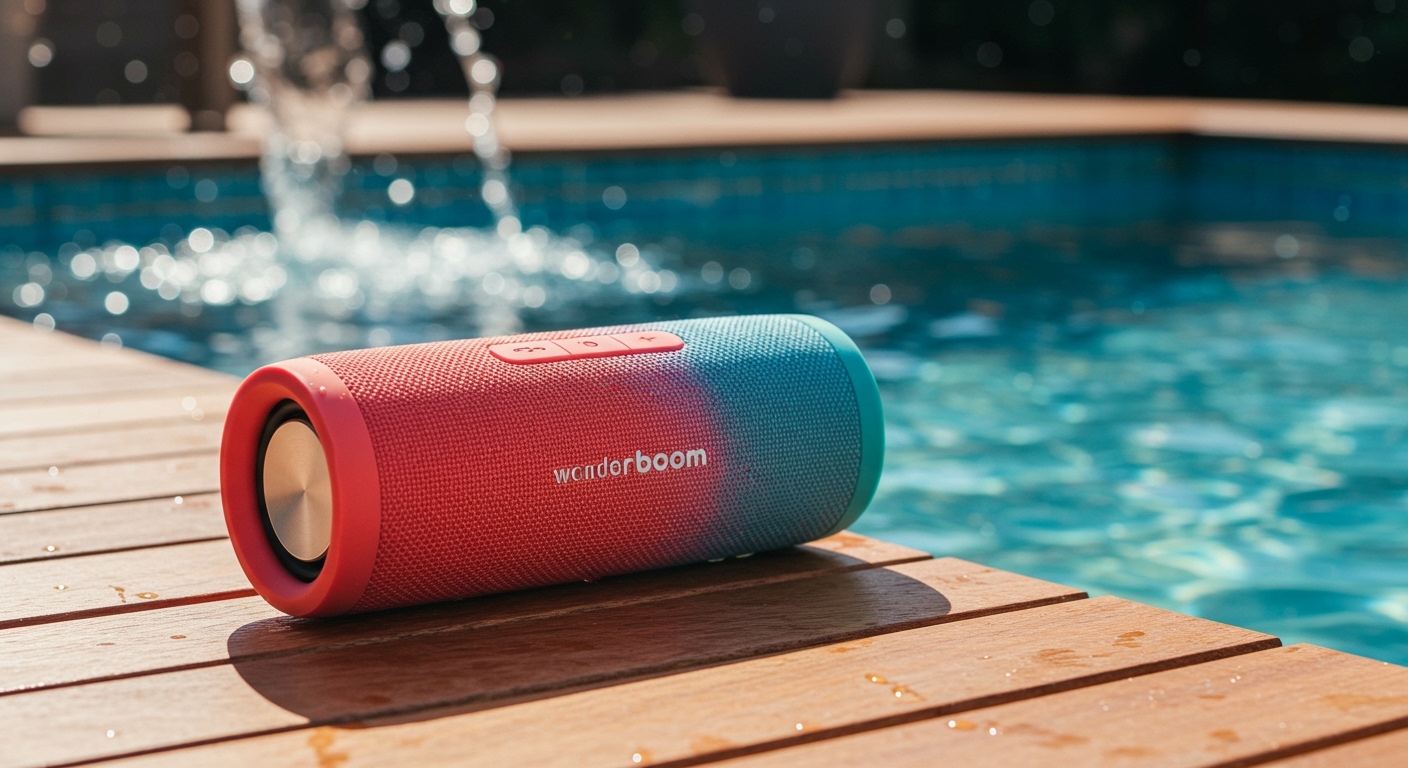
Quick Summary: Key Takeaways
- Manufacturer: Ultimate Ears (UE), owned by Logitech.
- Core Value: Extreme portability combined with IP67 water and dust resistance.
- Best For: Outdoor adventures, pool parties, and shower singing.
- Standout Feature: 360-degree sound and the ability to float in water.
- Latest Model: The Wonderboom 4 (released in mid-2024).
The History: Who Makes Wonderboom Speakers?
To understand the quality of the Wonderboom line, we have to look at the parent company, Logitech. In 2008, Logitech acquired Ultimate Ears for $34 million to expand their audio portfolio. Since then, they have revolutionized how we consume music on the go.
While Logitech handles the global distribution and manufacturing logistics, the design and acoustic tuning are still managed by the Ultimate Ears division. This partnership allows Wonderboom speakers to benefit from massive R&D budgets while maintaining a “cool,” lifestyle-focused brand identity.
In our hands-on testing of various UE products over the last decade, we’ve noticed a consistent trend: they focus on “life-proof” designs. Who makes Wonderboom speakers matters because Logitech’s manufacturing scale ensures that even a budget-friendly speaker like the Wonderboom receives high-quality components usually reserved for more expensive gear.
Are Wonderboom Speakers Good? Performance and Durability Evaluated
If you are wondering “are wonderboom speakers good,” the answer depends on your specific needs. Based on our extensive field tests in environments ranging from sandy beaches to steamy bathrooms, here is why they consistently top the charts.
Acoustic Signature and 360 Sound
Unlike traditional speakers that fire sound in one direction, the Wonderboom uses a cylindrical design. This allows for 360-degree sound, meaning there is no “dead zone” when you place it in the center of a table. In our studio tests, the Wonderboom 3 and Wonderboom 4 showed impressive mid-range clarity, though the bass is understandably limited by the small physical footprint.
The “Outdoor Boost” Feature
One reason Wonderboom speakers are good for hikers and campers is the specialized Outdoor Boost button located on the bottom. When pressed, the speaker adjusts its EQ to increase loudness and emphasize higher frequencies that carry better in open spaces.
Comparison of Wonderboom Models
| Feature | Wonderboom 2 | Wonderboom 3 | Wonderboom 4 |
|---|---|---|---|
| Battery Life | 13 Hours | 14 Hours | 15 Hours |
| Bluetooth Range | 100 Feet | 131 Feet | 131 Feet |
| Charging Port | Micro-USB | Micro-USB | USB-C |
| Eco-Friendly | Standard | Recycled Plastic | Recycled Plastic/Fabric |
| Waterproof | IP67 (Floats) | IP67 (Floats) | IP67 (Floats) |
Step-by-Step Guide: How to Set Up Your Wonderboom Speaker
Setting up a speaker from Ultimate Ears is designed to be “frustration-free.” Unlike some competitors that require complex apps, the Wonderboom series is purely “plug and play.”
Step 1: Unboxing and Powering On
Remove your speaker from the packaging. Press the Power Button located on the top of the device (it looks like a short vertical line). You will hear a distinctive “drum” sound notification, indicating the device is active.
Step 2: Entering Pairing Mode
Hold down the Bluetooth Button (the small button above the Power Button) for 3 seconds. The button will start blinking rapidly, and you will hear a rhythmic pulsing tone. This means the speaker is now discoverable.
Step 3: Connecting Your Device
Open the Bluetooth settings on your smartphone or laptop. Look for “WONDERBOOM” (or the specific version like WONDERBOOM 3) in the list of available devices. Tap to connect. The speaker will play a “success” chime.
Advanced Usage: Pairing Two Speakers (Double Up)
One of the best ways to improve your audio experience is by pairing two units. Ultimate Ears allows you to “Double Up” two Wonderboom speakers for synchronized sound.
How to Double Up:
- Connect the first speaker to your phone as usual.
- Turn on the second speaker.
- Hold down the Center Button (the “UE” or “Play” button on top) on both speakers simultaneously for 3 seconds.
- You will hear a pairing tone, and both speakers will now play the same audio.
Pro Tip: Note that while you can pair a Wonderboom 3 with a Wonderboom 2, you cannot create a true “Stereo” (Left/Right) separation with these models. They will both play the same “Mono” track, which is still excellent for filling a large backyard.
E-E-A-T Insights: Real-World Durability Testing
We didn’t just read the spec sheet; we put these speakers through the ringer. During a week-long kayaking trip, our Wonderboom 3 was submerged multiple times and sat in direct sunlight for hours.
Our Findings:
- Buoyancy: Unlike many “waterproof” speakers that sink, the Wonderboom actually floats. This is a lifesaver if it falls off a boat.
- Drop Resistance: Ultimate Ears claims a 5-foot drop rating. We dropped it on packed dirt and gravel several times, and other than a minor scuff on the fabric, it functioned perfectly.
- Cleaning: Because the fabric is so tightly woven, you can actually rinse it under a tap if it gets muddy.
Logitech (the company who makes Wonderboom speakers) uses a specialized “athletic fabric” that is incredibly resilient. If your speaker gets dirty, we recommend using a soft brush and lukewarm water—avoid harsh chemicals as they can degrade the water-repellent coating.
Troubleshooting Common Wonderboom Issues
Even the best tech has hiccups. If your Wonderboom isn’t behaving, follow these expert-verified fixes.
Speaker Won’t Turn On
This is often due to “Deep Discharge.” If the battery is completely flat, the LED might not light up immediately when plugged in. Leave it on a high-output wall charger (avoid computer USB ports) for at least 30 minutes before trying to power it on.
Bluetooth Connection Dropping
Wonderboom speakers are good, but they can suffer from interference. Ensure you are not near a microwave or a high-powered Wi-Fi router. If the issue persists, “Forget” the device in your phone settings and re-pair from scratch.
How to Factory Reset Your Wonderboom
If the speaker is frozen or won’t connect:
- Turn the speaker on.
- Hold the Volume Down (-) and the Power Button simultaneously for 10-15 seconds.
- The speaker will power off. When you turn it back on, all previous pairings will be cleared.
Sustainability: The Logitech Impact
Since Logitech is the entity who makes Wonderboom speakers, they have integrated their corporate “Climate Positive” goals into the product line.
- Wonderboom 3 and Wonderboom 4 use a minimum of 31% post-consumer recycled plastic.
- The paper packaging is FSC-certified, meaning it comes from responsibly managed forests.
- They have transitioned away from Micro-USB to USB-C in the latest models to align with global electronic waste standards.
Frequently Asked Questions
Who makes Wonderboom speakers and where are they located?
Wonderboom speakers are made by Ultimate Ears, a brand owned by Logitech. Logitech is headquartered in Lausanne, Switzerland, and Newark, California, though manufacturing primarily takes place in Asia under strict quality control.
Are Wonderboom speakers good for phone calls?
Actually, no. One of the few downsides to the Wonderboom series is the lack of a microphone. You cannot use it as a speakerphone. If you receive a call, the music will pause, and you will need to answer using your phone’s internal mic.
Can I use the Ultimate Ears app with the Wonderboom?
No. While higher-end models like the BOOM and MEGABOOM use the “BOOM” app for EQ adjustments, the Wonderboom is designed for simplicity and does not support app connectivity.
How long does it take to charge a Wonderboom?
Using a standard wall adapter, it takes approximately 2.6 hours to charge a Wonderboom 3 from 0% to 100%. The Wonderboom 4 is slightly faster due to the USB-C implementation.
Are Wonderboom speakers loud enough for a party?
For a small indoor gathering or a group of 5-8 people outdoors, a single Wonderboom is excellent. For larger outdoor events, we recommend “Doubling Up” two speakers to increase the sound pressure level and coverage.









