

Why Are Speakers Called Monitors? The Core Definition
The reason why are speakers called monitors is that their primary function is to “monitor” the audio signal with absolute precision, transparency, and accuracy. Unlike consumer speakers that color the sound to make it more pleasing, studio monitors are designed to provide a “flat frequency response,” allowing engineers to hear the raw, unadulterated truth of a recording.
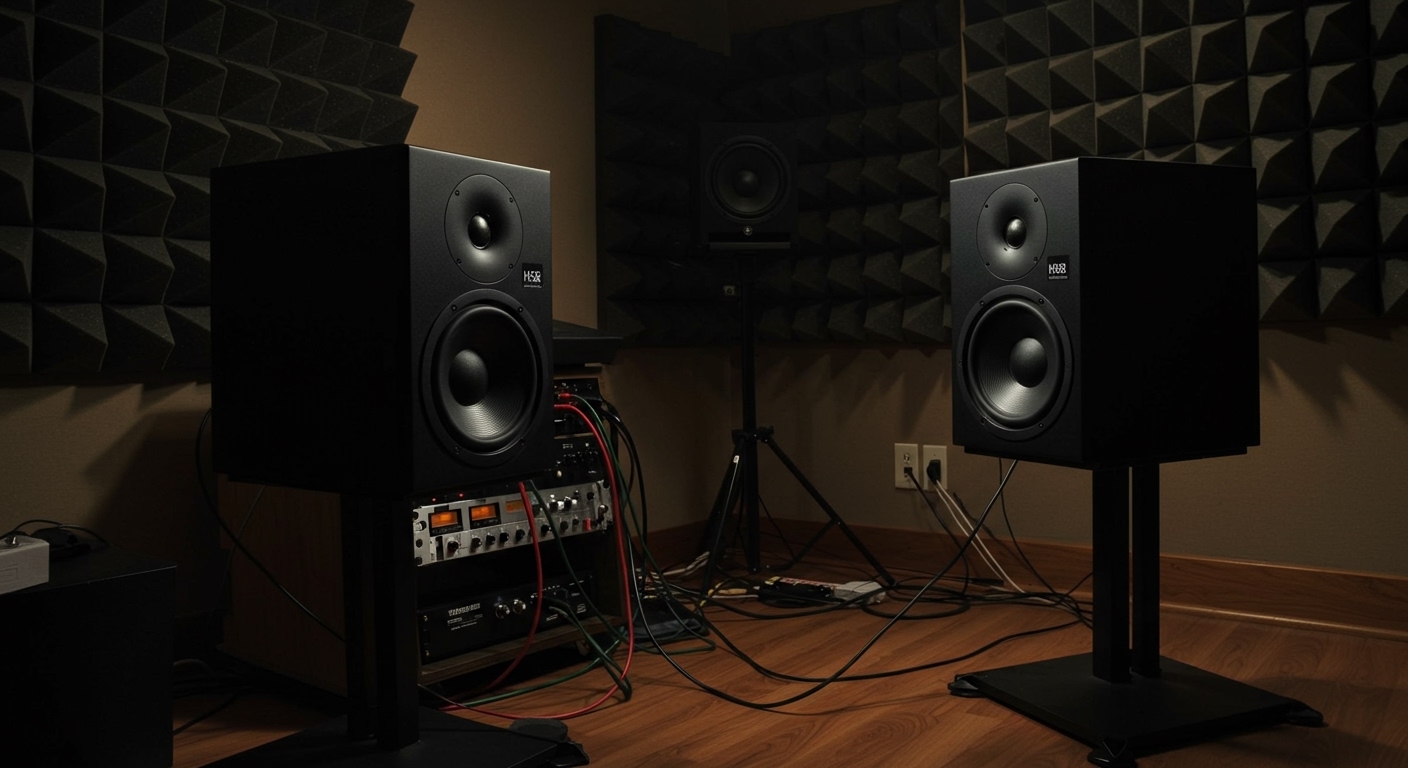
Think of it like a photographer using a calibrated screen versus a smartphone filter. A standard speaker acts like the filter, adding bass or “sparkle” to the high end to make the music sound “better.” In contrast, a monitor acts as a transparent window. If the recording has a flaw, a harsh frequency, or a muddy low-end, the monitor reveals it so the producer can fix it.
Key Takeaways: Why Professionals Use Monitors
- Accuracy over Aesthetics: Monitors prioritize a flat frequency response so no single frequency is artificially boosted.
- Critical Listening: They are built for analytical listening, helping you identify phase issues, distortion, and balance problems.
- Near-field Design: Most modern monitors are near-field, meaning they are designed to be listened to at a close distance (3–5 feet) to minimize room reflections.
- Built-in Amplification: Most current studio monitors are active, meaning they have custom-tuned internal amplifiers for each driver (woofer and tweeter).
- Translation: If a mix sounds good on accurate monitors, it is much more likely to “translate” well to car speakers, headphones, and home theaters.
The Historical Origin: Why Are Speakers Called Monitors?
To fully understand why are speakers called monitors, we have to look back at the early days of radio broadcasting and film sound. In the 1920s and 30s, engineers needed a way to ensure the signal being broadcast or recorded was technically sound and free of distortion.
They weren’t “listening for pleasure”; they were “monitoring the signal” for technical compliance. The term “monitor” was adopted from the Latin monere, meaning “to warn” or “to advise.” These speakers were literally warning the engineer if the signal was peaking or if a microphone was malfunctioning.
The Evolution of the Studio Reference
In the 1940s, the Altec Lansing Duplex 604 became the first widely adopted “monitor” because it offered a level of clarity that consumer radios of the time couldn’t match. This established the standard: studio monitors are tools for work, while speakers are tools for entertainment.
During my years in various recording studios, I’ve seen the transition from massive, wall-mounted “main” monitors to the smaller, desktop near-field monitors we use today. The goal has always remained the same: transparency.
Monitors vs. Traditional Speakers: The Technical Differences
Understanding why are speakers called monitors requires looking at the internal components and the engineering philosophy behind them.
| Feature | Studio Monitors | Consumer Hi-Fi Speakers |
|---|---|---|
| Frequency Response | Flat / Linear (Accurate) | V-Shaped (Boosted Bass/Treble) |
| Amplification | Usually Active (Internal Amps) | Usually Passive (External Amp) |
| Listening Distance | Near-field (Close range) | Far-field (Room-filling) |
| Goal | Analytical/Truthful | Euphoric/Pleasant |
| Connection Type | Balanced (XLR/TRS) | Unbalanced (RCA/Speaker Wire) |
The “Flat” Frequency Response Explained
When we talk about a flat frequency response, we mean that the speaker outputs all frequencies (from deep bass at 20Hz to high treble at 20kHz) at the same relative volume. Consumer speakers often boost the bass to make them sound “punchy” or boost the treble for “clarity.” While this sounds great in a living room, it is disastrous in a studio. If your speakers already have “fake” bass, you won’t add enough real bass to your mix, and it will sound thin when played elsewhere.
Step-by-Step: How to Choose and Set Up Studio Monitors
If you are transitioning from consumer audio to professional production, simply knowing why are speakers called monitors isn’t enough. You need to know how to use them to get the most “truth” out of your audio.
Step 1: Determine Your Room Size
In my experience, the most common mistake is buying monitors that are too large for the space.
- Small Rooms (under 10×10 ft): Use 5-inch or 6-inch woofers.
- Medium/Large Rooms: 7-inch to 8-inch woofers are appropriate.
- Large woofers in small rooms often create massive standing waves that make the bass sound muddy and inaccurate.
Step 2: Positioning the “Equilateral Triangle”
To get the most accurate stereo image, your head and the two monitors should form a perfect equilateral triangle.
- Place the monitors on stands or isolation pads.
- Angle them (toe-in) toward your ears.
- Ensure the tweeters (the small top speakers) are at the same height as your ears. High frequencies are very directional; if they are too high or low, you will lose detail.
Step 3: Manage Reflections with Acoustic Treatment
Even the most expensive Genelec or Neumann monitors will sound bad in a room with bare walls.
- Place bass traps in the corners.
- Use acoustic panels at the “first reflection points” (the spots on the walls directly to your left and right).
- Avoid placing monitors directly against a wall, as this causes boundary interference (bass buildup).
Step 4: Calibration and Room Correction
Today, we have incredible tools like Sonarworks SoundID Reference. This software uses a measurement microphone to analyze your room and applies an EQ curve to your monitors to make them even “flatter.” This is a game-changer for home studios where the room acoustics are less than ideal.
Why Do Some Monitors Sound “Bad” Initially?
New users often ask me, “If these are so good, why do they sound so boring?” This is actually a sign of a good monitor.
Consumer speakers are designed to flatter the music. They hide mistakes. Studio monitors are designed to expose them. When you first listen to your favorite songs on a pair of Yamaha HS8s or Adam Audio T5Vs, you might hear a hiss in the background or a slight distortion in the vocals that you never noticed before.
This “analytical” sound is exactly why are speakers called monitors. They allow you to hear the “bones” of the production. Once you learn to mix on them, your music will sound professional on every other system.
Critical Entities in the World of Monitoring
When researching why are speakers called monitors, you will encounter several key brands and technical terms. Understanding these helps build your expertise.
- Active vs. Passive: Active monitors have a built-in power amplifier. Passive monitors require an external amplifier. Almost all modern home studios use active systems for simplicity and matched impedance.
- The NS-10 Phenomenon: The Yamaha NS-10 is perhaps the most famous monitor in history. It actually sounds quite “mid-range heavy” and harsh. Engineers loved it because “if you can make a mix sound good on an NS-10, it will sound good anywhere.”
- Crossover Network: This is the internal component that splits the audio signal, sending the low frequencies to the woofer and the high frequencies to the tweeter.
- Bi-amplification: High-end monitors often have two separate amplifiers inside—one dedicated specifically to the woofer and one for the tweeter. This reduces intermodulation distortion.
Actionable Advice for Buying Your First Monitors
If you are ready to invest, follow these three rules based on years of testing equipment:
- Don’t buy by brand name alone: Go to a local pro-audio shop and bring a high-quality track you know by heart. Listen to different monitors. You are looking for the ones that reveal the most detail, not the ones that sound the “prettiest.”
- Budget for stands and cables: Do not put your monitors directly on your desk. The desk will vibrate and act as a giant wooden speaker, ruining your bass accuracy. Use IsoAcoustics stands or high-density foam pads.
- Check the “Port” location: If you have to place your monitors close to a wall, look for front-ported monitors. Rear-ported monitors (where the hole is in the back) need at least 12–18 inches of space from the wall to prevent “chuffing” and bass distortion.
Frequently Asked Questions (FAQ)
Can I use studio monitors for casual music listening?
Yes, you can, but be prepared for a different experience. Because why are speakers called monitors relates to their accuracy, they will reveal flaws in low-quality MP3s or poorly produced albums. Some people find this “tiring” for long-term casual listening, while audiophiles often prefer it for its honesty.
Do I need a subwoofer with my studio monitors?
It depends on your genre. If you produce EDM, Hip-Hop, or Cinematic scores, a subwoofer is essential to “monitor” the sub-bass frequencies (below 50Hz). For most rock, pop, or podcasting, a good pair of 7-inch or 8-inch monitors provides enough low-end.
Why are studio monitors so much more expensive than computer speakers?
The cost comes from the high-quality transducers, the precision-engineered internal amplifiers, and the heavy-duty, non-resonant cabinets. Unlike plastic computer speakers, monitors are built to maintain a consistent performance over 10–20 years of daily professional use.
Is it okay to use headphones instead of monitors?
Headphones eliminate room acoustics, which is a plus, but they don’t provide the “physical” sensation of sound hitting your body, and the stereo image can be exaggerated. Most professionals use a combination of both for a “failsafe” mix.
What does “near-field” actually mean?
Near-field refers to monitors designed to be used in close proximity. This ensures that the direct sound from the speaker reaches your ears before the reflected sound from the walls and ceiling, providing a more accurate representation of the audio.









