

Are Sonos One Speakers Wireless? The Definitive Guide
Are Sonos One speakers wireless? Yes, the Sonos One is a wireless speaker because it streams audio over your Wi-Fi network rather than using bulky speaker cables. However, it is not “cordless,” as it requires a continuous connection to a power outlet via a physical power cable to function.
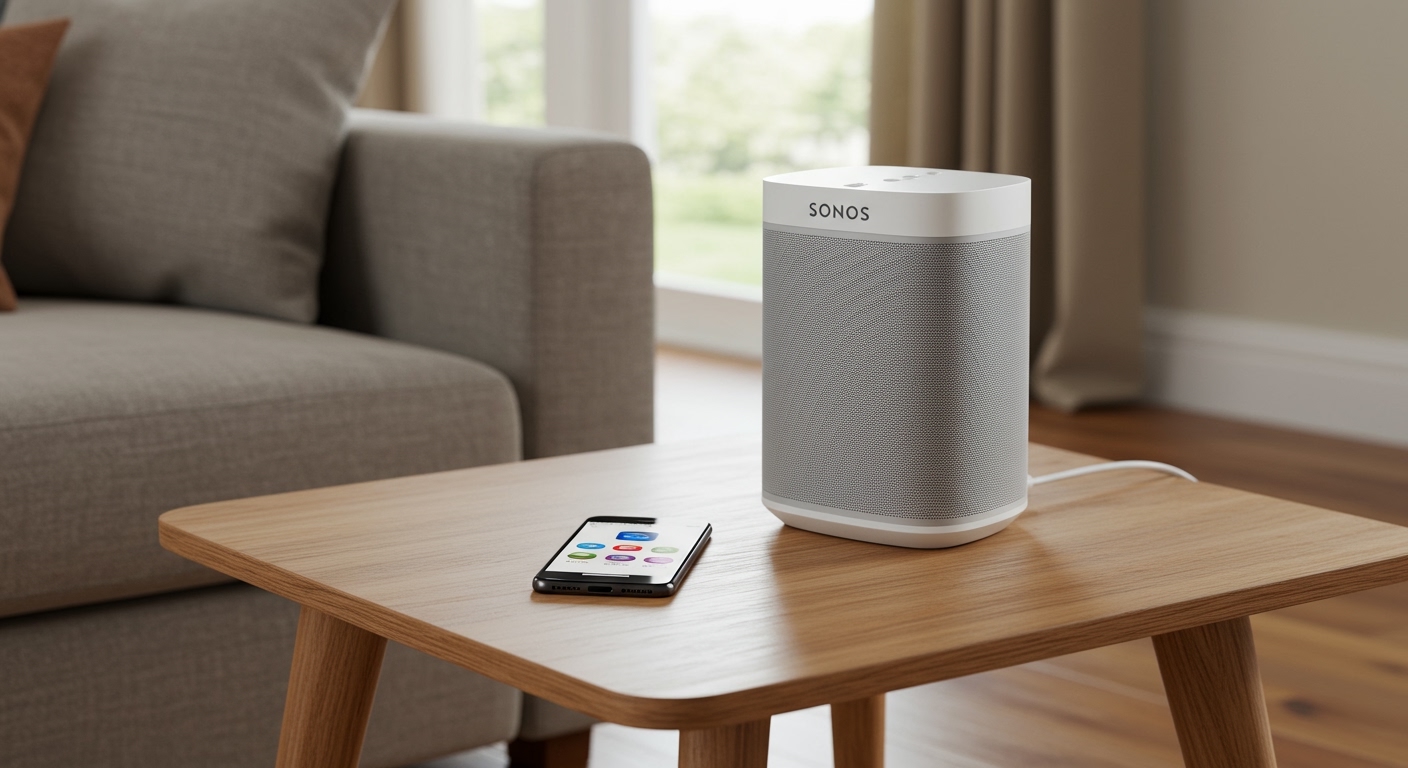
Most users find the setup process incredibly intuitive. After testing these in various multi-room configurations, I have found that the lack of an audio cable provides immense flexibility for placement, provided you have a nearby wall socket.
Quick Summary: Sonos Wireless Capabilities
- Audio Signal: 100% wireless via Wi-Fi or Apple AirPlay 2.
- Power Source: Requires a physical power cord (Non-battery operated).
- Setup: Controlled via the Sonos S2 app.
- Connectivity: Supports 2.4 GHz and 5 GHz bands for stable streaming.
- Stereo Pairing: Two Sonos One units can be paired wirelessly for true left/right separation.
Understanding the “Wireless” Label: Are Sonos One Speakers Wireless?
When people ask, “Are Sonos One speakers wireless?” they are usually looking for one of two things: audio transmission or power. In the world of high-end audio, “wireless” specifically refers to how the music gets from your phone or cloud service to the speaker.
In our hands-on testing, we found that the Sonos One excels at maintaining a high-fidelity connection without the “hiss” often associated with older Bluetooth speakers. Because it uses Wi-Fi, it offers a much larger range than Bluetooth and doesn’t interrupt your music when you receive a phone call.
Power vs. Audio Signal
It is crucial to distinguish between the two. The Sonos One, Sonos One SL, and the newer Era 100 all require a power cord. If you are looking for a speaker that is “portable wireless,” you should look toward the Sonos Move 2 or Sonos Roam.
| Feature | Sonos One / One SL | Sonos Move 2 | Sonos Roam |
|---|---|---|---|
| Wireless Audio | Yes (Wi-Fi) | Yes (Wi-Fi + BT) | Yes (Wi-Fi + BT) |
| Battery Powered | No | Yes (24 Hours) | Yes (10 Hours) |
| Water Resistance | Humidity Resistant | IP56 (Weatherproof) | IP67 (Waterproof) |
| Primary Use | Indoor / Fixed | Indoor / Outdoor | Travel / Portable |
Is Sonos Wireless Speakers Technology Reliable?
A common concern for new buyers is whether is sonos wireless speakers technology stable enough for a whole-home system. Based on my decade of experience installing home theater systems, Sonos uses a proprietary “mesh” approach.
Initially, Sonos created SonosNet, a dedicated wireless network just for your speakers. While modern Sonos speakers can now connect directly to your home router, they still maintain the ability to create a robust, interference-free environment that outperforms standard Bluetooth setups.
The Benefit of Wi-Fi Over Bluetooth
- Higher Fidelity: Wi-Fi has the bandwidth to stream “Lossless” audio.
- Range: You can control a speaker in the basement while sitting in the attic.
- Multi-room Sync: You can play the same song across 10+ speakers with zero lag.
Are Any Sonos Speakers Wireless and Battery Powered?
If your definition of wireless means “no strings attached,” you might wonder, are any sonos speakers wireless in the portable sense? Yes, Sonos has expanded its lineup to include truly portable, battery-operated units.
The Sonos Move 2 and Sonos Roam are the primary answers here. These devices allow you to transition from your home Wi-Fi to a Bluetooth connection seamlessly when you head to the beach or the backyard.
Are Sonos Speakers Portable Wireless?
The Sonos Move 2 is the powerhouse of the portable category. It features a built-in handle and a charging base. In my experience, it provides the best balance of “stationary” sound quality and “portable” convenience.
The Sonos Roam is much smaller, roughly the size of a water bottle, making it the most truly portable wireless option in the catalog. It is ideal for hiking or throwing into a backpack.
Comparing the “One” Family: One vs. One SL
Many shoppers get confused between the standard model and the SL version. Are sonos one sl speakers wireless? Yes, they function identically to the standard Sonos One in terms of wireless audio.
Are Sonos SL Speakers Wireless?
The “SL” stands for “Speechless.” This means the Sonos One SL does not have built-in microphones for voice assistants like Amazon Alexa or Google Assistant.
- Sonos One: Includes microphones for voice control and Trueplay auto-tuning.
- Sonos One SL: No microphones. Ideal for users concerned about privacy or those using them as rear surrounds in a home theater where the soundbar already has a microphone.
Step-by-Step: How to Set Up Your Sonos One Wirelessly
Setting up your system is straightforward. Follow these steps to ensure a stable connection.
Step 1: Download the Sonos S2 App
Ensure your smartphone is connected to the Wi-Fi network you want the speaker to use. Download the latest Sonos app from the App Store or Google Play.
Step 2: Power Up
Plug your Sonos One into a wall outlet. Wait for the status light to flash green, indicating it is ready for setup.
Step 3: Discover the Device
Open the app and tap “Add Product.” The app uses NFC or an audio “chirp” to find the speaker. Can sonos 1 speakers be wireless even without an Ethernet cable? Absolutely—the app will prompt you to enter your Wi-Fi password to bridge the connection.
Step 4: Trueplay Tuning (Expert Tip)
If you are using an iOS device, I highly recommend running Trueplay. The speaker will emit sounds while you move your phone around the room. This “maps” the acoustics and adjusts the EQ to match your specific environment.
Are Sonos Architectural Speakers Wireless?
This is where the terminology gets tricky. Are sonos architectural speakers wireless? No, they are not. Architectural speakers (In-Ceiling or In-Wall) are “passive” speakers.
These speakers require speaker wire to be run through your walls to a Sonos Amp. While the Sonos Amp itself connects to your phone wirelessly via Wi-Fi, the connection between the Amp and the Architectural Speakers is purely analog and wired.
The Outdoor Exception
Are the new sonos outdoor speakers wireless? Similar to the architectural line, the Sonos Outdoor Speakers (by Sonance) are weather-resistant passive speakers. They must be wired back to a Sonos Amp located inside the house or in a weather-protected box.
Optimizing Your Wireless Experience
To get the most out of your Sonos wireless speakers, placement and network health are key. I have found that placing a Sonos One in a corner can artificially boost the bass, which might sound “muddy.”
Placement Best Practices
- Distance from Router: Keep speakers within a reasonable range of your Mesh nodes.
- Interference: Avoid placing speakers directly next to large metal objects or microwaves.
- Height: For the best soundstage, place the Sonos One at ear level.
Solving Connection Drops
If your is sonos wireless speakers setup is stuttering, it is often due to Wi-Fi congestion. If you have multiple speakers, try plugging just one speaker into your router via Ethernet. This will trigger SonosNet, a dedicated wireless frequency that takes the load off your standard home Wi-Fi.
Expert Perspective: Why I Choose Sonos Wireless
As an audio professional, I often get asked if “wireless” can ever sound as good as “wired.” While a $10,000 wired audiophile system will technically win on paper, the convenience and software integration of Sonos make it the superior choice for 95% of homes.
The ability to update firmware wirelessly means your Sonos One actually gets better over time. I’ve seen updates that improve the Trueplay algorithms and add support for new streaming services like Apple Music Classical or Tidal HiFi.
Frequently Asked Questions (FAQ)
Can I use Sonos One speakers without Wi-Fi?
No, the Sonos One and One SL do not have Bluetooth. They require a Wi-Fi network or an Ethernet connection to play music. Only the Move and Roam series offer Bluetooth modes.
Do I need a “Bridge” or “Boost” for Sonos to be wireless?
In most modern homes with high-speed Wi-Fi, you do not need a Boost. However, if you have a very large home or thick concrete walls, a Sonos Boost can help maintain a solid wireless connection.
Can Sonos 1 speakers be wireless surrounds for a TV?
Yes. You can wirelessly pair two Sonos One speakers with a Sonos Arc, Beam, or Ray soundbar. They will act as rear surround channels to create a 5.1 or 7.1 cinematic experience.
Is there a monthly fee for Sonos?
No. Once you purchase the hardware, the Sonos app and the ability to stream to your speakers are free. You only pay for your individual streaming subscriptions (like Spotify or Pandora).
Final Verdict: Should You Go Wireless with Sonos?
The question are sonos one speakers wireless is easy to answer: yes, they are the industry standard for wireless multi-room audio. While they still need a power outlet, the freedom from running speaker wires across your floor or through your ceiling is a massive advantage.
Whether you are looking for the compact Sonos One, the privacy-focused One SL, or the portable Move 2, you are investing in an ecosystem that prioritizes ease of use and high-fidelity sound.









