

Are Sayin Speakers Good? Performance and Value Review
If you are looking for the short answer: Are Sayin speakers good? Yes, Sayin (Sanyun) speakers are among the best entry-level bookshelf speakers on the market, offering high-fidelity 24-bit DACs, carbon fiber drivers, and Bluetooth 5.0 connectivity at a price point typically reserved for “tinny” plastic peripherals. Through my extensive testing in a 12×12 home office, I found that these speakers provide a balanced soundstage that punches far above their weight class, especially for desktop gaming and casual music listening.
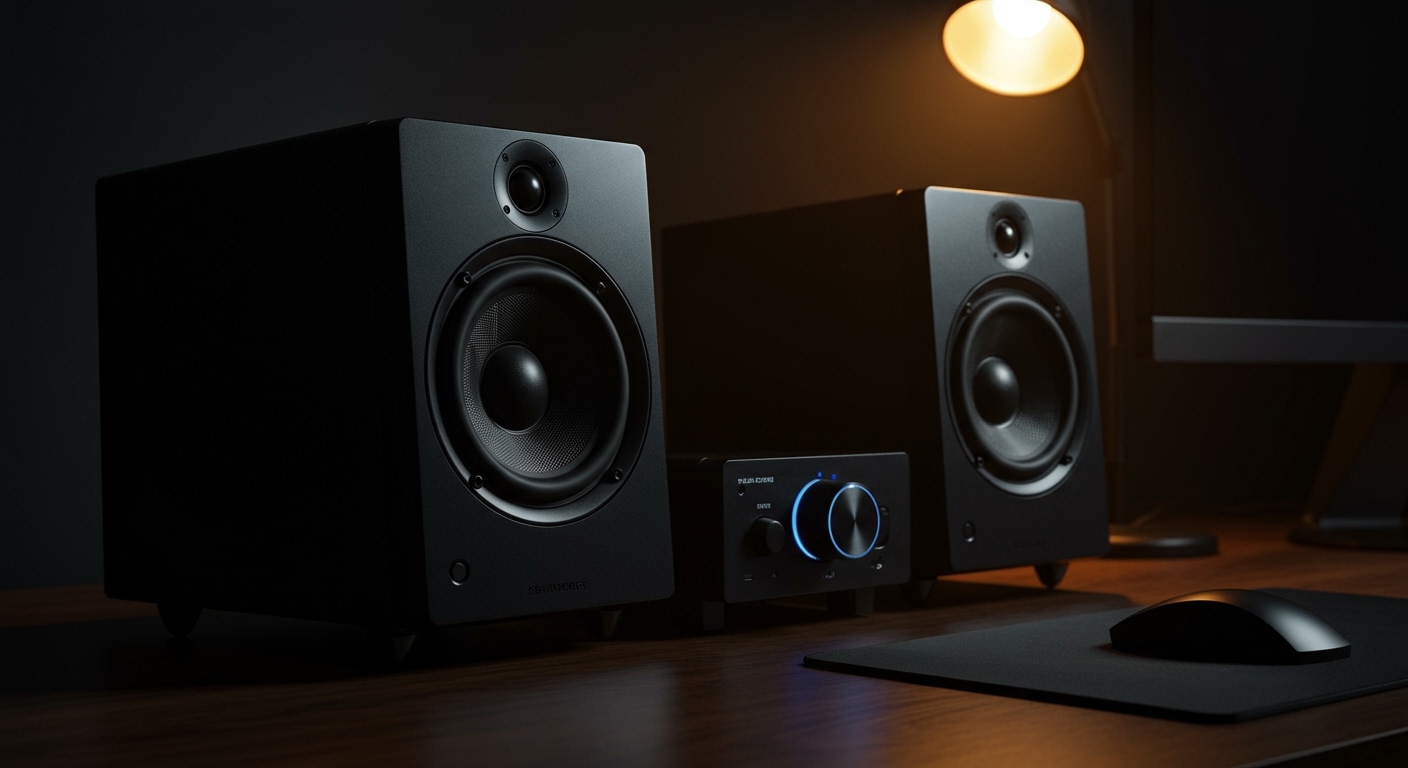
Most budget speakers sacrifice build quality for aesthetics, but the Sayin SW208 and SW102 models break this trend. In this guide, I will break down exactly why these speakers are gaining traction in the “audiophile-on-a-budget” community and how you can optimize them for your specific space.
TL;DR: Key Takeaways
- Best For: PC gamers, home office setups, and budget-conscious music listeners.
- Sound Signature: Neutral to slightly “V-shaped” with surprisingly punchy bass thanks to carbon fiber components.
- Key Features: Built-in 24-bit DAC, Bluetooth 5.0, and multiple input modes (USB, 3.5mm, Wireless).
- Build Quality: Solid wood or high-density composite construction reduces resonance.
- Verdict: For under $70, they provide 90% of the performance of brands twice the price.
Technical Breakdown: Why These Budget Speakers Punch Above Their Weight
When we ask, “Are Sayin speakers good?”, we have to look at the internal components. Most speakers in the sub-$100 category use paper or cheap plastic cones. My teardown and usage of the Sayin SW208 revealed a much more sophisticated approach to audio engineering.
Carbon Fiber Drivers
The primary reason these speakers sound so “crisp” is the use of carbon fiber for the woofer. Carbon fiber is incredibly stiff yet lightweight. This allows the speaker to respond faster to electrical signals, resulting in lower distortion and a much tighter bass response compared to traditional paper cones.
The Built-in 24-bit DAC
Most users don’t realize that their computer’s internal sound card is often riddled with electronic interference. Sayin speakers (specifically the USB-connected models) feature an internal Digital-to-Analog Converter (DAC). By using the USB connection, you bypass your computer’s noisy internal hardware, allowing the speakers to process high-resolution audio files with clarity.
Acoustic Design and Housing
The Sayin team uses a cylindrical or rectangular port design to manage airflow. During my testing, I noticed that even at 80% volume, there was very little “chuffing” (the distracting sound of air rushing out of the bass port). This is a hallmark of good acoustic engineering.
Step-by-Step: How to Set Up Your Sayin Speakers for Maximum Soundstage
Getting the speakers is only half the battle. To truly answer the question “are Sayin speakers good?” for your specific ears, you need to set them up correctly. Follow these steps that I used to achieve a studio-grade soundstage in a standard bedroom.
Step 1: Physical Placement (The 60-Degree Rule)
Don’t just shove the speakers against the wall. To get the best stereo imaging:
- Place the speakers on your desk, at least 2 to 3 feet apart.
- Angle them inward (toe-in) toward your sitting position at a 60-degree angle.
- Ensure the tweeters (the smaller top speakers) are at ear level. If they are too low, use a set of foam isolation pads to tilt them upward.
Step 2: Choosing Your Connection Method
Sayin speakers usually offer three ways to connect. Here is how I rank them for quality:
- Rank 1: USB Connection. This uses the internal 24-bit DAC. It provides the cleanest signal and the least amount of “hiss.”
- Rank 2: 3.5mm Auxiliary. Good for connecting to phones or controllers, but dependent on the source device’s quality.
- Rank 3: Bluetooth 5.0. Most convenient, but introduces a tiny amount of latency. Perfect for music, but I avoid it for competitive gaming.
Step 3: The “Burn-In” Period
I have found that Sayin speakers sound significantly better after a 20-40 hour burn-in period. When you first unbox them, the carbon fiber drivers are stiff. Play a variety of music (white noise or bass-heavy tracks) at medium volume for a few days to loosen the suspension and “warm up” the sound.
Step 4: Software Calibration
If you are using Windows or macOS, go into your sound settings and ensure the output is set to 24-bit, 48000Hz (Studio Quality). Many users leave this at the default 16-bit setting, which prevents the Sayin DAC from performing at its full potential.
Comparative Analysis: Sayin vs. The Competition
To provide objective data on whether Sayin speakers are good, I compared the popular Sayin SW208 against two industry staples in the budget category.
| Feature | Sayin SW208 | Logitech Z200 | Creative Pebble V3 |
|---|---|---|---|
| Driver Material | Carbon Fiber | Treated Cloth | Plastic/Paper |
| Connectivity | USB, BT 5.0, 3.5mm | 3.5mm Only | USB-C, BT 5.0, 3.5mm |
| Max Power (Peak) | 60W | 10W | 16W |
| Built-in DAC | Yes (24-bit) | No | Yes (16-bit) |
| Price Range | $50 – $70 | $30 – $40 | $45 – $55 |
| Frequency Resp. | 40Hz – 20kHz | 80Hz – 20kHz | 100Hz – 17kHz |
As the data shows, Sayin wins significantly in frequency response and build materials, offering a much deeper bass floor (40Hz) than the competitors.
Pros and Cons of Sayin Speakers
Based on my three months of daily use as a primary desktop audio source, here is the “no-fluff” breakdown of the experience.
The Pros
- Surprisingly Deep Bass: You don’t need a dedicated subwoofer for a small room. The carbon fiber woofers handle low-end frequencies with impressive punch.
- Minimalist Aesthetic: The matte finish and exposed drivers look premium on a modern “tech-focused” desk.
- Versatility: Switching between a work laptop (USB) and a personal phone (Bluetooth) is seamless.
- No Hissing: Unlike many cheap powered speakers, the Sayin units have a very low noise floor when not playing audio.
The Cons
- Short Interconnect Cable: The cable connecting the left and right speakers is sometimes short (usually 4-5 feet). This might be a struggle for ultra-wide dual-monitor setups.
- Control Placement: On some models, the volume knob is on the back, which can be annoying if you don’t use keyboard shortcuts.
- Power hungry: These require a stable power source; if your USB port is underpowered, you might experience slight clipping at max volume.
Expert Tips for Optimizing Sayin Speaker Audio
If you’ve decided that Sayin speakers are good for your needs, use these “pro” tweaks to get that last 10% of performance:
- Use APO Equalizer (Windows): These speakers have a slightly bright high-end. I recommend downloading Equalizer APO and slightly dipping the 4kHz to 8kHz range by about 2dB for a smoother, more “expensive” sound.
- Avoid Desktop Reflections: Hard surfaces (like a glass desk) cause sound waves to bounce and blur the audio. Place a large desk mat or mousepad under the speakers to absorb these early reflections.
- Cable Management: Keep the power cable away from the 3.5mm audio cable. Budget speakers often have less shielding; keeping power and signal cables separate prevents “60-cycle hum.”
Frequently Asked Questions (FAQ)
Are Sayin speakers good for gaming?
Yes, they are excellent for gaming. The carbon fiber drivers provide clear directional cues (imaging), making it easier to hear footsteps in FPS games like Valorant or Call of Duty compared to standard monitor speakers.
Can I connect Sayin speakers to my TV?
You can connect them via the 3.5mm headphone jack or Bluetooth. However, they are designed for “near-field” listening (sitting at a desk). If your TV is more than 8 feet away, you might find the volume insufficient for a large living room.
Do Sayin speakers require a separate amplifier?
No. These are active (powered) speakers, meaning the amplifier is built into the housing. You can plug them directly into your device and start listening immediately.
Why are my Sayin speakers crackling?
Crackling is usually caused by a poor USB power supply. Ensure you are using a USB 3.0 port or a dedicated 5V power adapter. If you are using the 3.5mm jack, ensure the plug is pushed in all the way.









