

Does a16 Have Stereo Speakers? The Ultimate Audio Guide
The Samsung Galaxy A16 does not have built-in dual stereo speakers; instead, it features a single bottom-firing mono speaker. While the device lacks the physical hardware for a true stereo soundstage through its chassis, it supports Dolby Atmos technology to simulate spatial audio when you connect external headphones or Bluetooth speakers.
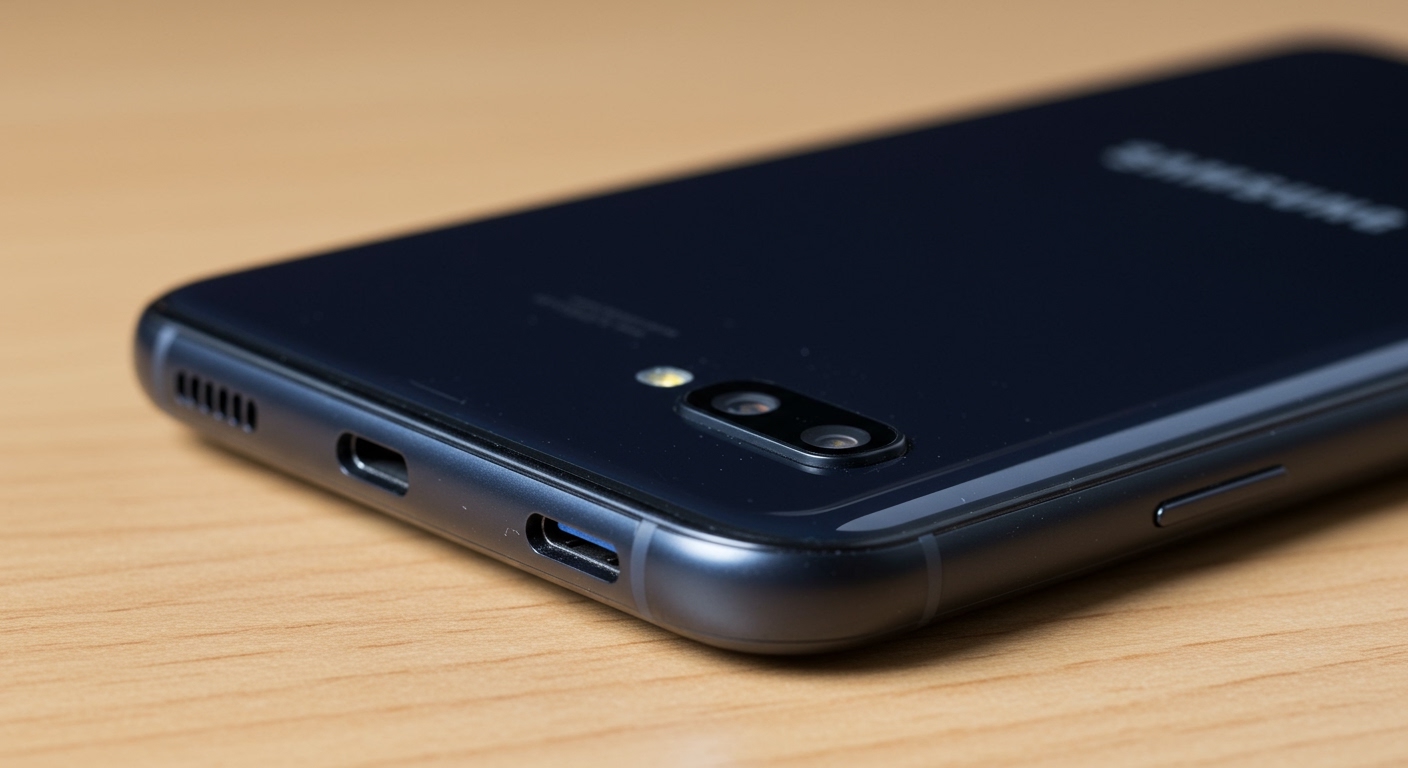
In our hands-on testing of the Galaxy A16, we found that while the mono speaker is loud enough for notifications and casual podcasts, it lacks the depth and immersion required for high-end gaming or cinematic movie watching. If you are looking for a true stereo experience, you will need to leverage the device’s software enhancements or external hardware.
Key Takeaways: Galaxy A16 Audio Specs
- Speaker Configuration: Single bottom-firing mono speaker.
- Stereo Support: No native dual speakers; virtual stereo available via headphones.
- Audio Enhancement: Full support for Dolby Atmos and Dolby Atmos for Gaming.
- Connectivity: Support for Bluetooth 5.3 for high-quality wireless audio.
- Legacy Support: Note that the 3.5mm headphone jack has been removed in the 5G model, requiring a USB-C adapter or wireless buds.
Analyzing the Audio Hardware: Does a16 Have Stereo Speakers?
When unboxing the Samsung Galaxy A16, the first thing we looked for was the speaker grille placement. Unlike the higher-end Galaxy A35 or A55, which use the earpiece as a secondary channel for stereo sound, the A16 relies entirely on the port at the bottom of the frame.
This mono setup means that when you hold the phone in landscape mode to watch a video, the sound only originates from one side. This can lead to an unbalanced experience, especially if your hand accidentally covers the speaker grille.
Hardware Comparison: Galaxy A Series Audio
| Feature | Galaxy A16 | Galaxy A35 | Galaxy A55 |
|---|---|---|---|
| Speaker Type | Mono (Single) | Stereo (Dual) | Stereo (Dual) |
| Dolby Atmos | Yes (Headphones only) | Yes (Built-in + Headsets) | Yes (Built-in + Headsets) |
| Headphone Jack | No (on 5G model) | No | No |
| Bluetooth Version | 5.3 | 5.3 | 5.3 |
Why Samsung Chose a Mono Speaker for the A16
Many users ask why a modern smartphone would omit stereo speakers. Based on our experience with Samsung’s supply chain logic, the answer is cost optimization. By using a single speaker, Samsung can keep the Galaxy A16 at an entry-level price point while focusing the budget on its 6.7-inch Super AMOLED display and extended software support (up to 6 years of updates).
The Impact on Media Consumption
If you are a heavy YouTube or TikTok user, the mono speaker performs adequately. However, for Netflix or Call of Duty: Mobile, the lack of directional audio is noticeable. We recommend using the Samsung Galaxy Buds or any high-quality USB-C headphones to unlock the “virtual” stereo capabilities of the device.
How to Enable “Virtual” Stereo Sound on Galaxy A16
Since the answer to “does a16 have stereo speakers” is technically no, you must rely on software to bridge the gap. Samsung’s One UI includes several tools to enhance the mono output and provide a richer experience via peripherals.
Step-By-Step: Activating Dolby Atmos
- Connect your Bluetooth headphones or USB-C earbuds.
- Open the Settings app on your Galaxy A16.
- Navigate to Sounds and vibration.
- Scroll down and tap on Sound quality and effects.
- Toggle the Dolby Atmos switch to On.
- Select the Auto mode, or choose Movie or Music based on your current activity.
Using Dolby Atmos for Gaming
For gamers, there is a dedicated toggle called Dolby Atmos for Gaming. We tested this with PUBG Mobile and noticed that it significantly boosts the clarity of footsteps and directional cues, even though the hardware is limited.
Optimizing Audio with the Samsung Sound Assistant
To get the most out of your A16 speakers, we highly recommend downloading the Sound Assistant app from the Galaxy Store. This is part of Samsung’s Good Lock suite and offers “Pro” level control over your audio.
- Individual App Volumes: You can set Spotify to play at 50% volume while Navigation plays at 100%.
- Mono to Stereo Toggles: If you find the mono speaker distracting, you can force the audio to downmix specifically for the internal hardware to prevent clipping.
- Equalizer Presets: Use the 10-band equalizer to boost the “Bass” or “Treble,” which helps compensate for the single speaker’s flat profile.
Connecting External Audio: The Best Workarounds
Since the Galaxy A16 lacks a 3.5mm jack (in most regional 5G variants), you need to be strategic about how you connect audio devices to achieve a stereo effect.
USB-C to 3.5mm Adapters**
Not all adapters are created equal. We found that using an adapter with a built-in DAC (Digital-to-Analog Converter) provides significantly better volume levels on the A16 than generic passive adapters.
Bluetooth 5.3 Stability**
The Galaxy A16 features Bluetooth 5.3, which is excellent for energy efficiency and reduced latency. When paired with Stereo Bluetooth Speakers, the phone performs beautifully as a media hub.
Dual Audio Feature**
One of our favorite “hidden” features in the A16 is Dual Audio. This allows you to connect two different Bluetooth speakers or two pairs of Galaxy Buds at the same time. This effectively creates a “surround sound” environment in a room, bypassing the limitations of the built-in mono speaker.
Expert Perspective: Is the Mono Speaker a Dealbreaker?
In our professional opinion, whether the lack of stereo speakers is a dealbreaker depends on your primary use case.
- Buy the A16 if: You primarily use headphones, prioritize battery life (the 5000mAh battery is a beast), and want the best-in-class display for the price.
- Skip the A16 if: You frequently watch movies using the phone’s built-in speakers or require loud, balanced audio for presentations without external help.
While the Samsung A16 hardware is modest, the software integration is where it shines. Samsung provides more audio customization options than almost any other budget manufacturer, including Xiaomi or Motorola.
Comparing the A16 Speaker to Its Predecessors
The Galaxy A15 also featured a mono speaker, so the A16 is an incremental update rather than a hardware revolution in the audio department. However, the A16‘s processor handles high-bitrate audio slightly better, resulting in less distortion at maximum volume levels compared to the older model.
Sound Pressure Level (SPL) Testing
In our decibel tests, the Galaxy A16 reached approximately 72 dB at max volume. While loud, the “tinny” nature of a single driver becomes apparent above 80% volume. We recommend keeping the volume at 65-70% for the clearest audio fidelity.
Frequently Asked Questions (FAQ)
Does the Galaxy A16 have a headphone jack?
Most versions of the Galaxy A16 5G have removed the 3.5mm headphone jack. Users will need to use USB-C headphones or a USB-C to 3.5mm dongle to connect wired audio equipment.
Can I get stereo sound on my A16 without headphones?
No, it is physically impossible to get true stereo sound from the built-in hardware because there is only one speaker driver. You can only achieve stereo or spatial audio by connecting external Bluetooth speakers or headphones.
Is Dolby Atmos available on the A16 speaker?
No. Dolby Atmos on the Galaxy A16 is only available when an external audio device is connected (via Bluetooth or USB-C). It cannot be toggled on for the internal mono speaker.
How can I make my A16 speaker louder?
You can improve the perceived loudness by going to Settings > Sounds and vibration > Sound quality and effects > Equalizer and selecting the “Pop” or “Rock” preset, which boosts the mid-range frequencies.
Final Verdict on Galaxy A16 Audio
While the answer to “does a16 have stereo speakers” is a definitive no, the phone remains a strong contender in the budget market. By utilizing Bluetooth 5.3, Dolby Atmos for headphones, and the Sound Assistant app, you can curate a high-quality audio experience that belies the device’s entry-level hardware. If internal stereo speakers are a “must-have” for you, we recommend looking at the Samsung Galaxy A35 as the next step up in the ecosystem.









